Freedom251 › Network Discovery Software
Dipiscan
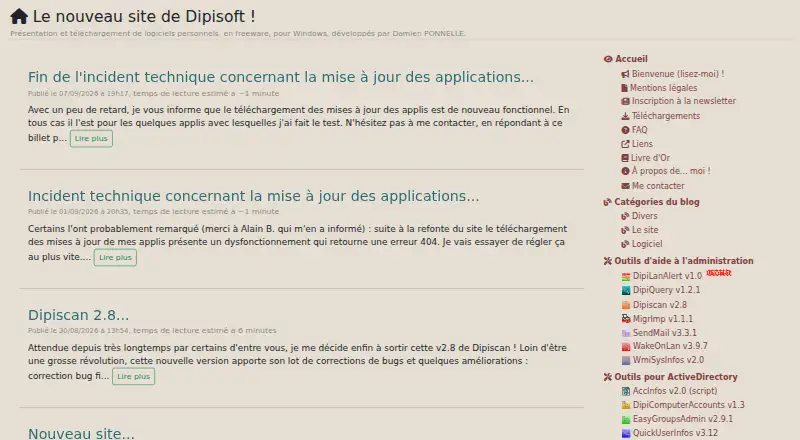
What Dipiscan is
Dipiscan is a Windows utility that scans IP ranges and retrieves information about machines on a network. A machine can be looked up by IP address, NetBIOS name, or DNS. The program can show the route taken to reach another machine and monitor a machine for changes since the previous scan. Users can also add custom commands to the right-click menu. Dipiscan is available as an installer or a portable version, which can run without installation. It is freeware, listed as free, and the supported Windows versions are 7, 8, 10, and 11. The maker notes that some antivirus tools may flag its .NET programs because they are obfuscated to prevent decompilation. Dipisoft is described by its maker as a one-person operation run by Damien Ponnelle.
Who it suits
Dipiscan suits Windows users who need to scan IP ranges and inspect or monitor machines on a network. Its portable version is an option for use without installing the program.
What it does well
- Looks up machines by IP, NetBIOS name, or DNS
- Shows the route to another machine
- Monitors changes since the previous scan
- Portable version runs without installation
- Freeware for Windows 7, 8, 10, and 11
What to know first
- Some antivirus tools may flag its .NET programs
- Available for Windows only
Limits
Dipiscan is freeware at no cost. The listing specifies Windows 7, 8, 10, and 11; no free trial is offered.
Plans
| Plan | Billed and limits | Price |
|---|---|---|
| Freeware | Freeware · Windows 7, 8, 10, 11 | Free |
As dipisoft.com lists them, read 9 Oct 2026. The maker's own page has the final word.
Getting started
- Open https://www.dipisoft.com/.
- Choose the installer or portable version.
- For portable use, run it without installing the program.
- Use Dipiscan on Windows 7, 8, 10, or 11.
- Scan an IP range or look up a machine by IP address, NetBIOS name, or DNS.
Verdict
Dipiscan provides network scanning, machine lookup, route display, and change monitoring as freeware for specified Windows versions. The maker warns that antivirus tools may flag its obfuscated .NET programs.
Questions
Is Dipiscan free?
Yes. Its Freeware plan is listed as free.
Which platforms does it support?
Dipiscan supports Windows 7, 8, 10, and 11.
Can I run Dipiscan without installing it?
Yes. A portable version is available and can be used without installation.
What can Dipiscan do on a network?
It scans IP ranges, looks up machines by IP address, NetBIOS name, or DNS, shows a route to another machine, and monitors for changes since a previous scan.
Who makes Dipiscan?
Dipisoft is the maker, described as a one-person operation run by Damien Ponnelle.
Why might antivirus tools flag it?
The maker says some antivirus tools may flag its .NET programs because they are obfuscated to prevent decompilation.
Facts from Dipiscan's own pages
- Change monitoring
- It can monitor a machine for changes since the previous scan. · majorgeeks.com, 9 Oct 2026
- Custom commands
- Users can add custom commands to the right-click menu. · majorgeeks.com, 9 Oct 2026
- Distribution
- Dipiscan is available in portable and installer versions. · majorgeeks.com, 9 Oct 2026
- Machine lookup
- It can look up a machine by IP address, NetBIOS name, or DNS. · majorgeeks.com, 9 Oct 2026
- Network route
- It can show the network route taken to reach another machine. · majorgeeks.com, 9 Oct 2026
- Portable use
- The portable version can be used without installing the program. · majorgeeks.com, 9 Oct 2026
- Purpose
- Dipiscan scans IP ranges and retrieves information about machines on a network. · majorgeeks.com, 9 Oct 2026
- Security note
- The maker says some antivirus tools may flag its .NET programs because they are obfuscated to prevent decompilation. · dipisoft.com, 9 Oct 2026
- Supported Windows
- The listing specifies Windows 7, 8, 10, and 11. · majorgeeks.com, 9 Oct 2026
- Who it serves
- The maker describes Dipisoft as a one-person operation run by Damien Ponnelle. · dipisoft.com, 9 Oct 2026
Where Dipiscan stands on Freedom251
- Network Discovery Software#10 of 35
- Network Diagnostic Software#13 of 37