Freedom251 › Virtual Desktop Infrastructure Software
Nerdio Manager for Enterprise
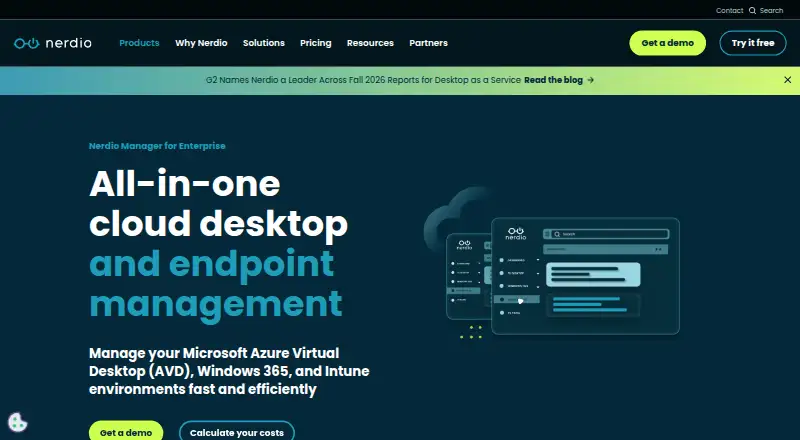
What Nerdio Manager for Enterprise is
Nerdio Manager for Enterprise manages Microsoft Azure Virtual Desktop, Windows 365, and Intune environments for internal IT teams. It covers AVD host pools, session hosts, workspaces, application groups, and RemoteApps, as well as Intune-enrolled physical Windows devices. Teams can centrally deploy applications across AVD, Windows 365, and Intune-managed endpoints. AVD Auto-scale adjusts capacity according to schedules, user demand, and configurable policies. The product is installed as an Azure application in the customer's subscription and billed through Azure Marketplace. Administrators can enable private endpoints during installation so the application and its dependencies use private IP addresses on the customer's virtual network. REST APIs, PowerShell, and Terraform are listed for enterprise workflow integrations. Nerdio also identifies integrations with Azure Virtual Desktop, Windows 365, and Intune, and technology partners including Nutanix, Recast, NetApp, IGEL, 10ZiG, and NComputing. A free 30-day Premium trial is available, with an option to downgrade to Core. Pricing for Windows Cloud plans is on request; Physical Endpoint Management is listed at $1 per user per month. Installation requires an Azure subscription owner and a subscription supporting specified Azure services in the selected region.
Who it suits
Nerdio Manager for Enterprise is intended for internal IT teams managing virtual desktops, cloud environments, and Windows devices. Its Azure deployment requirements make it relevant to organizations with a qualifying Azure subscription and subscription owner available for installation.
What it does well
- Manages AVD, Windows 365, and Intune environments.
- Auto-scale uses schedules, demand, and configurable policies.
- Lists REST APIs, PowerShell, and Terraform.
- New trials include 30 days of Premium access.
What to know first
- No free plan is listed beyond the 30-day trial.
- Installation requires an Azure subscription owner.
- The subscription must support specified Azure services.
Limits
The Premium trial is free for 30 days and can be downgraded to Core. The Physical Endpoint Management plan is listed at $1 per user per month, while Windows Cloud Core and Premium use request pricing.
Plans
| Plan | Billed and limits | Price |
|---|---|---|
| Physical Endpoint Management | per user/per month · Cloud and physical Windows endpoint management | $1 a month |
| Windows Cloud Premium | Request pricing · Enterprise-scale automation · operational insights · governance and control | On request |
| Windows Cloud Core | Request pricing · Windows Cloud management · automation · visibility | On request |
As getnerdio.com lists them, read 7 Oct 2026. The maker's own page has the final word.
Getting started
- Confirm an Azure subscription and subscription owner access
- Verify Azure SQL, App Service, Key Vault, Application Insights, and Automation Account support in the region
- Install Nerdio Manager as an Azure application through Azure Marketplace
- Enable private endpoints during installation if required
- Start the 30-day Premium trial
- Use the web or API access with supported client platforms
Verdict
Nerdio Manager for Enterprise brings virtual desktop, endpoint, application, and automation management into an Azure-deployed product. Teams should review the subscription prerequisites and request pricing for Windows Cloud plans.
Questions
What does Nerdio Manager for Enterprise manage?
It manages Azure Virtual Desktop, Windows 365, and Intune environments, including virtual desktop resources and Intune-enrolled physical Windows devices.
Is there a free trial?
Yes. New Enterprise trials provide the Premium edition free for 30 days, with an option to downgrade to Core.
How is Nerdio deployed and billed?
It is deployed as an Azure application in the customer’s own subscription and installed and billed through Azure Marketplace.
What does installation require?
Installation requires an Azure subscription owner and a subscription supporting Azure SQL, App Service, Key Vault, Application Insights, and Automation Account in the selected region.
Which automation interfaces are available?
Nerdio lists REST APIs, PowerShell, and Terraform for enterprise workflow and automation integration.
Which client platforms are supported?
Supported client platforms include Windows, macOS, iOS, Android, and the web.
Facts from Nerdio Manager for Enterprise's own pages
- Automation
- Features include AVD Auto-scale, which adjusts capacity using schedules, user demand, and configurable scaling policies. · getnerdio.com, 7 Oct 2026
- AVD management
- It can manage AVD host pools, session hosts, workspaces, application groups, and RemoteApps. · getnerdio.com, 7 Oct 2026
- Deployment
- The product is deployed as an Azure application within the customer's own subscription and is installed and billed through Azure Marketplace. · nmehelp.getnerdio.com, 7 Oct 2026
- Developer tools
- The feature list names REST APIs, PowerShell, and Terraform as options for integrating Nerdio with enterprise workflows and automation. · getnerdio.com, 7 Oct 2026
- Endpoints and apps
- The product manages Intune-enrolled physical Windows devices and centrally deploys applications across AVD, Windows 365, and Intune-managed endpoints. · getnerdio.com, 7 Oct 2026
- Founded
- 2017 · getnerdio.com, 28 Sept 2026
- Headquarters
- Chicago, Illinois, United States · getnerdio.com, 28 Sept 2026
- Integrations
- Nerdio identifies deep integrations with Azure Virtual Desktop, Windows 365, and Intune, and lists technology partners including Nutanix, Recast, NetApp, IGEL, 10ZiG, and NComputing. · getnerdio.com, 7 Oct 2026
- Intended users
- Nerdio describes the product as designed for internal IT teams managing virtual desktops and devices. · getnerdio.com, 7 Oct 2026
- Notable requirements
- Installation requires an Azure subscription owner and a subscription that supports Azure SQL, App Service, Key Vault, Application Insights, and Automation Account in the selected region. · nmehelp.getnerdio.com, 7 Oct 2026
- Purpose
- Nerdio Manager for Enterprise manages Microsoft Azure Virtual Desktop, Windows 365, and Intune environments. · getnerdio.com, 7 Oct 2026
- Security configuration
- During installation, administrators can enable private endpoints so the application and dependencies are reachable through private IP addresses on the customer's virtual network. · nmehelp.getnerdio.com, 7 Oct 2026
- Support
- Nerdio provides an Enterprise support portal and community for IT professionals. · getnerdio.com, 7 Oct 2026
- Trial
- Nerdio states that new Enterprise trials are Premium edition and can be used free for 30 days, with the option to downgrade to Core. · getnerdio.com, 7 Oct 2026
Where Nerdio Manager for Enterprise stands on Freedom251
- Virtual Desktop Infrastructure Software#15 of 25
- Cloud Management Software#24 of 35