Freedom251 › Virtual Desktop Infrastructure Software
HP Anyware
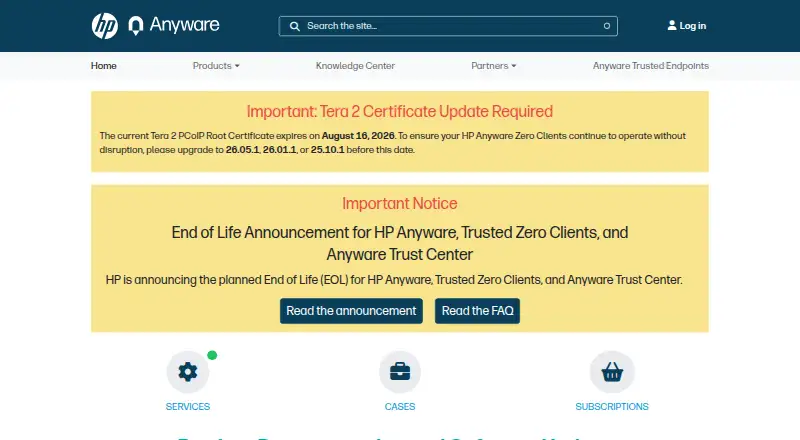
What HP Anyware is
HP Anyware provides secure remote access to remote or virtual desktops for knowledge workers and power users, including people running graphics-intensive applications. Its PCoIP technology compresses and encrypts the computing experience, then sends pixels to end-user devices. Hosts can run Windows, Linux, or macOS, with endpoints including Windows, Linux, macOS, iOS, Android, and Chrome OS. The Anyware Connector brokers desktops or workstations across AWS, Google Cloud, Microsoft Azure, and on-premises environments. With Anyware Manager, it supports user authentication and entitlement, including multifactor authentication, and secure connectivity without a dedicated VPN. Connection management options also include Leostream and Horizon. PCoIP Ultra supports lossless image delivery with bit-exact color accuracy and is optimized for high frame rates and high-resolution content. Sessions are encrypted, and clients can use certificate verification to check host identity, with high, medium, and low security modes. Subscriptions include support and updates for Anyware Agents, Clients, and Manager. Pricing starts at $150/user/yr; subscriptions are available for one or three years based on concurrent connections, with a five-connection minimum order.
Who it suits
HP Anyware suits organizations that need remote desktop access for knowledge workers or power users, including users of graphics-intensive applications. It can fit teams with cloud or on-premises desktop infrastructure and varied endpoint operating systems.
What it does well
- Supports Windows, Linux, and macOS host environments.
- Works with Windows, Linux, macOS, iOS, Android, and Chrome OS endpoints.
- Connects desktops across major cloud providers and on-premises environments.
- Supports multifactor authentication through Anyware Manager.
- PCoIP Ultra supports lossless delivery and bit-exact color accuracy.
- Subscriptions include support and updates for Agents, Clients, and Manager.
What to know first
- No free plan is available.
- Subscriptions require a minimum order of five concurrent connections.
- macOS hosts require an Anyware Professional subscription.
- From version 25.06, it will not be tested on Google Cloud Platform.
Limits
The entry-level Anyware Standard plan is CPU-only and built for everyday workloads. Anyware Professional is required for macOS host environments and provides GPU-enabled hosts. Subscriptions have a five-connection minimum order.
Plans
| Plan | Billed and limits | Price |
|---|---|---|
| Anyware Standard | Per year per concurrent user · CPU only host desktop · built for everyday workloads | $150 a year |
| Anyware Professional | Per year per concurrent user · GPU enabled host desktop · Windows, Linux, or macOS graphics agent | $299 a year |
As anyware.hp.com lists them, read 8 Oct 2026. The maker's own page has the final word.
Getting started
- Visit the HP Anyware product website.
- Choose a one-year or three-year subscription based on concurrent PCoIP connections.
- Select Anyware Standard for CPU-only everyday workloads or Professional for GPU-enabled hosts.
- Order at least five concurrent connections.
- Deploy the Anyware Connector for desktops or workstations in AWS, Google Cloud, Microsoft Azure, or on premises.
- Use an available client on Windows, Linux, macOS, Chrome OS, iOS, or Android.
Verdict
Choose HP Anyware if you need encrypted remote desktop access across cloud or on-premises environments, especially for graphics-intensive work. Its plans start at $150/user/yr, and buyers needing macOS hosts must select Professional; those requiring a product tested on Google Cloud Platform should consider the documented testing limitation.
Questions
How much does HP Anyware cost?
Pricing starts at $150/user/yr. Anyware Standard costs $150 a year per concurrent user; Anyware Professional costs $299 a year per concurrent user.
Is there a free plan?
No. HP Anyware is paid software.
Which operating systems does it support?
Hosts can run Windows, Linux, or macOS. End-user devices include Windows, Linux, macOS, iOS, Android, and Chrome OS.
Is HP Anyware open source?
The listed facts do not establish whether HP Anyware is open source.
What subscriptions are available?
Anyware Standard is CPU-only for everyday workloads. Anyware Professional provides GPU-enabled hosts and supports Windows, Linux, or macOS graphics agents; subscriptions are one or three years and require at least five concurrent connections.
Which infrastructure and connection managers does it support?
The Anyware Connector can broker desktops or workstations in AWS, Google Cloud, Microsoft Azure, and on premises. Connection management options include Anyware Manager, Leostream, and Horizon.
Facts from HP Anyware's own pages
- Broker integrations
- HP describes connection management options including Anyware Manager, Leostream, and Horizon. · anyware.hp.com, 8 Oct 2026
- Documented system limitation
- Starting with version 25.06, HP Anyware will not be tested on Google Cloud Platform, although HP says it is expected to remain fully functional. · anyware.hp.com, 8 Oct 2026
- Hosts and endpoints
- The product supports Windows, Linux, and macOS host environments and Windows, Linux, macOS, iOS, Android, and Chrome OS end user devices. · anyware.hp.com, 8 Oct 2026
- Image quality and performance
- PCoIP Ultra supports lossless image delivery with bit exact color accuracy and is optimized for high frame rates and high resolution content. · anyware.hp.com, 8 Oct 2026
- Infrastructure
- The Anyware Connector enables brokering desktops or workstations in AWS, Google Cloud, Microsoft Azure, and on premises environments. · anyware.hp.com, 8 Oct 2026
- Management and authentication
- The Anyware Connector works with Anyware Manager to provide user authentication and entitlement, including multifactor authentication, and secure connectivity without a dedicated VPN. · anyware.hp.com, 8 Oct 2026
- Peripherals
- The Windows Software Client supports Wacom tablets in bridged and locally terminated configurations, with local termination offering better responsiveness on higher latency connections. · anyware.hp.com, 8 Oct 2026
- Professional host requirement
- macOS host environments require an HP Anyware Professional subscription. · anyware.hp.com, 8 Oct 2026
- Purpose
- HP Anyware provides secure remote access to remote or virtual desktops for knowledge workers and power users, including users running graphics intensive applications. · anyware.hp.com, 8 Oct 2026
- Security
- PCoIP sessions are encrypted; clients can use certificate verification to check host identity, with high, medium, and low security modes. · anyware.hp.com, 8 Oct 2026
- Subscription terms
- HP Anyware is available through one and three year subscriptions based on concurrent PCoIP connections, with a minimum order quantity of five. · anyware.hp.com, 8 Oct 2026
- Support and updates
- HP Anyware subscriptions include support and updates for Anyware Agents, Anyware Clients, and Anyware Manager. · anyware.hp.com, 8 Oct 2026
- Technology
- HP Anyware uses PCoIP technology to compress and encrypt the computing experience and transmit pixels to endpoints. · anyware.hp.com, 8 Oct 2026