Freedom251 › Virtual Desktop Infrastructure Software

NComputing VERDE VDI
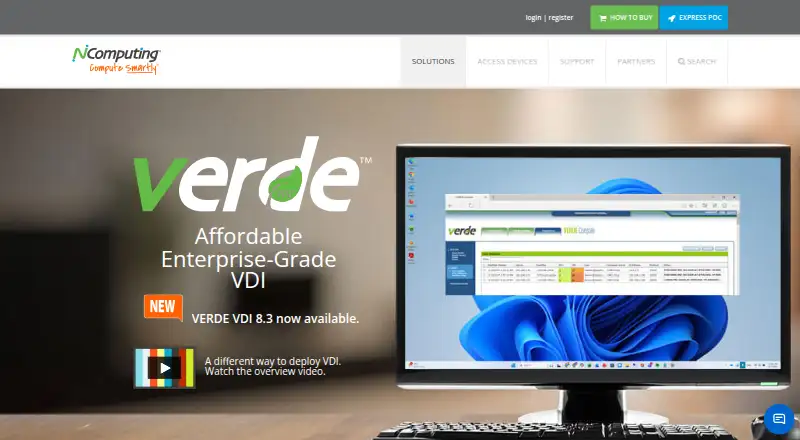
What NComputing VERDE VDI is
NComputing VERDE VDI is a virtual desktop infrastructure and management solution that brings together VDI, offline VDI and remote branch VDI. Organizations can deploy it on-premise, in the cloud or in a hybrid arrangement; Cloud Branch technology supports remote offices. The maker says the system can grow from a single server to as many as 10,000 clustered servers. VERDE supports Windows and Linux desktops, including Windows 10 and 11 and several Linux distributions. People can connect using PCs, thin clients, software clients and HTML5-enabled browsers, with mobile access also listed for iPad and Android. VERDE Remote Access connects users to office PCs over the internet without requiring a VPN. Its Secure Browser runs Chrome, Firefox, Microsoft Edge or Whale Browser inside a minimal Linux container, and erases session data when the browser closes. Security features include a Linux foundation, non-persistent unsanctioned desktop changes and USB permissions set by device model and serial number. Storage Optimizer keeps the user layer separate from shared OS images and caches those images on VERDE cluster and branch server storage. The paid product has no free plan. A trial requires a request and download redemption key; the installed trial includes 30 days and 10 seats.
Who it suits
VERDE VDI suits organizations in education, government and healthcare that need Windows or Linux virtual desktops and options for on-premise, cloud or hybrid deployment. It may also suit teams managing remote offices, branch access or a mix of desktop and mobile client devices.
What it does well
- Combines VDI, offline VDI and remote branch VDI.
- Supports on-premise, cloud and hybrid deployment.
- Scales from one server to 10,000 clustered servers, according to the maker.
- Remote Access connects to office PCs without requiring a VPN.
- Secure Browser erases session data when it closes.
- USB permissions can be configured by device model and serial number.
What to know first
- There is no free plan.
- The trial requires a request and redemption key.
- Continued connections require a per-concurrent-seat license.
- Server processor architecture must be x86.
Limits
The installed trial lasts 30 days and includes 10 seats. Server processor architecture must be x86.
Plans
| Plan | Billed and limits | Price |
|---|---|---|
| VERDE VDI | Per concurrent seat license; 30-day / 10-seat trial | On request |
As ncomputing.com lists them, read 8 Oct 2026. The maker's own page has the final word.
Getting started
- Visit the NComputing VERDE VDI website.
- Request the trial and obtain a download redemption key.
- Use the trial, which includes 30 days and 10 seats.
- Install using compatible RPM packages or VERDEOS ISO or IMG packages on an x86 server.
- Connect through a PC, thin client, software client, HTML5-enabled browser, iPad or Android device.
- Obtain a per-concurrent-seat license for continued connections.
Verdict
Choose VERDE VDI if your organization needs a managed Windows or Linux desktop environment with on-premise, cloud or hybrid deployment options. Its branch, remote-access and storage features provide several ways to serve distributed users. Look elsewhere if you need a free plan or a published license price before requesting a trial.
Questions
Is VERDE VDI free?
No. It is paid software and has no free plan.
Can I try VERDE VDI?
Yes. A trial requires a request and download redemption key. The installed trial includes 30 days and 10 seats.
Which desktops and client devices does it support?
It supports Windows and Linux desktops, including Windows 10 and 11 and several Linux distributions. Listed clients include PCs, thin clients, software clients, HTML5-enabled browsers, iPad and Android.
Can VERDE VDI be deployed in the cloud?
Yes. Deployment options include on-premise, cloud and hybrid, with Cloud Branch technology for remote offices.
What server architecture is required?
The server processor architecture must be x86. The installation FAQ lists compatible RPM packages and VERDEOS ISO or IMG packages built on CentOS 7.9.
Facts from NComputing VERDE VDI's own pages
- Access
- Users can connect from PCs, thin clients, software clients and HTML5-enabled browsers; the page also lists iPad and Android mobile access. · ncomputing.com, 8 Oct 2026
- Deployment
- Deployment modes include on-premise, cloud and hybrid, with Cloud Branch technology for remote offices. · ncomputing.com, 8 Oct 2026
- Desktop support
- It supports Windows and Linux desktops, including Windows 10 and 11 and several Linux distributions. · ncomputing.com, 8 Oct 2026
- Installation limit
- The FAQ lists RPM packages compatible with CentOS 7.9 and VERDEOS ISO or IMG packages built on CentOS 7.9, and says the server processor architecture must be x86. · ncomputing.com, 8 Oct 2026
- Product
- VERDE VDI is an end-to-end virtual desktop infrastructure and management solution combining VDI, offline VDI and remote branch VDI. · ncomputing.com, 8 Oct 2026
- Remote access
- VERDE Remote Access is included and provides internet connections to office PCs without requiring a VPN. · ncomputing.com, 8 Oct 2026
- Scale
- The maker says VERDE VDI can scale from a single-server setup to as many as 10,000 clustered servers. · ncomputing.com, 8 Oct 2026
- Secure browser
- VERDE Secure Browser runs Chrome, Firefox, Microsoft Edge or Whale Browser in a minimal Linux container, and the maker says session data is erased when the browser closes. · ncomputing.com, 8 Oct 2026
- Security
- The maker describes a Linux foundation, non-persistent unsanctioned desktop changes and USB permissions configurable by device model and serial number. · ncomputing.com, 8 Oct 2026
- Storage
- Its Storage Optimizer separates the user layer from shared OS images and caches shared images on the VERDE cluster and branch server storage. · ncomputing.com, 8 Oct 2026
- Support
- NComputing lists release notes, sizing and installation documentation, an administration guide and searchable support knowledge-base articles. · ncomputing.com, 8 Oct 2026
- Trial and license
- A trial requires a request and download redemption key; the FAQ says the installed trial includes 30 days and 10 seats, and continued connections require a per-concurrent-seat license. · ncomputing.com, 8 Oct 2026
- Who it serves
- NComputing says it serves customers across education, government and healthcare, among other markets. · ncomputing.com, 8 Oct 2026