Freedom251 › Unified Workspaces Software

Citrix Workspace
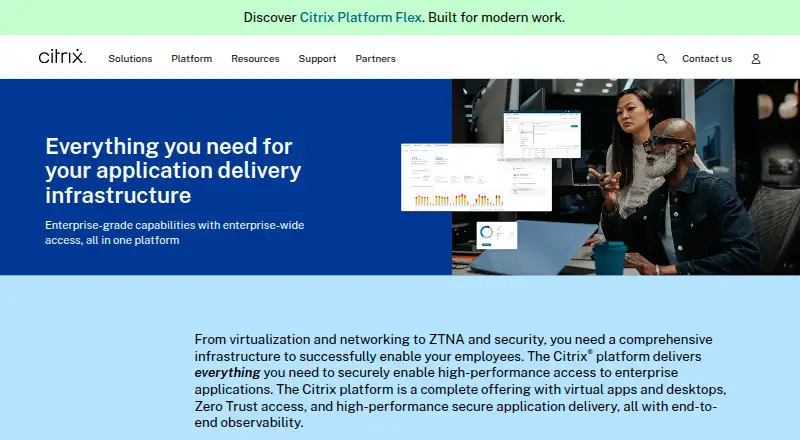
What Citrix Workspace is
Citrix Workspace is client software for accessing work resources, including virtual apps and desktops delivered from on-premises infrastructure, public clouds, or hypervisor platforms. Users can connect through the installed app or a browser; listed clients include Windows, Mac, Linux, Android, ChromeOS, and HTML5. Citrix describes a unified portal and single sign-on for sanctioned web, SaaS, and client-server apps. Access controls can consider a user's role, location, or device to help protect sensitive data. Administrators configure purchased Citrix Cloud services and provide access through Workspace integrations, while monitoring capabilities support troubleshooting hybrid Citrix environments. Authentication options vary: StoreFront Cloud supports several identity providers and a time-based token as a second factor for Active Directory sign-in, though users can currently enroll one device at a time. The Windows app supports TLS 1.2 and 1.3. Pricing is available on request. Citrix advises end users to consult their system administrator or IT help desk for setup information and company-specific version requirements. The supplied product URL redirects to Citrix's broader Citrix Platform page.
Who it suits
Citrix Workspace suits organizations delivering and managing secure access to enterprise content across devices. It is aimed at employees who need work resources and administrators configuring Citrix Cloud services and access controls.
What it does well
- Access is available through an app or browser.
- Clients are listed for Windows, Mac, Linux, Android, ChromeOS, and HTML5.
- Access controls can use role, location, or device context.
- StoreFront Cloud supports multiple authentication options.
- Windows app supports TLS 1.2 and 1.3.
What to know first
- Pricing is available on request.
- StoreFront Cloud token enrollment is limited to one device per user.
- The supplied product URL redirects to a broader platform page.
- Setup and version requirements may depend on the organization.
Limits
Pricing is available on request, and no free plan or trial terms are given. StoreFront Cloud time-based token enrollment is currently limited to one device per user.
Getting started
- Visit the Citrix Workspace product page.
- Ask your system administrator or IT help desk which setup and version your organization requires.
- Use the installed Workspace app or access Workspace through a browser.
- Have an administrator configure purchased Citrix Cloud services and enable them through Workspace integrations.
Verdict
Citrix Workspace brings virtual apps, desktops, and other sanctioned work applications into an access portal with configurable controls. Availability and setup details may depend on the organization's chosen services and identity configuration.
Questions
How much does Citrix Workspace cost?
Pricing is available on request.
Which platforms can access Citrix Workspace?
Citrix lists Workspace app clients for Windows, Mac, Linux, Android, ChromeOS, and HTML5. Workspace is also accessible through a browser, and the listed platforms include iOS.
Can users sign in with a second factor?
StoreFront Cloud supports a time-based token as a second factor for Active Directory sign-in. Users can currently enroll one device at a time.
Does Citrix Workspace support single sign-on?
Yes. StoreFront Cloud supports single sign-on to virtual apps and desktops using Active Directory credentials or the Federated Authentication Service with other identity providers.
What authentication options does StoreFront Cloud support?
Options include Active Directory, Active Directory with a token, Azure Active Directory, Citrix Gateway, Google, Okta, and SAML 2.0.
Where should end users get setup guidance?
Citrix advises end users to contact their system administrator or IT help desk for setup information and company-specific version requirements.
Facts from Citrix Workspace's own pages
- Access controls
- Citrix describes adaptive Zero Trust access to IT-sanctioned web, SaaS, and client-server apps. · citrix.com, 30 Sept 2026
- Authentication options
- StoreFront Cloud supports Active Directory, Active Directory plus token, Azure Active Directory, Citrix Gateway, Google, Okta, and SAML 2.0 authentication. · docs.citrix.com, 30 Sept 2026
- Browser access
- Citrix documents browser access to hosted applications or virtual desktops through Workspace for Web. · docs.citrix.com, 30 Sept 2026
- Client app
- Citrix Workspace app is client software that provides secure access to work resources. · citrix.com, 30 Sept 2026
- Configuration impact
- Citrix says changing StoreFront Cloud authentication mode can cause an end-user store-access outage of up to five minutes. · docs.citrix.com, 30 Sept 2026
- Device controls
- Access controls can use user context such as role, location, or device to help keep sensitive data off unauthorized devices. · citrix.com, 30 Sept 2026
- Device security
- Citrix says access controls can use user context such as role, location, or device to protect sensitive data. · citrix.com, 30 Sept 2026
- Downloads
- Citrix lists Workspace app downloads for Windows, Mac, Linux, Android, ChromeOS, and HTML5, with current and long-term support releases for some platforms. · citrix.com, 30 Sept 2026
- Intended users
- Citrix describes the platform as an enterprise-wide solution for delivering and managing secure access to enterprise content for users on any device. · citrix.com, 30 Sept 2026
- Microsoft Teams
- Citrix says Workspace app includes components for Microsoft Teams optimization that offload media processing to the endpoint. · docs.citrix.com, 30 Sept 2026
- Monitoring
- Citrix describes observability capabilities for monitoring and troubleshooting hybrid Citrix environments with actionable data and security policies. · citrix.com, 30 Sept 2026
- Multifactor authentication
- StoreFront Cloud supports a time-based token as a second factor for Active Directory sign-in, with users currently able to enroll one device at a time. · docs.citrix.com, 30 Sept 2026
- Product page status
- The supplied Citrix Workspace product URL redirects to Citrix’s broader Citrix Platform page. · citrix.com, 30 Sept 2026
- Secure access
- Citrix describes zero-trust access to sanctioned web, SaaS, and client-server apps, including single sign-on and a unified portal. · citrix.com, 30 Sept 2026
- Secure communications
- Citrix Workspace app for Windows supports TLS versions 1.2 and 1.3 for secure communications. · docs.citrix.com, 30 Sept 2026
- Security certifications
- The Citrix DaaS row on Citrix’s certifications page lists SOC 2 Type 2, ISO 27001, ISO 27701, HIPAA, PCI DSS v4.0, IRAP, and FedRAMP Moderate JAB Authorization. · cloud.com, 30 Sept 2026
- Service integrations
- Administrators configure purchased Citrix Cloud services and enable access to them through Workspace service integrations. · docs.citrix.com, 30 Sept 2026
- Single sign-on
- StoreFront Cloud supports single sign-on to virtual apps and desktops, using Active Directory credentials or Federated Authentication Service with other identity providers. · docs.citrix.com, 30 Sept 2026
- Supported app clients
- Citrix’s download page lists Workspace app for Windows, Mac, Linux, Android, ChromeOS, and HTML5. · citrix.com, 30 Sept 2026
- Support guidance
- Citrix recommends that end users contact their system administrator or IT help desk for setup information and company-specific version requirements. · citrix.com, 30 Sept 2026
- Support resources
- Citrix links customers to customer support, onboarding and adoption, and product documentation. · citrix.com, 30 Sept 2026
- Virtual apps and desktops
- Citrix says its platform delivers virtual apps and desktops from on-premises infrastructure, public clouds, or hypervisor platforms. · citrix.com, 30 Sept 2026
- Workspace app
- Citrix describes Workspace app as client software for secure access to work resources. · citrix.com, 30 Sept 2026
Where Citrix Workspace stands on Freedom251
- Unified Workspaces Software#17 of 26
- Virtual Desktop Infrastructure Software#17 of 25