Freedom251 › Heatmap and session replay tools
Mouseflow
by Mouseflow
What Mouseflow is
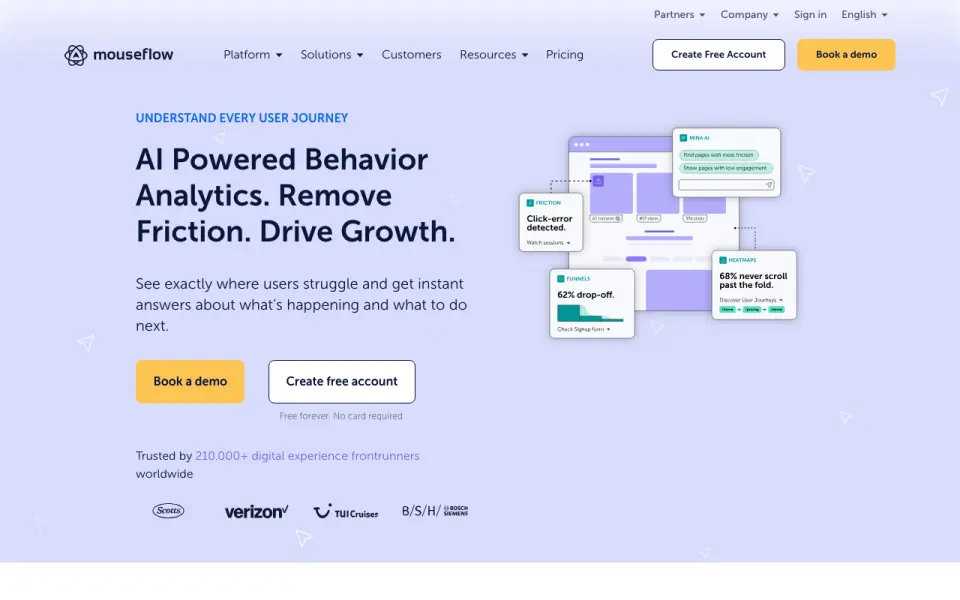
Mouseflow records website visitor sessions and tracks clicks, mouse movement, scrolls, forms and page content as people browse. Its platform brings together session replay, website heatmaps, friction detection, conversion funnels, journey analytics, form analytics and feedback surveys. Mouseflow says it captures all sessions without sampling; it also offers rage-click detection and mobile capture. Ask Mina lets users ask questions about behavioral data, while Mina Insights surfaces patterns and friction. Teams can connect it with services including Adobe Analytics, Google Analytics, Google Tag Manager, AB Tasty, Shopify and Google Ads. Mouseflow is available through the web and API. The Free plan costs nothing and allows 500 sessions each month, one website project, one funnel and one month of data retention. Paid plans billed annually include Essential at $25 a month, Advanced at $109 a month and Premium at $319 a month, with increasing session, project, funnel and retention allowances. Enterprise has custom limits and no listed price. When the monthly session allowance runs out, tracking stops until the next refill unless the customer requests a refill or upgrades. Mouseflow was founded in 2009 and is headquartered in Copenhagen, Denmark.
Who it suits
Mouseflow suits marketing, CRO, ecommerce, UX and design, and analytics teams that want to understand visitor behavior and improve conversions. Its recordings, heatmaps, analytics and funnels support analysis of how visitors interact with a website.
What it does well
- Records all sessions without sampling, according to Mouseflow.
- Includes replay, heatmaps, funnels and form analytics.
- Detects rage clicks and supports mobile capture.
- Ask Mina and Mina Insights analyze behavioral data.
- Integrates with Google Analytics, Shopify and other listed services.
- Free plan includes 500 monthly sessions.
What to know first
- Free plan retains data for one month.
- Free plan is limited to one website project and one funnel.
- Tracking stops when the monthly session allowance runs out.
- Essential, Advanced and Premium prices are billed annually.
Limits
The Free plan allows 500 sessions per month, one website project, one funnel and one month of data retention. Essential, the lowest priced paid plan listed, costs $25 a month billed annually and allows 5,000 sessions per month, one project, one funnel and three months of retention. When an account reaches its monthly session limit, tracking stops until the next refill unless the customer requests a refill or upgrades.
Plans
| Plan | Billed and limits | Price |
|---|---|---|
| Free | monthly · 500 sessions/month · 1 website project · 1 funnel · 1 month data retention | Free |
| Advanced | monthly · 25,000 sessions/month · 2 website projects · 5 funnels · 6 months data retention | $109 a month |
| Essential | monthly · 5,000 sessions/month · 1 website project · 1 funnel · 3 months data retention | $25 a month |
| Premium | monthly · 100,000 sessions/month · 5 website projects · 10 funnels · 12 months data retention | $319 a month |
| Enterprise | custom quote · Custom sessions, projects, funnels and retention · enterprise controls and support | On request |
As mouseflow.com lists them, read 15 Oct 2026. The maker's own page has the final word.
Getting started
- Visit the Mouseflow website and choose a plan; a 14-day trial is listed.
- Create an account and install Mouseflow by adding its JavaScript snippet before the website’s closing body tag.
- Use an available plugin or integration as an installation route.
- Connect services such as Google Analytics, Google Tag Manager, Shopify or another listed integration.
- Review session recordings and the platform’s analytics features.
Mouseflow is a website behavior analytics service that combines session recordings with heatmaps, funnels, form analysis and feedback tools. It is a strong fit for marketing, CRO, ecommerce, UX, design and analytics teams that need to diagnose visitor friction. Its breadth is compelling, but the monthly session ceiling can halt tracking before the billing period ends.
Overview
Mouseflow records clicks, mouse movement, scrolling, forms and page content as visitors browse, then processes that activity in its web platform. The company says it captures 100% of sessions rather than sampling them, giving teams a complete view of the sessions that fit their allowance. Session replay, website heatmaps, friction detection, conversion funnels, journey analytics, form analytics and feedback surveys cover both exploratory analysis and conversion work.
Ask Mina lets users query behavioral data, while Mina Insights surfaces patterns and friction. This combination can shorten the path from a broad signal to a possible cause, although useful analysis still depends on choosing a plan with enough sessions and retention. Installation requires adding a JavaScript snippet before the closing body tag; plugins and integrations are also offered.
Key features
- Replay and heatmaps: Recordings show individual visits, while heatmaps expose aggregate click, movement and scroll patterns. Together they help teams confirm whether a suspected problem is isolated or widespread.
- Friction detection: Rage-click detection identifies repeated clicks that can indicate an unresponsive or confusing interface. Mobile capture extends behavior coverage beyond desktop browsing.
- Funnels, journeys and forms: Conversion funnels and journey analytics map progression and drop-off, while form analytics focuses on form interactions. Funnel and project counts are limited by plan.
- AI analysis: Ask Mina provides a question-driven way to inspect behavioral data, and Mina Insights highlights recurring patterns and friction rather than leaving every discovery to manual review.
- Integrations: Popular connections include Adobe Analytics, Google Analytics, Google Tag Manager, AB Tasty, Shopify and Google Ads, useful when behavior findings need to sit alongside marketing or commerce data.
- Security and privacy: Mouseflow says its data centers are ISO 27001 and SOC 1 Type II certified, PCI DSS compliant, and that its US data center meets HIPAA standards. IP addresses are masked automatically, and EU customer data is stored within the EU.
Pricing
Mouseflow uses a freemium model with a 14-day trial. The central trade-off is volume: when a plan’s monthly sessions are exhausted, tracking stops until the next refill unless the customer requests a refill or upgrades.
| Plan | Price | Included limits |
|---|---|---|
| Free | free | 500 sessions/month, 1 website project, 1 funnel, 1 month data retention |
| Essential | $25 a month, billed annually | 5,000 sessions/month, 1 project, 1 funnel, 3 months retention |
| Advanced | $109 a month, billed annually | 25,000 sessions/month, 2 projects, 5 funnels, 6 months retention |
| Premium | $319 a month, billed annually | 100,000 sessions/month, 5 projects, 10 funnels, 12 months retention |
| Enterprise | Custom pricing | Custom sessions, projects, funnels and retention |
Free is suitable for a small site or an initial proof of concept, but 500 sessions and one month of history leave little room for sustained analysis. Essential is the practical starting point for a single site with moderate traffic. Advanced adds four times the session capacity, a second project, five funnels and twice the retention, making it better for multiple properties or ongoing CRO work. Premium is aimed at larger programs that need 100,000 sessions and a year of history. Enterprise is the route for organizations that need negotiated quotas and retention. Annual billing applies to the published Essential, Advanced and Premium prices.
Platforms
Mouseflow is offered through web and API access. Its JavaScript installation, plugins and integrations make it suitable for adding to an existing website and connecting captured behavior with other analytics systems.
Who it's for
Marketing and CRO teams can use funnels, rage-click signals and recordings to prioritize conversion fixes. Ecommerce teams gain behavior context around product and checkout journeys, while UX and design teams can inspect interaction problems on desktop and mobile. Analytics teams benefit from integrations and AI-assisted querying. It is less suitable for a site whose traffic routinely exceeds its allowance unless someone is prepared to refill or upgrade promptly.
Pros and cons
Pros
- Broad analysis set: Replay, heatmaps, funnels, forms, journeys, feedback and friction detection live in one service.
- Unsampled capture: Recording every session avoids sampling within the selected quota.
- Useful governance claims: Automatic IP masking, EU data residency and stated ISO, SOC, PCI DSS and HIPAA coverage address common compliance concerns.
- Enterprise assistance: In-app chat is available, with personalized onboarding and training for enterprise customers.
Cons
- Hard usage stop: Tracking pauses at the monthly session limit unless a refill or upgrade is made.
- Sharp plan restrictions: The free and Essential tiers each allow only one project and one funnel, limiting multi-site or multi-journey work.
- Annual commitment on paid tiers: Essential, Advanced and Premium prices are billed annually, which matters to teams seeking month-to-month flexibility.
Alternatives
For a broader comparison of Heatmap and session replay tools, Session Recording Software and Session Replay Software, start with those directories.
- Microsoft Clarity is the better choice when unlimited heatmaps, websites, team members and traffic are more important than Mouseflow’s paid retention and quota tiers; it is free and supports Android, iOS and an extension.
- Crazy Egg suits teams wanting web analytics, instant heatmaps, conversion analytics and surveys in a freemium product with a 14-day trial.
- Zoho PageSense is an alternative for a free tier with 5,000 monthly tracked users, one project, one month retention and five goals.
- Fullstory is worth considering for its free offering with 30,000 sessions, 10 user seats and one year of replay and product-analytics retention.
- Matomo fits organizations preferring self-hosting; its Community plan is free forever with unlimited users and hits.
- UXCam is aimed at teams needing mobile-oriented coverage, with a free allowance of 3,000 sessions per month and two app keys.
- OpenReplay is the alternative when on-premises or self-managed storage and retention are priorities.
- Inspectlet offers a free plan with 2,500 recorded sessions per month across up to three websites and no time limit.
Verdict
Choose Mouseflow for a unified, unsampled view of website behavior backed by replay, heatmaps, funnels, forms, friction signals and AI analysis. It is best for teams that can size a plan around traffic and need several conversion-analysis methods together. Look elsewhere if running out of sessions would leave a costly blind spot, or if you need unlimited usage, self-managed deployment or more generous free-tier quotas.
Verdict
Choose Mouseflow if your team needs session recordings and a collection of tools for analyzing visitor behavior, with plan limits that scale across sessions, projects and funnels. Look elsewhere if you need tracking to continue after a plan’s session allowance runs out without a refill or upgrade.
Questions
What does Mouseflow cost?
The Free plan costs nothing. Essential costs $25 a month billed annually, Advanced costs $109 a month billed annually, and Premium costs $319 a month billed annually. Enterprise pricing is custom and no price is listed.
Does Mouseflow have a free plan or trial?
Yes. Mouseflow offers a free plan and lists a 14-day trial.
Which platforms does Mouseflow support?
Mouseflow is available on web and through an API.
What are the Free plan limits?
It includes 500 sessions per month, one website project, one funnel and one month of data retention.
Which services can it integrate with?
Listed popular integrations include Adobe Analytics, Google Analytics, Google Tag Manager, AB Tasty, Shopify and Google Ads.
Who makes Mouseflow, and where is it based?
Mouseflow is made by Mouseflow, founded in 2009 and headquartered in Copenhagen, Denmark.
Facts from Mouseflow's own pages
- AI
- Ask Mina lets users ask questions about behavioral data, while Mina Insights surfaces patterns and friction. · mouseflow.com, 7 Oct 2026
- API extensibility
- The JavaScript API supports custom friction scores, 404 and dead-click events, cross-domain recording, revenue events and session or pageview identifiers. · js-api-docs.mouseflow.com, 15 Oct 2026
- Company founded
- LinkedIn lists Mouseflow as founded in 2010. · linkedin.com, 15 Oct 2026
- Company headquarters
- LinkedIn lists Copenhagen, Denmark as Mouseflow headquarters and also shows an Austin, Texas location. · linkedin.com, 15 Oct 2026
- Company history
- Mouseflow says it started in 2009 and has helped over 210,000 teams. · mouseflow.com, 7 Oct 2026
- Company size
- LinkedIn lists Mouseflow as a privately held software-development company with 51–200 employees. · linkedin.com, 15 Oct 2026
- Compliance
- Mouseflow lists GDPR, EU-U.S. Data Privacy Framework, CCPA/CPRA, HIPAA for the US region, PCI DSS payment vendors and ISO 27001 infrastructure among its compliance frameworks. · mouseflow.com, 15 Oct 2026
- Conversion funnels
- Funnel reports show converted and dropped users, revenue measures and friction measures, with downloadable funnel data. · mouseflow.com, 15 Oct 2026
- Data residency
- The company states that EU account data is stored in EU infrastructure and US account data in US infrastructure. · mouseflow.com, 15 Oct 2026
- Documentation
- Public API documentation includes endpoint examples, curl requests, response schemas, authentication guidance and filtering parameters. · api-docs.mouseflow.com, 15 Oct 2026
- Features
- Its platform includes session replay, website heatmaps, friction detection, conversion funnels, journey analytics, form analytics, and feedback surveys. · mouseflow.com, 7 Oct 2026
- Feedback surveys
- Feedback campaigns support NPS, six question types, branching logic, branding controls and session-replay linkage. · mouseflow.com, 15 Oct 2026
- Form analytics
- Form analytics reports field interaction, submit failures and converted or abandoned users. · mouseflow.com, 15 Oct 2026
- Founded
- 2009 · mouseflow.com, 28 Sept 2026
- Free plan
- Yes · mouseflow.com, 23 Sept 2026
- Friction detection
- Automatic friction and error detection identifies events such as dead clicks, JavaScript errors and other problematic interactions. · mouseflow.com, 15 Oct 2026
- Headquarters
- Copenhagen, Denmark · mouseflow.com, 28 Sept 2026
- Heatmaps
- Mouseflow provides click, scroll, geo, attention, movement, interactive and friction heatmaps. · mouseflow.com, 15 Oct 2026
- Installation
- Installation normally consists of adding a JavaScript snippet before the closing body tag; plugins and integrations are also available. · mouseflow.com, 15 Oct 2026
- Integrations
- The integration catalog lists 42 integrations, including Google Analytics, Google Tag Manager, Adobe Analytics, AB Tasty, Shopify, Google Ads, Salesforce, Slack and Microsoft Teams. · mouseflow.com, 15 Oct 2026
- Intended users
- Mouseflow describes use cases for marketing, CRO, ecommerce, UX and design, and analytics teams seeking to understand visitor behavior and improve conversions. · mouseflow.com, 7 Oct 2026
- JavaScript API
- The JavaScript API exposes commands for tagging recordings, setting variables, identifying visitors, controlling recording, virtual pageviews and custom form events. · js-api-docs.mouseflow.com, 15 Oct 2026
- Journey analytics
- Journey analytics maps common visitor paths and highlights where users drop out. · mouseflow.com, 15 Oct 2026
- Licence
- Mouseflow Terms grant a limited SaaS access licence and state that the software, service and documentation remain Mouseflow property; no underlying source-code licence is granted. · mouseflow.com, 15 Oct 2026
Where Mouseflow stands on Freedom251
- Heatmap and session replay tools#9 of 63
- Session Recording Software#8 of 30
- Session Replay Software#10 of 26
- Website Analytics#18 of 32