Minigalaxy
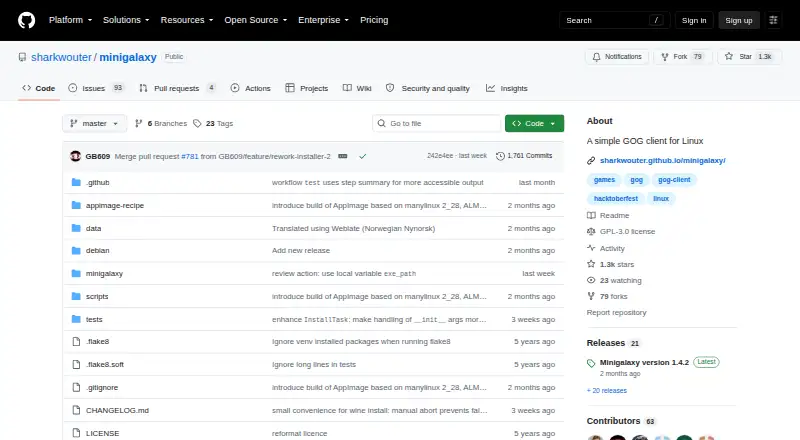
What Minigalaxy is
Minigalaxy is a free GOG client for Linux. Sign in with a GOG account to find Linux games in your library, download games you own, and launch them from the client. Minigalaxy can also update games and install or update DLC. Its library tools let you search your GOG Linux collection, show only installed games, choose a download language, and set the installation location. For games outside the Linux catalog, Minigalaxy can install Windows games using Wine. It can also use system installations of ScummVM or DOSBox.
The project lists installation options for Debian/Ubuntu, Arch/Manjaro, Fedora, Gentoo, openSUSE, Solus, Void Linux, and Flathub. Its stated dependencies include GTK+, Python 3.10 or later, PyGObject 3.29.1 or later, WebKit2GTK with API 4.0 support, Python Requests, and gettext. The project says versions before 1.4.2 may not correctly display or install all Linux and Windows games after GOG API changes around May–July 2026. It does not ship for Ubuntu 18.04, Linux Mint 19.3, or openSUSE 15.1 because those systems lack the required PyGObject version. The repository identifies Minigalaxy's license as GPL-3.0.
Who it suits
Minigalaxy suits Linux users who want to download, launch, and update GOG games through a desktop client. It may also suit users who want to manage DLC or install Windows games through Wine, with the required Linux dependencies available on their system.
What it does well
- Free plan costs nothing.
- Downloads and launches Linux games owned on GOG.
- Can update games and install or update DLC.
- Search, installed-game filters, language choice, and install-location controls.
- Can install Windows games using Wine.
What to know first
- Linux only; it does not provide a multi-store library.
- Requires GTK+, Python 3.10+, PyGObject, WebKit2GTK, Requests, and gettext.
- Does not ship for Ubuntu 18.04, Linux Mint 19.3, or openSUSE 15.1.
Plans
| Plan | Billed and limits | Price |
|---|---|---|
| Minigalaxy | Simple GOG client for Linux · downloads and launches Linux games owned on GOG | Free |
As github.com lists them, read 7 Oct 2026. The maker's own page has the final word.
Getting started
- Open the Minigalaxy project website on GitHub.
- Choose an installation option for your Linux distribution or Flathub.
- Make sure the listed Linux dependencies are available.
- Sign in with a GOG account.
- Search your GOG Linux library, then download and launch a game.
Verdict
Choose Minigalaxy if you use Linux and want a free client for your GOG games, updates, and DLC. Its Wine support can also help with Windows games. Check that your distribution meets the listed dependencies and is among the supported installation options.
Questions
How much does Minigalaxy cost?
The listed plan costs nothing. The pricing model is free, and a free plan is available.
Which platforms does Minigalaxy support?
Minigalaxy is listed for Linux. Installation options include packages or routes for several Linux distributions and Flathub.
Can it install Windows games?
Yes. Minigalaxy can install Windows games using Wine. It can also use system installations of ScummVM or DOSBox.
Is Minigalaxy open source?
The repository identifies its license as GPL-3.0.
What do I need to use it?
The listed dependencies include GTK+, Python 3.10+, PyGObject 3.29.1+, WebKit2GTK with API 4.0 support, Python Requests, and gettext.
Where can I get help?
The project directs users to its Discord server for help and GitHub issues for bug reports and feature requests.
Facts from Minigalaxy's own pages
- Compatibility notice
- The project says versions before 1.4.2 will not correctly show and install all Linux and Windows games following GOG API changes around May–July 2026. · github.com, 7 Oct 2026
- Distribution availability
- The README lists packages or installation options for multiple Linux distributions, including Debian/Ubuntu, Arch/Manjaro, Fedora, Gentoo, openSUSE, Solus, Void Linux, and Flathub. · github.com, 7 Oct 2026
- Game management
- The client can update games and install or update DLC. · github.com, 7 Oct 2026
- Game support
- Minigalaxy can install Windows games using Wine and use system installations of ScummVM or DOSBox. · github.com, 7 Oct 2026
- Library access
- Users can log in with a GOG account, download Linux games they own on GOG, and launch them. · github.com, 7 Oct 2026
- Library tools
- Users can select a download language, change the install location, search their GOG Linux library, and filter to installed games. · github.com, 7 Oct 2026
- License
- The repository identifies its license as GPL-3.0. · github.com, 7 Oct 2026
- Linux requirements
- The listed dependencies include GTK+, Python 3.10+, PyGObject 3.29.1+, WebKit2GTK with API 4.0 support, Python Requests, and gettext. · github.com, 7 Oct 2026
- Purpose
- Minigalaxy is a simple GOG client for Linux. · github.com, 7 Oct 2026
- Support
- The project directs users to its Discord server for help and to GitHub issues for bug reports and feature requests. · github.com, 7 Oct 2026
- Unsupported distributions
- The project says it does not ship for Ubuntu 18.04, Linux Mint 19.3, or openSUSE 15.1 because they lack the required PyGObject version. · github.com, 7 Oct 2026
Where Minigalaxy stands on Freedom251
- Game launchers#48 of 68
- Game Launcher Software#19 of 24