Freedom251 › Game Library Managers
One Game Launcher
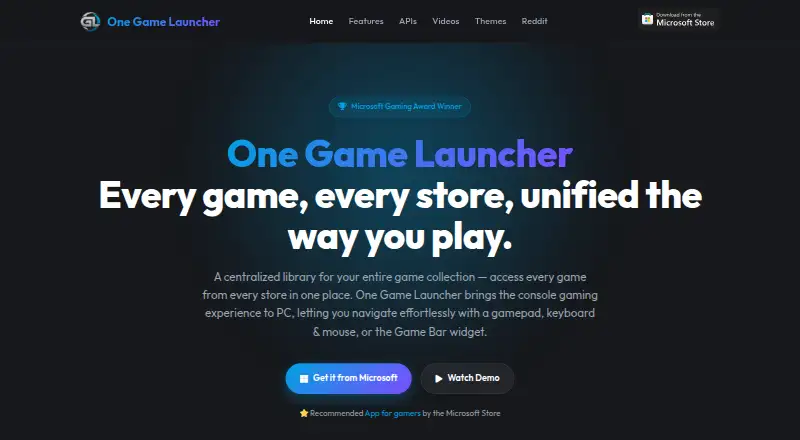
What One Game Launcher is
One Game Launcher brings games from multiple stores into one library on Windows. Its listed integrations include Steam, Epic, EA, Origin, GOG, Ubisoft, Battle.net, and Xbox PC, and users can add a game, app, or URL manually. The launcher supports keyboard and mouse input as well as gamepad navigation. It can run as a regular app from the Start menu or as a compact or desktop Game Bar widget. The site says it is optimized for portable gaming devices and names the ROG Xbox Ally as an example. Users can launch games remotely from another device; the site describes a web API for retrieving a device’s library and triggering launches. A separate localhost API supports custom interfaces and integrations running on the machine. The launcher is free on the Microsoft Store. MYUI is labeled a premium feature, with custom layouts, live wallpapers, animated cover art, and PlayStation-inspired, Xbox 360-inspired, and modern theme designs. The site links to a privacy policy, but that page returned a 404 when opened.
Who it suits
It suits Windows PC users who want to bring supported store libraries together and navigate with a controller, keyboard, or mouse. Its remote launch, APIs, and portable-device optimization may also suit users with those needs.
What it does well
- Combines libraries from eight listed stores.
- Users can manually add games, apps, or URLs.
- Supports gamepad, keyboard, and mouse navigation.
- Can launch games remotely from another device.
- Free on the Microsoft Store.
What to know first
- MYUI is labeled a premium feature.
- The linked privacy policy returned a 404 when opened.
Limits
The launcher is free on the Microsoft Store, while MYUI is labeled a premium feature. MYUI's custom layouts, live wallpapers, animated cover art, and listed theme designs are therefore separate from the basic free offering.
Plans
| Plan | Billed and limits | Price |
|---|---|---|
| One Game Launcher | Free on Microsoft Store · MYUI is labeled a premium feature | Free |
As ogl.app lists them, read 9 Oct 2026. The maker's own page has the final word.
Getting started
- Open the One Game Launcher listing on the Microsoft Store
- Install the Windows application
- Connect or use the listed game-store libraries
- Add any games, apps, or URLs manually
- Launch from the app, Game Bar widget, or another device
Verdict
One Game Launcher combines multiple PC libraries and supports several ways to navigate and launch games. MYUI extras are premium, and the linked privacy policy was unavailable when opened.
Questions
How much does One Game Launcher cost?
The home page describes it as free on the Microsoft Store, with a listed plan price of $0.
Which stores can it combine?
Listed integrations include Steam, Epic, EA, Origin, GOG, Ubisoft, Battle.net, and Xbox PC.
What platform does it support?
The listed platform is Windows.
Does it support controllers?
Yes. It supports gamepad navigation as well as keyboard and mouse input.
Can I launch games remotely?
Yes. The site describes launching from another device and a web API for retrieving a device library and triggering launches.
What is MYUI?
MYUI is labeled a premium feature with custom layouts, live wallpapers, animated cover art, and PlayStation-inspired, Xbox 360-inspired, and modern themes.
Facts from One Game Launcher's own pages
- Custom themes
- MYUI is labeled a premium feature and supports custom layouts, live wallpapers, and animated cover art. · ogl.app, 9 Oct 2026
- Developer API
- The site describes a localhost API for custom interfaces and integrations running on the machine. · ogl.app, 9 Oct 2026
- Game Bar
- It is available as a Game Bar widget in compact and desktop modes, and as a regular app from the Start menu. · ogl.app, 9 Oct 2026
- Handhelds
- The site says the app is optimized for portable gaming devices and names the ROG Xbox Ally as an example. · ogl.app, 9 Oct 2026
- Input support
- The launcher supports gamepad navigation as well as keyboard and mouse input. · ogl.app, 9 Oct 2026
- Manual entries
- Users can manually add a game, app, or URL. · ogl.app, 9 Oct 2026
- Price statement
- The home page describes the launcher as free on the Microsoft Store. · ogl.app, 9 Oct 2026
- Privacy page status
- The site links to a privacy policy, but that linked page returned a 404 when opened. · ogl.app, 9 Oct 2026
- Publisher statement
- In a Reddit post, the maker said the Pro version would remain free and that the Lite version would be deprecated. · reddit.com, 9 Oct 2026
- Purpose
- One Game Launcher combines games from multiple stores into one library on PC. · ogl.app, 9 Oct 2026
- Remote launch
- Users can launch games remotely from another device, and the site describes an API for fetching a device’s library and triggering launches over the web. · ogl.app, 9 Oct 2026
- Store integrations
- The site lists Steam, Epic, EA, Origin, GOG, Ubisoft, Battle.net, and Xbox PC among supported libraries. · ogl.app, 9 Oct 2026
- Support
- The site links to a Reddit community for users. · ogl.app, 9 Oct 2026
- Theme options
- The MYUI page lists PlayStation-inspired, Xbox 360-inspired, and modern theme designs. · ogl.app, 9 Oct 2026
Where One Game Launcher stands on Freedom251
- Game Library Managers#25 of 40
- Game launchers#45 of 68