Freedom251 › Game Library Managers
Mythic
What Mythic is
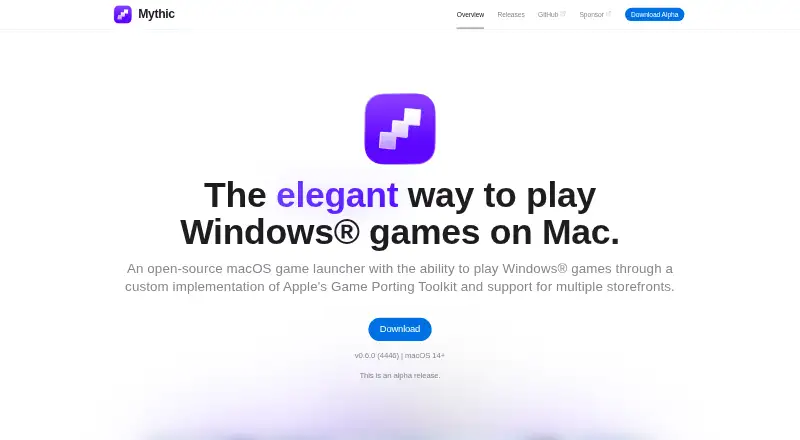
Mythic is an open-source game launcher for macOS that runs Windows games through a custom implementation of Apple’s Game Porting Toolkit. It combines macOS games, Windows games, Epic games and manually downloaded titles in one library. Users can import games from other launchers or local installations, which Mythic can organize and prepare for launch. Game settings include options to change launch arguments and verify file integrity. Mythic supports downloading, updating and installing games from multiple storefronts, and can create separate containerized Windows instances to isolate some games. Release notes describe Epic Games integration and a Steam game type. The listed plan is free and requires macOS 14 or later. The site describes Mythic as an alpha release; the latest listed release is v0.6.0, dated December 27, 2025. Documentation warns that most games using EasyAntiCheat and most other anti-cheats will not work without workarounds. An older installation guide says macOS may block Mythic because it is not notarized; it explains opening the app through Privacy & Security settings.
Who it suits
Mythic is for Mac users who want a single library for Windows, macOS, Epic and manually downloaded games. It may suit people looking for a way to play Windows games on Mac without handling Windows-specific setup details.
What it does well
- Open-source and free to use.
- Imports games from launchers and local installations.
- Supports downloads and updates from multiple storefronts.
- Can isolate games in separate Windows containers.
- Includes cloud sync and metadata editing.
What to know first
- The site describes Mythic as an alpha release.
- Requires macOS 14 or later.
- Most games with anti-cheat need workarounds or will not work.
- macOS may block the app because it is not notarized.
Limits
The free Mythic plan requires macOS 14 or later. Most games using EasyAntiCheat and most other anti-cheat systems will not work without workarounds.
Plans
| Plan | Billed and limits | Price |
|---|---|---|
| Mythic | macOS 14+ · Alpha release | Free |
As getmythic.app lists them, read 11 Oct 2026. The maker's own page has the final word.
Getting started
- Open the Mythic website and release page
- Install Mythic on a Mac running macOS 14 or later
- If macOS blocks it, allow opening through Privacy & Security settings
- Import games from existing launchers or local installations
- Download, update or install games from supported storefronts
- Create containerised Windows instances when isolation is needed
Verdict
Mythic combines game imports, storefront support and containerized Windows instances in a free macOS launcher. Its alpha status and anti-cheat limitations are important considerations before relying on it for a game library.
Questions
What does Mythic cost?
Mythic is free and open source, with a listed price of $0 plan.
Which platform does Mythic support?
Mythic supports macOS, and the listed plan requires macOS 14 or later.
What games can it manage?
Its library can include macOS games, Windows games, Epic games and manually downloaded games.
Does Mythic support Steam and Epic?
Release notes describe Epic Games integration and include a Steam game type in Mythic’s game system.
Will anti-cheat games work?
Documentation warns that most EasyAntiCheat and most other anti-cheat games will not work without workarounds.
Is Mythic stable software?
The site describes Mythic as an alpha release; the latest listed release is version 0.6.0.
Facts from Mythic's own pages
- Audience
- The documentation describes Mythic as a streamlined way to play Windows games on Mac without needing to know Windows-specific Mac setup details. · docs.getmythic.app, 11 Oct 2026
- Compatibility limits
- The documentation warns that most games with EasyAntiCheat and most other anti-cheats will not work without workarounds. · docs.getmythic.app, 11 Oct 2026
- Containers
- Users can create multiple containerized Windows instances and isolate some games from others. · getmythic.app, 11 Oct 2026
- Epic integration
- The latest release notes describe Epic Games integration and handling for Epic games. · getmythic.app, 11 Oct 2026
- Game controls
- Its game settings let users change launch arguments and verify file integrity. · getmythic.app, 11 Oct 2026
- Game imports
- It can import games from existing launchers and local installations, then automatically organize and prepare them for launch. · getmythic.app, 11 Oct 2026
- Game library
- It brings macOS games, Windows games, Epic games, and manually downloaded games together in one library. · getmythic.app, 11 Oct 2026
- Purpose
- Mythic is an open-source macOS game launcher for playing Windows games through a custom implementation of Apple's Game Porting Toolkit. · getmythic.app, 11 Oct 2026
- Release status
- The latest listed release is v0.6.0, released December 27, 2025, and the site describes Mythic as an alpha release. · getmythic.app, 11 Oct 2026
- Security
- An older installation guide says macOS may block Mythic because it is not notarized and describes opening it through Privacy & Security settings. · docs.getmythic.app, 11 Oct 2026
- Steam support
- The latest release notes include a Steam game type in Mythic's game system. · getmythic.app, 11 Oct 2026
- Storefronts
- Mythic supports downloading, updating, and installing games from multiple storefronts. · getmythic.app, 11 Oct 2026
- Support
- The release page directs users who encounter bugs or need support to create an issue. · getmythic.app, 11 Oct 2026
Where Mythic stands on Freedom251
- Game Library Managers#24 of 40
- Game launchers#44 of 68