Freedom251 › Mind Mapping Software
MindMap Chat
What MindMap Chat is
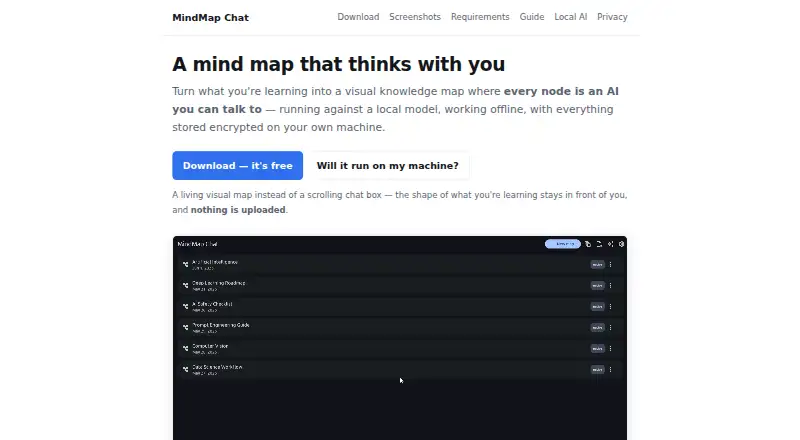
MindMap Chat turns learning material into a visual knowledge map, with an AI conversation available for each node. A node conversation can draw on its branch and related context, while map-level chat can use the entire tree. The app can propose structural changes to a map; you can review them and apply or discard them together as one undoable batch. Its semantic search works offline on your device using an embedding model included in the app.
For AI conversations, MindMap Chat supports local Ollama and LM Studio runtimes, plus optional Claude and OpenAI cloud providers. With a local model configured, AI works offline. Cloud AI is opt-in, billed directly by the provider, and requires consent before relevant map, node, and chat content is sent. Maps and notes are saved in a folder you choose, while the database and settings are encrypted with AES-256 using your passphrase. You can import Freeplane .mm files and XMind .xmind files, including legacy XML and XMind 2020+ JSON formats. The app is free, with no paid tier, trial, or account requirement. It runs on Android, iOS, Linux, macOS, and Windows. The guide names students, self-learners, researchers, teachers, and mentors as intended users. Export and Share are temporarily unavailable.
Who it suits
MindMap Chat suits students, self-learners, researchers, teachers, and mentors who want to organize learning material as an interactive map. It is also a fit for people who want offline search or local AI model options across desktop and mobile platforms.
What it does well
- Node chats can use branch context; map chat can use the whole tree.
- Offline semantic search runs on the device.
- Supports local Ollama and LM Studio runtimes.
- Encrypts the database and settings with AES-256 using your passphrase.
- Imports Freeplane and XMind files.
- Free plan requires no account.
What to know first
- Export and Share are temporarily unavailable.
- Cloud AI is billed directly by its provider.
Limits
The free plan has no paid tier and requires no account. Export and Share are temporarily unavailable. Cloud AI is billed directly by the provider.
Plans
| Plan | Billed and limits | Price |
|---|---|---|
| Free | Free · No paid tier · no trial · no account required | Free |
As mindmapchat.app lists them, read 15 Oct 2026. The maker's own page has the final word.
Getting started
- Visit the MindMap Chat website.
- Install the app for Android, iOS, Linux, macOS, or Windows.
- Create a passphrase and choose the folder for maps and notes.
- Import a Freeplane .mm or XMind .xmind file, or create learning material as a map.
- Use offline semantic search, or configure Ollama or LM Studio for local AI; cloud providers are optional.
MindMap Chat is a mind-mapping app that pairs learning materials with AI conversations anchored to map content. It is a strong fit for students, researchers, teachers and self-learners who want an offline-capable personal study tool. Its chief drawback is that maps cannot currently be exported or shared.
Overview
The app links a visual knowledge map to contextual AI: a conversation can focus on one node’s branch or draw on the full map. That makes it useful for exploring material in context rather than asking questions detached from the structure you have built.
Its local-first options and on-device semantic search suit private, individual study. The missing export and sharing functions are a substantial constraint for anyone who needs to hand maps to classmates, colleagues or clients, or move finished work into another tool.
Key features
Conversations and map editing
Node-scoped chat can use the selected branch and related context, while map-level chat can use the whole tree. AI can also propose structural changes; users review them and apply or discard them as a single undoable batch. That review step offers a useful safeguard when AI suggests reorganizing a map, though it still leaves the user responsible for deciding whether the new structure makes sense.
Search and offline AI
Semantic search runs on the device using an embedding model included in the app. MindMap Chat supports local Ollama and LM Studio runtimes, and AI works offline when a local model is configured. Claude and OpenAI are optional cloud providers; cloud AI is opt-in and billed directly by the provider. This gives users a choice between local processing and cloud services, but cloud use brings provider charges outside the app’s free plan.
Imports, storage and privacy
The app imports Freeplane .mm and XMind .xmind files, including legacy XML and XMind 2020+ JSON formats. That is helpful for bringing existing maps into a new learning workflow, particularly for users of those tools. Maps and notes are stored in a folder the user chooses, while the database and settings are encrypted with the user’s passphrase using AES-256. When a cloud provider is enabled, the app asks for consent before sending relevant map, node and chat content to that provider.
Export and Share are temporarily unavailable; HTML and Markdown output are described as returning in a later update. Until those functions return, imports are more useful than any expectation of moving completed work back out.
Pricing
| Plan | Price | What it means |
|---|---|---|
| Free | free | No paid tier, no trial and no account |
The free plan is the whole app rather than a limited entry tier: there is no paid tier or free trial, and no account is required. That suits individuals who want to try the app without a subscription or sign-up. Cloud AI is a separate cost because provider usage is billed directly by Claude or OpenAI; choosing local AI avoids that provider billing but requires a configured local model.
Platforms
MindMap Chat is available for Android, iOS, Linux, macOS and Windows. Offline mode is supported, and local-model AI can work without a connection once configured. Its support for mobile and desktop makes it usable across common personal devices, though the unavailable sharing and export options limit workflows spanning other apps.
Who it's for
Students and self-learners can use map-based chat to ask questions about a topic or the larger body of material. Researchers, teachers and mentors may value the ability to shape learning content into maps and review AI-proposed structural edits. It is less suitable when collaboration or distributing polished maps is central to the work, because sharing and export are temporarily unavailable.
Pros and cons
- Pros: Node- and map-level chat can draw on the relevant structure, making AI conversations specific to the material being studied.
- Pros: On-device semantic search, local-model support and passphrase-encrypted storage support an offline, locally managed workflow.
- Pros: Imports Freeplane and XMind formats, including newer XMind JSON files, so users of those tools can bring existing maps in.
- Cons: Export and sharing are temporarily unavailable, making the app a poor fit for users who need to circulate or reuse finished maps elsewhere.
- Cons: Optional cloud AI is billed by the provider, so the app’s free price does not cover those usage charges.
Alternatives
For a broader set of mind-mapping options, see AI Mind Map Tools or Mind Mapping Software.
- EdrawMind is worth considering if you want a freemium app with a free trial and support for web as well as desktop and mobile platforms; its free plan includes 100 MB storage and 100 topics.
- Mindomo is another freemium option with a free trial and web support, alongside desktop and mobile apps.
- Xmind may suit readers who want a free plan for classic and essential mapping, with 10 online maps and a three-day version history.
- Mapify is an alternative for users who want AI credits and document or YouTube-to-map workflows: its free plan includes 30 one-time AI credits and five PDFs or documents and five YouTube videos.
- AmyMind offers a free plan and a Pro plan at $45 a year, with 500 AI actions per day, unlimited files, 500 MB storage and export options; it may be a better fit when those Pro capabilities are the priority.
- Ayoa may fit users seeking mind mapping alongside task management, AI features, whiteboards and collaboration; its free plan allows 10 mind maps.
- mapifast is an option for readers who want a paid plan with 500 tokens per month, unlimited high-quality mind maps and access to GPT-4o and Claude 3.5; Pro costs $19 a month.
- Mapify offers a free plan with 30 one-time AI credits, five PDFs or documents, five YouTube videos and editable prompt or Markdown maps.
Verdict
Choose MindMap Chat if you want to study with AI conversations tied to a knowledge map, value device-based semantic search and local-model support, or need to import Freeplane and XMind files. Its free, no-account plan lowers the barrier to trying that workflow. Look elsewhere if you need to export maps or share them now; until those functions return, its otherwise useful local-first study tools are confined to an individual workflow.
Verdict
Choose MindMap Chat if you want learning maps with AI conversations and device-based semantic search, or need to import Freeplane and XMind files. It runs across desktop and mobile platforms and can use local AI models. Look elsewhere if you need export or sharing now; those functions are temporarily unavailable.
Questions
Is MindMap Chat free?
Yes. The plan is free, with no paid tier.
Do I need an account or trial?
No account is required, and there is no free trial.
Which platforms can I use it on?
It supports Android, iOS, Linux, macOS, and Windows.
Can I use AI without sending data to a cloud provider?
Yes. With a local Ollama or LM Studio model configured, AI works offline. Cloud providers are optional, and the app asks for consent before sending relevant content.
Does it support importing mind maps?
Yes. It imports Freeplane .mm and XMind .xmind files, including legacy XML and XMind 2020+ JSON formats.
Who makes MindMap Chat?
The maker describes it as a solo project and invites users to email feedback about what is missing or broken.
Facts from MindMap Chat's own pages
- AI assistance
- Yes · mindmapchat.app, 20 Sept 2026
- AI editing
- AI can suggest structural map changes that users review and apply or discard as a single undoable batch. · mindmapchat.app, 9 Oct 2026
- AI integrations
- The app supports local Ollama and LM Studio runtimes, plus optional Claude and OpenAI cloud providers. · mindmapchat.app, 9 Oct 2026
- AI map editing
- AI can propose structural map changes that users review, apply, or undo as one batch. · mindmapchat.app, 15 Oct 2026
- AI notes
- AI-generated explanations can be saved as notes on the relevant node. · mindmapchat.app, 15 Oct 2026
- Android limitation
- Android cannot run Ollama or LM Studio locally, so it connects to a runtime on another machine or network. · mindmapchat.app, 15 Oct 2026
- Cloud data handling
- When a cloud provider is enabled, the app asks for consent before sending relevant map, node, and chat content to that provider. · mindmapchat.app, 9 Oct 2026
- Cloud integrations
- Claude and OpenAI are optional cloud providers that require explicit user consent before content is sent. · mindmapchat.app, 15 Oct 2026
- Connectivity
- With a local model configured, AI works offline; cloud AI is opt-in and billed directly by the provider. · mindmapchat.app, 9 Oct 2026
- Data protection
- The database and settings are AES-256 encrypted with the user’s passphrase, and maps and notes live in a folder the user chooses. · mindmapchat.app, 9 Oct 2026
- Editing
- The editor supports pan, zoom, branch collapse, node re-parenting, styling, icons, rich text, and LaTeX rendering. · mindmapchat.app, 15 Oct 2026
- Encryption
- The local database and settings are encrypted at rest with AES-256 through SQLCipher and the user’s passphrase. · mindmapchat.app, 15 Oct 2026
- Export limitation
- Export and Share are temporarily unavailable because the earlier HTML and Markdown output was not considered ready. · mindmapchat.app, 15 Oct 2026
- Free plan
- Yes · mindmapchat.app, 20 Sept 2026
- G2 category criteria
- G2 says products in this category must provide an editable workspace, relationship-drawing tools, saving and sharing, and intentional mind-map support. · g2.com, 15 Oct 2026
- G2 coverage
- G2’s October 2026 mind-mapping category page tracks 89 products with an average rating of 4.48 out of 5. · g2.com, 15 Oct 2026
- G2 methodology
- G2 says its category rankings use verified user reviews, moderation, analysts, and a stated methodology. · g2.com, 15 Oct 2026
- G2 product coverage
- G2’s highlighted products on that category page are Miro, Lucid, Visio, ClickUp, FigJam, Xmind, Padlet, and Mural; MindMap Chat is not listed. · g2.com, 15 Oct 2026
- Import
- The app imports Freeplane .mm files and XMind .xmind files, including legacy XML and XMind 2020+ JSON formats. · mindmapchat.app, 9 Oct 2026
- Imports
- The app imports Freeplane .mm files and XMind .xmind files, including legacy XML and newer JSON formats. · mindmapchat.app, 15 Oct 2026
- Intended users
- The guide names students, self-learners, researchers, teachers, and mentors as intended users. · mindmapchat.app, 9 Oct 2026
- Licence
- The software is proprietary and free to use under the Elastic License 2.0, which prohibits offering it as a hosted or managed service. · mindmapchat.app, 15 Oct 2026
- Local integrations
- Ollama and LM Studio can run models on the user’s computer or local network. · mindmapchat.app, 15 Oct 2026
- macOS installation
- Because it is distributed outside the App Store, macOS may block the first launch until the user approves it in Privacy and Security settings. · mindmapchat.app, 15 Oct 2026
Where MindMap Chat stands on Freedom251
- Mind Mapping Software#17 of 72
- Mind mapping tools#23 of 72
- AI Mind Map Tools#10 of 29