Freedom251 › AI Mind Map Tools

AmyMind
What AmyMind is
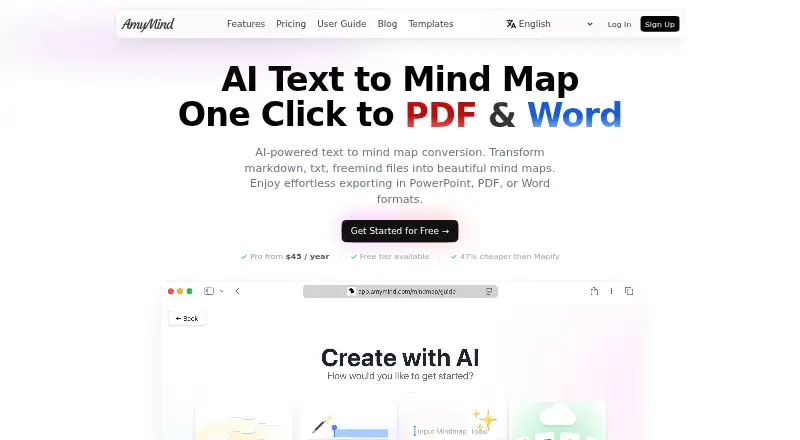
AmyMind is an app for creating and sharing mind maps, flowcharts, and UML diagrams, with AI tools for working with maps. It can convert text, FreeMind files, Markdown, PDFs, and Word documents into mind maps; a YouTube URL can turn video captions into a structured map. Ask AI answers questions about a map, AI Branch generates branches, and AI Explore provides information about a selected branch. Editing tools include rich-text node notes with images, outline mode, keyboard shortcuts, and customizable themes. Pitch Mode turns maps into presentations. Export formats include PPT, PDF, DOC/Word, TXT, Markdown, PNG, SVG, and XMind. The browser app supports online editing without a software download, and real-time collaboration is listed. Classic apps require macOS Ventura 13.0 or later on Mac, or iOS 16.0 or later on iPhone or iPod touch. The free plan has no listed price and includes 5 AI-Actions per day, 20 mind maps, and 50MB of storage. AmyMind Pro costs $45 a year and includes 500 AI-Actions per day, unlimited files, and 500MB of storage.
Who it suits
AmyMind suits occasional users who want to organize ideas visually, as well as professionals who frequently create and organize diagrams. Its browser app supports online editing, while classic apps have specified operating-system requirements.
What it does well
- Converts documents and text into mind maps
- YouTube captions can be structured as a mind map
- Exports to PPT, PDF, DOC, TXT, Markdown, PNG, SVG, and XMind
- Real-time collaboration is supported
What to know first
- Free plan allows only 20 mind maps
- Free plan includes 50MB of storage
- Classic Mac app requires macOS Ventura 13.0 or later
- Classic iOS app requires iOS 16.0 or later
Limits
The Free plan includes 5 AI-Actions per day, 20 mind maps, and 50MB of storage. AmyMind Pro includes 500 AI-Actions per day and 500MB of storage, with unlimited files.
Plans
| Plan | Billed and limits | Price |
|---|---|---|
| AmyMind Pro | 500 AI-Actions per day · Unlimited files · 500MB storage space · Folder management · Remove watermark · Export png, pdf, doc... | $45 a year |
| Free | 5 AI-Actions per day · 20 mind maps · 50MB storage space · Export png, pdf, doc... | On request |
As amymind.com lists them, read 4 Oct 2026. The maker's own page has the final word.
Getting started
- Open https://amymind.com/ to use the web app for online editing.
- Choose the Free plan for 5 AI-Actions per day, 20 maps, and 50MB of storage.
- Choose AmyMind Pro at $45 a year for 500 AI-Actions per day, unlimited files, and 500MB of storage.
- On Mac, use the classic app with macOS Ventura 13.0 or later.
- On iPhone or iPod touch, use the classic app with iOS 16.0 or later.
AmyMind is an AI-assisted workspace for turning documents, text and video captions into editable mind maps, flowcharts and UML diagrams. It fits researchers, students, planners and professionals who need to develop source material into diagrams and presentations across browser, Mac and iPhone. The strongest case is its unusually broad conversion and export workflow; the main constraint is that frequent AI use quickly runs into the free tier’s daily quota.
Overview
AmyMind starts with material you already have rather than requiring a blank canvas. It converts text, FreeMind files, Markdown, PDFs and Word documents into mind maps, and a pasted YouTube URL can turn video captions into a structured map. That is useful for summarising reading, briefing documents or lectures before reorganising the result.
Its AI functions cover different stages of refinement. Ask AI answers questions about a map, AI Branch creates new branches, and AI Explore supplies information about a selected branch. These are practical aids for expanding or interrogating a diagram, but they consume daily AI actions, so they are not an unlimited substitute for manual editing.
Key features
Editing supports rich-text notes on nodes, including images, alongside outline mode, keyboard shortcuts and customizable themes. Outline mode gives a text-first way to restructure a map, while notes keep supporting material attached to the relevant node. Pitch Mode turns a map into a presentation in one click, which is useful when the diagram is also the basis for a briefing.
Exports include PPT, PDF, DOC/Word, TXT, Markdown, PNG, SVG and XMind. That breadth makes AmyMind practical when collaborators or clients use different tools. Real-time collaboration supports shared work, and the browser app offers online editing without a download.
Pricing
Free
The free plan includes 5 AI actions per day, 20 mind maps and 50MB of storage. It can export PNG, PDF and DOC formats. This is a sensible starting point for occasional users who want to evaluate the conversion and editing workflow, but the map, storage and AI ceilings are restrictive for an active archive or AI-heavy process.
AmyMind Pro
Pro costs $45 a year per user. It raises the allowance to 500 AI actions per day, removes the file limit, provides 500MB of storage, adds folder management and removes the watermark. It also includes PNG, PDF and DOC exports. The higher quota and unlimited files suit professionals who create and organise diagrams frequently; 500MB is still a finite storage allocation for large image-rich libraries.
The service accepts credit-card payments with encrypted card information. Refund or exchange requests can be made within 30 days of purchase, subject to approval. Support is provided through support articles and an email contact.
Platforms
AmyMind runs on the web, macOS and iOS/iPadOS. The web version supports online editing without installing software. The classic Mac app requires macOS Ventura 13.0 or later, while the iPhone or iPod touch app requires iOS 16.0 or later. Mixpanel is used to understand site usage, and the privacy policy describes collection of device and order information.
Who it's for
Choose AmyMind if your work begins with documents, Markdown, existing mind-map files or YouTube captions and ends in a diagram, presentation or multiple file formats. It is also a good fit for teams needing real-time collaboration and for Mac or iOS users who want a native option alongside the browser app. Occasional users can stay on Free; professionals who depend on AI actions, folders or watermark-free output should budget for Pro.
Pros and cons
Pros
- Converts PDFs, Word files, Markdown, text, FreeMind files and YouTube captions, reducing manual first-pass mapping.
- Ask AI, AI Branch and AI Explore address questioning, expansion and branch research as separate tasks.
- Exports to PPT, PDF, DOC/Word, TXT, Markdown, PNG, SVG and XMind, with one-click presentation mode.
- Browser editing, real-time collaboration and Mac/iOS apps cover mixed-device workflows.
Cons
- Free allows only 5 AI actions per day, 20 maps and 50MB, which limits sustained projects.
- Pro's 500MB storage allocation may remain tight for image-heavy collections.
- Some privacy-conscious users may object to device and order data collection and Mixpanel usage analytics.
Alternatives
Browse the AI Mind Map Tools list for more options. Choose EdrawMind instead if you need Android, Linux or Windows support, a 100MB free plan and a 100-topic allowance. Mindomo is the alternative to consider when you want broad desktop and mobile platform coverage with a free tier and trial. Pick Xmind for a more classic mind-mapping focus and 10 online maps on its free plan. Mapify is better suited to users who prefer a free allowance built around 30 one-time AI credits, five PDF/Doc conversions and five YouTube videos. MindMap Chat is a free, no-account option with no paid tier. Ayoa is worth considering if task management, whiteboards and collaboration belong alongside mind mapping. mapifast is the alternative for a $19 a month Pro plan with 500 monthly tokens and GPT-4o and Claude 3.5 access. Mapify offers a free tier with 30 one-time AI credits and five PDF/document and YouTube conversions on iOS, macOS and web.
Verdict
AmyMind is a strong choice for anyone who routinely turns source documents or video captions into editable diagrams and needs flexible exports or presentation output. Pro is the practical plan for frequent creators because its AI allowance, unlimited files and watermark removal remove the free tier’s main friction. Look elsewhere if you need larger included storage, broader operating-system coverage or a completely account-free workflow.
Verdict
AmyMind combines document conversion, AI map tools, editing options, and multiple export formats. The free plan has limits on maps, AI actions, and storage, while Pro is listed at $45 a year.
Questions
Is AmyMind free?
Yes. The Free plan includes 5 AI-Actions per day, 20 mind maps, and 50MB of storage.
How much does AmyMind Pro cost?
AmyMind Pro costs $45 a year.
Which platforms does AmyMind support?
AmyMind supports web, macOS, and iOS/iPadOS. The classic Mac app requires macOS Ventura 13.0 or later, and the classic iOS app requires iOS 16.0 or later on iPhone or iPod touch.
What can AmyMind export?
Exports include PPT, PDF, DOC/Word, TXT, Markdown, PNG, SVG, and XMind.
Can AmyMind convert documents into mind maps?
Yes. It converts text, FreeMind files, Markdown, PDFs, and Word documents into mind maps.
Does AmyMind offer real-time collaboration?
Yes, real-time collaboration is supported.
Facts from AmyMind's own pages
- AI tools
- Ask AI can answer questions about a mind map, AI Branch generates branches, and AI Explore provides information about a selected branch. · amymind.com, 4 Oct 2026
- Browser app
- AmyMind says it supports online editing and does not require software downloads. · amymind.com, 4 Oct 2026
- Editing
- Features include rich-text node notes with images, outline mode, keyboard shortcuts, and customizable themes. · amymind.com, 4 Oct 2026
- Exports
- Mind maps can be exported to PPT, PDF, DOC, TXT, Markdown, and PNG. · amymind.com, 4 Oct 2026
- Inputs
- The product converts text, FreeMind files, Markdown, PDFs, and Word documents into mind maps. · amymind.com, 4 Oct 2026
- Intended users
- The free tier is described as for occasional users, while Pro is described as for professionals who frequently create and organize diagrams. · amymind.com, 4 Oct 2026
- Mac and iOS
- The classic AmyMind app requires macOS Ventura 13.0 or later on Mac and iOS 16.0 or later on iPhone or iPod touch. · amymind.com, 4 Oct 2026
- Payment security
- The terms state that credit card information is always encrypted. · amymind.com, 4 Oct 2026
- Presentation
- Pitch Mode turns mind maps into presentations with one click. · amymind.com, 4 Oct 2026
- Privacy
- The privacy policy says the site collects device and order information and uses Mixpanel to understand site usage. · amymind.com, 4 Oct 2026
- Purpose
- AmyMind is an AI-integrated app for creating and sharing mind maps, flowcharts, and UML diagrams. · amymind.com, 4 Oct 2026
- Refunds
- The refund policy allows refund or exchange requests within 30 days of purchase, subject to approval. · amymind.com, 4 Oct 2026
- Support
- The maker directs users to support articles and provides an email contact for help. · amymind.com, 4 Oct 2026
- YouTube
- Users can paste a YouTube URL to turn the video captions into a structured mind map. · amymind.com, 4 Oct 2026
Where AmyMind stands on Freedom251
- AI Mind Map Tools#2 of 29