Freedom251 › Minecraft Add-on Editors

mcbCode
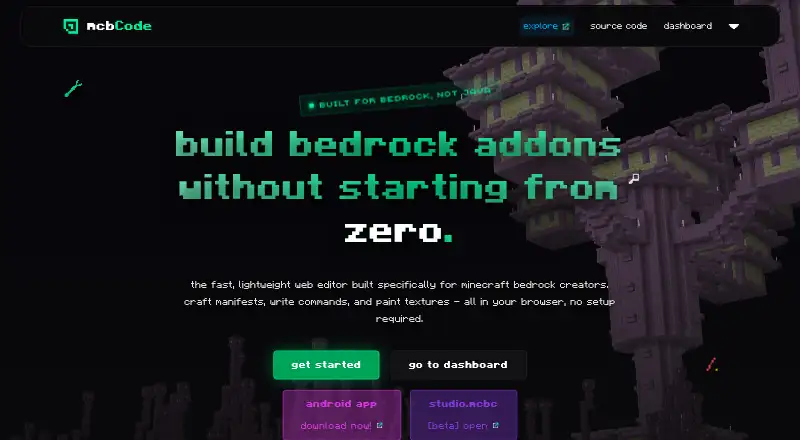
What mcbCode is
mcbCode is a browser-based editor for creating Minecraft Bedrock behavior packs, resource packs, and add-ons. Its setup tool generates UUIDs, manifests, and add-on configurations, while command editing provides color coding, syntax highlighting, and error checking. Separate editors support JSON and JavaScript, including GameTest and Bedrock Script API scripts. A pixel editor makes PNG assets from 16x16 to 512x512 in the active project workspace, and finished packs can be exported for Minecraft. The Free plan costs nothing and includes code editors, texture editing, exports, and limited projects; no numeric project limit is stated. Obsidian costs $4 a month and adds private projects, custom share codes, GitHub sync, and project snapshots or backups. The service is available on the web and Android. DripstoneAI is marked as coming soon. The creator, idktoast, is described as a solo Minecraft Bedrock developer, and the tool is intended for creators of every skill level.
Who it suits
It suits Minecraft Bedrock creators who want pack setup, code editing, texture creation, or scripting in one editor. The site describes it as intended for creators at every skill level.
What it does well
- Setup tool generates UUIDs, manifests, and configurations.
- Editors support JSON and JavaScript.
- Pixel editor exports PNG assets up to 512x512.
- Free plan includes exports and texture editing.
- Obsidian includes GitHub sync and backups.
What to know first
- Free projects are limited; no numeric cap is stated.
- Obsidian costs $4 a month.
- DripstoneAI is marked as coming soon.
Limits
The free plan limits projects, but gives no numeric cap. Obsidian costs $4 a month and includes private projects, custom share codes, GitHub sync, and project snapshots or backups.
Plans
| Plan | Billed and limits | Price |
|---|---|---|
| Free | full code editors & syntax highlighting · pixel art / texture editor · limited projects · export finished packs for minecraft | Free |
| obsidian | $4 / month · private projects · custom share codes · github sync · project snapshots/backups | $4 a month |
As mcbcode.com lists them, read 4 Oct 2026. The maker's own page has the final word.
Getting started
- Open https://mcbcode.com/ in a browser.
- Choose the Free plan or Obsidian at $4 a month.
- Use the pack setup tool to create a project configuration.
- Edit commands, JSON or JavaScript, and textures in the project workspace.
- Export a finished pack for Minecraft.
Verdict
mcbCode brings pack setup, coding, texture editing, and export together for Minecraft Bedrock projects. The free tier has a project limit, while Obsidian adds private projects, sharing, sync, and snapshots for $4 a month.
Questions
Is mcbCode free?
Yes. The Free plan costs nothing and includes the editors, texture tools, limited projects, and pack exports.
What does Obsidian cost?
Obsidian costs $4 a month. It adds private projects, custom share codes, GitHub sync, and project snapshots or backups.
Which platforms can I use?
mcbCode is available on the web and Android.
What kinds of Minecraft projects does it support?
It is built for Minecraft Bedrock behavior packs, resource packs, and add-ons.
Who makes mcbCode?
The creator is idktoast, described as an active Minecraft Bedrock developer and solo developer.
Is DripstoneAI available?
It is marked as coming soon and is described as helping explain code, fix component groups, and outline project items.
Facts from mcbCode's own pages
- AI feature
- DripstoneAI is marked coming soon and is described as helping explain code, fix component groups, and outline items within a project. · mcbcode.com, 4 Oct 2026
- Code editors
- The site lists editors for JSON and JavaScript, including modern GameTest and Bedrock Script API scripts. · mcbcode.com, 4 Oct 2026
- Command editor
- The command editor color codes selectors, coordinates, and arguments, and the homepage says it includes syntax highlighting and error checking. · mcbcode.com, 4 Oct 2026
- Founded
- 2026 · mcbcode.com, 28 Sept 2026
- Free tier limit
- The free tier includes limited projects; the page does not state a numeric project limit. · mcbcode.com, 4 Oct 2026
- Integration
- The Obsidian plan includes GitHub sync. · mcbcode.com, 4 Oct 2026
- Maker
- The creator is idktoast, described by the site as an active Minecraft Bedrock developer and solo developer. · mcbcode.com, 4 Oct 2026
- Pack setup
- The pack setup tool generates UUIDs, pack manifests, and add-on configurations. · mcbcode.com, 4 Oct 2026
- Purpose
- mcbCode is a browser based editor built specifically for creating Minecraft Bedrock add-ons, behavior packs, and resource packs. · mcbcode.com, 4 Oct 2026
- Security and compliance
- The opened maker pages did not state a security certification or compliance standard. · mcbcode.com, 4 Oct 2026
- Sharing and backups
- The Obsidian plan includes custom share codes and project snapshots or backups. · mcbcode.com, 4 Oct 2026
- Support and feedback
- The maker invites bug reports, suggestions, and feedback through GitHub issues and links to a Discord community. · github.com, 4 Oct 2026
- Texture editor
- The browser pixel editor exports PNG assets from 16x16 to 512x512 into the active project workspace. · mcbcode.com, 4 Oct 2026
- Who it is for
- The about page says mcbCode is intended for Minecraft Bedrock creators of every skill level. · mcbcode.com, 4 Oct 2026
Where mcbCode stands on Freedom251
- Minecraft Add-on Editors#14 of 26