Freedom251 › Math Learning Apps

Mathspace
What Mathspace is
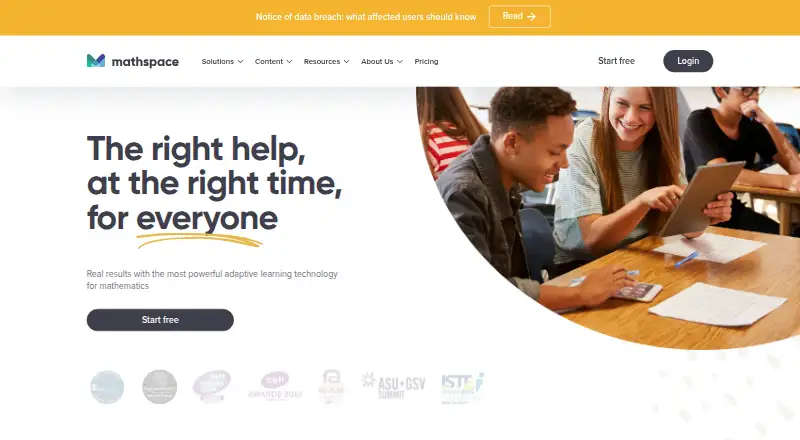
Mathspace is an adaptive mathematics learning platform for students and teachers, available on the web and iOS. Students can work through interactive textbooks, video lessons, practice questions, adaptive tasks, and diagnostic skills check-ins. StepSmart offers immediate guidance tailored to each step of a problem. Teachers can create or assign tasks, use automatic marking, and review reports that range from class-level insights to individual work steps. Integrations include Canvas, Clever, and SchoolsPLP. A free account supports one class of up to 30 students; Classes costs $8 a year per student, and Schools costs $15 a year per student. Eligible schools can try Classes or Schools Plus for 30 days without commitment. With Canvas, school administrators handle class management, and some teacher controls are unavailable. Mathspace says it follows FERPA and GDPR requirements, does not sell personal information to third parties, and encrypts data at rest and in transit. The student app is recommended for iPads; the web app is recommended for teachers using a desktop or laptop.
Who it suits
Mathspace suits students who want guided, adaptive math practice and teachers who need task assignment, marking, and student reports. Its free account may suit a teacher starting with one class of up to 30 students.
What it does well
- StepSmart gives support at each problem-solving step.
- Includes interactive textbooks, videos, practice, and diagnostic check-ins.
- Teachers can assign tasks and use automatic marking.
- Reports include class insights and individual work steps.
- Free account supports one class of up to 30 students.
What to know first
- Offline access is not available.
- Canvas class management is handled by a school administrator.
- Some teacher controls are unavailable with Canvas.
- Classes costs $8 a year per student.
Limits
The free Personal account is limited to one class with up to 30 students. Classes and Schools provide unlimited classes and students; eligible schools can try Classes or Schools Plus for 30 days without commitment.
Plans
| Plan | Billed and limits | Price |
|---|---|---|
| Personal | 1 class · 30 students | Free |
| Schools | per student per year · Unlimited classes · Unlimited students | $15 a year |
| Classes | per student per year · Unlimited classes · Unlimited students | $8 a year |
| Schools Plus | Unlimited classes · Unlimited students | On request |
As mathspace.co lists them, read 11 Oct 2026. The maker's own page has the final word.
Getting started
- Visit the Mathspace website.
- Choose a free Personal account or a paid plan.
- For an eligible school, try Classes or Schools Plus for 30 days without commitment.
- Students using iPads can use the iOS app; teachers on desktop or laptop and students unable to use iOS are directed to the web app.
- Teachers can create or assign tasks and review student reports.
Mathspace is a mathematics learning platform for students and teachers, pairing adaptive practice with step-by-step support and classroom reporting. It is best suited to teachers who want to assign work and see how students reason through it, as well as students who benefit from guided practice. Its strongest case is the combination of learning content and teacher oversight; the free account’s 30-student ceiling makes it a limited fit for larger classes.
Overview
Mathspace brings interactive textbooks, video lessons, practice questions, adaptive tasks and diagnostic skills check-ins into one platform. StepSmart supplies immediate, context-sensitive help as students work through individual steps, rather than leaving them with only a final result. That makes the practice more supportive for learners who get stuck mid-problem, while diagnostics and adaptive tasks help direct attention to student skills.
Teachers can create or assign tasks, use automatic marking and review reports from class-level insights down to individual work steps. This gives Mathspace a useful classroom role beyond independent practice: teachers can see not only how a class is progressing, but where a student’s working may need attention. Canvas, Clever and SchoolsPLP are among its LMS integrations. Canvas has a notable trade-off: school administrators handle class management, and some teacher controls, including adding a parent email, are unavailable.
Key features
- StepSmart guidance: Context-sensitive feedback at each step can help students keep working when they encounter difficulty, rather than treating practice as a sequence of right-or-wrong answers.
- Varied learning content: Textbooks, videos, guided lessons and gamified practice give students more than one format for engaging with mathematics. Adaptive tasks and diagnostic check-ins add a skills-focused route through practice.
- Teacher reporting and marking: Automatic marking reduces the need to review every answer manually, while reports that include individual work steps offer more useful insight than a class score alone.
- Privacy and support: Mathspace says it follows FERPA and GDPR requirements, does not sell personal information to third parties, encrypts data at rest and in transit, and conducts external penetration testing annually. Its help center provides articles and directs users to support by chat or email.
Pricing
Mathspace uses a freemium model, with a free plan and a trial for eligible schools. The free Personal plan costs nothing and allows one class of up to 30 students. It is a practical way for a small class to use the platform without a subscription, but the one-class and 30-student limits are restrictive for teachers responsible for multiple groups or larger rosters.
- Personal: free; one class and up to 30 students. Best for an individual teacher or small class that can work within those caps.
- Classes: $8 a year, billed per student per year; unlimited classes and students. This is the lower-cost paid option for teachers or organizations needing to go beyond the free account’s class and student limits.
- Schools: $15 a year, billed per student per year; unlimited classes and students. It costs more than Classes, but the published plan details do not distinguish additional features, so buyers should compare the two against their requirements before choosing.
- Schools Plus: Custom pricing, with unlimited classes and students. Eligible schools can try it for 30 days without commitment, making the trial a way to assess the plan before committing.
The paid plan prices are per student per year, so the total depends on the number of students rather than being a single flat annual fee. Mathspace also offers a 30-day no-commitment trial of Classes or Schools Plus to eligible schools. Offline access is not supported, which matters for students who need to work without an internet connection.
Platforms
Mathspace is available on the web and iOS. The student iOS app is recommended for iPads; the web app is recommended for teachers using a desktop or laptop and for students who cannot use the iOS app. Android and other mobile platforms are not among its supported platforms, so households and schools relying on those devices should account for that restriction.
Who it's for
Mathspace is a strong fit for teachers and schools that want assignments, automatic marking and visibility into student work steps alongside adaptive mathematics practice. Students who benefit from immediate prompts while solving problems may also find its stepwise approach more useful than practice that offers feedback only at the end. It is less suitable for a large class seeking a free account, a school that requires full teacher control through Canvas, or learners who need offline or Android access.
Pros and cons
- Pro: StepSmart gives help during problem solving, which can make practice more instructive for students who get stuck along the way.
- Pro: Teacher reports include individual work steps as well as class insights, helping teachers look beyond scores when reviewing progress.
- Pro: A free plan covers one class of up to 30 students, and eligible schools can try Classes or Schools Plus for 30 days without commitment.
- Con: The free account is capped at one class and 30 students, so it does not cover teachers who need several classes or larger rosters.
- Con: Canvas class management rests with the school administrator, and some teacher controls are unavailable through that integration.
- Con: No offline access and support limited to web and iOS make Mathspace a poor match for offline study or Android-first users.
Alternatives
For a broader choice of tools, browse Math Learning Apps. Choose GeoGebra instead if you want a free-plan option spanning Android, iOS, desktop operating systems and the web; it is open source under EUPL 1.2, though its installers and web services are limited to non-commercial use. MobyMax is another freemium option with a free educator version and a Family plan at $7.99 a month, worth considering if that plan structure suits your needs better.
Brilliant may suit learners who are comfortable with a daily free allowance of two lessons or practice sets, while its Group Annual plan includes three seats and supports groups of 3 to 50 people. Mathigon is a free alternative for students, teachers and parents. Freckle Math offers unlimited student self-paced practice on its free plan, with a limited number of teacher assignments; it is worth considering when self-directed practice matters more than broad assignment capacity.
Monster Math has a free plan and trial, with a Premium plan at $59.99 a year for unlimited app access, features, levels and content. Interactive Primer is a free web option with no sign-up, subscriptions or ads. BrainTrail offers a free Family plan for one learner, with one 10-question trail per concept, daily goals, streaks and a parent progress view; that is a more narrowly capped option for a single learner.
Verdict
Choose Mathspace if you want adaptive mathematics practice that helps students work through problems step by step, backed by assignments, automatic marking and detailed teacher reports. The free tier is useful for a small class, and the per-student paid plans extend the classroom capacity. Look elsewhere if you need offline use, Android support, or unrestricted teacher class management through Canvas.
Verdict
Mathspace combines adaptive student practice with tools for assigning work and reviewing progress. Check the Canvas controls and plan limits against your classroom needs before choosing a plan.
Questions
Is Mathspace free?
Yes. Personal costs nothing and includes one class with up to 30 students.
What do the paid plans cost?
Classes costs $8 a year per student, and Schools costs $15 a year per student. Both plans include unlimited classes and students; no price is listed for Schools Plus.
Can a school try a paid plan?
Eligible schools can try Mathspace Classes or Schools Plus for 30 days without commitment.
Which platforms are available?
Mathspace is available on the web and iOS. The student iOS app is recommended for iPads; the web app is recommended for teachers on desktop or laptop and students who cannot use the iOS app.
Does Mathspace work offline?
No. Offline access is listed as unavailable.
Which LMS integrations are listed?
Mathspace lists Canvas, Clever, and SchoolsPLP. With Canvas, the school administrator handles class management, and some teacher controls, including adding a parent email, are unavailable.
Facts from Mathspace's own pages
- Adaptive learning
- Yes · help.mathspace.co, 23 Sept 2026
- Canvas limitation
- With Canvas integration, class management is handled by the school administrator, and some teacher controls, including adding a parent email, are unavailable. · help.mathspace.co, 11 Oct 2026
- Device support
- The student iOS app is recommended for iPads, while the web app is recommended for teachers on desktop or laptop and students who cannot use the iOS app. · help.mathspace.co, 11 Oct 2026
- Founded
- 2010 · mathspace.co, 28 Sept 2026
- Free account limit
- A free account can create one class with up to 30 students. · mathspace.co, 11 Oct 2026
- Free plan
- Yes · help.mathspace.co, 23 Sept 2026
- Gamified practice
- Yes · help.mathspace.co, 23 Sept 2026
- Guided lessons
- Yes · help.mathspace.co, 23 Sept 2026
- Integrations
- Mathspace lists Canvas, Clever, and SchoolsPLP among its LMS integrations. · help.mathspace.co, 11 Oct 2026
- Learning content
- The platform includes interactive textbooks, video lessons, practice questions, adaptive tasks, and diagnostic skills check-ins. · mathspace.co, 11 Oct 2026
- Offline access
- The iOS app requires an internet connection and cannot be used offline. · help.mathspace.co, 11 Oct 2026
- Parent reporting
- Yes · help.mathspace.co, 23 Sept 2026
- Privacy
- Mathspace says it abides by FERPA and GDPR requirements and does not sell personal information to third parties. · mathspace.co, 11 Oct 2026
- Purpose
- Mathspace is an adaptive mathematics learning platform for students and teachers. · mathspace.co, 11 Oct 2026
- Security
- Mathspace says it encrypts data at rest and in transit and conducts external penetration testing annually. · mathspace.co, 11 Oct 2026
- Stepwise feedback
- StepSmart gives students immediate, context-sensitive support at each step as they work through math problems. · mathspace.co, 11 Oct 2026
- Support
- The help center offers support articles and directs users to Mathspace support by chat or email. · help.mathspace.co, 11 Oct 2026
- Supported platforms
- web,iOS · help.mathspace.co, 23 Sept 2026
- Teacher tools
- Teachers can create or assign tasks, use automatic marking, and review student reports ranging from class insights to individual work steps. · mathspace.co, 11 Oct 2026
- Trial
- Mathspace says eligible schools can try Mathspace Classes or Schools Plus for 30 days without commitment. · help.mathspace.co, 11 Oct 2026
Where Mathspace stands on Freedom251
- Math Learning Apps#13 of 122