Freedom251 › Math Learning Apps
Interactive Primer
What Interactive Primer is
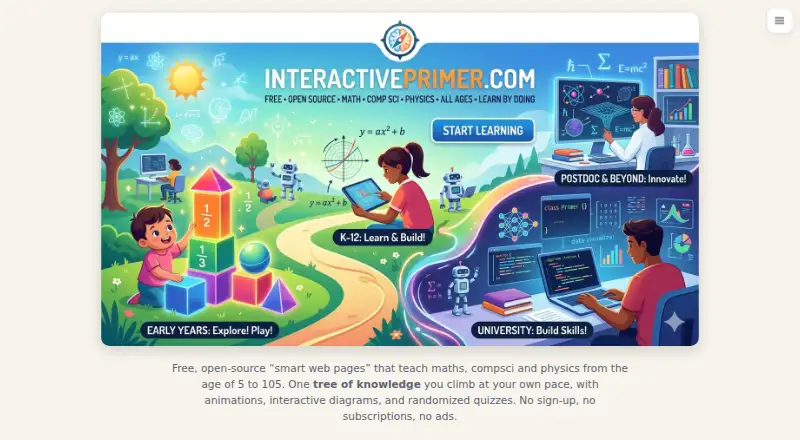
Interactive Primer is a free, open-source collection of web lessons in mathematics, computer science, and physics. Each concept has its own page, and courses organize related concepts into guided learning paths. Lessons use animations, interactive diagrams, and randomized quizzes. A Getting Started quiz helps learners locate their current knowledge in school mathematics, physics, or computer science, while a dashboard tracks mastery, streaks, learning readiness, and reviews due. The school library ranges from early counting through A-level and beyond, with no sign-up or installation required. Lessons map to UK Key Stages, GCSE and A-level, US Common Core and AP, Australian, Canadian, and South African syllabuses, and IB programmes. Progress stays in the learner’s browser unless they choose to sync it. Lessons use CC BY-SA 4.0 and the code uses AGPL-3.0. The site aims for WCAG 2.1 Level AA and describes itself as partially conformant; the graph explorer is not yet fully operable by keyboard or screen reader. Learners can select light, dark, or fun themes and change the language from the menu.
Who it suits
It suits learners seeking interactive web lessons in mathematics, physics, or computer science, as well as schools using the listed curricula. It can also suit people who prefer not to create an account or install software.
What it does well
- Free lessons require no sign-up or installation
- Courses provide guided paths through concepts
- Dashboard tracks mastery and review needs
- Progress remains local unless learners choose to sync
- Lessons cover several national curricula and IB
What to know first
- Site describes accessibility as only partially conformant
- Graph explorer is not fully keyboard- or screen-reader-operable
Plans
| Plan | Billed and limits | Price |
|---|---|---|
| Free | No sign-up · no subscriptions · no ads | Free |
As interactiveprimer.com lists them, read 12 Oct 2026. The maker's own page has the final word.
Getting started
- Open the Interactive Primer website in a web browser.
- Choose a language from the site menu if needed.
- Take the Getting Started quiz to identify a learning starting point.
- Follow a course’s guided path or open a lesson from the school library.
- Use the progress dashboard to review mastery and topics due for review.
Verdict
Interactive Primer combines guided lessons, interactive practice, and progress tracking across three subjects. Its accessibility caveat is worth noting, particularly for learners relying on keyboard or screen-reader access to the graph explorer.
Questions
Is Interactive Primer free?
Yes. Its Free plan costs nothing, with no sign-up, subscriptions, or ads.
Does it require an account or installation?
No. The school library can be used without sign-up or installation.
What subjects does it teach?
It teaches mathematics, computer science, and physics.
Is Interactive Primer open source?
Yes. The lessons use CC BY-SA 4.0, and the code uses AGPL-3.0.
Which platforms does it support?
The supported platform is web. Offline access is also listed.
Does it track learner progress?
Yes. The dashboard shows mastery, streaks, what is ready to learn, and what is due for review. Progress remains in the learner’s browser unless they choose to sync it.
Facts from Interactive Primer's own pages
- Accessibility
- The site aims to meet WCAG 2.1 Level AA and says it is partially conformant; the graph explorer is not yet fully keyboard- or screen-reader-operable. · interactiveprimer.com, 12 Oct 2026
- Adaptive learning
- Yes · interactiveprimer.com, 22 Sept 2026
- Curricula
- The lessons are mapped to UK Key Stages, GCSE and A-level; US Common Core and AP; Australian, Canadian, and South African syllabuses; and IB programmes. · interactiveprimer.com, 12 Oct 2026
- For schools
- The school library covers mathematics, physics, and computer science from early counting through A-level and beyond, with no sign-up or installation required. · interactiveprimer.com, 12 Oct 2026
- Free plan
- Yes · interactiveprimer.com, 22 Sept 2026
- Gamified practice
- Yes · interactiveprimer.com, 22 Sept 2026
- Guided lessons
- Yes · interactiveprimer.com, 22 Sept 2026
- Interactive content
- Lessons use animations, interactive diagrams, and randomized quizzes. · interactiveprimer.com, 12 Oct 2026
- Lessons
- Each concept is taught on its own page, and courses provide guided paths through related concepts. · interactiveprimer.com, 12 Oct 2026
- Licenses
- The lessons use CC BY-SA 4.0 and the code uses AGPL-3.0. · interactiveprimer.com, 12 Oct 2026
- Offline access
- Yes · interactiveprimer.com, 22 Sept 2026
- Placement
- A Getting Started quiz identifies a learner’s knowledge frontier in school mathematics, physics, or computer science. · interactiveprimer.com, 12 Oct 2026
- Privacy
- Student progress stays in the learner’s browser unless they choose to sync it. · interactiveprimer.com, 12 Oct 2026
- Progress tracking
- The progress dashboard shows mastery, streaks, what is ready to learn, and what is due for review. · interactiveprimer.com, 12 Oct 2026
- Security and compliance
- The opened maker pages provide no stated security certification or compliance claim. · interactiveprimer.com, 12 Oct 2026
- Support
- Users can report page-specific feedback through the site menu or contact the project through GitHub Discussions. · interactiveprimer.com, 12 Oct 2026
- Supported platforms
- web · interactiveprimer.com, 22 Sept 2026
- Themes and language
- The site offers light, dark, and fun themes, and lets users switch the language from the menu. · interactiveprimer.com, 12 Oct 2026
- What it is
- Interactive Primer is a free, open-source collection of smart web pages teaching mathematics, computer science, and physics. · interactiveprimer.com, 12 Oct 2026
Where Interactive Primer stands on Freedom251
- Math Learning Apps#17 of 122