Freedom251 › Design Proofing Software
MarkUp
What MarkUp is
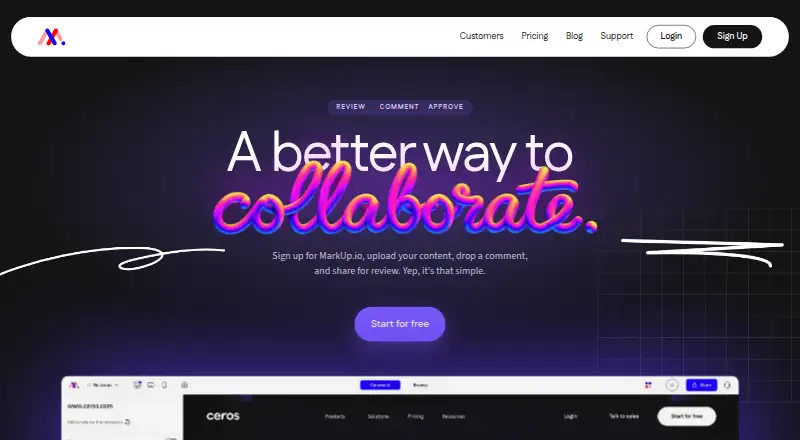
MarkUp is a review platform for collaborators to upload content, share it for feedback, and attach comments directly to the work. It supports more than 30 file types, including websites, images, PDFs, and videos. Reviewers can pin comments to specific content or annotate it, and guests can participate without registering. The Chrome extension creates MarkUps from browser pages and automatically includes screenshots with comments. Integrations are included in all plans; Business and Enterprise provide higher API and SDK capacity for custom integrations. The maker also describes connecting MarkUp to other apps through Zapier, while the Microsoft Teams integration sends feedback updates into a Teams workspace. Plans start at $79/mo and include a 14-day trial; there is no free plan. Pro plans list 50–100 MarkUps per month and Business plans 200–600, each with one workspace. Monthly plans list unlimited users. Additional MarkUps can be purchased in batches of 10 at $4.00 per MarkUp. Enterprise includes SOC II documentation, SSO (SAML), and a custom DPA.
Who it suits
MarkUp suits individuals starting with review workflows, teams needing more control, and large organizations. Guest access can help when reviewers do not have accounts.
What it does well
- Supports more than 30 file types
- Guests can review without registering
- Chrome extension attaches screenshots with comments
- Integrations are included in all plans
What to know first
- No free plan
- Plans start at $79/mo
- Pro and Business list one workspace
- Additional MarkUps cost $4.00 per MarkUp in batches of 10
Limits
The lowest listed monthly plan is Pro at $79/mo, with 50 MarkUps/month, one workspace, and 100GB storage. Pro plans list monthly allowances of 50–100 MarkUps; additional MarkUps can be purchased in batches of 10 at $4.00 per MarkUp.
Plans
| Plan | Billed and limits | Price |
|---|---|---|
| Pro (100 MarkUps/month) | $129/mo · 100 MarkUps/month · unlimited users · 1 workspace · 200GB storage | $129 a month |
| Pro (100 MarkUps) | monthly · 100 MarkUps/month · unlimited users · 1 workspace · 200GB storage | $129 a month |
| Pro annual (100 MarkUps) | annual; 2 months free · 100 MarkUps/month · unlimited users · 1 workspace | $1,290 a year |
| Pro (100 MarkUps/month, yearly) | $1,290/yr · 2 months free · 100 MarkUps/month · unlimited users · 1 workspace · 200GB storage | $1,290 a year |
| Business (200 MarkUps/month) | $499/mo · 200 MarkUps/month · unlimited users · 1 workspace · 500GB storage · priority support | $499 a month |
| Business (200 MarkUps) | monthly · 200 MarkUps/month · 500GB storage · branding and vanity domain · full Metrics · higher API/SDK capacity · priority support | $499 a month |
| Business (200 MarkUps/month, yearly) | $4,990/yr · 2 months free · paid via invoice · 200 MarkUps/month · unlimited users · 1 workspace · 500GB storage · priority support | $4,990 a year |
| Business (400 MarkUps/month) | $649/mo · 400 MarkUps/month · unlimited users · 1 workspace · 500GB storage · priority support | $649 a month |
The first 8 of 19 plans, as markup.io lists them, read 4 Oct 2026. The maker's own page has the final word. Every plan
Getting started
- Open https://markup.io/ and start the 14-day trial.
- Choose a Pro, Business, or Enterprise plan suited to your review volume and organization.
- Upload content to create a MarkUp, or use the Chrome extension to create one from a browser page.
- Share the MarkUp with collaborators, including guests who do not register.
- Collect pinned comments and annotations, with feedback updates available through the Microsoft Teams integration.
Verdict
MarkUp supports contextual review across many types of content, with guest participation and browser-based capture. Its paid plans set monthly MarkUp allowances and include one workspace on Pro and Business.
Questions
Does MarkUp have a free plan or trial?
There is no free plan. MarkUp offers a 14-day trial.
What does the Pro plan cost?
The listed monthly Pro plans range from $79/mo to $129/mo. The $79/mo plan includes 50 MarkUps/month, unlimited users, one workspace, and 100GB storage.
Which platforms does MarkUp support?
The listed platforms are API, extension, and web.
Can guests review content without registering?
Yes. Collaborators can join as guests without registering.
Which integrations are available?
Integrations are included in all plans. The maker describes connecting MarkUp to other apps through Zapier, and Microsoft Teams receives feedback updates.
What does Enterprise include?
Enterprise includes SOC II documentation, SSO (SAML), and a custom DPA.
Facts from MarkUp's own pages
- Annotations
- Reviewers can pin comments to content and annotate directly on the work. · markup.io, 4 Oct 2026
- API
- The public REST API supports server-side automation, MarkUp management, workspace operations, users and webhooks through bearer API keys. · developer.markup.io, 14 Oct 2026
- Automation
- MarkUp's maker describes connecting MarkUp to other apps through Zapier. · markup.io, 4 Oct 2026
- Browser extension
- The Chrome extension creates MarkUps from the browser and automatically includes screenshots with comments. · markup.io, 4 Oct 2026
- Browser support
- MarkUp works in current Firefox, Safari and Edge browsers, while Chrome is recommended for extension use and automatic screenshots. · educate.ceros.com, 14 Oct 2026
- Chrome extension
- The Chrome extension creates MarkUps from the browser and attaches an automatic screenshot to each comment. · chromewebstore.google.com, 14 Oct 2026
- Company headquarters and size
- Crunchbase lists New York, New York headquarters and 11–50 employees for MarkUp Inc. · crunchbase.com, 14 Oct 2026
- Company legal name
- Crunchbase lists MarkUp Inc. as an active, private, for-profit company. · crunchbase.com, 14 Oct 2026
- Company ownership
- MarkUp's privacy policy identifies Ceros, Inc. as the publisher and the homepage says the product is built by Ceros. · markup.io, 14 Oct 2026
- Documentation depth
- The developer hub includes API references, SDK installation, authentication, events, plugins, theming and resource documentation, with pages updated in September 2026. · developer.markup.io, 14 Oct 2026
- File limitation
- Figma files cannot be uploaded directly; the help center recommends exporting them to PDF. · educate.ceros.com, 14 Oct 2026
- Guest access
- Shared MarkUps can be reviewed by guests without creating an account. · markup.io, 14 Oct 2026
- Integrations
- Official integration material documents Slack, Microsoft Teams, Zapier, Loom, Asana, Trello, Basecamp, Mailchimp, Google Sheets, Airtable, Todoist and Notion workflows. · markup.io, 14 Oct 2026
- Intended users
- The maker describes Pro as suited to individuals getting started, Business to teams needing control, and Enterprise to large organizations. · markup.io, 4 Oct 2026
- Limit: free-tier removal
- Reviewers complain that free and small-business tiers were removed and that the resulting single-user entry price is unsuitable for freelancers. · capterra.com, 14 Oct 2026
- Limit: missing workflow features
- A Trustpilot reviewer requested tags and bulk editing, indicating those workflow functions were missing or insufficient for that user. · trustpilot.com, 14 Oct 2026
- Limit: pricing increases
- Trustpilot complaints describe increases from about $29 monthly to $79 and higher tiers, sometimes characterized as 280% to 350% increases without matching new features. · trustpilot.com, 14 Oct 2026
- Limits
- The pricing page lists one workspace for Pro and Business, with monthly allowances of 50–100 and 200–600 MarkUps respectively. · markup.io, 4 Oct 2026
- Limit: Shopify previews
- A Shopify community report says MarkUp did not work well with Shopify preview URLs. · reddit.com, 14 Oct 2026
- Maker facts
- LinkedIn lists Ceros as privately held, founded in 2012, headquartered in New York and employing 201–500 people. · linkedin.com, 14 Oct 2026
- No self-hosting
- The official offering is a hosted web service with browser SDK and API documentation; its terms describe Ceros-operated service code rather than a self-hosted package. · markup.io, 14 Oct 2026
- Notable news
- Ceros announced on January 20, 2022 that it acquired Northern Ireland visual-commenting company Oroson; the announcement said MarkUp had surpassed 200,000 users. · ceros.com, 14 Oct 2026
- Notifications
- The Microsoft Teams integration sends MarkUp feedback updates into a Teams workspace. · markup.io, 4 Oct 2026
- Overages
- Additional MarkUps can be purchased in batches of 10 at $4.00 per MarkUp. · markup.io, 4 Oct 2026
Where MarkUp stands on Freedom251
- Design Proofing Software#20 of 29
- Online Proofing Software#20 of 27
- Markup Software#20 of 26
- Web Annotation Tools#27 of 31