Freedom251 › Coding Playgrounds

marimo
by marimo
What marimo is
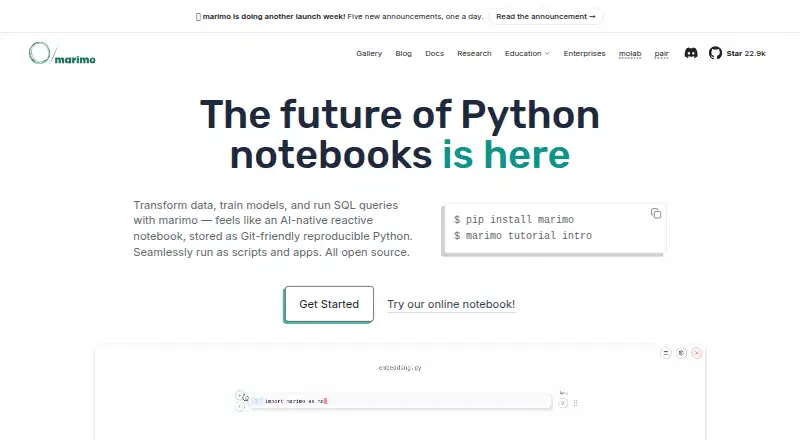
marimo is an open-source Python notebook for data work, reproducible experiments, and interactive apps. Its reactive execution keeps related code and outputs aligned: when a cell runs, marimo runs dependent cells or marks them stale. Notebooks are saved as Python files that can be tracked with Git, run as scripts, or reused as modules. They can also be deployed as interactive web apps or run in a browser through WebAssembly.
The editor includes sliders, dropdowns, interactive dataframe tables, and selectable plots. SQL cells work with dataframes, databases, CSVs, and Google Sheets, using backends such as Polars, Pandas, PyArrow, DuckDB, SQLite, Postgres, and MySQL. Notebook AI features support OpenAI, Anthropic, Gemini, Ollama, and OpenAI-compatible APIs. Editor options include extensions for VS Code and PyCharm; the VS Code extension also works with Cursor and other VS Code forks. Package management options include pip, uv, Poetry, Pixi, and Rye, with uv and Pixi available for notebook sandboxes. The maker lists analysts, educators, data and analytics engineers, data scientists, AI and ML engineers, and web developers among its users.
Who it suits
marimo suits people who want Python notebooks for analysis, experiments, teaching, or interactive apps, especially when they want notebooks saved in a Git-friendly format. Its SQL cells, AI integrations, and editor extensions also fit users working across data tools and development environments.
What it does well
- Reactive cells keep dependent code and outputs aligned.
- Python notebooks can be tracked with Git and run as scripts.
- Interactive controls include sliders, dropdowns, tables, and plots.
- SQL supports multiple data backends, including DuckDB and Postgres.
- Notebook AI features support several model providers and compatible APIs.
What to know first
- molab notebooks are public by default.
- molab sessions run for up to 12 hours.
- molab does not save files larger than 1 GB after shutdown for notebooks created after August 26, 2026.
- Running notebook code can execute arbitrary code.
Limits
The open-source notebook plan is free, with no plan limits stated here. molab is free while usage is reasonable, provides 4 CPUs and 32 GB RAM, and sessions can last up to 12 hours; notebooks are public by default. For notebooks created after August 26, 2026, files larger than 1 GB are not saved when the notebook shuts down.
Plans
| Plan | Billed and limits | Price |
|---|---|---|
| marimo open-source notebook | Free and open source · permissively licensed | Free |
| molab | Free while usage is reasonable · 4 CPUs · 32 GB RAM · sessions up to 12 hours · notebooks public by default | Free |
| marimo cloud | Closed beta · on-demand cloud resources for experimentation, collaboration, sharing, and deployment | On request |
As marimo.io lists them, read 7 Oct 2026. The maker's own page has the final word.
Getting started
- Open marimo.io to find the notebook and installation options.
- Install through a package manager such as pip, uv, Pixi, or conda.
- Use the VS Code or PyCharm integration if you want to work in an editor.
- Choose the free open-source notebook or use molab for hosted notebooks.
- For remote edit access, use token authentication, which is enabled by default.
marimo is an open-source reactive notebook built around Python, with SQL support and routes from analysis to deployable apps. It is best suited to data and software practitioners who want notebooks to behave more like reproducible Python projects than standalone documents. The central trade-off is clear: strong workflow flexibility comes with a Python-first focus, and hosted molab notebooks are public by default.
Overview
marimo’s defining choice is to store notebooks as Python files rather than hide their logic in a notebook-only format. That makes work easier to version with Git, run as scripts, or reuse as modules. It is a practical fit for teams already working in Python; readers whose work centers on another language should look elsewhere.
Key features
Reactive execution runs dependent cells when a cell changes, or marks them stale, keeping code and displayed results aligned. Combined with deterministic execution and package requirements stored in notebook files, this reduces the hidden state that can make notebook results hard to reproduce. It does not make arbitrary code safe: review notebooks before running them.
Notebooks can also become interactive web apps or run as Python scripts, and can execute in browsers through WebAssembly. Sliders, dropdowns, interactive dataframe tables, and selectable plots let people explore results without editing the underlying code. That range makes marimo useful beyond one-off analysis, especially when a notebook needs to serve as an interface or reusable project artifact.
SQL cells connect to dataframes, CSVs, Google Sheets, and databases. Supported backends include Polars, Pandas, PyArrow, DuckDB, SQLite, Postgres, and MySQL. AI notebook features support OpenAI, Anthropic, Gemini, Ollama, and OpenAI-compatible APIs. Developers can work through extensions for VS Code and PyCharm; the VS Code extension also works in Cursor and other VS Code forks.
Package management options include pip, uv, Poetry, Pixi, and Rye, while notebook sandboxes support uv and Pixi. Installation options also include conda. The breadth is useful for fitting existing Python projects, though sandbox package choices are narrower than the general project options.
Security controls address remote access and opening notebooks, but not the risk of executing code. marimo says code does not run without an explicit user action, edit-mode notebooks are statically loaded, and token authentication is enabled by default for remote edit access. Run mode can use token flags or custom middleware. Once run, notebook code can execute arbitrary code, so trusted origins or code review remain essential.
Pricing
marimo open-source notebook — free. The permissively licensed, open-source notebook is the straightforward choice for anyone who wants to run marimo without paying for hosted compute.
molab — free. The free hosted option provides 4 CPUs, 32 GB RAM, and sessions of up to 12 hours, with use expected to remain reasonable. It suits people who want cloud-hosted notebooks without setting up their own environment, but notebooks are public by default. For notebooks created after August 26, 2026, files larger than 1 GB are not saved when the notebook shuts down.
marimo cloud — custom pricing. The closed beta offers on-demand cloud resources for experimentation, collaboration, sharing, and deployment. It is aimed at users who need hosted resources beyond molab, but access is limited to the beta.
Platforms
marimo supports API, extension, Linux, macOS, self-hosted, web, and Windows environments. It supports Python and SQL, with notebook formats including Python (.py), Jupyter Notebook (.ipynb), HTML, PDF, and Markdown. GPU compute is supported; execution is hybrid. Version history is not supported.
Who it's for
The maker names AI engineers, analysts, educators, analytics engineers, data engineers, data scientists, ML engineers, and web developers as users. Its reactive execution, Git-friendly files, SQL integrations, and app deployment are particularly relevant to people who want analysis to remain reproducible and usable in a broader Python workflow. It is less suited to readers seeking a language-neutral notebook environment.
Pros and cons
- Reactive execution and deterministic behavior: dependent cells update or become stale, helping keep outputs aligned with code.
- Python-file storage: notebooks can be versioned in Git, run as scripts, and reused as modules.
- More than static analysis: interactive controls, SQL integrations, and app deployment support exploration and sharing.
- Public-by-default hosted notebooks: molab is a poor fit for private work unless its visibility model suits the notebook.
- Execution still carries code risk: safeguards around loading and access do not prevent arbitrary code from running after a user starts it.
- Free hosted use has bounds: reasonable-use terms, 12-hour sessions, and the post-shutdown file limit may constrain longer or larger projects.
Alternatives
Choose Apache Zeppelin if you want free, open-source notebook software with Linux, macOS, self-hosted, and web platforms. Deepnote is a hosted-oriented alternative with a free plan, a free trial, and a free tier of up to three editors and five projects. Paperspace Notebooks is worth considering if its free tier’s included storage and CPU and GPU machines better match your compute needs.
Pluto.jl is a free, MIT-licensed alternative for readers who prefer its supported platform range. SageMath is another free open-source option, with installation on unlimited computers and permission to download and redistribute copies. Datalore offers a free cloud tier with defined CPU hours, storage, and parallel notebook limits. Dnote is a free, open-source option with an optional self-hosted server. JupyterHub is a free open-source choice for teams that want to host notebooks on cloud infrastructure or their own hardware.
Browse more options in Notebook Software or Coding Playgrounds.
Verdict
Choose marimo if you want a Python notebook whose reactive execution, Git-friendly files, and deployment options support reproducible work beyond a single analysis session. Its free open-source version is compelling for local or self-hosted use; look elsewhere if you need a language-neutral workflow or private hosted notebooks by default.
Verdict
Choose marimo for Python data work or interactive notebooks when reactive execution and Python-file storage suit your workflow. The open-source notebook is free, and molab provides a hosted option with defined compute and session limits. Review code from untrusted sources before running it, since notebook code can execute arbitrary code.
Questions
Is marimo free?
The open-source notebook plan is free. molab is also free while usage is reasonable.
What platforms can I use it on?
Listed platforms are API, extension, Linux, macOS, self-hosted, web, and Windows. Notebooks can also run in browsers through WebAssembly.
What languages and notebook formats does it support?
Supported languages are Python and SQL. Listed formats include Python (.py), Jupyter Notebook (.ipynb), HTML, PDF, and Markdown.
Can I use AI integrations?
Notebook AI features support OpenAI, Anthropic, Gemini, Ollama, and OpenAI-compatible APIs.
Is there a hosted option?
molab is a free cloud-hosted notebook platform. It provides 4 CPUs, 32 GB RAM, sessions up to 12 hours, and public notebooks by default.
Is marimo open source?
Yes. The marimo open-source notebook plan is described as free and permissively licensed.
Facts from marimo's own pages
- AI integrations
- The AI notebook features support OpenAI, Anthropic, Gemini, Ollama, and OpenAI-compatible APIs. · marimo.io, 7 Oct 2026
- Authentication
- Token authentication is enabled by default for remote access in edit mode; run mode supports token flags or custom middleware. · docs.marimo.io, 7 Oct 2026
- Company
- The site identifies the company as Marimo Inc. and names Akshay Agrawal as co-founder and CEO; the opened pages do not state headquarters or founding year. · marimo.io, 7 Oct 2026
- Deployment
- Notebooks can be served as web apps, executed as scripts, or exported as WebAssembly-powered HTML. · marimo.io, 7 Oct 2026
- Developer integrations
- marimo offers extensions for VS Code and PyCharm, and its VS Code extension also works in Cursor and other VS Code forks. · docs.marimo.io, 7 Oct 2026
- Editor integrations
- The documentation describes a VS Code extension that works with VS Code, Cursor, and other VS Code forks, plus a PyCharm plugin. · docs.marimo.io, 7 Oct 2026
- Founded
- 2024 · marimo.io, 28 Sept 2026
- Free hosted option
- molab is described as a free cloud-hosted notebook platform, with notebooks public by default. · marimo.io, 7 Oct 2026
- Free plan
- Yes · marimo.io, 20 Sept 2026
- Git-friendly format
- Notebooks are stored as pure Python files that can be versioned with Git, run as scripts, and reused as modules. · marimo.io, 7 Oct 2026
- Install options
- The installation guide lists pip, uv, Pixi, and conda as package manager options. · docs.marimo.io, 7 Oct 2026
- Intended users
- The maker lists AI engineers, analysts, educators, analytics engineers, data engineers, data scientists, ML engineers, and web developers as user groups. · marimo.io, 7 Oct 2026
- Interactive features
- Built-in UI elements include sliders and dropdowns, and the editor includes interactive dataframe tables and selectable plots. · marimo.io, 7 Oct 2026
- Interactive tools
- marimo includes interactive elements such as sliders, dropdowns, dataframe tables, and selectable plots. · marimo.io, 7 Oct 2026
- molab storage limit
- For notebooks created after August 26, 2026, files larger than 1 GB are not saved when the notebook shuts down. · marimo.io, 7 Oct 2026
- Package management
- For project package management, marimo supports pip, uv, Poetry, Pixi, and Rye; notebook sandboxes support uv and Pixi. · docs.marimo.io, 7 Oct 2026
- Product
- marimo is an open-source reactive Python notebook that automatically runs dependent cells and stores notebooks as Git-friendly Python files. · docs.marimo.io, 7 Oct 2026
- Reactive execution
- When a cell runs, marimo runs dependent cells or marks them stale to keep code and outputs consistent. · docs.marimo.io, 7 Oct 2026
- Reproducibility
- marimo uses deterministic execution without hidden state and can store package requirements in notebook files. · marimo.io, 7 Oct 2026
- Security
- marimo says no user code runs without explicit user action, and notebooks opened in edit mode are statically loaded rather than executed as Python modules. · docs.marimo.io, 7 Oct 2026
- Security and subprocessors
- The maker says subprocessors must provide security and confidentiality protections consistent with its customer obligations and lists CoreWeave, Cloudflare, and Vercel among them. · marimo.io, 7 Oct 2026
- Security limitation
- Running notebook code can execute arbitrary code, so marimo advises running notebooks from trusted sources or reviewing their code first. · docs.marimo.io, 7 Oct 2026
- SQL and data
- SQL cells work with dataframes, databases, CSVs, and Google Sheets; the home page names Polars, Pandas, PyArrow, DuckDB, SQLite, and Postgres among supported backends. · marimo.io, 7 Oct 2026
- SQL integrations
- SQL cells integrate with Polars, Pandas, PyArrow, DuckDB, SQLite, Postgres, MySQL, and other backends. · marimo.io, 7 Oct 2026
Where marimo stands on Freedom251
- Coding Playgrounds#39 of 138
- Notebook Software#11 of 25