Freedom251 › Notebook Software

Apache Zeppelin
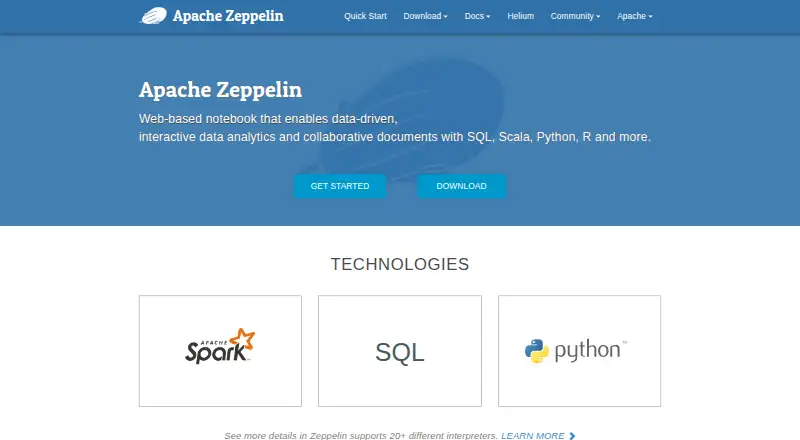
What Apache Zeppelin is
Apache Zeppelin is an open-source, web-based notebook for interactive data analytics and collaborative documents. Its pluggable interpreters let people work with Scala, Python, SQL, R, Java, Groovy, Shell, Markdown, SPARQL, and processing backends such as Apache Spark and Apache Flink. The notebook supports data ingestion, discovery, analysis, visualization, and collaboration. Its SQL interpreter can connect to JDBC sources including PostgreSQL, MySQL, MariaDB, Redshift, and Apache Hive.
Zeppelin includes basic charts and pivot charts, which support drag-and-drop aggregation, and can visualize output from any language backend. For Spark work, its integration can inject SparkContext and SQLContext automatically, load dependencies at runtime, and display job progress or cancel jobs. Collaborators can share notebook URLs and receive changes in real time. The project documents single-user and multi-user deployment, including LDAP support, and describes security options such as Apache Shiro, LDAP and Active Directory realms, Knox SSO, Kerberos-based SPNEGO, and secure session cookies. Zeppelin is licensed under Apache License 2.0 and is free. It runs on Linux, macOS, and the web, with self-hosted deployment. Downloads include packages, source code, and a Docker launch command; the net-install package starts with the Spark interpreter.
Who it suits
Apache Zeppelin suits data practitioners who want a self-hosted notebook for work across several languages and processing backends. Its real-time notebook collaboration, charting, and documented multi-user deployment also fit teams working together on analytics.
What it does well
- Supports Scala, Python, SQL, R, Java, Groovy, Shell, Markdown, and SPARQL.
- Works with Spark, Flink, JDBC, and other interpreters.
- Visualizes output from any language backend with charts and pivot charts.
- Shares notebook URLs and broadcasts changes in real time.
- Available under Apache License 2.0 at no charge.
What to know first
- Anonymous access is enabled by default.
- The net-install package includes only the Spark interpreter by default.
Limits
The net-install binary includes only the Spark interpreter by default; additional interpreters must be installed with its net-install script. The listed free plan is self-hosted software under Apache License 2.0.
Plans
| Plan | Billed and limits | Price |
|---|---|---|
| Apache Zeppelin | Apache License 2.0 · self-hosted software | Free |
As zeppelin.apache.org lists them, read 8 Oct 2026. The maker's own page has the final word.
Getting started
- Visit the Apache Zeppelin website and choose a binary package, source code, or Docker launch route.
- For the net-install package, begin with its included Spark interpreter and use the net-install script for other interpreters.
- Deploy Zeppelin as a single-user or multi-user instance.
- Configure authentication and access controls for the deployment.
- Open the web-based notebook and create work with the available interpreters.
Overview
Apache Zeppelin is a web-based notebook for interactive analytics and shared data documents, built around pluggable interpreters. It suits teams that want SQL, Scala, Python, R, and processing backends in one self-hosted workspace; its breadth is useful, but administrators must take responsibility for deployment and access security.
Key features
Zeppelin brings Spark, Flink, Python, R, JDBC, Markdown, and Shell into a single notebook through interpreters. That makes it a practical choice for teams combining queries, scripts, and distributed processing, rather than maintaining separate notebook environments for each. The flexibility comes with setup work: the Spark-focused net-install package includes only Spark by default, so other interpreters need to be added with its installation script.
For Spark, automatic SparkContext and SQLContext injection, runtime dependency loading, and job cancellation and progress display reduce setup friction and help users keep track of running work. The SQL interpreter connects to JDBC sources including PostgreSQL, MySQL, MariaDB, Redshift, and Apache Hive.
Built-in charts can visualize output from any language backend, and pivot charts support drag-and-drop aggregation. These are useful for inspecting and summarizing results in the notebook, though the described tools are basic charts rather than a full standalone visualization environment.
Collaborators can share notebook URLs, with changes broadcast in real time; version history is supported. That makes shared analysis more practical than passing documents back and forth. Zeppelin also supports JSON and .zpln notebook formats.
The project offers binary packages, source code, and a Docker launch command for version 0.12.1. Its 0.12.1 release includes fixes for JWT validation, path traversal hardening, and a WebSocket memory leak. Community support runs through a mailing list and Jira issue tracker.
Pricing
Apache Zeppelin costs nothing under the Apache License 2.0 and is self-hosted software. There is no paid tier or trial to weigh against the free plan; the cost is in deploying and maintaining the environment yourself. Teams can choose packages with all interpreters or a smaller Spark-focused net-install package, but the latter requires separate installation of other interpreters.
Platforms
Zeppelin supports Linux and macOS, with a web interface and self-hosted deployment. The project documents both single-user and multi-user setups, including multi-user support with LDAP. Its hybrid execution model and support for GPU compute are relevant to teams evaluating notebook workloads, although the project facts do not describe specific GPU configuration options.
Who it's for
Zeppelin is a strong fit for data teams that can operate their own notebook service and want one environment for SQL, Spark, Flink, and general-purpose languages. Its real-time collaboration and multi-user deployment options suit shared work, while the range of interpreters is most valuable where teams will configure the backends they actually use.
It is a weaker fit for people seeking a hosted notebook ready to use without administration. Anonymous access is enabled by default, so a shared deployment needs deliberate security configuration; the project recommends Apache Shiro authentication or limiting use to a secured, trusted environment. Security options include LDAP and Active Directory realms, Knox SSO, Kerberos-based SPNEGO authentication, roles, groups, permissions, and secure session cookies.
Pros and cons
- Pros: Broad interpreter support combines data querying, scripting, and processing backends in one notebook environment.
- Pros: Spark-specific dependency handling, context injection, cancellation, and progress display address common workflow needs without limiting Zeppelin to Spark.
- Pros: Shared URLs, live change broadcasts, and version history support collaborative notebook work.
- Cons: Self-hosting requires deployment and maintenance, making Zeppelin less suitable for teams that want a hosted service.
- Cons: Anonymous access is the default, so administrators must configure authentication or keep the deployment within a secured, trusted environment.
- Cons: The Spark-focused net-install package starts with only Spark, leaving users to install other needed interpreters separately.
Alternatives
Choose marimo if you want a free, open-source notebook with Linux, macOS, Windows, web, and API support. Deepnote may suit teams looking for a hosted freemium option: its free plan allows up to 3 editors and 5 projects, with unlimited Basic machines subject to a 5-hour limit.
Paperspace Notebooks is worth considering when included storage and free CPU and GPU machines matter; its free machines are limited to notebooks in private workspaces. Pluto.jl is another free, open-source option, under the MIT license. SageMath is a free open-source choice that can be installed on unlimited computers and downloaded or redistributed.
Datalore has a free cloud plan with 120 CPU S machine hours, 10 GB of cloud storage, and two notebooks running in parallel. Dnote is a free, open-source alternative with an optional self-hosted server. JupyterHub is a free open-source option for self-hosting on cloud infrastructure or your own hardware. Browse more options in Notebook Software.
Verdict
Choose Apache Zeppelin if your team wants a free, self-hosted notebook spanning SQL and multiple language and processing backends, and can manage deployment and access controls. Its interpreter range, Spark integration, and live collaboration make it a capable shared workspace; look elsewhere if you need a hosted notebook or want to avoid configuring security around a service that allows anonymous access by default.
Verdict
Choose Apache Zeppelin for a free, open-source notebook that combines multiple language interpreters, data visualization, and collaborative editing. It is a fit for teams prepared to deploy and configure notebook access; anonymous access is the default, so security configuration matters in shared environments.
Questions
How much does Apache Zeppelin cost?
The listed plan is free under the Apache License 2.0.
Is Apache Zeppelin open source?
Yes. It is licensed under the Apache License, Version 2.0.
Which platforms does it support?
The listed platforms are Linux, macOS, self-hosted deployment, and web.
Which languages and backends can it use?
Supported languages include Scala, Python, SQL, R, Java, Groovy, Shell, Markdown, and SPARQL. Its interpreters include Apache Spark, Apache Flink, JDBC, Markdown, and Shell.
How does collaboration work?
Collaborators can share notebook URLs, and Zeppelin broadcasts changes in real time.
How can administrators configure access?
The project documents Apache Shiro authentication, LDAP and Active Directory realms, Knox SSO, Kerberos-based SPNEGO, and secure session cookies. Anonymous access is enabled by default.
Facts from Apache Zeppelin's own pages
- Access control
- The security documentation describes configuring LDAP or Active Directory realms, roles, groups, and permissions. · zeppelin.apache.org, 8 Oct 2026
- Authentication
- Zeppelin allows anonymous access by default, and its documentation recommends configuring Apache Shiro authentication or deploying only in a secured, trusted environment. · zeppelin.apache.org, 8 Oct 2026
- Collaboration
- Notebook URLs can be shared with collaborators, with changes broadcast in real time; results can also be displayed in an embeddable page. · zeppelin.apache.org, 8 Oct 2026
- Container
- The download page provides a Docker command for launching Zeppelin version 0.12.1. · zeppelin.apache.org, 7 Oct 2026
- Data sources
- The SQL interpreter can connect to JDBC data sources including PostgreSQL, MySQL, MariaDB, Redshift, and Apache Hive. · zeppelin.apache.org, 7 Oct 2026
- Deployment
- The project documents single-user and multi-user deployments, including multi-user support with LDAP. · zeppelin.apache.org, 7 Oct 2026
- Deployment and download
- The download page offers binary packages, source, and an official Docker image; it describes single-user and multi-user deployments, including multi-user support with LDAP. · zeppelin.apache.org, 8 Oct 2026
- Download
- The download page lists version 0.12.1 packages with all interpreters, a Spark-focused net-install package, and source code. · zeppelin.apache.org, 7 Oct 2026
- Founded
- 2013 · zeppelin.apache.org, 28 Sept 2026
- Integrations
- The site describes JDBC connections to sources including PostgreSQL, MySQL, MariaDB, Redshift, and Apache Hive. · zeppelin.apache.org, 8 Oct 2026
- Interpreters
- Zeppelin supports interpreters including Apache Spark, Apache Flink, Python, R, JDBC, Markdown, and Shell. · zeppelin.apache.org, 7 Oct 2026
- Languages and backends
- Its pluggable interpreter architecture supports languages and processing backends including Spark, Flink, Python, R, JDBC, Markdown, and Shell. · zeppelin.apache.org, 8 Oct 2026
- License
- Apache Zeppelin is open-source software licensed under Apache License 2.0. · zeppelin.apache.org, 8 Oct 2026
- Open source
- Apache Zeppelin is described as 100% open source software under the Apache License, Version 2.0. · zeppelin.apache.org, 7 Oct 2026
- Package limit
- The net-install binary includes only the Spark interpreter by default; other interpreters must be installed using its net-install script. · zeppelin.apache.org, 8 Oct 2026
- Product
- Apache Zeppelin is a web-based notebook for interactive data analytics and collaborative documents using SQL, Scala, Python, R, and other languages. · zeppelin.apache.org, 7 Oct 2026
- Purpose
- Apache Zeppelin is a web-based notebook for interactive data analytics and collaborative documents. · zeppelin.apache.org, 8 Oct 2026
- Security options
- The security documentation describes LDAP and Active Directory realms, Knox SSO, Kerberos-based SPNEGO authentication, and secure session cookies. · zeppelin.apache.org, 7 Oct 2026
- Security updates
- Release 0.12.1 includes fixes for JWT validation, path traversal hardening, and a WebSocket memory leak. · zeppelin.apache.org, 8 Oct 2026
- Spark features
- The Spark integration provides automatic SparkContext and SQLContext injection, runtime dependency loading, and job cancellation and progress display. · zeppelin.apache.org, 8 Oct 2026
- Spark integration
- Its built-in Spark integration provides automatic SparkContext and SQLContext injection, runtime dependency loading, and job cancellation and progress display. · zeppelin.apache.org, 7 Oct 2026
- Support
- The project directs users to its users mailing list for usage questions and help, and also provides a JIRA issue tracker. · zeppelin.apache.org, 8 Oct 2026
- Use cases
- The notebook supports data ingestion, data discovery, data analytics, visualization, and collaboration. · zeppelin.apache.org, 8 Oct 2026
- Visualization
- Built-in charts can visualize output from any language backend, and pivot charts support drag-and-drop aggregation. · zeppelin.apache.org, 8 Oct 2026
Where Apache Zeppelin stands on Freedom251
- Notebook Software#3 of 25
- Data Science Analytics#4 of 30