Freedom251 › Digital Signage Software
MangoSigns
by MangoSigns
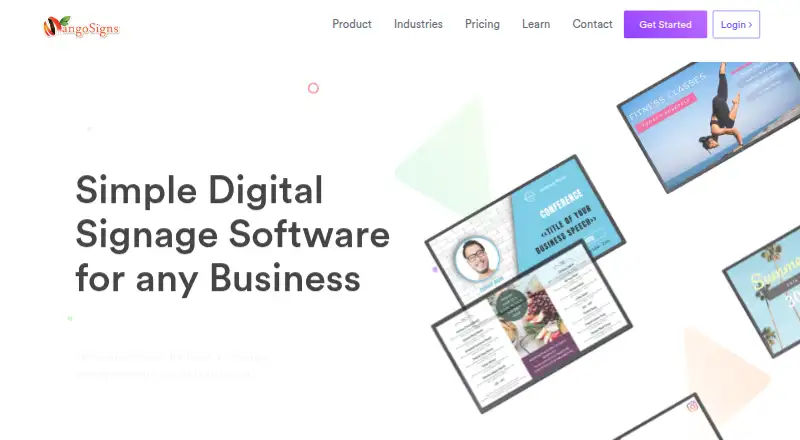
What MangoSigns is
MangoSigns is a cloud-based digital signage platform for creating, scheduling, and playing content on TVs and other screens. Its in-browser editor supports customized layouts and hundreds of animated templates. You can schedule content by day, week, month, year, date range, or custom conditions, then override or interleave schedules. Supported content includes images, videos, animated slides, menus, announcements, social feeds, weather, news, RSS feeds, websites, HTML5, calendars, and QR codes. Offline playback works on all listed player devices. MangoSigns lists Android, Windows, Chrome kiosk app or extension, and Amazon Fire TV players, while its platform list also includes iOS, Linux, web, and Windows. Integrations include Canva, Google Drive, Google Docs, Google Sheets, Google Slides, Facebook, Instagram, Slack, YouTube, Vimeo, weather, and RSS/news. Plans are sold per sign, with Basic, Premium, and Enterprise options. A 14-day Premium trial requires no credit card. The maker is based in St. Petersburg, Florida.
Who it suits
It suits businesses that need scheduled screen content for menus, employee communications, social posts, weather, news, or events. Advanced user roles and multiple player options support organizations managing signage across devices or locations.
What it does well
- Offline playback on all listed player devices
- Hundreds of animated templates in browser editor
- Schedules support custom conditions and overrides
- Integrations include Google, social, video, and RSS services
- 14-day Premium trial requires no credit card
What to know first
- No free plan
- Enterprise plan is required for phone support
- Premium apps require Premium or Enterprise plans
- Preconfigured MangoSigns Box costs $99.99
Plans
| Plan | Billed and limits | Price |
|---|---|---|
| Basic | billed monthly · unlimited slides | $9.95 a month |
| Premium | billed monthly · unlimited slides · unlimited users | $14.95 a month |
| Enterprise | billed monthly · unlimited slides · unlimited users | $24.95 a month |
| Premium — yearly | yearly; price shown per month, per sign · per sign · Unlimited slides and users · Premium apps/integrations · User permissions and roles | $13.45 |
| Premium — monthly | monthly · per sign · Unlimited slides and users · Premium apps/integrations · User permissions and roles | $14.95 a month |
| Enterprise — yearly | yearly; price shown per month, per sign · per sign · Unlimited slides and users · Premium apps/integrations · Phone support · Free training · Multiple properties/locations | $22.45 |
| Enterprise — monthly | monthly · per sign · Unlimited slides and users · Premium apps/integrations · Phone support · Free training · Multiple properties/locations | $24.95 a month |
| Basic — yearly | yearly; price shown per month, per sign · per sign · Unlimited slides · Basic apps/integrations | $8.95 |
The first 8 of 9 plans, as mangosigns.com lists them, read 20 Sept 2026. The maker's own page has the final word. Every plan
Verdict
MangoSigns combines broad content support, detailed scheduling, offline playback, and many integrations for business signage. Its paid plans differ by apps, roles, support, and location features, so plan selection matters.
Facts from MangoSigns's own pages
- Content creation
- Its in-browser editor lets users customize content and use hundreds of animated templates. · mangosigns.com, 11 Oct 2026
- Content types
- images,videos,animated slides,menus,announcements,social media feeds,weather,news,RSS feeds,websites,HTML5,calendars,QR codes · mangosigns.com, 20 Sept 2026
- Free plan
- No · mangosigns.com, 20 Sept 2026
- Hardware
- A preconfigured MangoSigns Box is offered for $99.99, and the product can also use the customer's compatible hardware. · mangosigns.com, 11 Oct 2026
- Headquarters
- The site lists 1101 4th St S Suite 305, St. Petersburg, FL 33701. · mangosigns.com, 11 Oct 2026
- Integrations
- Listed integrations include Canva, Google Drive, Google Docs, Google Sheets, Google Slides, Facebook, Instagram, Slack, YouTube, Vimeo, weather, and RSS/news. · mangosigns.com, 11 Oct 2026
- Intended users
- The maker describes the platform as built for businesses and highlights use cases including menus, employee communications, social posts, weather, news, and events. · mangosigns.com, 11 Oct 2026
- Mobile app
- Yes · mangosigns.com, 20 Sept 2026
- Offline playback
- Yes · mangosigns.com, 20 Sept 2026
- Plan limits
- Premium apps are included with Premium and Enterprise plans; Basic includes its separately listed Basic apps. · mangosigns.com, 11 Oct 2026
- Playback
- Offline playback is supported on all listed player devices. · mangosigns.com, 11 Oct 2026
- Players
- Player options include Android, Windows, Chrome kiosk app or extension, and Amazon Fire TV. · mangosigns.com, 11 Oct 2026
- Product
- MangoSigns is a cloud-based digital signage platform for displaying and scheduling content on TVs and screens. · mangosigns.com, 11 Oct 2026
- Scheduling
- Users can schedule content by day, week, month, year, date range, or custom conditions, and override or interleave schedules. · mangosigns.com, 11 Oct 2026
- Security
- The homepage describes the platform as secure and cloud-based but does not specify security certifications or controls on the opened page. · mangosigns.com, 11 Oct 2026
- Paid from
- 8.95 · mangosigns.com, 20 Sept 2026
- Support
- Basic and Premium include email and live chat support, while Enterprise also includes phone support and free training. · mangosigns.com, 11 Oct 2026
- Trial
- Each new account gets a 14-day Premium trial with no credit card required. · mangosigns.com, 11 Oct 2026
- User roles
- advanced · mangosigns.com, 20 Sept 2026
Where MangoSigns stands on Freedom251
- Digital Signage Software#72 of 207