Freedom251 › Email Design Software
MailEditor
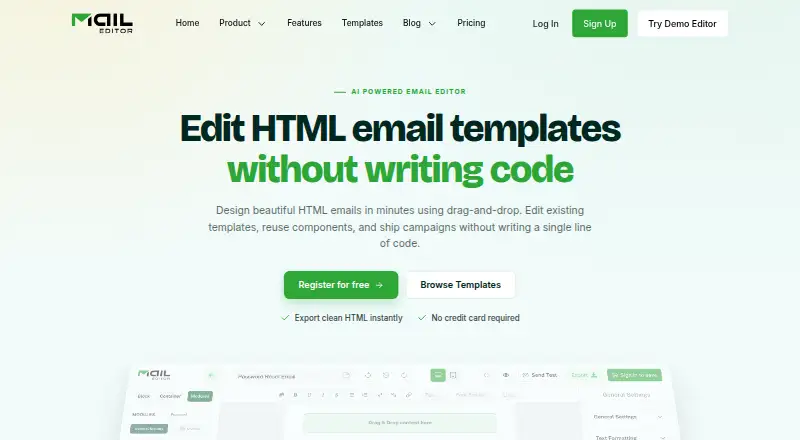
What MailEditor is
MailEditor is an email design platform for teams, creators, and developers building responsive emails. Its drag-and-drop editor assembles layouts from reusable modules, and users can upload existing HTML email templates to edit visually and export. The platform also turns design prompts into editable template drafts. Templates can be downloaded or copied as HTML, with images remaining hosted online, or saved in an account for later reuse. A Gmail add-on provides access to the template library and lets users insert templates from Gmail. Export integrations include Mailchimp, Gmail, Klaviyo, ActiveCampaign, SendGrid, Brevo, HubSpot, Outlook Web, and Salesforce Pardot. An embeddable JavaScript component lets applications edit HTML and CSS and return updated code. MailEditor says templates are its only stored customer content, private by default; it does not store subscriber lists or contact profiles from connected platforms. A free plan is available, and paid plans start at $9/mo, billed yearly.
Who it suits
It suits teams, creators, and developers who make responsive emails and want visual editing alongside HTML controls. The Gmail add-on and export integrations may suit users who work with those services.
What it does well
- Reusable modules help assemble email layouts.
- Existing HTML templates can be edited visually.
- Design prompts produce editable template drafts.
- Gmail add-on inserts saved templates.
- Free plan includes 10 HTML exports.
What to know first
- Free plan allows 5 ESP exports.
- Free plan includes only 2 AI templates.
- Images remain hosted online when HTML is exported.
Limits
The Free (Forever) plan includes 10 HTML exports, five ESP exports, 40 test emails, 20 saved templates, 300 MB of storage, and two AI templates. Starter is the lowest priced plan at $9 per month billed yearly, with two members, 100 HTML exports, 50 ESP exports, 200 test emails, 60 saved templates, 700 MB of storage, and 10 AI templates.
Plans
| Plan | Billed and limits | Price |
|---|---|---|
| Free (Forever) | $0 billed yearly · 2 members · 10 HTML exports · 5 ESP exports · 40 test emails · 20 saved templates · 300 MB storage · 2 AI templates | Free |
| Team | $29 billed yearly · 7 members · 600 HTML exports · 300 ESP exports · 700 test emails · 400 saved templates · 1,500 MB storage · 30 AI templates | $29 a month |
| Agency | $59 billed yearly · 30 members · unlimited HTML exports · unlimited ESP exports · unlimited test emails · unlimited saved templates · unlimited storage · 50 AI templates | $59 a month |
| Starter | $9 billed yearly · 2 members · 100 HTML exports · 50 ESP exports · 200 test emails · 60 saved templates · 700 MB storage · 10 AI templates | $9 a month |
As maileditor.net lists them, read 15 Oct 2026. The maker's own page has the final word.
Getting started
- Visit https://maileditor.net/.
- Choose the Free (Forever) plan or a paid plan.
- Build a layout with the drag-and-drop editor, upload an HTML template, or use a design prompt.
- Save the template in your MailEditor account or export its HTML.
- Use the Gmail add-on to access and insert templates from within Gmail, if applicable.
MailEditor is a visual email-building workspace that also lets you revise existing HTML and return production code. It fits teams, creators, and developers who need both layout blocks and source-level control. The strongest case is a mixed visual-and-code workflow; export quotas and externally hosted images narrow its fit for high-volume or self-contained delivery.
Overview
The drag-and-drop editor assembles responsive emails from reusable modules, while custom code editing and custom fonts provide control beyond a block-only builder. You can upload an existing HTML email, edit it visually, then download or copy the revised markup, or save it in your account for reuse. That combination is practical for organizations maintaining legacy templates as well as creating new campaigns.
Exported HTML keeps images hosted online instead of packaging them inside the file. Hosted assets can simplify reuse across campaigns, but teams that require a self-contained template bundle should choose another workflow. MailEditor says templates are the only customer content it stores; they are private by default, and it does not retain subscriber lists or contact profiles from connected services.
Key features
Visual construction and existing HTML
Pre-built content modules speed up repeated layouts, and the visual editor is aimed at responsive output. Upload-and-edit support is particularly useful when a developer needs a designer or marketer to adjust an established template without rewriting its structure. The embeddable JavaScript plugin extends that model into another application, returning updated HTML and CSS to the host product.
AI drafts and Gmail access
Describe a design prompt and MailEditor generates an editable email draft. The small allowances on Free and Starter make this a way to kick-start occasional concepts, not a substitute for a large template-generation pipeline. A Gmail add-on exposes the template library inside Gmail, so users can insert saved designs without switching to the main editor.
Exports and connections
HTML can be downloaded or copied, and ESP export connections include Mailchimp, Gmail, Klaviyo, ActiveCampaign, SendGrid, Brevo, HubSpot, Outlook Web, and Salesforce Pardot, among others. This breadth helps teams move finished designs into existing email stacks, although the number of exports depends heavily on the plan.
Security and data controls
MailEditor says browser traffic and third-party connections use TLS 1.2 or higher, with databases and file storage encrypted at rest using AES-256. Stripe processes payments, and card numbers and payment credentials are not stored on MailEditor servers. These measures suit teams with baseline security requirements, while the product's own image-hosting model remains a separate deployment consideration.
Pricing
| Plan | What you get | Best fit |
|---|---|---|
| Free (Forever) | $0 billed yearly; 2 members, 10 HTML exports, 5 ESP exports, 40 test emails, 20 saved templates, 300 MB storage, 2 AI templates | Individuals or very small teams proving the workflow |
| Starter | $9.00 per month, billed $9 billed yearly; 2 members, 100 HTML exports, 50 ESP exports, 200 test emails, 60 saved templates, 700 MB storage, 10 AI templates, 30 premium templates, 5 workspaces | Small teams with recurring but moderate production |
| Team | $29.00 per month, billed $29 billed yearly; 7 members, 600 HTML exports, 300 ESP exports, 700 test emails, 400 saved templates, 1500 MB storage, 30 AI templates, 100 premium templates, 20 workspaces | Growing teams sharing a larger library |
| Agency | $59.00 per month, billed $59 billed yearly; 30 members, unlimited HTML and ESP exports, unlimited test emails, saved templates, and storage, 50 AI templates, 900 premium templates, 100 workspaces | Agencies or high-volume operations |
All paid prices are annual-billing terms. Starter is inexpensive but retains the two-member seat limit and finite exports; Team is the meaningful step up for collaboration and quota headroom. Agency removes the main production ceilings and includes 24/7 priority support through Get Prime. The free tier has no published monetary price and its export, storage, and AI limits arrive quickly for active campaign work.
Platforms
MailEditor is offered as a web product, API, and extension. The API and embeddable plugin matter to developers integrating editing into another application, while the extension and Gmail add-on support users who work inside their mail environment.
Who it's for
Choose MailEditor if your team alternates between visual layout work and direct HTML editing, needs reusable templates, or exports designs into several email platforms. It is also a sensible fit for developers embedding an editor in a product. It is less suitable when every export must include locally packaged images or when a free account must support sustained, high-volume sending preparation.
Pros and cons
- Pro: Visual modules, custom code editing, and custom fonts cover both marketer and developer workflows.
- Pro: Existing HTML can be uploaded, edited visually, and exported again, reducing the cost of maintaining established templates.
- Pro: Gmail access and numerous ESP export connections fit teams already spread across those services.
- Con: Free and Starter export, storage, and AI quotas constrain frequent production.
- Con: Exported images remain online, so the HTML is not a fully self-contained package.
Alternatives
Pick Canary instead when you want a free, multi-platform email client with templates, unified inbox, and read-receipt features rather than an email design studio. Choose MJML for an open-source, MIT-licensed approach and a free REST API. Blocks Edit is an alternative for teams considering annual collaboration plans. Dragble suits users who want web, API, or self-hosted deployment with project and content-block plans. Foundation for Emails is a free web option. Mela is a broader API and web platform with site, locale, and client-seat limits on its free tier. Choose Mosaico for a free, GPL-licensed, self-hosted/web builder. PostBrix offers freemium web/API plans with project, download, testing, and storage quotas.
Verdict
MailEditor is a strong choice for small agencies, in-house email teams, and developers who want one workspace for responsive visual design, HTML revision, and multi-ESP export. Its main reason to choose it is the bridge between reusable visual modules and editable source code. Look elsewhere if you need bundled images, uncapped work on a free or low-cost tier, or an open-source/self-hosted editor.
Verdict
MailEditor brings visual email layout building, existing-HTML editing, and template export into one platform. Its free plan covers a limited amount of work, while paid plans start at $9/mo billed yearly.
Questions
Does MailEditor have a free plan?
Yes. Free (Forever) includes two members, 10 HTML exports, five ESP exports, 40 test emails, 20 saved templates, 300 MB of storage, and two AI templates.
How much do the paid plans cost?
Starter costs $9 per month billed yearly, Team costs $29 per month billed yearly, and Agency costs $59 per month billed yearly.
Which platforms does MailEditor support?
Its listed platforms are API, extension, and web. It also has a Gmail add-on for accessing and inserting templates within Gmail.
Which email platforms are listed as integrations?
The listed integrations include Mailchimp, Gmail, Klaviyo, ActiveCampaign, SendGrid, Brevo, HubSpot, Outlook Web, and Salesforce Pardot.
Can I edit or export an existing HTML email?
Yes. Users can upload an HTML email template, edit it visually, and export the result. HTML can be downloaded or copied, or the template can be saved in a MailEditor account.
Where is MailEditor based?
MailEditor is headquartered in Albuquerque, New Mexico, United States.
Facts from MailEditor's own pages
- AI templates
- An AI assistant turns a written prompt into an editable, on-brand email template draft. · maileditor.net, 15 Oct 2026
- API capabilities
- The plugin documentation covers identity signing, embedded sessions, backend user and template endpoints, HTML retrieval and error codes. · docs.maileditor.net, 15 Oct 2026
- Bulk signatures
- The bulk signature generator applies a customized signature to multiple employees at once. · maileditor.net, 15 Oct 2026
- Company founded
- LinkedIn lists MailEditor as founded in 2019. · linkedin.com, 15 Oct 2026
- Company industry
- LinkedIn classifies MailEditor as an Embedded Software Products company. · linkedin.com, 15 Oct 2026
- Company size
- LinkedIn lists the company at 2–10 employees. · linkedin.com, 15 Oct 2026
- Company specialties
- LinkedIn lists email design, email editing, email building, email testing, email layout and email marketing as specialties. · linkedin.com, 15 Oct 2026
- Compliance statements
- MailEditor states GDPR readiness and CCPA rights, and lists AWS, Google, Stripe and OpenAI as subprocessors. · maileditor.net, 15 Oct 2026
- Data handling
- MailEditor says templates are its only stored customer content, are private by default, and it does not store subscriber lists or contact profiles from connected platforms. · maileditor.net, 30 Sept 2026
- Developer stacks
- Plugin documentation provides integration examples for Next.js, React, Vue, Svelte, Angular, vanilla JavaScript, WordPress, Laravel, Django and Ruby on Rails. · docs.maileditor.net, 15 Oct 2026
- Documentation depth
- The public help center contains an index, getting-started material and a September 2025 overview of editing, tags, AI generation, exports, timers, sliders and signatures. · maileditor.net, 15 Oct 2026
- Email elements
- Available blocks include headings, rich text, images, video thumbnails, social icons, raw HTML, columns, tables, buttons, timers, sliders and editable banners. · plugin.maileditor.net, 15 Oct 2026
- Embeddable plugin
- MailEditor describes its plugin as a JavaScript component that can be embedded in an application to edit HTML and CSS and return the updated code. · maileditor.net, 30 Sept 2026
- Encryption
- The security policy states TLS 1.2 or higher in transit and AES-256 encryption at rest for RDS databases and S3 storage. · maileditor.net, 15 Oct 2026
- Export workflow
- Users can push templates to connected ESP accounts, copy HTML while keeping images hosted online, or save templates in folders for later reuse. · maileditor.net, 15 Oct 2026
- Gmail add-on
- The Gmail add-on lets users access saved templates and insert them into a Gmail compose window. · maileditor.net, 15 Oct 2026
- Headquarters
- Albuquerque, New Mexico, United States · maileditor.net, 23 Sept 2026
- HTML editing
- Users can upload and visually edit existing HTML email templates, then export the edited template. · maileditor.net, 30 Sept 2026
- HTML export
- Users can download or copy template HTML while images remain hosted online, or save templates in their MailEditor account for later reuse. · maileditor.net, 30 Sept 2026
- HTML formatter
- The HTML Formatter indents, organizes and beautifies messy email template code. · maileditor.net, 15 Oct 2026
- Independent praise: coding quality
- A LinkedIn company update says its templates are hand-coded, responsive across devices and tested across Gmail, Outlook and Apple Mail. · linkedin.com, 15 Oct 2026
- Independent product update
- A LinkedIn update reported the addition of template theme changes, an advanced image editor, Mailchimp content sync, live chat support, premium modules, timer improvements, test email, signature copier and a code editor. · linkedin.com, 15 Oct 2026
- Integration data handling
- MailEditor says connected API keys and OAuth tokens are encrypted, subscriber lists and campaign analytics are not stored, and integration credentials are removed after disconnection. · maileditor.net, 15 Oct 2026
- Integrations
- The integration catalog lists Mailchimp, Gmail, Klaviyo, ActiveCampaign, SendGrid, Brevo, HubSpot, Outlook Web, Salesforce Pardot, Amazon SES, Braze, Campaign Monitor, Constant Contact, Iterable, MailUp and others. · maileditor.net, 15 Oct 2026
Where MailEditor stands on Freedom251
- Email Design Software#12 of 63
- Email Template Software#6 of 26