Freedom251 › Minecraft Schematic Tools
MagicalChalk
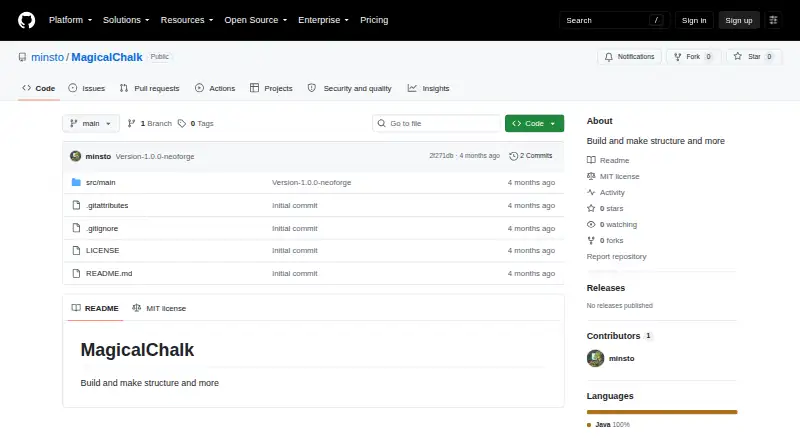
What MagicalChalk is
MagicalChalk is a Minecraft mod for creating, importing, exporting, converting, and placing structures. It supports Minecraft Java Edition 1.21.1 with NeoForge 21.1.x in single-player, LAN, server, and dedicated-server environments. Players select an area by clicking two corners with Structure Chalk, save it to server world storage, and place a blueprint with a right-click; placement replaces obstacles. The mod handles .chalk, .json, and .nbt files and converts Litematica .litematic, WorldEdit or Sponge .schem, and vanilla structure .nbt files. Its import manager searches files and shows dimensions, volume, block count, and file size. Magic Chalk Studio includes placement, brush, line, shape, selection, paste, and erase tools with undo and redo shortcuts. A public API lets other mods register structures and bind them to biomes using JSON or Java. MagicalChalk is free, MIT licensed, and translated into English and French.
Who it suits
It suits Minecraft players and server operators who need to capture, inspect, convert, and place structures in supported Java and NeoForge environments. Mod developers can also use its public registration API.
What it does well
- Supports multiple schematic formats
- In-game structure placement
- Import metadata and 3D preview
- Studio editing tools with undo
- Client, server, LAN, and single-player support
What to know first
- Requires Minecraft Java Edition 1.21.1
- Requires NeoForge 21.1.x
- Admin actions need OP level 2 without LuckPerms
- Desktop platform listing only
Limits
Without LuckPerms, most administrative actions require OP level 2 by default. Compatibility is listed for Minecraft Java Edition 1.21.1 with NeoForge 21.1.x.
Getting started
- Open the MagicalChalk GitHub project
- Use Minecraft Java Edition 1.21.1 with NeoForge 21.1.x
- Install the mod on the client, server or both environments
- Select two corners with Structure Chalk and save the area
- Import or convert a supported structure file
- Place a blueprint with Magical Chalk using right-click
Verdict
MagicalChalk combines in-game structure capture and placement with file conversion, previews, and editing tools. Its compatibility depends on the listed Minecraft and NeoForge versions.
Questions
Is MagicalChalk free?
Yes. It has a free plan and is listed as free.
Which Minecraft versions are supported?
The mod lists Minecraft Java Edition 1.21.1 and NeoForge 21.1.x compatibility.
Which structure formats does it support?
It imports and exports .chalk, .json and .nbt files, and converts .litematic, .schem and vanilla structure .nbt files.
Can it run on servers?
Yes. It supports client and server environments, including dedicated servers, LAN and single-player.
Is MagicalChalk open source?
The public GitHub project and Modrinth listing show an MIT license.
What languages are available?
The user interface is translated into English and French.
Facts from MagicalChalk's own pages
- Blueprint placement
- Magical Chalk places a selected structure blueprint with a right-click and replaces obstacles. · modrinth.com, 8 Oct 2026
- Build studio
- Magic Chalk Studio includes placement, brush, line, shape, selection, paste and erase tools, with undo and redo shortcuts. · modrinth.com, 8 Oct 2026
- Conversions
- It converts Litematica .litematic, WorldEdit or Sponge .schem, and vanilla structure .nbt files. · modrinth.com, 8 Oct 2026
- Description
- The repository describes MagicalChalk as “Build and make structure and more.” · github.com, 8 Oct 2026
- Documentation
- The README contains only the project name and the description “Build and make structure and more.” · github.com, 8 Oct 2026
- Features
- The opened project pages do not describe product features beyond the repository’s brief description. · github.com, 8 Oct 2026
- File formats
- The mod imports and exports .chalk, .json and .nbt files; .chalk is described as its recommended compact native format. · modrinth.com, 8 Oct 2026
- Import manager
- The graphical import manager can search files and display structure metadata such as dimensions, volume, blocks and file size. · modrinth.com, 8 Oct 2026
- Integrations
- The opened project pages do not identify any integrations. · github.com, 8 Oct 2026
- Languages
- The user interface is translated into English and French. · modrinth.com, 8 Oct 2026
- License
- The Modrinth project lists the mod as MIT licensed. · modrinth.com, 8 Oct 2026
- Minecraft support
- The mod lists compatibility with Minecraft Java Edition 1.21.1 and NeoForge 21.1.x. · modrinth.com, 8 Oct 2026
- Mod developer API
- The public API lets other mods register structures and bind them to existing biomes; registrations can use JSON or Java. · modrinth.com, 8 Oct 2026
- Permissions
- LuckPerms is optional; without it, most admin actions require OP level 2 by default. · modrinth.com, 8 Oct 2026
- Platforms
- The opened project pages do not specify supported platforms or provide download instructions. · github.com, 8 Oct 2026
- Pricing
- The opened project pages do not state a price or offer a pricing plan. · github.com, 8 Oct 2026
- Project details
- The repository page shows a public GitHub project with an MIT license. · github.com, 8 Oct 2026
- Purpose
- MagicalChalk is a Minecraft mod for creating, importing, exporting and placing structures. · modrinth.com, 8 Oct 2026
- Security
- The opened project pages do not provide security or compliance information. · github.com, 8 Oct 2026
- Server and client
- The mod supports client and server environments, including dedicated servers, LAN and single-player. · modrinth.com, 8 Oct 2026
- Structure selection
- Players can select an in-game area with Structure Chalk by clicking two corners and save it to server world storage. · modrinth.com, 8 Oct 2026
- Support
- The opened project pages do not describe product support options. · github.com, 8 Oct 2026
- Trial
- The opened project pages do not state whether a free trial is available. · github.com, 8 Oct 2026
Where MagicalChalk stands on Freedom251
- Minecraft Schematic Tools#14 of 42