Freedom251 › Minecraft Schematic Tools
Engineered Schematics
What Engineered Schematics is
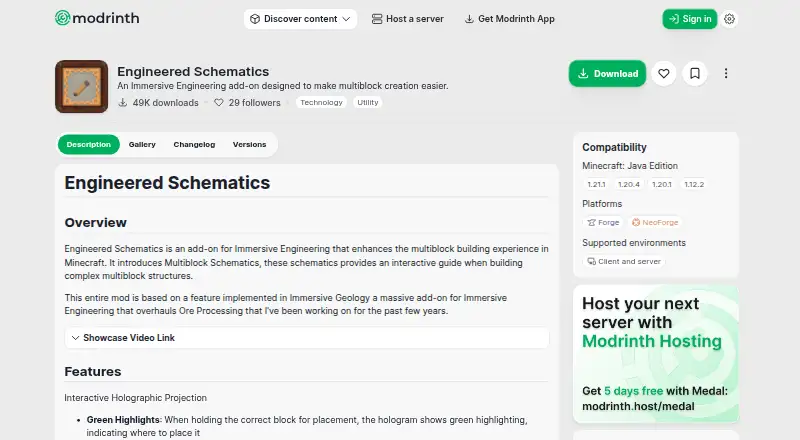
Engineered Schematics is a free Minecraft mod that adds interactive construction guides for Immersive Engineering multiblock structures. Its holographic projections identify placement status by color: green marks correct blocks, red marks misplaced blocks, and yellow marks incorrect orientation. The mod automatically adds schematics for multiblocks registered by Immersive Engineering or compatible add-ons. Players select designs in the Schematic Table, add paper to craft a schematic, place the projection grid, and hold the schematic in the off hand to view block positions. Installation requires NeoForge and Immersive Engineering before the mod is placed in the mods folder. The project lists Minecraft Java Edition 1.21.1, 1.20.4, 1.20.1, and 1.12.2, with Forge and NeoForge support for client and server environments. Downloads are directed to CurseForge or Modrinth. Muddykat is credited as author, and the project lists an ARR license.
Who it suits
This mod suits Minecraft Java players building Immersive Engineering multiblocks who want visual placement guidance. It also suits users of compatible add-ons that register multiblocks.
What it does well
- Color-coded holograms show placement errors
- Automatically adds registered multiblock schematics
- Supports Forge and NeoForge environments
- Works with compatible Immersive Engineering add-ons
- Free on desktop Minecraft
What to know first
- Requires NeoForge and Immersive Engineering
- Shader incompatibility is reported
- Supports listed Minecraft Java versions only
Verdict
Engineered Schematics adds a clear, color-coded projection workflow for Immersive Engineering construction. Users should account for its required dependencies and the reported shader incompatibility.
Facts from Engineered Schematics's own pages
- Community
- The project page links to a Discord server. · modrinth.com, 5 Oct 2026
- Compatibility
- The page lists Minecraft Java Edition 1.21.1, 1.20.4, 1.20.1, and 1.12.2, with Forge and NeoForge platforms and client and server environments. · modrinth.com, 5 Oct 2026
- Compatible add-ons
- The mod is described as compatible with other Immersive Engineering add-ons that register multiblocks. · modrinth.com, 5 Oct 2026
- Dependencies
- The installation instructions say to install NeoForge and Immersive Engineering before adding Engineered Schematics to the mods folder. · modrinth.com, 5 Oct 2026
- Downloads
- The installation instructions direct users to download the mod from CurseForge or Modrinth. · modrinth.com, 5 Oct 2026
- Hologram guidance
- Its holographic projection highlights correct block placements in green, misplaced blocks in red, and incorrectly oriented blocks in yellow. · modrinth.com, 5 Oct 2026
- How to use
- The instructions say to add paper to the Schematic Table to craft a schematic, place its projection grid, then hold the schematic in the off hand to see the block projection. · modrinth.com, 5 Oct 2026
- Known issue
- The project's GitHub issues page lists an open report titled “Incompatibility with shaders.” · github.com, 5 Oct 2026
- License
- Modrinth lists the project license as ARR. · modrinth.com, 5 Oct 2026
- Maker
- The project credits Muddykat as the mod author. · modrinth.com, 5 Oct 2026
- Purpose
- Engineered Schematics is an Immersive Engineering add-on that provides interactive guides for building multiblock structures in Minecraft. · modrinth.com, 5 Oct 2026
- Schematic generation
- The mod automatically adds schematics for multiblocks registered by Immersive Engineering or compatible add-ons. · modrinth.com, 5 Oct 2026
- Schematic Table
- Players use the Schematic Table to select multiblock schematics and project their holograms. · modrinth.com, 5 Oct 2026
- Support and feedback
- The project directs users to GitHub to report issues, suggest features, and contribute to development. · modrinth.com, 5 Oct 2026
Where Engineered Schematics stands on Freedom251
- Minecraft Schematic Tools#11 of 42