Freedom251 › Sign Design Software
MacSign
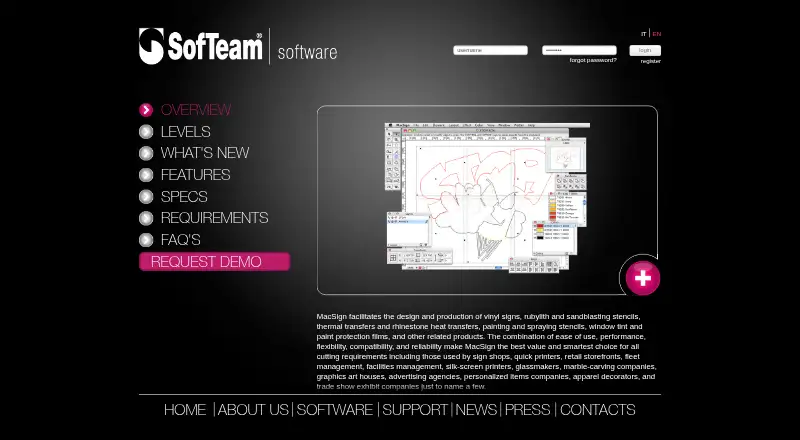
What MacSign is
MacSign is software for creating and producing vinyl signs, stencils, thermal transfers, rhinestone heat transfers, window tint, and paint protection films. Its design tools draw and transform vector artwork, trace scanned images, edit text, and organize designs in layers. For rhinestone work, users can arrange vector-based stones along paths or within shapes, adjust fills and spacing, and recalculate placements when artwork changes.
The software supports vinyl cutting and print-and-cut production. It can connect to multiple plotters, keep a separate job queue for each, and communicate with cutters over Raw TCP/IP. Cutter technologies documented by the maker include Summa OPOS and FlexCut, Graphtec ARMS, and Mutoh EPOS and cut-through, depending on the cutter and feature. MacSign also offers Adobe Illustrator and CorelDRAW plug-ins for transferring designs and adding supported registration marks. RIP workflows let artwork be printed through a RIP before contour cutting with a MacSign-controlled cutter.
The three plans are Lite, Cut, and Full, with different combinations of production and design tools. MacSign runs on macOS and Windows; its stated requirements cover Mac OS X 10.5–10.14 or Windows XP, Vista, 7, 8, or 10. A USB security key is required. MacSign was founded in 1987.
Who it suits
MacSign suits sign shops, quick printers, retailers, fleet and facilities managers, screen printers, glassmakers, graphics studios, advertising agencies, apparel decorators, and trade-show exhibit companies. It is relevant to production work involving vinyl cutting, print-and-cut, cutter workflows, or rhinestone heat transfers.
What it does well
- Includes vector drawing, transformation, and scanned-image tracing.
- Supports vinyl cutting and print-and-cut production.
- Keeps a separate job queue for each plotter.
- Offers Illustrator and CorelDRAW plug-ins.
- Supports listed Summa, Graphtec, and Mutoh technologies.
- Registration includes product updates and technical support services.
What to know first
- Listed system requirements cover older macOS and Windows versions.
- A USB security key requires online registration within 30 days of first use.
- Illustrator imports through the file command require legacy PostScript AI or Illustrator EPS formats.
- MacSign Cut works only with the cutter manufacturer's cutters.
Limits
MacSign Cut works only with the cutter manufacturer's cutters. The Lite plan adds tiling, color separation, vinyl charts, basic contour cutting, and support for popular cutters; the Full plan adds drawing and editing tools, advanced color separation, cutting presets, barcode contour-cut jobs, and rhinestone design.
Plans
| Plan | Billed and limits | Price |
|---|---|---|
| MacSign Lite | tiling · automatic color separation · vinyl charts · cutting-order optimization · basic contour cutting · popular-cutter support | $499, paid once |
| MacSign Full | Lite features · vector drawing/editing · image tracing · text tools · advanced color separation · registration marks · barcode contour cutting · rhinestone design | $990, paid once |
| MacSign Cut | In-box basic software · works only with the cutter manufacturer's cutters | On request |
As softeamweb.com lists them, read 15 Oct 2026. The maker's own page has the final word.
Getting started
- Visit the MacSign website and choose Lite, Cut, or Full.
- Install on a Mac or Windows system meeting the listed requirements.
- Connect the USB security key and register online within 30 days of first use.
- Connect a supported cutter or plotter.
- Import or create artwork, then prepare it for cutting or print-and-cut production.
MacSign is production software for designing and making vinyl signs, stencils, transfers, window films and paint-protection films. It is aimed at sign and graphics businesses that need vector artwork, cutter control and print-and-cut work in one workflow. Its broad plotter and finishing support is useful for established production teams, but the dated operating-system requirements and hardware-bound Cut edition demand careful checking before purchase.
Overview
MacSign combines vector drawing, image tracing, text editing and layer-based organization with output tools for vinyl cutting and print-and-cut production. The maker positions it for sign shops, quick printers, retailers, fleet and facilities managers, screen printers, glassmakers, graphics studios, advertising agencies, apparel decorators and trade-show exhibit companies. That range makes it more than a basic sign layout utility: it is intended to sit in a production environment where several materials, cutters and job types share a queue.
Its strongest case is a shop that needs both design and fabrication controls. A team focused only on creating artwork may find the production emphasis unnecessary, while a buyer with modern systems should treat the published legacy requirements as a compatibility risk.
Key features
Vector and embellishment design
MacSign draws and transforms vector artwork, traces scanned images, edits lettering and keeps designs in layers. The rhinestone module places vector-based stones along paths or inside shapes, with adjustable fills and spacing that can be recalculated after artwork changes. That is particularly relevant to apparel decorators and transfer producers, where repeatable stone layouts matter more than simple cutting.
Workflow and integrations
Plug-ins for Adobe Illustrator and CorelDRAW transfer designs and add supported cutter registration marks, reducing the need to rebuild artwork before production. MacSign also supports RIP workflows: artwork can be printed through a RIP and then contour-cut by a cutter controlled from MacSign. Multiple plotters can run with separate job queues, and Raw TCP/IP communication is supported for cutters, giving busy shops a way to keep jobs separated by device.
Cutter technologies and file limits
Documented technologies include Summa OPOS and FlexCut, Graphtec ARMS, and Mutoh EPOS and cut-through, depending on the cutter and feature involved. Illustrator files imported through the file command must use legacy PostScript-based AI or Illustrator EPS formats; generic EPS files are not supported. That restriction can interrupt a modern design handoff, so production teams should verify their export habits before committing.
Pricing
MacSign Lite
MacSign Lite has custom pricing. It adds tiling, color separation, vinyl charts, basic contour cutting and support for popular cutters. It suits smaller operations that need practical production preparation without the full drawing and finishing toolkit.
MacSign Cut
MacSign Cut has custom pricing and includes basic software in the box. It works only with the cutter manufacturer's cutters, making it the narrowest choice and a poor fit for shops that mix brands or expect to add equipment later.
MacSign Full
MacSign Full has custom pricing. It adds drawing and editing tools, advanced color separation, cutting presets, barcode contour-cut jobs and rhinestone design. This is the appropriate edition for teams that want MacSign to handle both artwork creation and more demanding production tasks.
Registration includes free product updates and access to technical support services. The USB security key grants a 30-day grace period from first use, but online registration is required within that period or the software stops working. No seat counts, trial period or renewal terms are given.
Platforms
MacSign runs on macOS and Windows. The published requirements cover Mac OS X 10.5–10.14 and Windows XP, Vista, 7, 8 or 10, plus a USB port for the security key and a cutter connection port. These versions are old, so organizations on newer operating systems should confirm compatibility with the maker before buying.
Who it's for
Choose it for sign shops, quick-print and graphics businesses, apparel decorators, screen printers, glass and window-film specialists, fleet or facilities teams, and exhibit companies that operate cutters or print-and-cut lines. MacSign Full is the better match when rhinestones, barcode jobs, advanced separation or in-app drawing are central. Lite fits straightforward production preparation; Cut fits only a buyer committed to the cutter maker's hardware.
Pros and cons
- Pro: Vector editing, tracing, lettering and layered organization keep core design work in the same application as production output.
- Pro: Separate queues for multiple plotters and Raw TCP/IP cutter communication support mixed-device shops.
- Pro: RIP contour cutting, registration-mark plug-ins and documented Summa, Graphtec and Mutoh technologies cover varied workflows.
- Con: MacSign Cut is restricted to the cutter manufacturer's equipment, limiting hardware choice.
- Con: Legacy operating-system requirements and the USB key add deployment and maintenance concerns.
- Con: Generic EPS imports are unsupported, which may complicate current design-file workflows.
Alternatives
Browse Sign Design Software for a wider category comparison. LED Wizard is a freemium web and Windows option with a free Standard Edition. Exact-Cut is free on macOS and Windows with a free plan. SignMaster is a Windows-only paid product with a free trial. WrapStudio AI is a freemium web service with a free, credit-based entry plan. Lectra Kubix Link PLM is a paid web and Windows PLM product sold through a requested demo. SignCut Draw is a free Windows option. SignPlot is a paid Windows alternative. Easy Cut Studio is a paid macOS and Windows product with a 59.95 USD one-time Windows license and free trial.
Verdict
MacSign is best for production-focused sign and graphics businesses that need vector design, cutter queues and print-and-cut capabilities together, especially when rhinestone or advanced separation work justifies MacSign Full. Look elsewhere if you require current operating-system support, unrestricted EPS compatibility or freedom to mix cutters under the Cut edition.
Verdict
Choose MacSign if your production work needs vector design tools alongside vinyl cutting, plotter queues, or print-and-cut workflows. Check the stated operating-system requirements and cutter compatibility; MacSign Cut is limited to the cutter manufacturer's equipment.
Questions
Which platforms does MacSign support?
MacSign supports macOS and Windows. Its listed requirements specify Mac OS X 10.5–10.14 or Windows XP, Vista, 7, 8, or 10.
What do the MacSign plans include?
Lite adds tiling, color separation, vinyl charts, basic contour cutting, and support for popular cutters. Cut is basic in-box software for the cutter manufacturer's cutters; Full adds drawing and editing tools, advanced color separation, cutting presets, barcode contour-cut jobs, and rhinestone design.
Does MacSign support plotters and cutters?
Yes. It supports multiple plotters with separate job queues and Raw TCP/IP communication with cutters. Documented technologies include Summa OPOS and FlexCut, Graphtec ARMS, and Mutoh EPOS and cut-through, depending on equipment and feature.
Can MacSign work with Illustrator or CorelDRAW?
MacSign offers plug-ins for both applications to transfer designs and add supported cutter registration marks. Illustrator files imported through the file command must use legacy PostScript-based AI or Illustrator EPS formats; generic EPS files are not supported.
What is required to activate the software?
A USB security key provides a 30-day grace period from first use. Online registration is required within that period, or the software stops working.
What support and updates come with registration?
The maker says registration includes free product updates and access to technical support services if needed.
Facts from MacSign's own pages
- Adobe and Corel integration
- MacSign supplies plug-ins for Adobe Illustrator and CorelDRAW to transfer artwork, export MacSign files and add cutter registration marks. · softeamweb.com, 15 Oct 2026
- Company founding
- LinkedIn identifies Softeam Srl as founded in 1987 and privately held. · it.linkedin.com, 15 Oct 2026
- Company size
- LinkedIn lists Softeam Srl in the 11–50 employee range. · it.linkedin.com, 15 Oct 2026
- Compatibility limit
- The FAQ says Illustrator files imported through the file command must use legacy PostScript-based AI or Illustrator EPS formats; generic EPS files are not supported. · softeamweb.com, 7 Oct 2026
- Cross-platform
- The maker describes MacSign as available for Windows and Mac OS X. · softeamweb.com, 15 Oct 2026
- Current macOS requirements
- MacSign 11 requires macOS Catalina 10.15 or later on Apple-Silicon or 64-bit Intel Macs. · softeamweb.com, 15 Oct 2026
- Customer support
- SofTeam restricts maintenance downloads, technical notes and direct technical requests to registered customers, while product pages expose FAQs and demo requests. · softeamweb.com, 15 Oct 2026
- Cutter protocols
- The specifications list Raw TCP/IP communication, USB and other connection methods, plus support for Summa, Mutoh, Graphtec, GCC, Roland, Mimaki, Zünd and other cutter brands. · softeamweb.com, 15 Oct 2026
- Cutter technologies
- The maker documents support for Summa OPOS and FlexCut, Graphtec ARMS, and Mutoh EPOS and cut-through technologies, subject to the cutter and feature involved. · softeamweb.com, 7 Oct 2026
- Design tools
- The software can draw and transform vector artwork, trace scanned images, edit text, and organize designs in layers. · softeamweb.com, 7 Oct 2026
- Documentation depth
- A 23-page quick-start manual covers registration, installation, plotter setup, Illustrator import, page orientation, cutting, spooling and OPOS contour workflows. · download.airmark.com, 15 Oct 2026
- Founded
- 1987 · softeamweb.com, 28 Sept 2026
- Full design tools
- Full adds vector drawing and editing, scanned-image tracing, TrueType/OpenType/PostScript text, envelopes, advanced color separation, cutting presets and barcode contour workflows. · softeamweb.com, 15 Oct 2026
- Headquarters
- The company website gives Via Don Gnocchi 1, 20846 Macherio, Monza and Brianza, Italy as its address. · softeamweb.com, 15 Oct 2026
- Integrations
- MacSign offers plug-ins for Adobe Illustrator and CorelDRAW to transfer designs and add supported cutter registration marks. · softeamweb.com, 7 Oct 2026
- Latest notable release
- MacSign 11.2.0 adds macOS 26 Tahoe support and PDF importing into MacSign documents. · softeamweb.com, 15 Oct 2026
- Legacy requirements
- The listed requirements are Mac OS X 10.5–10.14 or Windows XP, Vista, 7, 8, or 10, plus a USB port for the security key and a cutter connection port. · softeamweb.com, 7 Oct 2026
- Legal entity and capital
- SofTeam's website identifies the maker as SofTeam S.r.l. and reports fully paid share capital of €1,110,000. · softeamweb.com, 15 Oct 2026
- Licence model
- The documentation describes activation codes, registered cutter licences and a hardware security key; no open-source licence is identified. · download.airmark.com, 15 Oct 2026
- License key
- The FAQ says a USB security key provides a 30-day grace period from first use and requires online registration within that period; otherwise the software stops working. · softeamweb.com, 7 Oct 2026
- Limit: AirMark customer issue
- The only AirMark Lite review says the buyer could not open the software, while acknowledging it might have been their fault. · airmark.com, 15 Oct 2026
- Limit: grouping in free edition
- The reviewer said the free edition lacked object-grouping capability. · signs101.com, 15 Oct 2026
- Limit: interface
- A Signs101 reviewer described MacSign's interface as unintuitive and clunky. · signs101.com, 15 Oct 2026
- Limit: legacy MacSign Cut support
- A Signs101 user reported that MacSign Cut did not run on macOS 12.7, after using it successfully on an older system. · signs101.com, 15 Oct 2026
Where MacSign stands on Freedom251
- Sign Design Software#16 of 24