Freedom251 › Sign Design Software
EasySIGN
What EasySIGN is
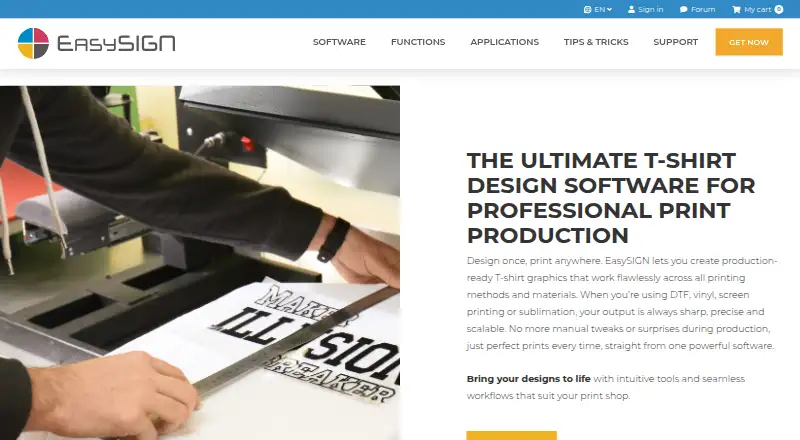
EasySIGN is Windows production software for designing graphics and preparing them for print, cutting, and other production workflows, including T-shirt production. It supports DTF, vinyl, screen printing, and sublimation. For personalized work, its variable data tools merge names, numbers, and logos from files; CSV files are specifically mentioned. Reusable templates allow users to adapt names, clipart, and sizes for repeat orders and batch runs.
Production preparation tools include cropmarks, bleeds, white underlays, sticker contours, weed borders, and FlexCut lines. EasySIGN can print to third-party RIP software such as VersaWorks, Rasterlink, ONYX, Caldera, and Agfa Asanti; the maker also describes two-way and layer compatibility with Adobe and Corel. It lists more than 400 cutting plotter drivers and over 20 supported third-party RIPs. Plans are EasySIGN Starter at €12.50 per month, EasySIGN Pro at €33.00 per month, and EasySIGN Premium at €58.25 per month, with a 30-day trial. Regular licenses need internet access when the software starts, while offline licenses are available as an option. The maker describes the product for signmaking, digital large-format printing, screen printing, and engraving industries.
Who it suits
EasySIGN is suited to production teams in signmaking, large-format printing, screen printing, and engraving, as well as T-shirt producers using its supported methods. It can also suit businesses that need variable-data personalization, repeatable templates, or links to RIP and design software.
What it does well
- Supports DTF, vinyl, screen printing, and sublimation.
- Merges names, numbers, and logos from files, including CSV.
- Print preparation covers cropmarks, bleeds, white underlays, and cut lines.
- Lists more than 400 cutting plotter drivers.
- Offers two-way and layer compatibility with Adobe and Corel.
What to know first
- It is Windows software; Mac use requires Windows in a virtual environment.
- Regular licenses require internet access when starting the software.
- Starter has limited file compatibility.
Limits
EasySIGN Starter is €12.50 per month and has limited file compatibility. Regular licenses require internet access when starting the software; offline licenses are available as an option.
Plans
| Plan | Billed and limits | Price |
|---|---|---|
| EasySIGN Starter | € 12.50 month · Cut · cropmarks & weedborders · basic text, drawing and scale 1:1 · limited file compatibility | €12.50 a month |
| EasySIGN Pro | € 33 month · Cut and print · automatic personalized designs · worksheet preparation · enhanced file compatibility | €33 a month |
| EasySIGN Premium | € 58.25 month · Cut, print and route · single line fonts · toolpath wizard · extended file compatibility | €58.25 a month |
| Network licenses | € 790 per year · For corporate networks that limit outgoing internet traffic | €790 a year |
As easysign.com lists them, read 8 Oct 2026. The maker's own page has the final word.
Getting started
- Visit https://www.easysign.com/t-shirt-design/.
- Download the Windows software from EasySIGN's download page.
- Choose a 30-day trial or a subscription plan.
- Sign in with an account to start a regular license.
- Consider an offline license, with or without a USB dongle, if needed.
- On Mac, run Windows in a virtual environment such as Boot Camp or Parallels.
Verdict
Choose EasySIGN if your production workflow needs graphics preparation, personalization, and support for cutting or printing processes. Starter may suit basic cutting and preparation, while Pro and Premium add capabilities for broader workflows. Look elsewhere if you need native Mac software or a regular license that starts offline.
Questions
How much do the EasySIGN plans cost?
EasySIGN Starter costs €12.50 per month, Pro costs €33.00 per month, and Premium costs €58.25 per month. Network licenses cost €790.00 per year.
Is a trial available?
Yes. EasySIGN offers a 30-day trial, and its subscription page displays a 30-day money-back guarantee for listed subscriptions.
Which operating systems does EasySIGN support?
EasySIGN is Windows software. The maker says Mac use is possible by running Windows in a virtual environment such as Boot Camp or Parallels.
Can I use it without an internet connection?
Regular licenses require internet access when starting the software. Offline licenses, with or without a USB dongle, are available as an option.
Which design and RIP products does it work with?
The maker describes two-way and layer compatibility with Adobe and Corel. It can print to RIP software including VersaWorks, Rasterlink, ONYX, Caldera, and Agfa Asanti.
What do the plans include?
Starter covers cutting, cropmarks and weed borders, basic text, drawing and scale 1:1, with limited file compatibility. Pro adds cut and print, automatic personalized designs, worksheet preparation, and enhanced file compatibility; Premium adds routing, single line fonts, a toolpath wizard, and extended file compatibility.
Facts from EasySIGN's own pages
- Audience
- The maker describes EasySIGN as production software for signmaking, digital large-format printing, screen printing, and engraving industries. · easysign.com, 8 Oct 2026
- Design integrations
- The maker describes two-way and layer compatibility with Adobe and Corel in its feature details. · easysign.com, 8 Oct 2026
- Download
- The download page lists software version 2026.3.0 (42.0), with a separate 32-bit download. · easysign.com, 8 Oct 2026
- Guarantee
- The subscription page displays a 30-day money-back guarantee for the listed subscriptions. · easysign.com, 8 Oct 2026
- Hardware support
- The maker lists more than 400 cutting plotter drivers and over 20 supported third-party RIPs. · easysign.com, 8 Oct 2026
- Headquarters
- Hapert, Netherlands · easysign.com, 28 Sept 2026
- License and connectivity
- Regular licenses use sign-in accounts, require internet access when starting the software, and can be installed on multiple PCs but active on one PC per license at a time. · easysign.com, 8 Oct 2026
- Offline option
- The maker says offline licenses, with or without a USB dongle, are available as an option. · easysign.com, 8 Oct 2026
- Personalization
- Variable data tools can merge names, numbers, and logos from files into designs; the FAQ specifically mentions merging CSV files. · easysign.com, 8 Oct 2026
- Platform
- EasySIGN is Windows software; the maker says Mac use is possible by running Windows in a virtual environment such as Boot Camp or Parallels. · easysign.com, 8 Oct 2026
- Print preparation
- Users can add cropmarks, bleeds, and white underlays, and prepare sticker contours, weed borders, and FlexCut lines. · easysign.com, 8 Oct 2026
- Product
- EasySIGN is production software for designing and preparing graphics for print, cut, and other production workflows, including T-shirt production. · easysign.com, 8 Oct 2026
- RIP integrations
- EasySIGN says it can print to third-party RIP software including VersaWorks, Rasterlink, ONYX, Caldera, and Agfa Asanti. · easysign.com, 8 Oct 2026
- Support
- EasySIGN says it provides professional support and training for users. · easysign.com, 8 Oct 2026
- Templates
- Reusable templates let users adjust names, clipart, and sizes for repeat orders and batch runs. · easysign.com, 8 Oct 2026
- T-shirt methods
- The product page says it supports DTF, vinyl, screen printing, and sublimation. · easysign.com, 8 Oct 2026
Where EasySIGN stands on Freedom251
- Sign Design Software#15 of 24
- T-Shirt Design Software#18 of 23