Freedom251 › Sign Design Software
Easy Cut Studio
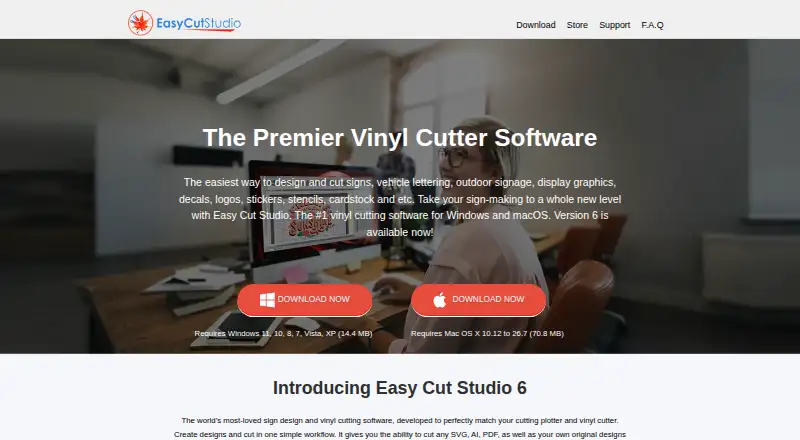
What Easy Cut Studio is
Easy Cut Studio is design and vinyl-cutting software for creating sign designs and sending them to a vinyl cutter or plotter. Drawing and editing tools, text effects, and image tracing let users work with imported graphics and turn them into editable vector paths. The software accepts more than 20 import formats, including SVG, PDF, PNG, EPS, AI, GSD, FCM, and WPC, and exports to eight image formats. Cutting functions include contour print-and-cut with registration marks, layers, nesting, rhinestone templates, and controls for pressure, speed, blade offset, and overcut. It lists USB, COM/Serial, LPT/Parallel, Bluetooth, and Wi-Fi connections. The maker says it supports more than 800 cutter and plotter models, but says it no longer works with Cricut machines. It cannot cut directly to Cricut or Brother ScanNCut, though designs can be exported for those systems. The demo lasts 15 days, adds two horizontal watermark lines to cuts, and disables saving and exporting. Windows and Mac editions each cost 59.95 USD one-time.
Who it suits
Easy Cut Studio suits people creating sign designs, decals, stickers, or other vinyl-cut projects on Windows or macOS. It may be useful to cutter owners whose hardware is supported, but not to those seeking direct Cricut or Brother ScanNCut cutting.
What it does well
- Supports more than 20 import formats
- Includes image tracing and text effects
- Offers contour print-and-cut with registration marks
- Lists more than 800 cutter and plotter models
What to know first
- Cannot cut directly to Cricut or Brother ScanNCut
- Demo adds watermark lines to cuts
- Demo disables saving and exporting
- Standard edition cutting length is capped at 72 inches
Limits
The 15-day Windows and macOS demo adds two horizontal watermark lines to cuts and disables saving and exporting. The standard edition has a maximum cutting length of 72 inches (1828 mm).
Plans
| Plan | Billed and limits | Price |
|---|---|---|
| Easy Cut Studio 6 for Win | One-time Purchase, No Subscription · Windows 11 / 10 / 8 / 7 / Vista / XP · Lifetime license · Free minor upgrades | $59.95, paid once |
| Easy Cut Studio 6 for Mac | One-time Purchase, No Subscription · Mac OS X 10.8 to 26.7 (macOS Tahoe) · Lifetime license · Free minor upgrades | $59.95, paid once |
As easycutstudio.com lists them, read 3 Oct 2026. The maker's own page has the final word.
Getting started
- Choose the Windows or Mac edition for 59.95 USD as a one-time purchase.
- Install it on Windows or macOS.
- Use the 15-day demo to try the software, allowing for its watermark and disabled saving and exporting.
- Connect a supported cutter or plotter using one of the listed connection options.
- Create or import a design, then use the cutting tools to prepare output.
Verdict
Easy Cut Studio combines design tools, tracing, and vinyl cutter controls for sign and decal work. Consider the demo restrictions and cutter compatibility limits before choosing an edition.
Questions
How much does Easy Cut Studio cost?
The Windows and Mac editions each cost 59.95 USD as a one-time purchase. Both include a lifetime license and free minor upgrades.
Is there a free plan or trial?
There is no free plan. A 15-day demo is available for Windows and macOS, with watermark lines on cuts and saving and exporting disabled.
Which platforms does it support?
Easy Cut Studio supports Windows and macOS. The listed Windows edition supports Windows 11, 10, 8, 7, Vista, and XP; the Mac edition lists Mac OS X 10.8 to 26.7.
Can it cut directly to Cricut or Brother ScanNCut?
No. It can export designs for use with Cricut and Brother ScanNCut systems.
How many cutter models does it support?
The maker says it supports more than 800 cutter and plotter models.
Can I move my license to another computer?
A license is tied to one computer after activation. The maker says it can be moved after deactivation on the original computer.
Facts from Easy Cut Studio's own pages
- Cricut and ScanNCut limit
- Easy Cut Studio cannot cut directly to Cricut or Brother ScanNCut; it can export designs for use with those systems. · easycutstudio.com, 3 Oct 2026
- Cutter compatibility
- The maker says it supports more than 800 cutter and plotter models, but explicitly says it no longer works with Cricut cutting machines. · easycutstudio.com, 3 Oct 2026
- Cutting features
- Features include contour print-and-cut with registration marks, layers, nesting, rhinestone templates, and controls for pressure, speed, blade offset, and overcut. · easycutstudio.com, 3 Oct 2026
- Design and tracing
- The software includes drawing and editing tools, text effects, and image tracing that turns imported graphics into editable vector paths. · easycutstudio.com, 3 Oct 2026
- File formats
- The software supports more than 20 import formats, including SVG, PDF, PNG, EPS, AI, GSD, FCM, and WPC, and exports to eight image formats. · easycutstudio.com, 3 Oct 2026
- Founded
- 2007 · easycutstudio.com, 28 Sept 2026
- Hardware connections
- The software lists USB, COM/Serial, LPT/Parallel, Bluetooth, and Wi-Fi connectivity. · easycutstudio.com, 3 Oct 2026
- Intended users
- The maker offers educational discounts and volume pricing, and describes the software for sign design, vinyl cutting, decals, and stickers. · easycutstudio.com, 3 Oct 2026
- License transfer
- A license is tied to one computer after activation; the maker says it can be moved after deactivation on the original computer. · easycutstudio.com, 3 Oct 2026
- Privacy practices
- The privacy policy says collected information may include purchase records, email and billing or shipping addresses, correspondence, business documents, and browser language; it says information is not sold. · easycutstudio.com, 3 Oct 2026
- Purpose
- Easy Cut Studio is sign design and vinyl cutting software for creating designs and cutting them with a vinyl cutter or plotter. · easycutstudio.com, 3 Oct 2026
- Standard edition limit
- The FAQ says the standard edition has a maximum cutting length of 72 inches (1828 mm). · easycutstudio.com, 3 Oct 2026
- Support
- The maker offers email support and says assistance is provided within 12 hours; its FAQ says responses are usually quicker. · easycutstudio.com, 3 Oct 2026
- Trial limits
- The Windows and macOS demo is limited to 15 days, adds two horizontal watermark lines to cuts, and disables saving and exporting. · easycutstudio.com, 3 Oct 2026
- Website security
- The privacy policy says pages where visitors enter private information use SSL 128-bit encryption. · easycutstudio.com, 3 Oct 2026
Where Easy Cut Studio stands on Freedom251
- Sign Design Software#7 of 24
- Diy Makers#12 of 23