Freedom251 › Dictation software
Lispr
by Lispr
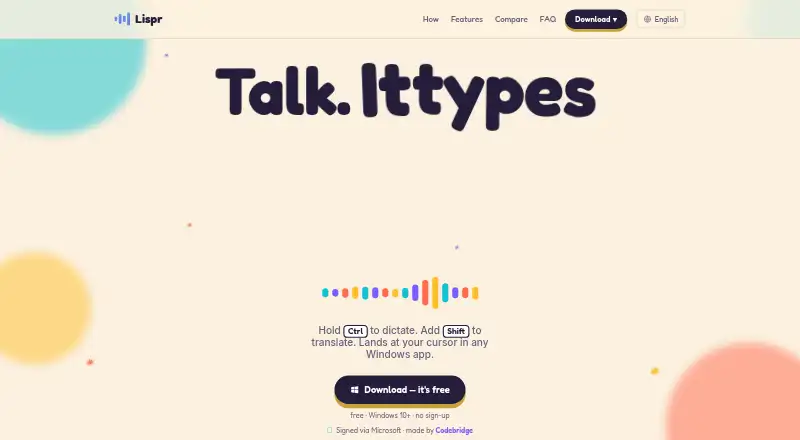
What Lispr is
Lispr is a cloud-based dictation app for Windows and macOS. It converts speech to text in 99 languages and lets users add custom vocabulary for words they want recognized. The service requires an online connection for dictation: it does not support offline dictation, and it has no voice commands for spoken computer control. Its free plan costs nothing, billed $0 forever, and includes 60 dictation minutes per week. Pro is $79 a year, with a fair-use ceiling of 1,500 dictation minutes per calendar month. Pricing is also listed as paid from $7.99/mo with a 30-day trial. Lispr is made by Lispr, headquartered in Dover, Delaware, United States.
Who it suits
Lispr suits people who want to dictate text on Windows or macOS in one of its 99 supported languages. It may fit users who need custom vocabulary and can work online without voice commands.
What it does well
- Supports 99 languages.
- Custom vocabulary is available.
- Free plan includes 60 minutes weekly.
- Works on Windows and macOS.
What to know first
- Offline dictation is not supported.
- Voice commands are not supported.
- Pro has a 1,500-minute monthly fair-use ceiling.
Limits
The free plan includes 60 dictation minutes per week. Pro has a fair-use ceiling of 1,500 dictation minutes per calendar month.
Plans
| Plan | Billed and limits | Price |
|---|---|---|
| Free | $0 forever · 60 dictation minutes per week | Free |
| Pro | $79/year · Fair-use ceiling of 1,500 dictation minutes per calendar month | $79 a year |
As lispr.ai lists them, read 23 Sept 2026. The maker's own page has the final word.
Getting started
- Visit https://lispr.ai/.
- Use the free plan, which includes 60 dictation minutes per week.
- Install or use Lispr on Windows or macOS.
- Add custom vocabulary for words you want it to recognize.
- Consider Pro at $79 per year, or the listed 30-day trial and paid access from $7.99 per month.
Lispr is a cloud-based dictation app for Windows and macOS that turns speech into text across 99 languages. It suits people who dictate regularly and need their own terminology recognized, while anyone requiring offline processing or voice-controlled actions should look elsewhere. Its free allowance is useful for light use; heavier users need to weigh the Pro ceiling and annual commitment.
Overview
Lispr focuses on online speech-to-text rather than a broader voice-assistant feature set. Support for 99 languages makes it a practical option for multilingual writers, students and professionals. Custom vocabulary is its clearest productivity advantage: specialist names, product terms or industry jargon can be added instead of relying solely on the default recognition dictionary.
The cloud privacy model means dictation is processed online, so Lispr is not suited to workflows that require audio or transcription to stay on a device. There is no offline dictation, and the absence of voice commands keeps the product centered on entering text rather than controlling applications by speech.
Key features
Language coverage and vocabulary
With 99 supported languages, Lispr covers a broad range of multilingual dictation needs. Custom vocabulary can improve consistency for recurring technical or personal terms, an important distinction for users whose writing contains names and jargon.
Cloud-only dictation
Lispr requires an online connection because dictation is cloud-based. That enables its online processing model but rules it out for offline travel, unreliable connections or users who cannot send speech to a cloud service.
Pricing
Free
The Free plan costs $0 forever and includes 60 dictation minutes per week. That is enough for occasional notes and short writing sessions, but the weekly reset makes it a poor fit for sustained daily dictation. It is the sensible starting point for testing language support and custom vocabulary without payment.
Pro
Pro costs $79 per year, equivalent to the published paid entry point of $7.99 per month when considered against monthly pricing, and includes a fair-use ceiling of 1,500 dictation minutes per calendar month. The annual bill favors people who expect to use Lispr throughout the year; the monthly ceiling still matters to prolific users, who may exceed it during intensive periods. A 30-day trial gives prospective subscribers time to judge whether that allowance fits their workload before committing.
Lispr uses a freemium model: the free tier has no subscription cost, while paid access starts from $7.99 per month. Choose Free for occasional dictation, and Pro when a weekly cap would interrupt regular work.
Platforms
Lispr supports Windows and macOS. There is no published support for mobile, Linux or browser platforms, so users who dictate mainly on those systems will need another tool.
Who it's for
Lispr is a strong match for desktop users who dictate in multiple languages and benefit from a personalized vocabulary. The Free plan works for light or exploratory use, while Pro is aimed at people whose monthly workload stays within 1,500 minutes and who prefer an annual subscription. It is not the right choice for offline workflows, cloud-restricted material, mobile-first users or anyone wanting spoken commands to operate software.
Pros and cons
Pros
- 99 languages: broad coverage for multilingual dictation.
- Custom vocabulary: lets users tailor recognition to specialist terminology and names.
- Permanent free tier: 60 minutes per week provides ongoing use without a subscription.
- 30-day trial: gives users a defined period to assess Pro before paying.
Cons
- No offline dictation: cloud processing requires connectivity and may not suit sensitive workflows.
- No voice commands: speech input does not extend to application control.
- Desktop-only support: Windows and macOS exclude mobile and Linux users.
- Usage ceilings: Free is limited to 60 minutes weekly, while Pro has a 1,500-minute monthly fair-use limit.
Alternatives
See the Dictation software directory for more options. Choose Wispr Flow if you need Android or iOS support and separate desktop and mobile weekly word allowances. Superwhisper is worth considering for voice-to-text in any app, meeting recording and transcription, and 100+ languages. Pick Dictanote for Linux, web and mobile coverage, notebook-based notes and 60 minutes of dictation per day on its free plan. Voice In suits browser-extension users who want dictation on popular sites, built-in punctuation commands and 60 minutes daily. WakaScribe offers a Local plan with unlimited words and no time limit, including Linux and mobile platforms. Vito is a free, open-source option with local use and no usage fees. Serenade is another free, fully open-source choice for macOS, Windows and Linux. Aqua Voice provides a 1,000-word Starter tier and a Pro plan with unlimited use for readers comparing word-based limits.
Verdict
Choose Lispr if you want desktop dictation across 99 languages and the ability to build a custom vocabulary, with a free tier for occasional use and a 30-day Pro trial. Its main reasons to look elsewhere are equally clear: cloud-only processing, no voice commands, limited platform coverage and usage caps that may constrain heavy dictation.
Verdict
Lispr offers online speech-to-text dictation with broad language support and custom vocabulary. Check its weekly free allowance and Pro usage ceiling against your needs.
Questions
Does Lispr have a free plan?
Yes. The free plan is listed at $0 forever and includes 60 dictation minutes per week.
How much does Pro cost?
Pro is listed at $79 per year, with a fair-use ceiling of 1,500 dictation minutes per calendar month. Pricing also notes paid access from $7.99 per month and a 30-day trial.
Which platforms does Lispr support?
Lispr supports Windows and macOS.
How many languages does it support?
Lispr supports 99 languages.
Can I add custom vocabulary or use voice commands?
Custom vocabulary is supported. Voice commands are not supported.
Does Lispr work offline?
No. Its privacy model is cloud-based, and offline dictation is not supported.
Facts from Lispr's own pages
- Custom vocabulary
- Yes · lispr.ai, 23 Sept 2026
- Free plan
- Yes · lispr.ai, 23 Sept 2026
- Headquarters
- Dover, Delaware, United States · lispr.ai, 19 Oct 2026
- Language count
- 99 · lispr.ai, 23 Sept 2026
- Offline dictation
- No · lispr.ai, 23 Sept 2026
- Privacy model
- cloud · lispr.ai, 23 Sept 2026
- Paid from
- 7.99 · lispr.ai, 23 Sept 2026
- Supported platforms
- Windows,macOS · lispr.ai, 23 Sept 2026
- Voice commands
- No · lispr.ai, 23 Sept 2026
Where Lispr stands on Freedom251
- Dictation software#10 of 27