Freedom251 › Stop Motion Software

Life Lapse
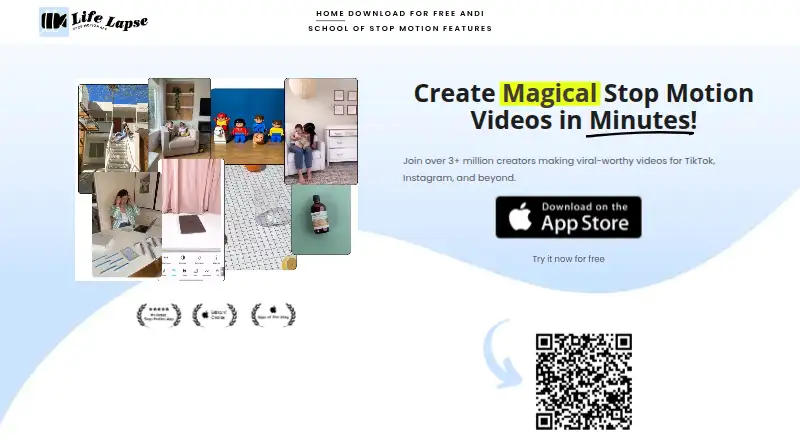
What Life Lapse is
Life Lapse is an iOS app for learning, capturing, and editing stop-motion videos on a phone. It is aimed at small business owners, creators, and influencers making social video content. Capture tools include a ghost overlay, an interval timer, hands-free shooting, and automatic frame stitching. Onion skinning, live frame capture, and exposure controls support work on each frame, while timeline editing helps arrange the sequence. The app can also combine stop-motion and live footage from one shot with layers and masking.
Editing includes more than 20 Pro tools, among them freeze, boomerang, reverse, filters, and frame realignment. Users can add built-in music or their own audio, then export in HD or 4K. Life Lapse works offline, and videos can be shared to Instagram, TikTok, YouTube, and other social media. The free version includes essential features and unlimited projects; upgrading to Pro adds advanced editing tools and tutorials. Life Lapse is owned by Bolandia Creative Inc., based in Vancouver, British Columbia, Canada, and was founded in 2017. The iPhone app requires iOS 15.0 or later. Its privacy policy describes UXCam analytics that collect screen and interaction patterns and device details; the maker says it cannot access users’ creations and does not own videos made in the app.
Who it suits
Life Lapse suits small business owners, creators, and influencers who make social video content on an iPhone. Its capture tools, editing options, and social sharing can support stop-motion projects, including videos that mix stop-motion with live footage.
What it does well
- Free plan includes unlimited projects.
- Ghost overlay and interval timer aid frame capture.
- Layers and masking combine stop-motion with live video.
- Exports are available in HD or 4K.
- Works offline and supports adding audio.
What to know first
- Available only for iPhone, requiring iOS 15.0 or later.
- Advanced editing tools and tutorials require Pro.
- Pro pricing includes several differently billed options.
Limits
The free plan includes essential features and unlimited projects, while advanced editing tools and tutorials require Pro. A 7-day free trial is stated for the Stop Motion Pro plan.
Plans
| Plan | Billed and limits | Price |
|---|---|---|
| Free | Essential features · unlimited projects | Free |
| Lifetime Access | Lifetime access | $129, paid once |
| Stop Motion Pro | Annual subscription rate; the App Store listing does not state the billing interval beside this price. · Pro features · 7-day free trial stated for Pro | $49.99 a year |
| Stop Motion Pro Weekly | Weekly; price shown as $6.99. · Pro features | $6.99 a month |
| Life Lapse Pro | Billing interval not specified on the listing. · Pro features | $79.99 a year |
| Stop Motion Pro Monthly | Pro features | $8.99 a month |
As stopmotionapp.com lists them, read 7 Oct 2026. The maker's own page has the final word.
Getting started
- Visit the Life Lapse website.
- Install the app on an iPhone running iOS 15.0 or later.
- Start with the free plan, which includes essential features and unlimited projects.
- Upgrade to Pro for advanced editing tools and tutorials; a 7-day trial is stated for the Stop Motion Pro plan.
Verdict
Choose Life Lapse if you want to capture and edit stop-motion video on an iPhone, with frame alignment tools, audio, and HD or 4K export. Look elsewhere if you need a platform beyond iOS or want advanced editing tools and tutorials without upgrading to Pro.
Questions
Is Life Lapse free?
Yes. The Free plan costs nothing and includes essential features and unlimited projects.
What does Pro cost?
Listed options include Stop Motion Pro Weekly at $6.99 a month, Stop Motion Pro Monthly at $8.99 a month, Stop Motion Pro at $49.99 a year, Life Lapse Pro at $79.99 a year, and Lifetime Access at $129, paid once. The Stop Motion Pro plan states a 7-day free trial.
Which platforms does it support?
Life Lapse is for iPhone and requires iOS 15.0 or later.
Can it work offline?
Yes. The maker says Life Lapse works offline.
Who makes Life Lapse?
Bolandia Creative Inc. owns Life Lapse and lists its address in Vancouver, British Columbia, Canada.
What does the privacy policy say?
The maker says it cannot access creations and does not own videos made with the app. The privacy policy describes UXCam analytics collecting screen and interaction patterns and device details.
Facts from Life Lapse's own pages
- Audience
- The maker says it is designed for small business owners, creators and influencers making social video content. · stopmotionapp.com, 7 Oct 2026
- Company
- The maker identifies Bolandia Creative Inc. as the owner and lists its address in Vancouver, British Columbia. · stopmotionapp.com, 7 Oct 2026
- Editing
- The App Store description lists more than 20 Pro editing tools, including freeze, boomerang, reverse, filters and frame realignment. · apps.apple.com, 7 Oct 2026
- Export and audio
- The maker says users can export in HD or 4K and add built-in music or their own audio. · stopmotionapp.com, 7 Oct 2026
- Founded
- 2017 · stopmotionapp.com, 28 Sept 2026
- Free version
- The maker says the free app includes essential features and unlimited projects, with advanced editing tools and tutorials available by upgrading to Pro. · stopmotionapp.com, 7 Oct 2026
- Headquarters
- Vancouver, British Columbia, Canada · stopmotionapp.com, 28 Sept 2026
- Integrations and sharing
- The App Store description says videos can be shared or posted to Instagram, TikTok, YouTube and other social media. · apps.apple.com, 7 Oct 2026
- Offline use
- The maker says Life Lapse works offline. · stopmotionapp.com, 7 Oct 2026
- Platform limit
- The App Store lists the app as only for iPhone and requires iOS 15.0 or later. · apps.apple.com, 7 Oct 2026
- Privacy
- The maker's legal page says Life Lapse cannot access creations and does not own videos made with the app; its privacy policy describes UXCam analytics collecting screen and interaction patterns and device details. · stopmotionapp.com, 7 Oct 2026
- Product
- Life Lapse is an iOS stop-motion app for learning, capturing and editing videos on a phone. · stopmotionapp.com, 7 Oct 2026
- Split-screen video
- Life Lapse can blend stop-motion and live video using layers and masking from a single shot. · stopmotionapp.com, 7 Oct 2026
- Stop-motion tools
- The app offers a ghost overlay, interval timer, hands-free shooting and automatic stitching of captured frames. · apps.apple.com, 7 Oct 2026
- Support
- The App Store listing directs users to [email protected] and says support will answer within 48 hours. · apps.apple.com, 7 Oct 2026
Where Life Lapse stands on Freedom251
- Stop Motion Software#17 of 29