Freedom251 › Stop Motion Software
Piximakey Studio
What Piximakey Studio is
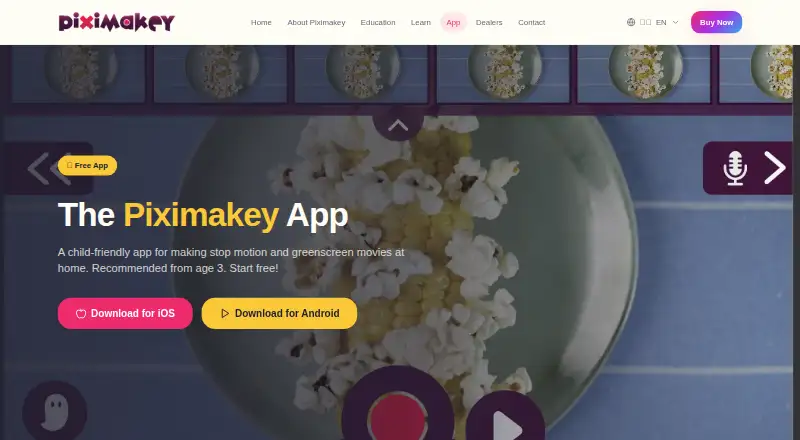
Piximakey Studio is a child-friendly app for making stop-motion and greenscreen films, intended for children from age 3. It runs on iOS and Android and is designed to work with Piximakey’s physical stop-motion studios. For animation, its Ghost Image tool helps users shift figures in small steps; onion skinning, live frame capture, and timeline editing are also listed. The greenscreen tool can replace green or another selected color with a digital background. Users can record voices and sound effects, add music and sounds, and share films with one-click sharing. One project can be created without an access code, but an access code is required to use the app fully; users can request and activate one inside the app. A free trial is listed. Piximakey Education is intended for schools and childcare, with an app adapted for school privacy and data-processing requirements. Google Play reports the developer’s declaration that no data is collected or shared with third parties, that data is encrypted in transit, and that the app follows Play Families Policy.
Who it suits
The app is intended for children from age 3 and was developed with children, teachers, educators, and animators. Piximakey Education is aimed at schools and childcare settings.
What it does well
- Stop-motion tools include Ghost Image and onion skinning
- Replaces green or another selected color with a background
- Records voices and sound effects
- Available on iOS and Android
- Designed to work with Piximakey physical studios
What to know first
- An access code is needed for full use
- Only one project can be created without a code
Limits
The free plan allows one project without an access code. An access code is required to use the app fully.
Plans
| Plan | Billed and limits | Price |
|---|---|---|
| Piximakey Studio | one project can be created without an access code · an access code is required to fully use the app | Free |
As piximakey.com lists them, read 9 Oct 2026. The maker's own page has the final word.
Getting started
- Install Piximakey Studio on an Android or iOS device.
- Create one project without an access code, or request and activate an access code inside the app for full use.
- Capture frames and use Ghost Image to move figures incrementally.
- Add a greenscreen background, record sound, or add music and sounds.
- Share the finished film using one-click sharing.
Verdict
Piximakey Studio brings animation, greenscreen, and audio tools into an app intended for young film-makers. Note the access-code requirement for full use, especially when planning classroom or family projects.
Questions
What does Piximakey Studio cost?
The listed Piximakey Studio free plan costs nothing. A free trial is also listed.
Which devices support the app?
Piximakey Studio is available on Android and iOS.
Can I use the app without an access code?
Yes, one project can be created without a code. An access code is required to use the app fully, and users can request and activate one inside the app.
What can I make with Piximakey Studio?
The app is for stop-motion and greenscreen films. It can replace green or another selected color with a digital background and includes tools such as Ghost Image, live frame capture, onion skinning, and timeline editing.
Is there an education offering?
Piximakey Education is intended for schools and childcare, with an app adapted for school privacy and data-processing requirements.
What does Google Play report about data and privacy?
Google Play reports the developer’s declaration that no data is collected or shared with third parties, data is encrypted in transit, and the app complies with Play Families Policy.
Facts from Piximakey Studio's own pages
- Access
- An access code is required to use the app fully, and users can request and activate one inside the app. · piximakey.com, 9 Oct 2026
- Animation tool
- Its Ghost Image tool helps users move figures incrementally to create animation. · piximakey.com, 9 Oct 2026
- Company
- Piximakey says its journey began with a successful Kickstarter in fall 2020. · piximakey.com, 9 Oct 2026
- Education
- Piximakey Education is intended for schools and childcare, with an app adapted for school privacy and data-processing requirements. · piximakey.com, 9 Oct 2026
- Greenscreen
- The app can replace green or another selected color with a digital background. · piximakey.com, 9 Oct 2026
- Headquarters
- Brno, Czechia · piximakey.com, 28 Sept 2026
- Physical products
- The app is designed to work with Piximakey’s physical stop-motion studios. · piximakey.com, 9 Oct 2026
- Privacy
- Google Play reports that the developer declares no data collected or shared with third parties, data encrypted in transit, and compliance with Play Families Policy. · play.google.com, 9 Oct 2026
- Purpose
- Piximakey Studio is a child-friendly app for making stop-motion and greenscreen movies, recommended from age 3. · piximakey.com, 9 Oct 2026
- Sharing
- The app page lists one-click sharing as a feature. · piximakey.com, 9 Oct 2026
- Sound
- Users can record live sound effects and voices and add music and sounds to films. · piximakey.com, 9 Oct 2026
- Support
- The app’s Google Play listing gives [email protected] as its support email. · play.google.com, 9 Oct 2026
- Who it is for
- The maker says the app was developed with children, teachers, educators, and animators and is intended for making films from age 3. · piximakey.com, 9 Oct 2026
Where Piximakey Studio stands on Freedom251
- Stop Motion Software#18 of 29