Freedom251 › FTP and SFTP clients
lftp
What lftp is
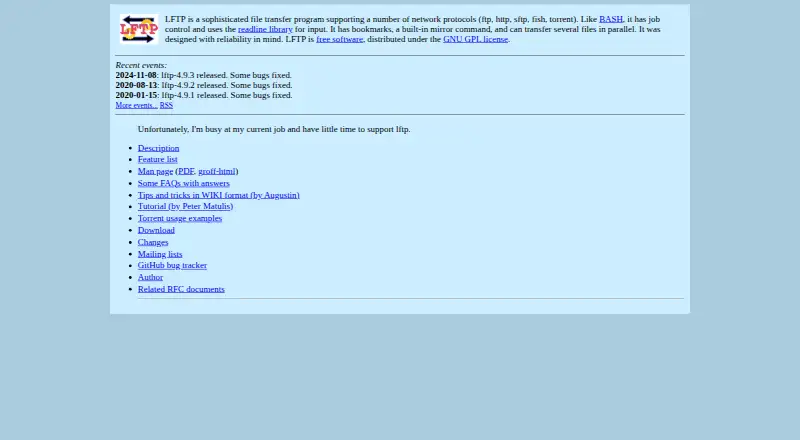
lftp is a free Linux command-line program for transferring files over FTP, HTTP, FISH, SFTP, HTTPS, FTPS and BitTorrent. It can synchronize files, automate transfers and schedule jobs. Its mirror command downloads or updates a directory tree, while reverse mirroring uploads or updates a tree on a server. Multiple files can transfer in parallel, and pget can use multiple connections for a single download. lftp retries operations after non-fatal errors, and downloads can resume from where they stopped. Unfinished jobs can keep running in the background after exiting lftp or closing an xterm. Job queues and timed runs are also supported. FTPS and HTTPS use GNU TLS or OpenSSL, depending on how lftp is built. Downloads include source archives and Fedora RPM binaries. The homepage lists version 4.9.3, while the download page calls 4.9.2 the latest stable version. The author says there is little time available for support; the project lists two mailing lists for discussion, announcements and development updates.
Who it suits
lftp suits Linux users who prefer command-line tools for scheduled, automated or resumable transfers. Its mirroring and queue features may be useful for managing directory trees and repeated jobs.
What it does well
- Supports FTP, HTTP, SFTP, HTTPS, FTPS and BitTorrent.
- Can resume downloads and retry after non-fatal errors.
- Mirror and reverse-mirror directory trees.
- Supports parallel transfers, queues and timed jobs.
What to know first
- Available platform listed is Linux.
- Author reports limited time for support.
- Homepage and download page list different release versions.
Plans
| Plan | Billed and limits | Price |
|---|---|---|
| Free software | Distributed under the GNU GPL license | Free |
As lftp.yar.ru lists them, read 4 Oct 2026. The maker's own page has the final word.
Getting started
- Open the lftp website.
- Choose a source archive or Fedora RPM binary from the download page.
- Install and run lftp on Linux.
lftp is a free command-line transfer tool for Linux, suited to users who want to automate file movement and directory updates from a terminal. Its mix of protocol support, queues and recovery features makes it capable for recurring or lengthy transfers, though its platform scope and limited author support are real constraints.
Overview
Distributed under the GNU GPL, lftp brings several transfer protocols and automation tasks into one command-line program. It can retry operations after non-fatal errors, resume downloads, and keep unfinished jobs running in the background after you exit the program or close an xterm. That combination is useful when transfers take time or need to run without an open terminal session.
Version labels differ: the homepage lists 4.9.3, released on 2024-11-08, while the download page calls 4.9.2 the latest stable version. The author says current work leaves little time to support the project. Two mailing lists cover general discussion and major announcements, and development and snapshot announcements, but they do not change the stated limit on author support.
Key features
Protocols, recovery and mirroring
lftp supports FTP, HTTP, FISH, SFTP, HTTPS, FTPS and BitTorrent. This breadth can reduce the need to switch tools for different transfer types, but the command-line interface makes it a better fit for terminal users than for anyone seeking a graphical client.
Automatic retries and resumed downloads help recover from non-fatal errors and interruptions. The built-in mirror command downloads or updates a directory tree, while reverse mirror uploads or updates one on a server. These functions make lftp particularly useful for keeping local and remote directory structures in sync.
Parallel work and scheduling
lftp can transfer multiple files in parallel, and pget can use multiple connections to download one file. Queues and scheduled jobs let users organize work for later execution rather than managing each transfer separately. Together with background jobs, these features suit repeatable workflows; they are less compelling if you only need occasional, manually started transfers.
Security and downloads
FTPS and HTTPS support uses GNU TLS or OpenSSL, depending on how lftp is built. Downloads include source archives and Fedora RPM binaries, and the project also provides read-only Git access to its development source. That distribution model will suit Linux users comfortable choosing and managing software in those forms.
Pricing
Free software: free. The GNU GPL-licensed program has a free plan and no free trial. Its price makes it accessible for personal or recurring transfer work, though it does not offset the Linux-only scope or limited author support.
Platforms
lftp supports Linux. Users who need a client for Windows or macOS should choose a cross-platform alternative instead.
Who it's for
Choose lftp if you work in a Linux terminal and need protocol variety, directory mirroring, queued or scheduled work, or transfers that can resume and continue in the background. Look elsewhere if you prefer a graphical workflow, need other desktop platforms, or depend on substantial author support.
Pros and cons
Pros
- Broad protocol coverage, including FTP, SFTP, HTTPS and BitTorrent, in one command-line program.
- Retries, resumed downloads and background jobs help long-running transfers withstand interruptions and terminal closures.
- Mirroring, parallel transfers, queues and scheduling support repeatable transfer workflows.
- Free software distributed under the GNU GPL.
Cons
- Linux is the only supported platform, ruling it out for users who need Windows or macOS support.
- The author says work commitments leave little time for support.
- The homepage and download page show different version labels, which may leave users unsure which release is considered stable.
- The command-line approach is a poor fit for users who want a graphical client.
Alternatives
For a broader set of FTP and SFTP client options, browse FTP and SFTP clients or SFTP Client Software.
- WinSCP is a free, open-source Windows client supporting SFTP, FTP, FTPS, SCP, WebDAV and S3; choose it if you need Windows support or those additional protocols.
- FileZilla Client is free on Linux, macOS and Windows and supports FTP, FTPS and SFTP; choose it if you want wider platform coverage in a client.
- Cyberduck is a freemium option for macOS and Windows; consider it if you need a client for either of those platforms.
- FTP Rush is free and supports Android, iOS, Linux, macOS and Windows; choose it if mobile or broader desktop platform support matters.
- gFTP is a free Linux file transfer client and is another option for Linux users.
- CrossFTP is a freemium client for Linux, macOS and Windows, with a free plan and a trial; consider it if you need cross-platform support.
- NcFTP is a free client for Linux, macOS and Windows; choose it if you need a client across those platforms.
- Faro is a free, open-source option for Linux, macOS and Windows; consider it if you want a cross-platform alternative.
Verdict
lftp is a strong fit for Linux terminal users who need reliable, repeatable transfers across varied protocols, especially when mirroring or scheduling jobs. Its free GNU GPL distribution is appealing, but users who need a graphical workflow, broader platform support or more available author support should choose another client.
Verdict
lftp covers a wide range of transfer protocols and automation tasks from the Linux command line. Readers should note the differing version labels and the stated limit on author support.
Questions
How much does lftp cost?
The Free software plan costs nothing and is distributed under the GNU GPL license.
Is there a free trial?
No. The listed pricing model is free, with a free plan.
Which platforms does lftp support?
Linux is the listed platform.
Which transfer protocols does it support?
It supports FTP, HTTP, FISH, SFTP, HTTPS, FTPS and BitTorrent.
Where can I get lftp?
The download page offers source archives and Fedora RPM binaries. It also lists read-only Git access for development source.
Who makes lftp?
The author page names Alexander V. Lukyanov and credits contributors. The author says there is little time to support the project.
Facts from lftp's own pages
- Author
- The author page names Alexander V. Lukyanov and credits contributors for bug reports, patches, documentation, discussions and translations. · lftp.yar.ru, 4 Oct 2026
- Background jobs
- Unfinished jobs continue in the background if you exit lftp or close an xterm. · lftp.yar.ru, 4 Oct 2026
- Community support
- The project lists two mailing lists for general discussion and major announcements, and for development and snapshot announcements. · lftp.yar.ru, 4 Oct 2026
- Current release listed
- The homepage lists lftp 4.9.3, released on 2024-11-08, while the download page labels 4.9.2 the latest stable version. · lftp.yar.ru, 4 Oct 2026
- Download availability
- The download page offers source archives and Fedora RPM binaries; it also lists read-only Git access for development source. · lftp.yar.ru, 4 Oct 2026
- File synchronization
- Yes · lftp.yar.ru, 20 Sept 2026
- Free plan
- Yes · lftp.yar.ru, 20 Sept 2026
- Mirroring
- Its built-in mirror command can download or update a directory tree, and reverse mirror can upload or update one on a server. · lftp.yar.ru, 4 Oct 2026
- Parallel transfers
- LFTP can transfer multiple files in parallel, and pget can download a single file using multiple connections. · lftp.yar.ru, 4 Oct 2026
- Supported platforms
- linux · lftp.yar.ru, 20 Sept 2026
- Protocol coverage
- Features include SFTP versions 3 through 6, partial WebDAV, SOCKS, proxies and FTP FXP transfers. · lftp.yar.ru, 4 Oct 2026
- Purpose
- LFTP is a command-line file transfer program supporting FTP, HTTP, FISH, SFTP, HTTPS, FTPS and BitTorrent. · lftp.yar.ru, 4 Oct 2026
- Reliable transfers
- It automatically retries operations after non-fatal errors and can resume a download from where it stopped. · lftp.yar.ru, 4 Oct 2026
- Scheduled transfers
- Yes · lftp.yar.ru, 20 Sept 2026
- Scheduling and queues
- It supports job queueing and running jobs at a specified time. · lftp.yar.ru, 4 Oct 2026
- Security
- FTPS and HTTPS support uses GNU TLS or OpenSSL, depending on how lftp is built. · lftp.yar.ru, 4 Oct 2026
- Support status
- The homepage says the author is busy at their current job and has little time to support lftp. · lftp.yar.ru, 4 Oct 2026
- Transfer automation
- Yes · lftp.yar.ru, 20 Sept 2026
Where lftp stands on Freedom251
- FTP and SFTP clients#8 of 36
- SFTP Client Software#13 of 31