Freedom251 › AI Explainer Video Makers
Leadde Motion
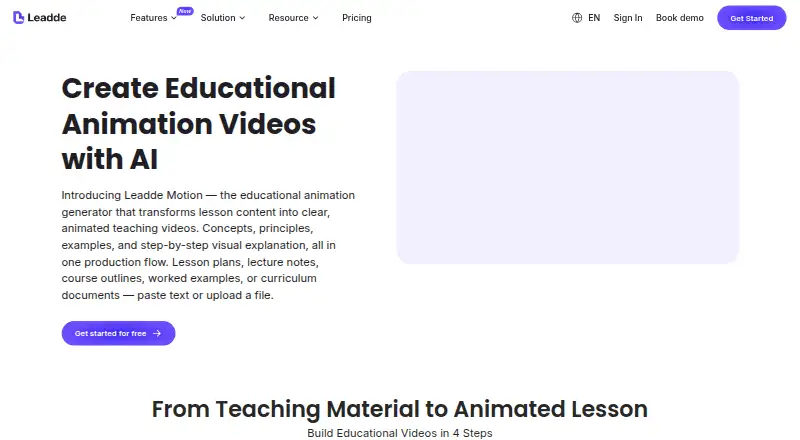
What Leadde Motion is
Leadde Motion turns lesson material into animated teaching videos organized around learning objectives. It accepts PDF, Word, PowerPoint, and plain text, then guides users through creating a teaching script, selecting an avatar and teaching style, and rendering and sharing the lesson. Animation choices include science diagrams, mathematical builds, labeled diagrams, timelines, and illustrated examples. The product is intended for teachers, trainers, course creators, and instructional designers; its education FAQ describes use from elementary through postgraduate levels, with outline depth, tone, and pacing adjusted to the audience. Educational videos can be published in 170+ languages, while the listed voiceover support covers 88 languages. Exports use standard formats for learning platforms such as Moodle, Canvas, Teachable, and Thinkific. The web product includes AI presenters, script-to-video, AI scene generation, and subtitle generation. Free costs nothing and limits users to one video at a time, up to 10 minutes. Starter is billed $228 billed yearly; Creator is billed $708 billed yearly. Their listed limits include video lengths up to 20 and 30 minutes respectively.
Who it suits
Leadde Motion suits teachers, trainers, course creators, and instructional designers making lessons for learning platforms. Its stated education range spans elementary through postgraduate learners.
What it does well
- Accepts PDF, Word, PowerPoint, and plain text.
- Offers multiple diagram and illustration styles.
- Exports for named LMS and e-learning platforms.
- Education videos can be published in 170+ languages.
- Includes subtitle generation.
What to know first
- Free allows one video at a time.
- Free videos have a 10-minute maximum.
- Starter is billed $228 billed yearly.
- Creator is billed $708 billed yearly.
Limits
The Free plan supports one video at a time, a maximum video length of 10 minutes, a 500 MB knowledge base, and 16 public avatars. Starter allows videos up to 20 minutes and Creator up to 30 minutes; their listed prices are $228/yr and $708/yr.
Plans
| Plan | Billed and limits | Price |
|---|---|---|
| Free | 1 video at a time · 10-minute max video · 500 MB knowledge base · 16 public avatars · 80+ languages | Free |
| Starter | $228 billed yearly · Unlimited projects · videos up to 20 minutes · up to 3 videos in queue · 5 GB knowledge base · 1080P export · regular support | On request |
| Creator | $708 billed yearly · Unlimited projects · videos up to 30 minutes · up to 6 videos in queue · 20 GB knowledge base · 4K export · regular support | On request |
As leadde.ai lists them, read 5 Oct 2026. The maker's own page has the final word.
Getting started
- Open the Leadde Motion education page.
- Use the web platform to upload a PDF, Word file, PowerPoint, or plain text lesson.
- Generate a teaching script and choose an avatar and teaching style.
- Render the animated lesson, then share it or export it for an e-learning platform.
Leadde Motion is a web application that converts teaching materials into animated, objective-led lessons. It suits teachers, trainers, course creators, and instructional designers working from existing documents. Its strongest case is structured educational video production with LMS-ready exports; its main constraints are the free tier’s short videos and limited concurrency.
Overview
The workflow is built around a lesson rather than a blank video canvas. Upload a PDF, Word file, PowerPoint presentation, or plain text, generate a teaching script, choose an avatar and teaching style, then render and share the animated lesson. That sequence should reduce the work of turning source material into a coherent explanation, particularly for teams producing repeatable course content.
Leadde positions the tool for education from elementary school through postgraduate study. Outlines can be adjusted for depth, tone, and pacing, so the same general workflow can serve different learner ages and academic levels. It is less compelling for users seeking a general social-video editor or extensive brand customization: no brand kit is included.
Key features
Leadde Motion combines AI presenters, script-to-video generation, AI scene generation, and subtitle generation. Its visual treatments are particularly relevant to explanatory subjects: science diagrams, mathematical builds, labeled diagrams, timelines, and illustrated examples can show how an idea develops instead of relying on narration alone.
Publishing supports more than 170 languages, while voiceover support covers 88 languages. Those are separate capabilities, so the larger publishing count should not be read as voiceover coverage in every language. Standard-format video exports are intended for LMS and e-learning use, with Moodle, Canvas, Teachable, and Thinkific named as examples.
Slide-presenter imports are limited to 50 slides, and the maximum file size is 200 MB. Those boundaries are manageable for ordinary lessons but matter when converting long presentations or heavily illustrated source decks. The Free plan also uses a 500 MB knowledge base, while paid tiers expand that allowance.
Pricing
Leadde uses a freemium model. The Free plan costs nothing and allows one video at a time, videos up to 10 minutes, a 500 MB knowledge base, 16 public avatars, and 80+ languages. It is useful for trying the workflow or making short lessons, but a single active video and the 10-minute ceiling can interrupt a busy production schedule.
Starter is billed $228 yearly. It adds unlimited projects, videos up to 20 minutes, up to three videos in the queue, a 5 GB knowledge base, 1080P export, and regular support. This is the sensible tier for an individual educator or small course operation that needs longer lessons and some parallel processing; the yearly commitment is the trade-off.
Creator is billed $708 yearly and raises video length to 30 minutes, queue capacity to six videos, and knowledge-base storage to 20 GB. It also includes 4K export, unlimited projects, and regular support. That combination fits teams producing larger or higher-resolution libraries, while the substantially higher annual cost makes it difficult to justify for occasional lessons. Prices for both paid plans are presented as custom pricing rather than a monthly rate.
Platforms
Leadde Motion runs on the web. Exporting in standard formats makes it practical to move finished lessons into supported learning platforms, but the product itself is not presented as a native desktop or mobile application.
Who it's for
Teachers can turn existing worksheets, documents, and slide decks into guided animated instruction. Trainers and course creators benefit when they need a repeatable script-and-render process, while instructional designers can use the range of diagrams and timelines for concept-led modules. The broad education-level support and multilingual publishing make it suitable for international programs, provided the required voiceover language is among the 88 supported.
Pros and cons
Pros
- Education-specific workflow: source material, generated script, presenter, style, and render follow a logical lesson-building sequence.
- Useful explanatory visuals: diagrams, mathematical builds, timelines, and illustrated examples support concepts that benefit from step-by-step depiction.
- LMS-oriented delivery: standard exports and named Moodle, Canvas, Teachable, and Thinkific compatibility fit established e-learning workflows.
- Scales across curricula: depth, tone, and pacing can be adapted from elementary through postgraduate teaching, with 170+ publishing languages.
Cons
- No brand kit: organizations needing reusable brand controls will have to work without a dedicated brand feature.
- Free-tier bottlenecks: one video at a time and a 10-minute maximum limit experimentation with longer or concurrent lessons.
- Annual paid commitment: Starter and Creator are billed yearly, which is less suitable for short projects or uncertain usage.
- Input ceilings: 50-slide imports and a 200 MB file limit can require splitting unusually large teaching decks.
Alternatives
For a broader explainer-video directory, see AI Explainer Video Makers.
HeyGen is a better fit when Android, iOS, or API access matters and three free one-minute videos per month are sufficient. Choose Powtoon instead for basic templates, characters, screen recording, and a 720p free plan capped at three minutes, accepting its watermark. Reelipal suits users starting with 100 credits and standard text-to-image or image-to-video models. Steve AI offers 1,200 seconds of AI video and 200 credits on its free plan, with iOS and web access. Vmaker is oriented toward screen recording, with 5 GB storage and one-minute recordings on its free tier. mySimpleshow provides three free renderings monthly, two AI avatars, and three illustration styles. ngram starts with 600 one-time credits, up to 60 seconds of premium footage, 720p output, and a watermark. DistilBook is a paid web alternative with 10 signup credits and videos up to 60 seconds on its initial allowance.
Verdict
Choose Leadde Motion if you need to turn existing educational content into structured animated lessons and deliver them through an LMS, especially across multiple education levels or languages. The Starter plan is the practical entry point for regular production; Creator is aimed at teams needing longer, queued, 4K output. Look elsewhere if you need mobile or desktop apps, built-in brand controls, flexible monthly billing, or a free tier designed for frequent long-form production.
Verdict
Leadde Motion is oriented toward turning lesson content into structured animated instruction, with several input formats and visual styles. Review the free plan’s video limits and the yearly billing terms for the paid plans before selecting one.
Questions
Is Leadde Motion free?
Yes. Its Free plan is listed as free and allows one video at a time, up to 10 minutes.
What do the paid plans cost?
Starter is $228/yr and Creator is $708/yr.
Which files can I upload?
The education page lists PDF, Word, PowerPoint, and plain text inputs.
Which platforms can receive exported videos?
Videos export in standard formats for e-learning platforms, with Moodle, Canvas, Teachable, and Thinkific named as examples.
Which languages does it support?
The education page says users can publish educational content in 170+ languages. The listed voiceover language count is 88.
Who makes Leadde Motion?
Leadde Motion is the product described on the education page. Its About page displays SOC 2, GDPR, and ISO under its enterprise security section.
Facts from Leadde Motion's own pages
- Animation options
- Listed options include science diagrams, mathematical builds, labeled diagrams, timelines, and illustrated examples. · leadde.ai, 5 Oct 2026
- Audience
- The product page identifies teachers, trainers, course creators, and instructional designers as intended users. · leadde.ai, 5 Oct 2026
- Creation flow
- The workflow covers uploading lesson content, generating a teaching script, choosing an avatar and teaching style, then rendering and sharing the animated lesson. · leadde.ai, 5 Oct 2026
- Editing limits
- The pricing comparison lists slide presenter imports as up to 50 slides and a maximum file size of 200 MB. · leadde.ai, 5 Oct 2026
- Education levels
- The FAQ says it is suitable from elementary through postgraduate education, with outline adjustments for depth, tone, and pacing. · leadde.ai, 5 Oct 2026
- Export and LMS
- Videos export in standard formats for LMS or e-learning platforms, with Moodle, Canvas, Teachable, and Thinkific named as examples. · leadde.ai, 5 Oct 2026
- Input formats
- The education page says it accepts PDF, Word, PowerPoint, and plain text inputs. · leadde.ai, 5 Oct 2026
- Language support
- The education page says users can publish educational videos in 170+ languages. · leadde.ai, 5 Oct 2026
- Privacy roles
- The privacy policy says Leadde acts as data controller generally and may act as data processor for certain enterprise account activities. · leadde.ai, 5 Oct 2026
- Security claims
- Leadde's About page displays SOC 2, GDPR, and ISO under its enterprise security section. · leadde.ai, 5 Oct 2026
- Support
- Leadde lists regular support for Starter and Creator and provides [email protected] for product help and feedback. · leadde.ai, 5 Oct 2026
- What it does
- Leadde Motion turns lesson content into animated teaching videos, structuring explanations around learning objectives. · leadde.ai, 5 Oct 2026
Where Leadde Motion stands on Freedom251
- AI Explainer Video Makers#13 of 27