Freedom251 › AI Explainer Video Makers

mySimpleshow
What mySimpleshow is
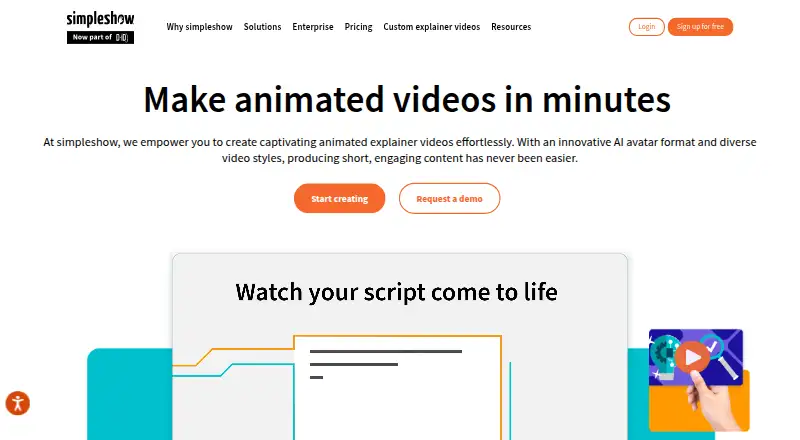
mySimpleshow is an AI video maker for turning text into animated explainer videos. Its Simplifier analyzes pasted text or uploaded files, identifies key information, and creates a short video script. The AI Story Generator builds a script from answers to a few questions. Users can make illustrated videos, AI avatar videos, and narrated videos from PowerPoint slides. Scripts are supported in more than 40 languages, and videos can be translated with one click into more than 20 languages.
The Free plan costs nothing and can be used indefinitely. It includes three video renderings per month, two AI avatars, three illustration styles, and sharing through a video link. Eligible schools and universities can use the Classroom plan at no cost for up to 50 students, with team collaboration, downloads, and subtitle editing. Pro, Business, and Enterprise plans offer different video creation, download, commercial use, privacy, and support options. The platform is available through the web and an API, which can generate videos from text, templates, and avatars and return links through webhooks. Listed integrations include Microsoft Teams, YouTube, Google Drive, Vimeo, Wistia, Pinterest, LinkedIn, Facebook, and Neogov. simpleshow says its service completed a SOC 2 assessment, complies with TISAX security standards, and is designed around GDPR principles and guidelines.
Who it suits
mySimpleshow suits teams that need explainer videos for learning and development, internal communications, sales and marketing, HR, compliance, health and safety, or project management. The free plan may suit individual creators, while eligible schools and universities can use Classroom for student collaboration.
What it does well
- Turns pasted text or files into a short video script.
- Generates scripts from answers to a few questions.
- Supports scripts in more than 40 languages.
- Offers illustrated, AI avatar, and PowerPoint narrated videos.
- API supports video generation and webhook delivery.
- Lists integrations including Microsoft Teams and Google Drive.
What to know first
- Free plan allows three video renderings per month.
- Free plan includes two AI avatars and three illustration styles.
- Free plan sharing is through a video link.
Limits
The Free plan provides three video renderings per month, two AI avatars, three illustration styles, and video-link sharing. Classroom is for eligible schools and universities and supports up to 50 students.
Plans
| Plan | Billed and limits | Price |
|---|---|---|
| Classroom | Up to 50 students · collaboration · full illustration access · storyboard download · subtitle editing | Free |
| Free | Automated text-to-video · AI avatars · 40+ languages · video-link sharing | Free |
| Business | monthly · Commercial use · watermark removal · own voiceover · closing-frame customization · downloads · privacy controls | $129 a month |
| Pro | monthly · Unlimited renderings · own watermark · AI voice imitation · all AI avatars · HD and SCORM download · third-party transfer | $499 a month |
| Fun | monthly · Download video · scribble color · background music · scribble effects · subtitles | $5.99 a month |
| Enterprise | Custom team size · dedicated support · custom branding · AI and privacy controls · enterprise SSO | On request |
As simpleshow.com lists them, read 15 Oct 2026. The maker's own page has the final word.
Getting started
- Open the simpleshow website in a web browser.
- Choose the Free plan, or Classroom if eligible as a school or university.
- Paste text or upload a file for the Simplifier, or answer questions for the AI Story Generator.
- Create an illustrated video, AI avatar video, or narrated video from PowerPoint slides.
- Share through a video link or use available downloads and integrations on the selected plan.
mySimpleshow is a web-based and API-accessible tool for turning written material into animated explainer videos. It suits learning teams, communicators, marketers and other organizations that need repeatable videos in multiple languages, while its limited free rendering allowance is mainly useful for occasional projects or evaluation.
Overview
The Simplifier analyzes pasted text or uploaded files and extracts the key information into a short explainer script. The AI Story Generator offers a second starting point, creating a script from answers to a few questions. This makes the service practical for both source-led work and projects that begin with only a brief idea.
Videos can be illustrated, built around AI avatars, or narrated from PowerPoint slides. Character libraries, scene templates, drawing animation, recorded voiceovers and AI voiceover tools provide several presentation routes. The combination is well suited to training, internal communications, sales and marketing, HR, compliance, health and safety, learning and development, and project-management updates.
Scripts are supported in more than 40 languages, with one-click translation into more than 20. That is valuable for teams adapting a core message internationally, although translation coverage is narrower than script creation. The browser service is hosted in an AWS virtual private cloud. Simpleshow says it has completed a SOC 2 assessment, complies with TISAX security standards and designs user-data processes around GDPR principles and guidelines.
Key features
The text-to-script workflow can reduce the effort of turning documents into an outline, while question-led generation helps users who have not prepared source copy. The output formats cover conventional illustrated explainers, avatar-led communication and narrated slide presentations, so the platform can serve both animated storytelling and presentation-based content.
Its API is the strongest option for production teams. It can generate videos from text, templates and avatars, then return completed video links through webhooks. That supports automated publishing or content workflows rather than requiring every video to be made manually. Listed integrations include Microsoft Teams, YouTube, Google Drive, Vimeo, Wistia, Pinterest, LinkedIn, Facebook and Neogov.
Pricing
Free — free. The indefinite plan allows three video renderings per month, two AI avatars, three illustration styles and sharing through a video link. It is a low-risk way to learn the workflow, but three renders and the restricted feature set are inadequate for frequent publishing.
Classroom — free. Eligible schools and universities get support for up to 50 students, team collaboration, video downloads and subtitle editing. This is the most relevant no-cost choice for qualifying education users who need shared production and downloadable output.
Pro — custom pricing. Monthly or annual billing is offered, with annual billing advertised as saving 20%. Pro adds unlimited video renderings, all AI avatars, HD and SCORM downloads, and AI voice imitation. It fits professional creators who need unrestricted output and richer delivery options; the published plan does not give a public price.
Business — custom pricing. Monthly or annual billing is available, with a stated 34% saving for annual billing. The plan includes 10 video renderings per month, commercial use, watermark removal, video downloads and privacy control. Its quota makes it more suitable for a defined communications pipeline than for unlimited production.
Enterprise — custom quote. Enterprise provides unlimited video creation, team collaboration, custom branding, dedicated support, AI and privacy controls, and enterprise SSO upon request. Personalized onboarding and training, expert feedback and a dedicated customer success manager are also offered, making this the appropriate tier for larger governed deployments.
Platforms
mySimpleshow runs in a web browser and exposes an API. The API and webhook delivery are particularly useful when video generation must connect to existing systems rather than remain a standalone browser task.
Who it's for
Choose it for multilingual training, internal announcements, compliance explainers, sales material and other repeatable workplace videos. Schools and universities that qualify should look first at Classroom. Casual individual creators may find the free plan sufficient for a few monthly drafts, but regular publishing will quickly encounter its rendering and feature limits.
Pros and cons
- Pros: Script creation from documents or questions; more than 40 script languages and translation into more than 20; illustrated, avatar and PowerPoint-based video formats; API generation with webhook links; broad listed integrations; security and privacy controls aimed at organizational use.
- Cons: The free tier allows only three renderings monthly and restricts avatars and illustration styles; translation supports fewer languages than script creation; Business is capped at 10 monthly renderings; Pro, Business and Enterprise prices require a quote.
Alternatives
For a wider directory of comparable tools, see AI Explainer Video Makers, Whiteboard Animation Software and Explainer Video Software.
HeyGen is a better fit if you want Android or iOS access and a free allowance of up to three one-minute videos per month. Pick Powtoon for 720p animated projects up to three minutes with screen recording, accepting a watermark on its free tier. Reelipal is aimed at credit-based text-to-image and image-to-video creation. Steve AI offers a free allowance measured in monthly credits and AI-video seconds. Vmaker is the alternative for screen recording with storage and subtitle quotas. Leadde Motion emphasizes public avatars, a knowledge base and 80-plus languages. ngram uses one-time credits for short premium footage with 720p exports and a watermark. DistilBook is a paid web option centered on short videos from PDF material.
Verdict
mySimpleshow is a strong choice for organizations that need text-driven explainer production, multilingual scripts and an API that can feed automated workflows. Its main reason to look elsewhere is the constrained free plan and the absence of public prices for the paid tiers, which make ongoing cost and volume harder to judge before a sales conversation.
Verdict
Choose mySimpleshow if you want to turn text into explainer videos, work across many script languages, or generate videos through an API. Its indefinite free plan has monthly rendering and feature limits; schools and universities that qualify can instead consider the Classroom plan.
Questions
Is mySimpleshow free?
Yes. The Free plan costs nothing and can be used indefinitely, with a limited set of features.
What does the Free plan include?
It includes three video renderings per month, two AI avatars, three illustration styles, and sharing via video link.
What platforms does it support?
The listed platforms are web and API. The SaaS service is accessed through a web browser.
Can schools use mySimpleshow for free?
Eligible schools and universities can use the Classroom plan at no cost for up to 50 students. It includes team collaboration, downloads, and subtitle editing.
Which languages are supported?
Scripts are supported in more than 40 languages, and one-click video translation is available for more than 20 languages.
What integrations are listed?
The integrations page lists Microsoft Teams, YouTube, Google Drive, Vimeo, Wistia, Pinterest, LinkedIn, Facebook, and Neogov.
Facts from mySimpleshow's own pages
- AI data policy
- simpleshow says user input is not used to train underlying AI models and is deleted after no more than 30 days. · simpleshow.com, 15 Oct 2026
- AI visualization
- Its Explainer Engine automatically creates a storyboard and suggests illustrations from the visual database. · simpleshow.com, 15 Oct 2026
- API
- The public API accepts text, templates and avatars, supports branding controls, previews, rendering and webhooks, and connects CRM, LMS, CMS, intranet and custom applications. · simpleshow.com, 15 Oct 2026
- API documentation depth
- The API page describes workflows and controls at a high level and directs prospective users to schedule a meeting rather than publishing endpoint or SDK reference material. · simpleshow.com, 15 Oct 2026
- Audience
- The company presents the platform for learning and development, internal communications, sales and marketing, HR, compliance, health and safety, and project management. · simpleshow.com, 3 Oct 2026
- Company history
- The company says simpleshow was founded in 2008 and released the first beta of its video maker, then called mysimpleshow, in 2016. · simpleshow.com, 3 Oct 2026
- Company identity
- LinkedIn lists the company as privately held, headquartered in Luxembourg, with 51–200 employees and founded in 2008. · linkedin.com, 15 Oct 2026
- Content tools
- The Simplifier analyzes pasted text or uploaded files and turns key information into a short explainer video script. · simpleshow.com, 3 Oct 2026
- Documentation and support
- The help center covers creation, editing, subtitles, publishing channels, account management and PowerPoint restrictions, while listed support includes email, FAQ, phone and chat. · simpleshow.com, 15 Oct 2026
- Enterprise support
- Enterprise customers are offered personalized onboarding and training, expert feedback, and a dedicated customer success manager. · simpleshow.com, 3 Oct 2026
- Founded
- 2008 · simpleshow.com, 28 Sept 2026
- Free plan limit
- The free plan can be used indefinitely, but includes a limited set of features. · simpleshow.com, 3 Oct 2026
- Headquarters
- Berlin, Germany · simpleshow.com, 28 Sept 2026
- Hosting
- The SaaS platform is accessible through a web browser and hosted in an AWS virtual private cloud. · simpleshow.com, 3 Oct 2026
- Hosting and deployment
- The platform is SaaS accessed in a browser and hosted in an AWS virtual private cloud; the security page does not describe self-hosting. · simpleshow.com, 15 Oct 2026
- Image assets
- Users can choose from thousands of simpleshow illustrations and upload their own images or logos. · simpleshow.com, 15 Oct 2026
- Integrations
- Official integration listings include Microsoft Teams, YouTube, Google Drive, Vimeo, Wistia, LinkedIn, Facebook, Pinterest and Neogov. · simpleshow.com, 15 Oct 2026
- Language support
- The maker supports video creation in more than 40 languages according to the current pricing page. · simpleshow.com, 15 Oct 2026
- Legal name
- The company’s NDA identifies the contracting entity as The Simpleshow Company SA, a Luxembourg limited company. · simpleshow.com, 15 Oct 2026
- License
- The company describes the video maker as proprietary software licensed to recipients, rather than open-source software. · simpleshow.com, 15 Oct 2026
- Limit: customization
- G2 reviewers complain that templates and options limit creativity and do not provide the control of advanced animation software. · g2.com, 15 Oct 2026
- Limit: paid feature gating
- A Capterra reviewer says important capabilities are disabled outside professional packages and that output quality can vary. · capterra.fr, 15 Oct 2026
- Limit: templates and assets
- Capterra reviewers repeatedly request more templates and report limited imagery for some concepts. · capterra.fr, 15 Oct 2026
- Ownership news
- simpleshow announced on LinkedIn that it had joined the D-ID family in 2025. · linkedin.com, 15 Oct 2026
Where mySimpleshow stands on Freedom251
- AI Explainer Video Makers#4 of 27
- Explainer Video Software#10 of 40
- Whiteboard Animation Software#8 of 26