
LanguageTool
by LanguageTool
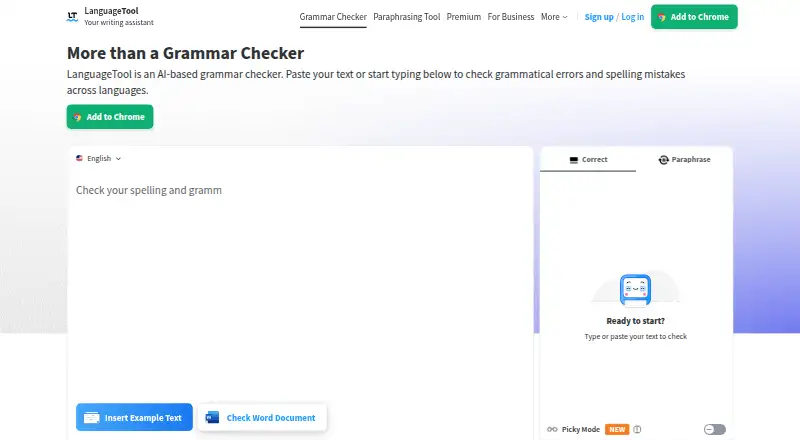
What LanguageTool is
LanguageTool is a writing assistant for grammar, spelling, punctuation, casing, and style, with support for 31 languages. It also offers paraphrasing, tone detection, and writing statistics; paraphrasing can make sentences more formal, fluent, simple, or concise. The free version checks spelling, simple punctuation, and some style mistakes, with a limit of 2,000 characters per text field. Premium raises that limit to 150,000 characters per field. LanguageTool works in common browsers and word processors, with browser extensions and Windows, macOS, and iOS apps. Integrations include Google Docs, Microsoft Word, Apple Pages, and LibreOffice; email add-ons are available for Gmail, Outlook, Apple Mail, and Thunderbird. Browser add-on text is usually not saved, while text entered in the editor is stored and accessible across devices. Teams can manage users and share style guides and dictionaries. Business solutions are described as GDPR-conform. Premium is offered monthly, quarterly, annually, or every two years, but prices are not listed.
Who it suits
LanguageTool suits individuals who want writing checks across supported browsers, word processors, or mobile and desktop apps. Its shared style guides, dictionaries, and user administration also suit teams seeking consistent wording.
What it does well
- Supports 31 languages
- Checks grammar, spelling, punctuation, casing, and style
- Paraphrasing offers four writing modes
- Integrates with major word processors and email services
- Teams can share style guides and dictionaries
What to know first
- Free text fields are limited to 2,000 characters
- Premium text fields allow up to 150,000 characters
- Premium plan prices are not listed
Limits
The free version covers spelling, simple punctuation and some style mistakes, and the Basic plan allows 2,000 characters per text field. Premium supports up to 150,000 characters per field.
Plans
| Plan | Billed and limits | Price |
|---|---|---|
| Basic | 2,000 characters per text field | On request |
| Basic | 2,000 characters per text field | On request |
| Premium Monthly | 150,000 characters per text field | On request |
| Premium Monthly | 150,000 characters per text field | On request |
| Premium Quarterly | 150,000 characters per text field | On request |
| Premium Quarterly | 150,000 characters per text field | On request |
| Premium Annual | 150,000 characters per text field | On request |
| Premium Annual | 150,000 characters per text field | On request |
The first 8 of 18 plans, as languagetool.org lists them, read 22 Sept 2026. The maker's own page has the final word. Every plan
Getting started
- Visit languagetool.org.
- Choose the browser extension, Windows or macOS app, or iOS app.
- Use the free plan, or select a Premium billing term.
- Connect it with a supported word processor or email service if needed.
Overview
LanguageTool is a writing assistant for people who want checks and rewrites across documents, email, and browser text. It suits multilingual individual writers as well as teams that need shared terminology; the trade-off is that the free tier is limited and paid-plan prices are custom pricing.
It combines grammar, spelling, punctuation, casing, style, paraphrasing, tone detection, and writing statistics, with support for 31 languages. Use it through a browser extension, desktop and iOS apps, or integrations with word processors and email services.
Key features
Corrections and rewrites
The free version handles spelling, simple punctuation, and some style mistakes, making it useful for a basic pass rather than comprehensive editing. Broader writing checks include grammar, casing, and style suggestions, while tone detection and writing statistics add ways to assess a draft. The paraphraser can make sentences more formal, fluent, simple, or concise; that range is useful for adjusting wording without switching tools.
Text-field limits vary sharply by plan: Basic allows 2,000 characters, while Premium supports up to 150,000. The larger limit is better suited to long documents; Basic is restrictive for substantial passages.
Integrations and text handling
LanguageTool works in common browsers and word processors, including Google Docs, Microsoft Word, Apple Pages, and LibreOffice. Email add-ons cover Gmail, Outlook, Apple Mail, and Thunderbird, so it can follow writing across several common contexts rather than being confined to a standalone editor.
Text entered through the browser add-on is usually not saved, while editor texts are saved and accessible across devices. That distinction favors the add-on for writing users do not want retained and the editor for work they want to revisit.
Team controls
Teams can invite and manage users by email, share style guides and dictionaries, and use brand voice controls to keep wording and terminology consistent. Business solutions are described as GDPR-conform. These controls make the team offering more relevant to organizations with shared writing standards than to individuals who only need corrections.
Pricing
LanguageTool uses a freemium model. The free plan covers spelling, simple punctuation, and some style mistakes. Basic allows 2,000 characters per text field; it is the lower-limit option for shorter writing, not a substitute for Premium when working with longer passages.
Individual Premium is offered monthly, quarterly, annually, or every two years, with up to 150,000 characters per text field on each term. The longer-term options provide a choice of billing interval, but prices are custom pricing. Premium includes a 14-day money-back guarantee, with cancellation and refund without questions.
The Team plan supports 20 users and up to 150,000 characters per text field, alongside team administration and shared style controls. It is the fit for groups coordinating terminology and brand voice; pricing is custom pricing.
Platforms
LanguageTool offers a browser extension, desktop apps for Windows and macOS, and an iOS app. It also integrates with the listed office suites and email services, giving writers multiple ways to use its checks within their existing workflows.
Who it's for
Choose LanguageTool if you need writing checks across several languages and contexts, or if a team needs shared dictionaries and style guidance. It is less compelling if the free checks are not enough and you need transparent Premium prices before choosing a paid plan.
Pros and cons
- Pro: Support for 31 languages and integrations across office and email tools make it useful beyond a single editor.
- Pro: Premium's 150,000-character field limit accommodates long text, while team style guides and dictionaries help groups maintain consistent wording.
- Pro: The 14-day Premium money-back guarantee lowers the commitment risk for individual subscribers.
- Con: The free tier is limited to spelling, simple punctuation, and some style mistakes, so it may not cover writers seeking fuller checks.
- Con: Paid prices are custom pricing, making it difficult to compare costs in advance.
Alternatives
For a different set of writing tools, consider Ginger, Grammarly, Trinka, Scribens, Sapling, Wordvice AI, Microsoft Editor, or ProWritingAid.
Compare LanguageTool with other grammar checkers, AI writing assistants, and AI Grammar Checkers if you want to survey the category before deciding.
Verdict
LanguageTool is a strong fit for multilingual writers and teams that need checks across documents and email, with shared style controls for coordinated work. Its broad integrations and large Premium text limit are the main reasons to choose it; look elsewhere if you need published paid prices or more capable checks without moving beyond the free tier.
Verdict
LanguageTool covers writing checks and paraphrasing across several work contexts, with additional team controls. Compare the free character limit with your writing needs, since Premium prices are not listed.
Questions
Is there a free plan?
Yes. The free version checks spelling, simple punctuation and some style mistakes, with a 2,000-character limit per text field.
How much does Premium cost?
No Premium price is listed. Individual Premium is available with monthly, quarterly, annual or two-year billing.
Which platforms does LanguageTool support?
It is available as a browser extension, Windows and macOS desktop apps, and an iOS app.
Which office and email tools does it integrate with?
Office integrations include Google Docs, Microsoft Word, Apple Pages and LibreOffice. Email add-ons are available for Gmail, Outlook, Apple Mail and Thunderbird.
Can teams share writing rules?
Yes. Teams can invite and manage users and share style guides and dictionaries.
Who makes LanguageTool?
LanguageTool makes the product. The maker was founded in 2003 and is headquartered in San Francisco, California.
Facts from LanguageTool's own pages
- Browser extension
- Yes · help.languagetool.org, 22 Sept 2026
- Browser privacy
- Texts written using the browser add-on are usually not saved. · languagetool.org, 27 Sept 2026
- Company locations
- The footer says LanguageTool is made in Europe and the US. · languagetool.org, 27 Sept 2026
- Organization trust
- The site says more than 2,000 organizations trust its AI-based writing tools. · languagetool.org, 27 Sept 2026
- Desktop app
- Yes · help.languagetool.org, 22 Sept 2026
- Editor storage
- Texts in the editor are saved and accessible from all devices. · languagetool.org, 27 Sept 2026
- Email integrations
- Email add-ons are available for Gmail, Outlook, Apple Mail, and Thunderbird. · languagetool.org, 27 Sept 2026
- Founded
- 2003 · languagetool.org, 23 Sept 2026
- Free plan
- Yes · help.languagetool.org, 22 Sept 2026
- Free tier limits
- The free version covers spelling, simple punctuation, and some style mistakes. · languagetool.org, 27 Sept 2026
- GDPR solutions
- Business solutions are described as GDPR-conform and support consistent brand voice. · languagetool.org, 27 Sept 2026
- Headquarters
- San Francisco, California, United States · languagetool.org, 23 Sept 2026
- Office integrations
- Integrations include Google Docs, Microsoft Word, Apple Pages, and LibreOffice. · languagetool.org, 27 Sept 2026
- Languages supported
- 31 · help.languagetool.org, 22 Sept 2026
- Mobile app
- Yes · help.languagetool.org, 22 Sept 2026
- Paraphrasing modes
- The paraphraser can make sentences more formal, fluent, simple, or concise. · languagetool.org, 27 Sept 2026
- Billing options
- Individual Premium is available monthly, quarterly, annually, or every two years. · help.languagetool.org, 27 Sept 2026
- Premium text limit
- Premium supports up to 150,000 characters per text field. · languagetool.org, 27 Sept 2026
- Refund guarantee
- Premium has a 14-day money-back guarantee with cancellation and refund without questions. · languagetool.org, 27 Sept 2026
- Style suggestions
- Yes · help.languagetool.org, 22 Sept 2026
- Support contact
- Customers can reach support, including for business VAT invoice questions. · languagetool.org, 27 Sept 2026
- Supported platforms
- It works in common browsers and word processors, plus Windows, macOS, and iOS apps. · languagetool.org, 27 Sept 2026
- Team administration
- Teams can invite users by email and manage them. · languagetool.org, 27 Sept 2026
- Team style controls
- Teams get shared style guides and dictionaries for consistent wording and terminology. · languagetool.org, 27 Sept 2026
Where LanguageTool stands on Freedom251
- Grammar checkers#3 of 88
- AI writing assistants#1 of 25
- Chrome Extensions#4 of 26
- Proofreading Software#5 of 30
- AI Grammar Checkers#5 of 26
- Google Workspace Office Tools#5 of 20
- Extensions#8 of 23
- Edge Extensions#8 of 23
- Browser Extensions#8 of 19