
Kooha
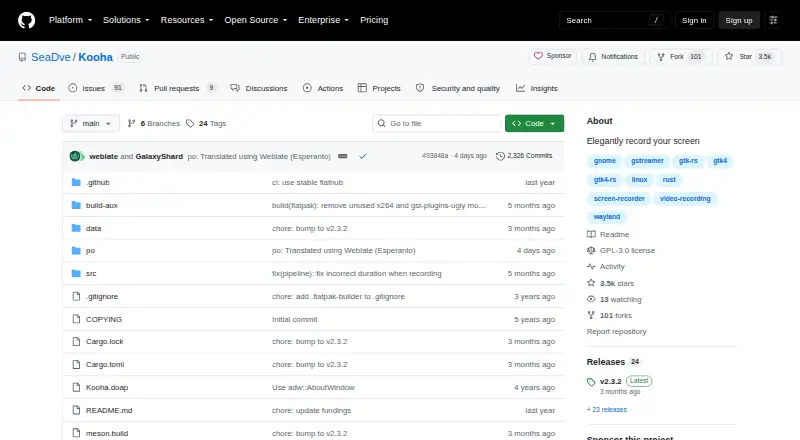
What Kooha is
Kooha is a free Linux desktop screen recorder with a minimal interface for capturing a monitor or a selected part of the screen. It can record microphone audio, desktop audio, or both at once, and supports WebM, MP4, GIF, and Matroska output. Users can configure the save location, pointer visibility, frame rate, and recording delay. The listed runtime requirements include PipeWire, its GStreamer plugin, and xdg-desktop-portal with a backend such as GTK, KDE, or wlroots. Flatpak is the developer's officially supported distribution method; third-party packages are not officially supported. Hardware-accelerated encoding is experimental and disabled by default because of stability and performance concerns. Experimental capture options include recording a specific window or multiple monitors or windows, for which the project notes potential flickering, stability, and performance issues. Kooha is licensed under GPL-3.0. For troubleshooting, the project points users to GitHub issues and a checklist.
Who it suits
Kooha suits Linux users who want to record a full monitor or selected screen area, with microphone audio, desktop audio, or both. It is aimed at people comfortable with its listed runtime requirements and Flatpak distribution.
What it does well
- Records microphone and desktop audio together or separately.
- Supports WebM, MP4, GIF, and Matroska.
- Can capture a monitor or selected screen area.
- Users can configure frame rate and recording delay.
What to know first
- Available for Linux only.
- Requires PipeWire, its GStreamer plugin, and xdg-desktop-portal.
- Hardware-accelerated encoding is experimental.
- Window and multi-display capture options are experimental.
Plans
| Plan | Billed and limits | Price |
|---|---|---|
| Free | Free to use · Desktop app · Linux | Free |
As github.com lists them, read 3 Oct 2026. The maker's own page has the final word.
Getting started
- Visit the Kooha project page on GitHub.
- Install the officially supported Flatpak distribution.
- Ensure the listed PipeWire and xdg-desktop-portal runtime requirements are available.
- Select a monitor or a screen portion to capture.
- Choose audio sources and recording settings, then start recording.
Verdict
Kooha keeps standard screen recording controls focused while offering audio capture and several output formats. Check the runtime requirements and experimental-feature limits before choosing it.
Questions
Is Kooha free?
Yes. Kooha is free to use, with a listed plan price of $0.
Which platforms does it support?
Kooha is listed for Linux as a desktop app.
What recording formats are supported?
Supported formats include WebM, MP4, GIF, and Matroska.
Can Kooha record audio?
It can record microphone audio, desktop audio, or both at the same time.
Is Kooha open source?
Kooha is licensed under GPL-3.0.
How is Kooha distributed?
Flatpak is the officially supported distribution method. The Flathub listing reports x86_64 and aarch64 availability.
Facts from Kooha's own pages
- Audio
- It can record microphone audio, desktop audio, or both at the same time. · github.com, 3 Oct 2026
- Capture area
- Users can select a monitor or a portion of the screen to record. · github.com, 3 Oct 2026
- Distribution
- The project says Flatpak is officially supported and third-party packages are not officially supported by the developer. · github.com, 3 Oct 2026
- Download architecture
- The Flathub listing reports availability for x86_64 and aarch64 architectures. · flathub.org, 3 Oct 2026
- Experimental capture
- Experimental options include recording a specific window and recording multiple monitors or windows; the project notes flickering, stability, and performance issues for these options. · github.com, 3 Oct 2026
- Experimental encoding
- Hardware accelerated encoding is experimental, and experimental features are disabled by default due to stability issues and possible performance degradation. · github.com, 3 Oct 2026
- Formats
- Supported recording formats include WebM, MP4, GIF, and Matroska. · github.com, 3 Oct 2026
- Free plan
- Yes · github.com, 20 Sept 2026
- License
- The GitHub repository identifies Kooha as licensed under GPL-3.0. · github.com, 3 Oct 2026
- Maintainer
- The project metadata names Dave Patrick Caberto as its maintainer. · github.com, 3 Oct 2026
- Microphone recording
- Yes · github.com, 20 Sept 2026
- Capture platforms
- linux · github.com, 20 Sept 2026
- Purpose
- Kooha is a simple screen recorder with a minimal interface for recording a screen without configuring many settings. · github.com, 3 Oct 2026
- Requirements
- The listed runtime requirements include PipeWire, its GStreamer plugin, and xdg-desktop-portal with a portal backend such as GTK, KDE, or wlroots. · github.com, 3 Oct 2026
- Security
- GitHub reports that the project has no SECURITY.md policy and no published security advisories. · github.com, 3 Oct 2026
- Settings
- The saving location, pointer visibility, frame rate, and recording delay are configurable. · github.com, 3 Oct 2026
- Support
- The project directs users to its GitHub issues and provides a troubleshooting checklist link for diagnosing problems. · github.com, 3 Oct 2026
- System audio
- Yes · github.com, 20 Sept 2026
- Webcam recording
- No · github.com, 20 Sept 2026
Where Kooha stands on Freedom251
- Screen recorders#16 of 27
- Screen Recording Software#98 of 131