Freedom251 › Screen Recording Software
ScreenRec
What ScreenRec is
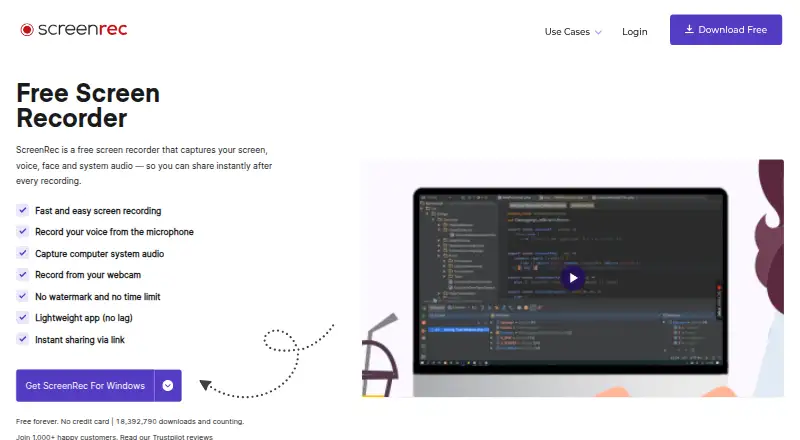
ScreenRec is a desktop recorder for Windows, macOS, and Linux. It captures your screen together with webcam video, microphone input, and computer audio, then lets you share recordings through a link. Recordings export as MP4; the product page describes 1080p capture from 15 to 120 FPS, while the Premium plan reaches 4K. You can also take screenshots, annotate them, save them to cloud storage, and share them. If you work offline, recordings stay on the computer and upload after reconnection. The Free Forever plan provides 2 GB of cloud storage, up to 720p quality, 50 videos and 100 screenshots monthly, and one user seat for personal use. Registered users get unlimited recording length; unregistered videos are limited to five minutes. Pro costs $8.32 a month, and Premium costs $81.66 a month.
Who it suits
ScreenRec suits people who need screen, webcam, audio, and screenshot capture across Windows, macOS, or Linux. Professional use requires a paid plan.
What it does well
- Captures screen, webcam, microphone, and system audio
- Supports Windows, macOS, and Linux
- Screenshots include annotation and cloud sharing
- Offline recordings upload after reconnecting
- Premium plan supports up to 4K quality
What to know first
- Free plan is for personal use only
- Free plan limits recording to 720p
- Free plan includes 2 GB cloud storage
- Unregistered videos are limited to five minutes
Plans
| Plan | Billed and limits | Price |
|---|---|---|
| Free Forever | 2GB cloud storage · personal use only · unlimited recording length · up to 720p · 50 videos/mo · 100 screenshots/mo · 2 GB monthly bandwidth · 1 user seat · 5 dictation minutes/mo | Free |
| Premium | Billed annually; or month to month · 200 GB cloud storage · business use allowed · up to 4K · 5 user seats · centralized billing · 750 GB monthly bandwidth · 1200 dictation minutes/mo · priority email and chat support | On request |
| Pro | Billed annually; or month to month · 50 GB cloud storage · business use allowed · up to 1080p · 60 FPS · unlimited recording length · 100 GB monthly bandwidth · 1 user seat · 180 dictation minutes/mo · email and chat support | On request |
As screenrec.com lists them, read 3 Oct 2026. The maker's own page has the final word.
Verdict
ScreenRec combines recording, screenshots, local offline saving, and link sharing in a desktop app. Its free tier has defined storage, quality, and usage limits, while paid plans add higher quality and larger allowances.
Facts from ScreenRec's own pages
- Business hosting
- ScreenRec says it is built on StreamingVideoProvider and offers cloud hosting, content management, analytics, and access controls. · screenrec.com, 3 Oct 2026
- Business limits
- The Free Forever plan is for personal use only; business, client, sales, support, training, marketing, and other professional use require a paid plan. · screenrec.com, 3 Oct 2026
- Company
- The terms identify the service provider as TeddySoft Ltd., registered in Bulgaria. · screenrec.com, 3 Oct 2026
- Formats and recording
- The product page says recordings export as MP4 and describes 1080p recording at 15–120 FPS. · screenrec.com, 3 Oct 2026
- Free plan
- Yes · screenrec.com, 21 Sept 2026
- Free plan limits
- Free Forever includes 2 GB cloud storage and up to 720p recording quality, while its comparison table lists 50 recordings and 100 screenshots per month. · screenrec.com, 3 Oct 2026
- Integrations
- The product page says users do not need third-party services such as Dropbox, YouTube, or Google Drive for cloud recording and sharing. · screenrec.com, 3 Oct 2026
- Microphone recording
- Yes · screenrec.com, 21 Sept 2026
- Offline use
- When offline, recordings are saved locally and uploaded to the cloud after the user reconnects. · screenrec.com, 3 Oct 2026
- Capture platforms
- windows,macos,linux · screenrec.com, 21 Sept 2026
- Screenshots
- Users can capture screenshots, annotate them, save them to the cloud, and share them. · screenrec.com, 3 Oct 2026
- Security
- ScreenRec says videos and screenshots use 128-bit AES encryption and that only the user or people given the sharing link can view them. · screenrec.com, 3 Oct 2026
- Paid from
- 8.32 · screenrec.com, 21 Sept 2026
- Support
- The pricing page lists basic self-serve knowledge-base support for Free Forever, email and chat for Pro, and priority email and chat for Premium. · screenrec.com, 3 Oct 2026
- Supported computers
- The pricing page describes a desktop app for Windows, Mac, and Linux; the download page lists Windows, Linux, and Mac builds. · screenrec.com, 3 Oct 2026
- System audio
- Yes · screenrec.com, 21 Sept 2026
- Unregistered use
- Unregistered users can record up to five minutes per video; creating a free account removes that limit. · screenrec.com, 3 Oct 2026
- Maximum video quality
- 4k · screenrec.com, 21 Sept 2026
- Webcam recording
- Yes · screenrec.com, 21 Sept 2026
- What it does
- ScreenRec records the screen, webcam, microphone, and computer audio, then supports instant sharing by link. · screenrec.com, 3 Oct 2026
Where ScreenRec stands on Freedom251
- Screen Recording Software#40 of 131
- Screen recorders#12 of 27