Freedom251 › Screen Recording Software

FlashBack
by FlashBack
What FlashBack is
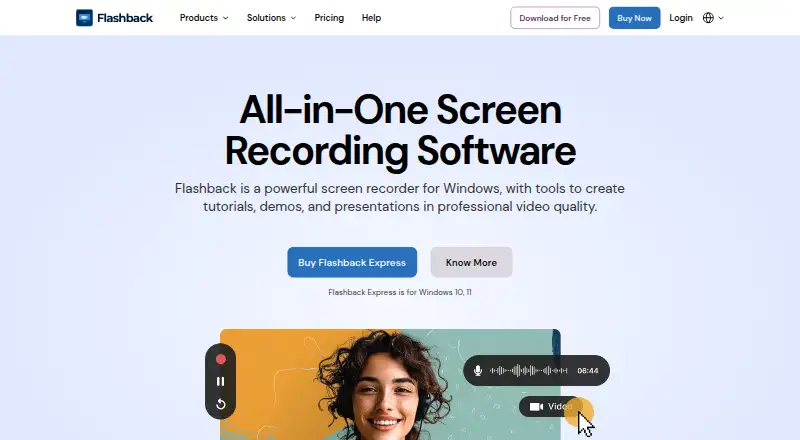
FlashBack is Windows screen recording software for making tutorials, demos, presentations, training materials, and support videos. FlashBack Express records the screen, webcam, microphone, and PC audio, including across multiple monitors. Its free Starter plan has no recording time limit or video watermark and allows unlimited videos. Capture can cover the full screen, a window, or a selected region. Recordings can be exported as MP4, AVI, or WMV. Paid plans add multi-track editing and professional video editing tools, plus options for adding text, images, and effects and for zooming in on or spotlighting key actions. FlashBack Express supports Windows 10 and Windows 11. The maker also lists Camigo virtual camera, Video Converter, FBX game recorder, and FlashBack SDK; the SDK adds screen recording to Windows applications and provides wrappers for C#, C++, and Python. FlashBack is made by FlashBack, founded in 1997 and headquartered in Birmingham, United Kingdom. The maker’s support contact page offers help with licence keys, activation, troubleshooting, installation, and setup. It says purchases are covered by a 30-day money-back guarantee.
Who it suits
FlashBack suits Windows users creating tutorials, product demos, training, onboarding, online learning, or customer support videos. The free plan covers recording without time limits or watermarks; people who need multi-track editing and additional video tools can consider a paid plan.
What it does well
- Free Starter plan allows unlimited videos without time limits or watermarks.
- Records screen, webcam, microphone, and PC audio.
- Supports full-screen, window, region, and multi-monitor capture.
- Exports recordings as MP4, AVI, or WMV.
- Paid plans add multi-track editing and visual effects tools.
- Support covers activation, troubleshooting, installation, and setup.
What to know first
- The listed platform is Windows.
- A single-user licence can be installed on one PC at a time.
- Multi-track editing and listed editing tools are paid-plan features.
Limits
The free Starter plan has no recording time limit or watermark and allows unlimited videos. Multi-track editing, professional editing tools, text, images, effects, zoom, and spotlight features are listed with paid plans.
Plans
| Plan | Billed and limits | Price |
|---|---|---|
| Starter | No time limits · No watermark on recordings · Record screen, camera and audio · Full screen, window and region capture · Multi monitor recording | Free |
| 1-Year | billed yearly · Everything in Starter · Multi track editing · Professional video editing tools · Text, images and effects · Zoom and spotlight key actions | $29 a year |
| Lifetime | one time payment · Everything in Starter and Yearly · Lifetime access to Express V7 · Multi track editing · Professional video editing tools · Text, images and effects | $49, paid once |
| Creator | Lifetime - one time payment · Everything in Flashback Express · Camigo virtual camera · Video Converter | $63, paid once |
As flashbackrecorder.com lists them, read 8 Oct 2026. The maker's own page has the final word.
Getting started
- Visit the FlashBack website.
- Choose FlashBack Express for Windows 10 or Windows 11.
- Select full-screen, window, or region capture and configure screen, camera, and audio recording.
- Record a video, then export it as MP4, AVI, or WMV.
- Choose a paid plan if you need multi-track editing or the additional editing tools.
Verdict
Choose FlashBack if you need a Windows recorder with unlimited, watermark-free recording on the free plan, or want editing tools in a paid plan. Look elsewhere if you need a listed platform other than Windows or need a single-user licence installed on more than one PC at a time.
Questions
Is FlashBack free?
Yes. Starter is listed as free, with no time limits or recording watermark and unlimited videos.
Which operating systems does FlashBack support?
FlashBack Express is for Windows 10 and Windows 11. Windows is the listed platform.
What formats can recordings be exported in?
The product FAQ says recordings can be exported as MP4, AVI, and WMV.
What do paid plans add?
Paid plans add multi-track editing and professional video editing tools, plus text, images, effects, zoom, and spotlight features.
Who makes FlashBack?
FlashBack is made by FlashBack, founded in 1997 and headquartered in Birmingham, United Kingdom.
What are the listed prices?
The pricing note says paid plans start from $39/user/yr. The plan listings show 1-Year at $29 a year, Lifetime at $65 a month with a one-time payment, and Creator at $89 a month with a lifetime, one-time-payment description.
Facts from FlashBack's own pages
- Audience
- The maker highlights use for software tutorials, customer support videos, product demos, online learning, training and onboarding. · flashbackrecorder.com, 8 Oct 2026
- Editing
- Paid plans add multi track editing and tools for adding text, images and effects. · flashbackrecorder.com, 8 Oct 2026
- Export formats
- The product FAQ says recordings can be exported as MP4, AVI and WMV. · flashbackrecorder.com, 8 Oct 2026
- Founded
- 1997 · flashbackrecorder.com, 28 Sept 2026
- Free plan
- Yes · flashbackrecorder.com, 20 Sept 2026
- Free tier
- The free recorder has no recording time limit or video watermark and supports unlimited videos. · flashbackrecorder.com, 8 Oct 2026
- Headquarters
- Birmingham, United Kingdom · flashbackrecorder.com, 28 Sept 2026
- License limit
- The pricing FAQ says a single-user licence can be installed on one PC at a time. · flashbackrecorder.com, 8 Oct 2026
- Microphone recording
- Yes · flashbackrecorder.com, 20 Sept 2026
- Capture platforms
- windows · flashbackrecorder.com, 20 Sept 2026
- Privacy and storage
- The privacy policy says website data is stored in the EU using Amazon data storage and Microsoft email services, and is not transferred outside the EU. · flashbackrecorder.com, 8 Oct 2026
- Purpose
- Flashback is Windows screen recording software for making tutorials, demos and presentations. · flashbackrecorder.com, 8 Oct 2026
- Recording
- Flashback Express records the screen, webcam, microphone and PC audio, including across multiple monitors. · flashbackrecorder.com, 8 Oct 2026
- Refund
- Flashback says purchases are covered by a 30-day money-back guarantee. · flashbackrecorder.com, 8 Oct 2026
- Related products
- The downloads page lists Camigo virtual camera, Video Converter, FBX game recorder and Flashback SDK alongside Express. · flashbackrecorder.com, 8 Oct 2026
- SDK
- Flashback SDK adds screen recording to Windows applications and provides wrappers for C#, C++ and Python. · flashbackrecorder.com, 8 Oct 2026
- Support
- The support contact page offers help with licence keys, activation, troubleshooting, installation and setup. · flashbackrecorder.com, 8 Oct 2026
- System audio
- Yes · flashbackrecorder.com, 20 Sept 2026
- Usage data
- The privacy policy says application usage data collection is optional, not personally identifiable, and can be disabled in app settings. · flashbackrecorder.com, 8 Oct 2026
- Webcam recording
- Yes · flashbackrecorder.com, 20 Sept 2026
- Windows support
- Flashback Express is for Windows 10 and Windows 11. · flashbackrecorder.com, 8 Oct 2026
- YouTube integration
- Flashback uses the YouTube Client API for its YouTube Upload function. · flashbackrecorder.com, 8 Oct 2026
Where FlashBack stands on Freedom251
- Screen Recording Software#35 of 132
- Screen recorders#14 of 28
- Screen and Video Capture Software#16 of 30