Freedom251 › Parental control apps
Kaspersky Safe Kids
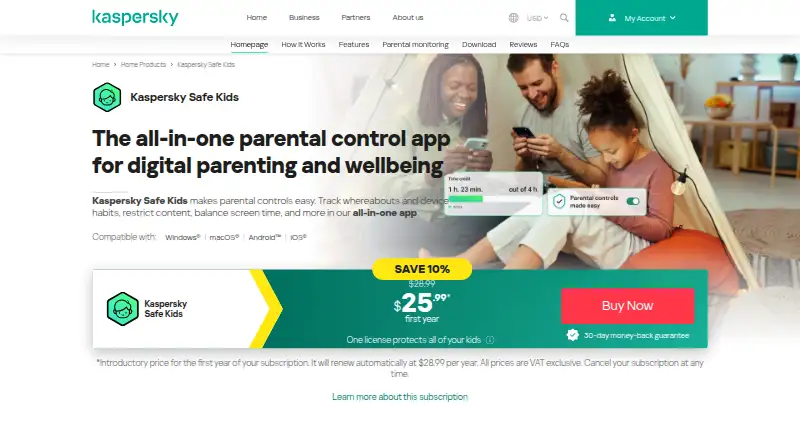
What Kaspersky Safe Kids is
Kaspersky Safe Kids is a parental control app for monitoring children’s online activity and managing how they use devices. Parents can block website categories or specific sites, filter search results, and review a child’s YouTube search and watch history. The app also supports app blocking, daily app limits, screen time schedules, and device-use schedules. GPS tracking and location alerts help parents follow a child’s device location. Activity reports cover app, web, and YouTube use, while alerts include low-battery notifications.
Settings can be customized for children aged 3–5, 6–12, and 13–18. Safe Kids supports Android, iOS, macOS, Windows, and the web. The free version includes internet monitoring, device-use monitoring, app management, and website blocking. A Premium plan adds features such as location tracking, social network monitoring, real-time alerts, unlimited profiles, reports, and additional scheduling controls. The pricing details include a free plan and a 7-day trial. Kaspersky also advertises a 30-day money-back guarantee for a new plan. Its US product page says US customers cannot purchase the product.
Who it suits
Kaspersky Safe Kids suits parents who want to manage children’s browsing, app use, and screen time across supported mobile and desktop systems. Its age-based settings, location features, and activity reports may also suit families who want controls tailored to different age groups.
What it does well
- Filters website categories, custom sites, and search results.
- Lets parents review YouTube search and watch history.
- Supports app limits and device-use schedules.
- Provides GPS tracking and location alerts.
- Offers settings for three child age groups.
What to know first
- US customers cannot purchase from Kaspersky’s US product page.
- Location tracking and real-time alerts are Premium features.
- Premium plan price is unavailable for US customers.
Limits
The free version provides internet monitoring, device-use monitoring, app management, and website blocking. Location tracking, social network monitoring, real-time alerts, unlimited profiles, reports, and additional scheduling controls are included with Premium.
Plans
| Plan | Billed and limits | Price |
|---|---|---|
| Kaspersky Safe Kids (free version) | Internet monitoring · device use monitoring · app management · website blocking | Free |
| Free | Basic features · unlimited validity · screen-time limits · Safe Search · app and website blocking | Free |
| Premium | annual subscription · Unlimited child profiles and devices · advanced screen-time scheduling · GPS locator · battery tracking · social-network monitoring · YouTube history · real-time alerts | $14.99 a year |
| Kaspersky Safe Kids Premium | Kaspersky’s product page shows Safe Kids included for 1 year with a Premium plan; price unavailable for US customers. · Location tracking · social network monitoring · real-time alerts · unlimited profiles | On request |
As usa.kaspersky.com lists them, read 11 Oct 2026. The maker's own page has the final word.
Getting started
- Visit the Kaspersky Safe Kids website.
- Choose the free plan or start the 7-day trial.
- Use a supported platform: Android, iOS, macOS, Windows, or web.
- Set age-based controls for the child.
- Configure filtering, app limits, screen-time schedules, and location alerts.
Kaspersky Safe Kids is a parental-control app for monitoring children’s online activity and managing device use. It is best suited to families who want web and YouTube filtering, screen-time controls and location alerts in one product. The free version covers core monitoring, while Premium adds location tracking and other controls; Kaspersky says US customers cannot purchase it.
Overview
Safe Kids combines website and search filtering with app limits, device schedules, activity reports and location alerts. Parents can block categories or individual sites, and review a child’s YouTube searches and watch history. That breadth makes it useful for families who want both online-content controls and routines for device use.
Settings are tailored to children aged 3–5, 6–12 and 13–18, giving parents age-based starting points. The service requires an internet connection, and listed system requirements include Windows 7 or later, macOS 11–14, Android 11–16, and iOS 18 or 26.
Key features
Filtering and activity
Website category and custom-site blocking, search filtering, and YouTube history review address several common ways children encounter online content. App, web and YouTube reports, along with alerts such as low-battery notifications, help parents keep track without relying only on scheduled check-ins. These controls suit parents who want visibility across browsing and apps; families seeking only a simple device timer may find the feature mix broader than they need.
Screen time and location
Daily app limits and device-use schedules give parents control over both individual apps and overall routines. GPS tracking and location alerts add a check on a child’s device whereabouts. Location tracking is a Premium feature, so the free version does not cover that need.
Pricing
Safe Kids is freemium, with a free plan at no cost and a 7-day trial. The free version covers internet and device-use monitoring, app management and website blocking, with basic parental-control features and unlimited use. It is the practical starting point for families focused on those core controls.
Premium has custom pricing. It includes all Safe Kids features, reports and additional scheduling controls; Kaspersky’s product page also describes Safe Kids as included for one year with a Premium plan. Premium adds location tracking, social network monitoring, real-time alerts and unlimited profiles, making it the better fit for families who need those controls. A new plan carries a 30-day money-back guarantee. Kaspersky says purchase is unavailable to US customers, which prevents those families from buying the plan through its US product page.
Platforms
Safe Kids supports Android, iOS, macOS, Windows and web. Its listed system requirements are Windows 7 or later, macOS 11–14, Android 11–16, and iOS 18 or 26, and it requires an internet connection. Kaspersky says its Global Transparency Initiative includes third-party SOC 2 Type 2 auditing and ISO 27001 certification for data services.
Who it's for
Safe Kids is a strong fit for parents who want filtering, screen-time management and activity reports together, and who value GPS alerts or age-based settings. The free version is suitable when internet and device-use monitoring are enough. Families that need location tracking, social network monitoring or real-time alerts need Premium; US customers should consider another option because purchase is unavailable to them.
Pros and cons
- Pros: Website, search and YouTube controls cover multiple sources of online content, with reports to review activity.
- Pros: Daily app limits and device schedules support both app-level and broader screen-time routines.
- Pros: Free version offers unlimited use for basic internet and device-use monitoring.
- Cons: Location tracking, social network monitoring and real-time alerts require Premium.
- Cons: Premium has custom pricing, and Kaspersky says US customers cannot purchase it.
- Cons: The internet connection requirement means the listed controls depend on connectivity.
Alternatives
For more options, browse parental control apps. Choose Qustodio if you want a priced plan with a stated device cap: Basic is $72.94 a year for 5 devices, while Complete is $104.95 a year for unlimited family devices.
OurPact is worth considering if its free plan’s cap of one child device, five manual blocks per month and one automated block schedule suits your needs; Premium is $69.99 a year. Choose Google Family Link for a free parental-supervision option across Android, iOS and web, with some features requiring a compatible device. Apple Screen Time is a free built-in choice for Apple devices that requires Family Sharing and individual Apple Accounts to manage controls across a family group.
Safe Lagoon offers free web filtering, or Premium at $6.99 a month with five profiles. KidSafe360 is another freemium option for Android and web. Kids Dashboard offers an Android free plan for three devices and Premium at £5 a year for ten devices. Kroha is a paid option with plans for five devices.
Verdict
Choose Kaspersky Safe Kids if you want web and YouTube filtering alongside screen-time controls, reports and location alerts. Its free version provides a useful base for internet and device-use monitoring, while Premium brings location tracking and additional controls. Look elsewhere if you are in the US or need a Premium price you can compare before committing.
Verdict
Choose Kaspersky Safe Kids if you want web and YouTube filtering alongside screen-time controls, reports, and location alerts. The free version covers basic internet and device-use monitoring, while Premium adds location tracking and other controls. US customers should look elsewhere because Kaspersky says purchase is unavailable to them.
Questions
Is Kaspersky Safe Kids free?
Yes. Its Free plan costs nothing, and a 7-day trial is also offered.
Which platforms does it support?
The listed platforms are Android, iOS, macOS, web, and Windows.
What does the free version include?
It includes internet monitoring, device-use monitoring, app management, and website blocking.
What does Premium add?
Premium includes location tracking, social network monitoring, real-time alerts, unlimited profiles, reports, and additional scheduling controls.
Can US customers buy it?
Kaspersky’s US product page says purchase is unavailable for US customers.
Does it have a refund guarantee?
Kaspersky advertises a 30-day money-back guarantee for a new plan.
Facts from Kaspersky Safe Kids's own pages
- Activity reports
- Yes · usa.kaspersky.com, 20 Sept 2026
- Age groups
- The product page describes customizable settings for children aged 3–5, 6–12, and 13–18. · usa.kaspersky.com, 11 Oct 2026
- Alerts and reports
- The product provides app, web, and YouTube activity reports and alerts including low-battery notifications. · usa.kaspersky.com, 11 Oct 2026
- API documentation
- Kaspersky publishes an OpenAPI reference for Kaspersky Security Center covering automation such as hierarchy creation and task management. · support.kaspersky.com, 14 Oct 2026
- App blocking
- Yes · usa.kaspersky.com, 20 Sept 2026
- App controls
- Apps can be allowed or blocked by age rating or category, with always-available apps and daily usage statistics. · usa.kaspersky.com, 14 Oct 2026
- Company founding and headquarters
- LinkedIn lists Kaspersky as founded in 1997 with headquarters in Zurich, Switzerland. · linkedin.com, 14 Oct 2026
- Company size
- LinkedIn lists Kaspersky as a privately held company with 5,001–10,000 employees. · linkedin.com, 14 Oct 2026
- Content filtering
- Yes · usa.kaspersky.com, 20 Sept 2026
- Data processing
- Kaspersky says threat files from Europe, the Americas, the Middle East and parts of Asia-Pacific are processed in its Zurich data center. · kaspersky.com, 14 Oct 2026
- Documentation
- Kaspersky’s support documentation specifies separate free and premium capabilities, including reports, schedules, app limits and social-network monitoring. · support.kaspersky.com, 14 Oct 2026
- Free plan
- Yes · usa.kaspersky.com, 20 Sept 2026
- GPS locator
- The GPS locator shows children’s device locations on a map, supports safe-area departure alerts and reports low battery status. · usa.kaspersky.com, 14 Oct 2026
- Installation
- Installation uses the kas.pr/kids link or mobile-store downloads, followed by a free My Kaspersky account and child profile setup. · kids.kaspersky.com, 14 Oct 2026
- Legal name and ownership
- Crunchbase identifies the legal name as AO Kaspersky Lab and lists General Atlantic as a funder. · crunchbase.com, 14 Oct 2026
- Limit: Apple user reports
- Apple reviewers reported inaccurate locations, ignored always-allowed apps, schedule failures, missing usage data and login problems. · apps.apple.com, 14 Oct 2026
- Limit: browser coverage
- SafetyDetectives found filtering unavailable in Brave and Tor and mobile monitoring largely limited to Chrome or built-in Samsung and Huawei browsers. · safetydetectives.com, 14 Oct 2026
- Limit: geofencing
- TechRadar found geofencing limited to circular areas with a minimum diameter of 0.44 miles and no location history. · techradar.com, 14 Oct 2026
- Limit: iOS controls
- Tom’s Guide reported that iOS functionality is dramatically more limited than Android and that iOS cannot forcibly stop use after a cutoff. · tomsguide.com, 14 Oct 2026
- Limit: platform split
- SafetyDetectives noted that some information is available only on the web app while YouTube search history is available only in the mobile app. · safetydetectives.com, 14 Oct 2026
- Limit: slow interface
- Tom’s Guide found the web portal exceedingly slow and the redesigned mobile apps poorly organized. · tomsguide.com, 14 Oct 2026
- Limit: Trustpilot complaints
- Trustpilot reviewers repeatedly described billing or renewal disputes, weak support, inaccurate iOS location and ineffective filtering or time controls. · trustpilot.com, 14 Oct 2026
- Location
- The app offers GPS tracking and location alerts for a child’s device. · usa.kaspersky.com, 11 Oct 2026
- Location tracking
- Yes · usa.kaspersky.com, 20 Sept 2026
Where Kaspersky Safe Kids stands on Freedom251
- Parental control apps#2 of 107