Freedom251 › Parental control apps
Safe Lagoon
by Safe Lagoon
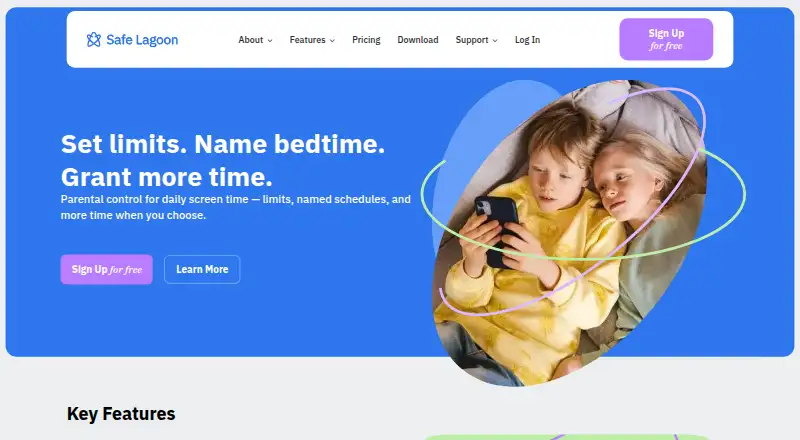
What Safe Lagoon is
Safe Lagoon is an Android parental-control service combining web filtering, screen-time controls, app blocking, activity reports, and location tracking. Parents can set daily limits and access schedules, pause apps or internet access, and review daily internet use plus 30 days of browsing history. Its web filter offers levels for different age groups and information on more than 80 million websites; it blocks harmful sites and supports safe search while protecting against phishing and scams. GPS tools provide real-time location updates, alerts, geofencing, and movement history. Monitoring features include AI alerts about threats in chats, access to call history and text messages including deleted messages, and an instant-messaging monitor with real-time conversations, unknown-contact alerts, and daily reports. Parents can manage the service through the Safe Lagoon Parental app or WebCenter. Screen Mirror adds direct-message and text visibility, visual activity records, and saved screens; AI Shield scans the device for danger and sends alerts with screen captures. Web filtering is free. Paid plans start with Premium at $6.99 a month and include five profiles; Premium Screen Mirror costs $14.99 a month, while Premium AI Shield costs $19.99 a month.
Who it suits
Safe Lagoon suits parents managing Android phones or tablets who want to filter web access, set screen-time rules, track location, or review activity. It offers free web filtering as well as paid plans with additional monitoring features.
What it does well
- Free web filtering has no stated end date.
- Age-based filters cover over 80 million websites.
- Parents can review 30 days of browsing history.
- GPS includes alerts, geofencing, and movement history.
- Paid plans include five profiles.
What to know first
- Listed platform is Android only.
- Premium starts at $6.99 a month.
- Screen Mirror costs $14.99 a month.
- AI Shield costs $19.99 a month.
Limits
The free plan provides web filtering. Paid plans include five profiles each; Premium Screen Mirror costs $14.99 a month, and Premium AI Shield costs $19.99 a month.
Plans
| Plan | Billed and limits | Price |
|---|---|---|
| Free | Web filtering | Free |
| Premium | billed monthly · 5 profiles | $6.99 a month |
| Premium Screen Mirror | billed monthly · 5 profiles | $14.99 a month |
| Premium AI Shield | billed monthly · 5 profiles | $19.99 a month |
As safelagoon.com lists them, read 28 Sept 2026. The maker's own page has the final word.
Getting started
- Open the Safe Lagoon website.
- On an Android phone or tablet, install the app from Google Play.
- Use the Safe Lagoon Parental app or personal WebCenter as the parent interface.
- Choose free web filtering or a paid plan: Premium, Premium Screen Mirror, or Premium AI Shield.
Safe Lagoon is an Android parental-control service for families that want web filtering alongside schedules, monitoring, and location tools. It suits parents managing up to five profiles on Android phones or tablets, especially when conversation and message oversight matter as much as screen-time limits. The main trade-off is a tiered subscription: core filtering is free, while the most intrusive monitoring tools require the two higher-priced plans.
Overview
Safe Lagoon combines age-based web filtering, app and internet controls, activity reporting, GPS tracking, and several forms of communications monitoring. Its filter covers more than 80 million websites, supports safe search, and blocks harmful, phishing, and scam pages. Parents can choose filtration levels for different age groups rather than applying one rule to every child.
Parents manage children through the Safe Lagoon Parental app or a WebCenter account. Android setup uses Google Play on compatible phones and tablets. The service is made by Safe Lagoon, whose design and headquarters are associated with Toronto, Ontario, Canada.
Key features
Filtering and usage controls
Web filtering is the strongest free feature. Parents can review daily internet use and 30 days of browsing history, giving enough context to spot patterns without relying only on blocked-page alerts. Paid controls add daily screen-time limits, scheduled access hours, and the ability to pause internet access or individual apps. App blocking is useful when a child needs access to a device but not to particular distractions.
Location and communication monitoring
GPS tracking includes real-time updates, alerts, geofencing, and movement history, so it is suited to families who need arrival and departure notifications rather than occasional location checks. AI monitoring scans chats across messengers and social networks for threats and alerts parents. The call and text controls expose call history and text messages, including deleted messages. Instant-message monitoring can show both sides of a live conversation, flag unknown contacts, and produce daily reports. These features provide unusually broad visibility, but they also make Safe Lagoon a poor fit for families seeking only lightweight screen-time supervision.
Higher-tier monitoring
Screen Mirror adds direct-message and text visibility, visual activity records, and saved screens. AI Shield scans the child’s device for danger and sends alerts with screen captures. Those additions are aimed at parents who prioritise safety signals and evidentiary records over a less intrusive setup.
Pricing
| Plan | Price | What you get |
|---|---|---|
| Free | 0.00 USD | Web filtering |
| Premium | $6.99 a month, billed monthly | Five profiles and all Premium features |
| Premium Screen Mirror | $14.99 a month, billed monthly | Five profiles, Premium features, plus Screen Mirror |
| Premium AI Shield | $19.99 a month, billed monthly | Five profiles, Premium Screen Mirror features, plus AI |
The free plan is a practical starting point for families that mainly need age-appropriate browsing protection. Premium is the sensible step for schedules, app pauses, reporting, location, and communications oversight. Screen Mirror costs more for visual records and message visibility, while AI Shield is for parents who specifically want automated danger scanning and screenshot alerts. Every paid plan supports five profiles, so larger households should check whether that ceiling fits.
Platforms
Safe Lagoon supports Android phones and tablets. Parents can use its Android app or WebCenter interface to manage controls.
Who it's for
Choose Safe Lagoon if your family uses Android and you want one service spanning filtering, time rules, GPS, and detailed communication monitoring. It is particularly suited to parents who need geofences, movement history, deleted-message visibility, or threat alerts. Look elsewhere if you need iPhone, Mac, or Windows coverage, or if you prefer basic supervision without extensive message and screen capture features.
Pros and cons
- Pros: Free web filtering with age-based levels and coverage of more than 80 million sites.
- Pros: Strong location toolkit with live updates, geofencing, alerts, and movement history.
- Pros: Broad communications oversight, including deleted texts, both sides of IM chats, and unknown-contact alerts.
- Pros: Five profiles are included with every paid plan.
- Cons: Screen Mirror and AI Shield require substantially higher monthly fees.
- Cons: The service is Android-only, limiting mixed-device families.
- Cons: The depth of monitoring may be excessive for parents who only want screen-time scheduling.
Alternatives
Qustodio is the better choice for families needing Android, iOS, macOS, and Windows support, with plans covering five or unlimited family devices. Kaspersky Safe Kids offers free basic controls and broader platform coverage, making it a practical cross-device alternative. OurPact suits families wanting iOS and Android scheduling, with a free tier limited to one child device, five manual blocks monthly, and one automated schedule. Google Family Link is the straightforward free option for Android, iOS, and web supervision. Apple Screen Time is the natural free choice for Apple households using Family Sharing. KidSafe360 is another Android-and-web option with a one-device free tier. Kids Dashboard offers Android controls for three devices free or ten on its paid plan. Kroha is an alternative parental-control service for Android, iOS, and web.
Verdict
Safe Lagoon is a strong choice for Android families that want filtering, schedules, location intelligence, and unusually detailed communications monitoring in one place. Its free web filter lowers the barrier to entry, but families should budget for Premium or above to access the service’s broader controls. Choose another product when multi-platform support, simpler supervision, or less invasive monitoring matters more than depth.
Verdict
Safe Lagoon brings web filtering, time controls, location tools, and several monitoring options together for Android. The free tier covers web filtering, while Screen Mirror and AI Shield are part of higher-priced plans.
Questions
Is Safe Lagoon free?
The Free plan is listed as free and provides web filtering. The free web filtering has no end date stated.
How much do the paid plans cost?
Premium costs $6.99 a month, Premium Screen Mirror costs $14.99 a month, and Premium AI Shield costs $19.99 a month. Each listed paid plan includes five profiles.
Which devices does it support?
The listed platform is Android. Setup instructions direct users to install the app from Google Play on Android phones or tablets.
What does Screen Mirror add?
Screen Mirror provides direct-message and text visibility, visual activity records, and saved screens.
What does AI Shield do?
AI Shield scans a child’s device for danger and sends alerts with screen captures.
Who makes Safe Lagoon?
The maker is Safe Lagoon, headquartered in Toronto, Ontario, Canada.
Facts from Safe Lagoon's own pages
- Activity reports
- Yes · help.safelagoon.com, 22 Sept 2026
- AI Monitoring
- AI monitors chats across messengers and social media and alerts parents to threats. · safelagoon.com, 28 Sept 2026
- AI Shield
- AI Shield scans the child’s device for danger and sends alerts with screen captures. · safelagoon.com, 28 Sept 2026
- App Blocking
- Parents can block apps and remotely change app usage settings. · safelagoon.com, 28 Sept 2026
- Browsing History
- Parents can review daily internet usage and 30 days of browsing history. · safelagoon.com, 28 Sept 2026
- Call Text Control
- Parents can view call history and text messages, including deleted messages. · safelagoon.com, 28 Sept 2026
- Company Location
- The site credits the design as being made in Toronto. · safelagoon.com, 28 Sept 2026
- Content filtering
- Yes · help.safelagoon.com, 22 Sept 2026
- Content Safety
- The service blocks harmful websites, supports safe search, and protects against phishing and scams. · safelagoon.com, 28 Sept 2026
- Copyright Holder
- The copyright notice names Safe Lagoon Software. · safelagoon.com, 28 Sept 2026
- Device limit
- 5 · help.safelagoon.com, 22 Sept 2026
- Device platforms
- android · help.safelagoon.com, 22 Sept 2026
- Age-Based Filters
- The web filter offers different filtration levels for different age groups. · safelagoon.com, 28 Sept 2026
- Free plan
- Yes · help.safelagoon.com, 22 Sept 2026
- Free Web Filtering
- Children’s web filtering is free without an end date stated. · safelagoon.com, 28 Sept 2026
- GPS Tracking
- GPS includes real-time location updates, alerts, geofencing, and movement history. · safelagoon.com, 28 Sept 2026
- Headquarters
- Toronto, Ontario, Canada · safelagoon.com, 28 Sept 2026
- IM Monitoring
- The IM monitor supports real-time conversations, both chat sides, unknown-contact alerts, and daily reports. · safelagoon.com, 28 Sept 2026
- Location tracking
- Yes · help.safelagoon.com, 22 Sept 2026
- Parent Interfaces
- Parents can use the Safe Lagoon Parental app or personal WebCenter. · safelagoon.com, 28 Sept 2026
- Included Profiles
- Each listed paid plan includes five profiles. · safelagoon.com, 28 Sept 2026
- Screen Mirror
- Screen Mirror provides direct-message and text visibility, visual activity records, and saved screens. · safelagoon.com, 28 Sept 2026
- Screen-Time Controls
- Parents can set daily limits, schedule access hours, and pause internet or apps. · safelagoon.com, 28 Sept 2026
- Screen-time schedules
- Yes · help.safelagoon.com, 22 Sept 2026
Where Safe Lagoon stands on Freedom251
- Parental control apps#17 of 107