Freedom251 › Container Build Tools
Kaniko
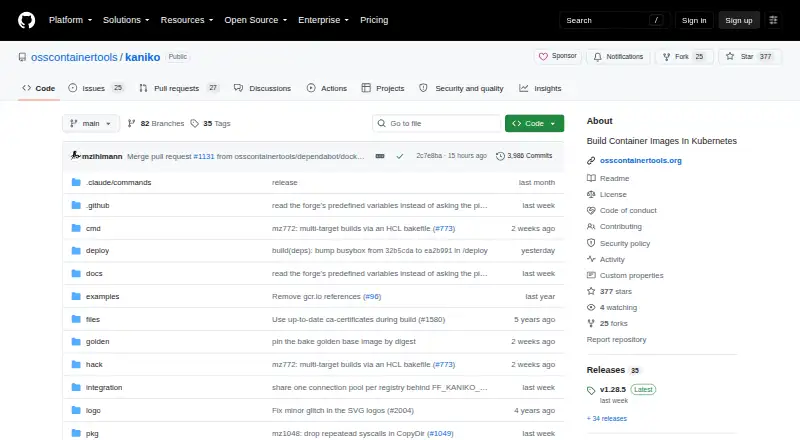
What Kaniko is
Kaniko is a free tool for building container images from Dockerfiles inside a container or Kubernetes cluster. It runs Dockerfile commands in userspace without a Docker daemon. Its executor extracts the base image filesystem, executes the Dockerfile instructions, records filesystem changes, and pushes the resulting image to a registry. Build contexts can come from local directories or tar files, standard input, GCS, S3, Azure Blob Storage, or Git repositories. The documentation describes use in Kubernetes, gVisor, Google Cloud Build, and Docker. Official container support includes linux/amd64 and linux/arm64; linux/s390x and linux/ppc64le are caveated for debug images. Kaniko does not build Windows containers or create multi-architecture manifests itself. It relies on container runtime security features and does not make untrusted builds safe on its own. Build tracing is off by default and can send Dockerfile instructions, build plans, cache keys, and CI attributes to an OpenTelemetry collector. Images from version 1.24.1 onward are signed with cosign, with keyless verification instructions provided.
Who it suits
Kaniko suits teams that need to build container images from Dockerfiles in containerized or Kubernetes environments without a Docker daemon. It is not suitable for building Windows containers or producing multi-architecture manifests by itself.
What it does well
- Builds images without a Docker daemon.
- Accepts build contexts from cloud storage and Git.
- Can run in Kubernetes and gVisor.
- Build tracing is off by default.
- Images from version 1.24.1 onward are cosign-signed.
What to know first
- Does not build Windows containers.
- Cannot create multi-architecture manifests itself.
- Does not make untrusted builds safe on its own.
- RUN --chown is unsupported.
Limits
The free Open-source kaniko plan is priced at $0. Kaniko does not build Windows containers or create multi-architecture manifests itself; its Dockerfile support also excludes RUN --chown.
Plans
| Plan | Billed and limits | Price |
|---|---|---|
| Open-source kaniko | Builds container images from Dockerfiles · distributed as container images | Free |
As github.com lists them, read 3 Oct 2026. The maker's own page has the final word.
Getting started
- Open the Kaniko project website on GitHub.
- Choose a run environment described in the documentation, such as Kubernetes, gVisor, Google Cloud Build, or Docker.
- Provide a Dockerfile build context from a local directory, tar file, standard input, GCS, S3, Azure Blob Storage, or a Git repository.
- Use a published release image from GitHub Container Registry or Docker Hub.
- Configure the executor to push the resulting image to a registry.
Verdict
Kaniko offers daemonless image builds and accepts contexts from local sources, cloud storage, and Git. Account for its Windows and multi-architecture limits, and handle untrusted builds with container runtime security in mind.
Questions
How much does Kaniko cost?
The Open-source kaniko plan is free.
Which platforms does Kaniko support?
The listed platforms are Linux and self-hosted. Official container support includes linux/amd64 and linux/arm64; linux/s390x and linux/ppc64le are caveated for debug images.
Does Kaniko need a Docker daemon?
No. It runs Dockerfile commands in userspace and does not depend on a Docker daemon.
Where can Kaniko get build contexts?
Supported sources include local directories or tar files, standard input, GCS, S3, Azure Blob Storage, and Git repositories.
Does Kaniko build multi-architecture images?
Multi-architecture builds are listed as yes, but Kaniko does not create multi-architecture manifests itself.
Who maintains Kaniko?
The project describes OSS Container Tools as five maintainers who rely on Kaniko in their own CI and continue it as a community effort. Community questions are directed to GitHub issues, with Matrix support and announcements rooms also available.
Facts from Kaniko's own pages
- Architecture support
- The documentation lists official container support for linux/amd64, linux/arm64, linux/s390x, and linux/ppc64le, with the latter two caveated for debug images. · github.com, 3 Oct 2026
- Build contexts
- Supported build context sources include local directories or tar files, standard input, GCS, S3, Azure Blob Storage, and Git repositories. · github.com, 3 Oct 2026
- Build process
- The executor extracts the base image filesystem, runs Dockerfile commands, snapshots filesystem changes, and pushes the resulting image to a registry. · github.com, 3 Oct 2026
- Daemonless builds
- Kaniko does not depend on a Docker daemon and executes Dockerfile commands in userspace. · github.com, 3 Oct 2026
- Dockerfile support limit
- Kaniko supports COPY --chown and ADD --chown but does not support RUN --chown. · github.com, 3 Oct 2026
- Image distribution
- The project publishes release images on GitHub Container Registry and Docker Hub. · github.com, 3 Oct 2026
- Image signing
- Kaniko images for versions 1.24.1 and later are signed with cosign, and the documentation gives instructions for keyless verification. · github.com, 3 Oct 2026
- Maintainers
- The project website describes OSS Container Tools as five maintainers who rely on Kaniko in their own CI and continue the project as a community effort. · osscontainertools.org, 3 Oct 2026
- Notable limits
- Kaniko does not support building Windows containers or creating multi-architecture manifests itself. · github.com, 3 Oct 2026
- Purpose
- Kaniko builds container images from Dockerfiles inside a container or Kubernetes cluster. · github.com, 3 Oct 2026
- Run environments
- The documentation describes running Kaniko in Kubernetes, gVisor, Google Cloud Build, and Docker. · github.com, 3 Oct 2026
- Security
- Kaniko relies on container runtime security features and says it does not by itself make untrusted builds safe to run. · github.com, 3 Oct 2026
- Support
- The project directs community questions to GitHub issues and offers Matrix support and announcements rooms. · github.com, 3 Oct 2026
- Telemetry
- Build tracing is off by default and can export Dockerfile instructions, build plan, cache keys, and CI attributes to an OpenTelemetry collector. · github.com, 3 Oct 2026
Where Kaniko stands on Freedom251
- Container Build Tools#17 of 34