Freedom251 › Cloud PC Services

JioPC
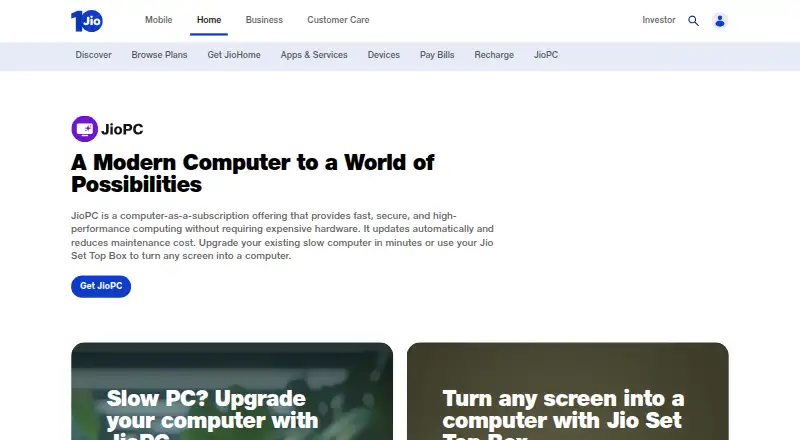
What JioPC is
JioPC is a cloud computer subscription that provides an Ubuntu/Linux desktop through an existing computer or a Jio Set Top Box connected to a screen. The desktop runs on remote servers and includes LibreOffice, web browsers, and design tools such as Adobe Express. The FAQ lists configurations with 4 CPU, 8 GB RAM and 500 GB storage, or 8 CPU, 16 GB RAM and 1 TB storage. With an active subscription, a laptop or desktop can connect through a supported browser and an internet connection. TV use requires a Jio Set Top Box, screen, keyboard and mouse, Jio broadband, and an active subscription. The Welcome Offer allows free exploration on a Jio Set Top Box, but no offer duration is stated. Jio manages cloud hardware maintenance and software updates. The monthly JioPC plan is ₹599 a month, billed ₹599 + GST for one month, with unlimited usage, 8 GB RAM, and 500 GB storage. A keyboard activation pack costs ₹1,111, paid once.
Who it suits
JioPC is described for work, learning, content creation, and trading. It may suit people who want a cloud desktop through a supported browser or a Jio Set Top Box setup.
What it does well
- Includes LibreOffice, browsers, and Adobe Express.
- Jio manages hardware maintenance and software updates.
- Free Welcome Offer on a Jio Set Top Box.
- Two hardware configurations are listed.
What to know first
- Browser access does not support USB drives.
- TV setup requires Jio broadband and a Jio Set Top Box.
- Set-top box shutdown ends the session after 15 minutes; unsaved work is lost.
Limits
The listed JioPC plan provides 8 GB RAM and 500 GB storage. Browser access does not allow USB drive access; after a set-top box is switched off, the desktop stays active for 15 minutes, then unsaved work is lost.
Plans
| Plan | Billed and limits | Price |
|---|---|---|
| JioPC Keyboard Activation Pack | One-time activation plan · 30 days JioPC subscription · wireless keyboard and mouse · 500 GB storage for 1 year | ₹1,111, paid once |
| JioPC | ₹4599 + GST · 12 months + 3 months offer · ₹599 x 15 + GST shown · Unlimited usage · 8 GB RAM · 500 GB storage | ₹4,599, paid once |
| JioPC | ₹599 + GST for 1 month · Unlimited usage · 8 GB RAM · 500 GB storage | ₹599 a month |
As jio.com lists them, read 10 Oct 2026. The maker's own page has the final word.
Getting started
- Open the JioPC website.
- For browser access, use a laptop or desktop with a supported browser and an internet connection.
- Activate a JioPC subscription.
- For TV access, connect a Jio Set Top Box to a screen and add a keyboard and mouse.
- Use Jio broadband for the set-top box setup, or explore the Welcome Offer on a Jio Set Top Box.
JioPC is a cloud computer that delivers an Ubuntu/Linux desktop through a browser or a Jio Set Top Box connected to a screen. It suits people who need a maintained desktop for office work, study, design, or trading without buying a full computer. The main trade-off is that access depends on Jio’s supported setup, and the browser and TV modes have practical limits.
Overview
JioPC runs the desktop on remote servers, so an existing computer only needs a supported browser and an internet connection. The Linux environment includes LibreOffice, web browsers for services such as Microsoft 365, and Adobe Express for design work. Jio manages the cloud hardware and software updates, which removes much of the maintenance normally associated with a personal computer.
Jio also describes enterprise-grade cloud storage, disaster recovery, and Zero Trust access, with user data kept in the cloud rather than on the local device. That approach is useful when you want a consistent workspace across compatible screens, but it makes the quality of your connection and Jio access setup central to the experience.
Key features
Remote Linux desktop
Ubuntu/Linux provides a familiar general-purpose environment for documents, browser-based applications, learning, content creation, and trading. LibreOffice covers common office files, while Adobe Express adds a defined design option. Users who require a different desktop operating system or specialist software outside this environment should look elsewhere.
Hardware configurations
The FAQ lists either 4 CPU cores with 8 GB of RAM and 500 GB of storage, or 8 CPU cores with 16 GB of RAM and 1 TB of storage. These tiers give a clear ceiling for workloads, but the published JioPC subscription specifies the 8 GB RAM and 500 GB configuration.
Maintenance and support
Jio handles cloud maintenance and updates instead of leaving those jobs to the user. Chat and email links are provided for guidance, giving subscribers a direct support route.
Pricing
JioPC
The standard plan costs ₹599 a month, billed at ₹599 plus GST for one month. It includes unlimited usage, 8 GB of RAM, and 500 GB of storage. This is the straightforward choice for regular users who already have compatible access equipment.
JioPC Keyboard Activation Pack
The 1111.00 INR one-time plan includes a 30-day JioPC subscription, a wireless keyboard and mouse, and 500 GB of storage for one year. It is aimed at setting up a TV-based workstation from scratch; after the included 30 days, ongoing access requires another subscription.
Free access
The Welcome Offer lets users explore JioPC free on a Jio Set Top Box. No offer duration is stated, so it should be treated as an introductory option rather than a guaranteed long-term plan.
Platforms
JioPC is delivered on Linux and through the web. Browser access works from a laptop or desktop with a supported browser and any broadband or internet connection, provided the subscription is active. TV access requires a Jio Set Top Box, a screen, keyboard, mouse, Jio broadband, and an active subscription.
Browser users cannot access USB drives through JioPC. In the Set Top Box setup, switching off the box leaves the desktop running for 15 minutes; work that has not been saved is lost when the session shuts down. Save before powering down, especially during longer documents or creative tasks.
Who it's for
JioPC is best for households, learners, and individuals who want an Ubuntu desktop for office work, online learning, content creation, or trading without maintaining local hardware. The Keyboard Activation Pack fits a TV workspace where the required peripherals are not already available. It is less suitable for USB-dependent workflows or anyone needing a different operating system or software stack.
Pros and cons
Pros
- Managed maintenance: Jio handles cloud hardware upkeep and software updates.
- Useful built-ins: LibreOffice, web browsers, and Adobe Express cover office, web, and basic design needs.
- Two access routes: A browser works on a compatible computer, while a Jio Set Top Box can turn a screen into a desktop setup.
- Cloud protection measures: Enterprise-grade storage, disaster recovery, and Zero Trust access are part of Jio’s stated security approach.
Cons
- Browser USB restriction: USB drive access is unavailable in the browser mode.
- TV shutdown risk: Unsaved work can disappear after the 15-minute post-shutdown period.
- Equipment dependence: TV use requires Jio broadband, a Set Top Box, screen, keyboard, and mouse.
- Linux-only environment: Users dependent on other desktop operating systems or unsupported specialist applications may find the platform unsuitable.
Alternatives
Browse Cloud PC Services for a wider directory of remote-desktop products.
LoLa Cloud PCs is the better fit when Android, iOS, macOS, or Windows access matters, or when a free personal plan for one person is sufficient.
Choose Amazon WorkSpaces when you need broad platform coverage, including Linux and web, plus a Windows single-session option priced at $4.19 per user per month before instance-hour charges.
Dizzion Cloud PC suits organisations seeking dedicated persistent desktops with configurable CPU or GPU workloads.
Pick Stim.io when Android, iOS, macOS, or web access is the priority.
Workspot Cloud PCs is aimed at enterprise deployments with configurable resources and use-based payment.
Ace Cloud Hosting Desktop as a Service is a better match for teams needing a Windows Server 2022 enterprise desktop and willing to pay per user.
Fantom Cloud PC is the alternative for one-time day-pass purchasing rather than a monthly JioPC subscription.
Infosaic Cloud Virtual Desktop offers paid desktop tiers with specified RAM, virtual cores, and storage allocations.
Verdict
Choose JioPC if you want a managed Ubuntu desktop for everyday productivity, learning, design, or trading and already have compatible browser or Jio TV equipment. Its strongest reason to buy is the combination of cloud maintenance, familiar Linux tools, and flexible screen access. Look elsewhere if USB storage is essential, your TV setup lacks Jio broadband and a Set Top Box, or your work depends on software outside the published Linux environment.
Verdict
JioPC provides a remote Ubuntu/Linux desktop with listed productivity and design tools, accessed through a browser or a specified TV setup. Consider the subscription cost and the USB and session limits before choosing it.
Questions
How much does JioPC cost?
JioPC is ₹599 a month, billed ₹599 + GST for 1 month. The Keyboard Activation Pack is ₹1,111, paid once.
Is there a free option?
Yes. The Welcome Offer lets users explore JioPC for free on a Jio Set Top Box.
Which platforms can access JioPC?
The listed access platforms are web and Linux. A laptop or desktop with a supported browser can access it, and TV access uses a Jio Set Top Box.
What does the monthly plan include?
The listed plan includes unlimited usage, 8 GB RAM, and 500 GB storage.
Can I use a USB drive?
USB drive access is not available when using JioPC through a browser.
Who makes JioPC?
JioPC is offered by Jio, whose headquarters are listed in Ahmedabad, Gujarat, India.
Facts from JioPC's own pages
- Browser access
- A laptop or desktop with a supported browser and any broadband or internet connection can access JioPC with an active subscription. · jio.com, 10 Oct 2026
- Browser limitation
- USB drive access is not available when using JioPC through a browser. · jio.com, 10 Oct 2026
- Cloud desktop
- JioPC runs on remote servers and its Ubuntu/Linux interface includes LibreOffice, web browsers, and design tools such as Adobe Express. · jio.com, 10 Oct 2026
- Free offer
- The Welcome Offer lets users explore JioPC for free on a Jio Set Top Box, and the page does not state an offer duration. · jio.com, 10 Oct 2026
- Hardware configurations
- The FAQ lists configurations with 4 CPU, 8 GB RAM and 500 GB storage, or 8 CPU, 16 GB RAM and 1 TB storage. · jio.com, 10 Oct 2026
- Headquarters
- Ahmedabad, Gujarat, India · jio.com, 28 Sept 2026
- Integrations
- The product page says the Ubuntu/Linux environment comes with LibreOffice, web browsers for online apps such as Microsoft 365, and Adobe Express. · jio.com, 10 Oct 2026
- Product
- JioPC is a cloud computer subscription that can turn an existing computer or a Jio Set Top Box connected to a screen into a computer. · jio.com, 10 Oct 2026
- Security
- Jio says user data is held in enterprise-grade cloud storage with disaster recovery and Zero Trust access, and is not kept on the device. · jio.com, 10 Oct 2026
- Set-top box session limit
- After the set-top box is switched off, the desktop remains running for 15 minutes; unsaved work is lost when it shuts down. · jio.com, 10 Oct 2026
- Set-top box setup
- TV access requires a Jio Set Top Box, a screen, a keyboard and mouse, Jio broadband, and an active subscription. · jio.com, 10 Oct 2026
- Software updates
- Jio says it manages cloud hardware maintenance and software updates, reducing the need for users to maintain or update the computer manually. · jio.com, 10 Oct 2026
- Support
- The product page offers chat and email support links under “Need guidance?”. · jio.com, 10 Oct 2026
- Who it is for
- Jio describes JioPC for work, learning, content creation, and trading. · jio.com, 10 Oct 2026
Where JioPC stands on Freedom251
- Cloud PC Services#4 of 28