Freedom251 › Web analytics tools

Jetpack Stats
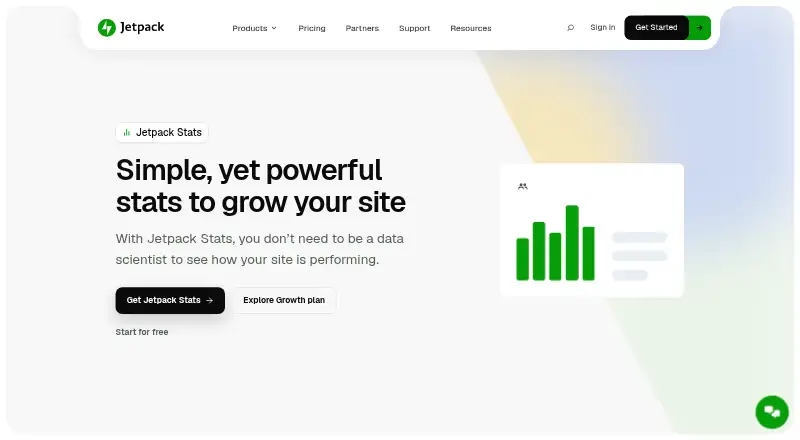
What Jetpack Stats is
Jetpack Stats is a website analytics dashboard for tracking audience, traffic, and content performance. It reports real-time visitors, likes, comments, traffic referrers, visitor countries, link clicks, video plays, and file downloads. Content reports highlight popular posts and pages, author performance, publishing trends, weekly Highlights, and a Year in Review. Site owners can also view WordPress and email subscribers, Jetpack Social follower totals, and which social networks share their content most. Stats can surface WooCommerce orders, refunds, shipping, and product trends, and monitor Jetpack Ads earnings. From the Stats area, users can promote content across WordPress.com and Tumblr with Blaze. Paid Stats includes UTM campaign tracking, device statistics, and region and city locations. Jetpack says Stats can run alongside Google Analytics on the same WordPress installation, supports GDPR compliance, and avoids showing site owners information that explicitly identifies individual viewers. Owners can configure it to honor Do Not Track requests with an added snippet, and download data as CSV from individual stats features. Setup uses the Jetpack plugin and its Stats tab; the free mobile app supports monitoring on iOS and Android. Jetpack is made by Automattic, which says it has operated since 2005.
Who it suits
Jetpack Stats suits WordPress site owners who want traffic and content reporting, including visibility into audience activity, popular pages, and sharing. The free plan is described for personal sites, while paid Stats adds campaign tracking and other reporting for sites starting at 10,000 monthly views.
What it does well
- Reports real-time visitors, referrers, link clicks, video plays, and downloads.
- Shows top posts and pages, author performance, and publishing trends.
- Offers unlimited data retention and CSV downloads.
- Can surface WooCommerce activity and Jetpack Ads earnings.
- Free Jetpack app monitors stats on iOS and Android.
What to know first
- The free Stats plan is for personal sites only.
- Paid Stats starts at 10,000 monthly site views.
- UTM tracking is included with the paid Stats plan.
Limits
The free Stats plan is described as being for personal sites. Paid Stats starts at 10,000 monthly site views and can be upgraded as traffic grows; the listed Paid Stats plan costs €7.95 a year, billed per month and billed yearly.
Plans
| Plan | Billed and limits | Price |
|---|---|---|
| Free | Basic traffic and content statistics · Available for personal sites | Free |
| Pay what you want | For personal sites · Priority support | On request |
| Paid Stats | Starts with 10K site views per month | On request |
| Stats Free | Basic stats · top posts and pages · referrers · GDPR compliant | Free |
| Stats | Name your price · personal sites · priority support | Free |
| Stats Paid | per month, billed yearly · Starts with 10K site views per month (upgradable) · UTM tracking · device stats · region and city locations · priority support | €7.95 |
As jetpack.com lists them, read 23 Sept 2026. The maker's own page has the final word.
Getting started
- Install the Jetpack plugin on your WordPress site.
- Open the Stats tab to access the dashboard.
- For mobile monitoring, use the free Jetpack app on iOS or Android.
- Choose a plan that fits your site; the free plan is for personal sites.
Jetpack Stats is a WordPress-focused analytics dashboard for tracking site traffic, audience and content performance. It is a strong fit for publishers and shop owners who want those signals alongside their WordPress work, though deeper campaign and device reporting requires a paid plan.
Overview
Stats combines live visitor activity with measures of what people read and interact with: referrers, visitor countries, likes, comments, link clicks, video plays and file downloads. Top posts and pages, author performance and publishing trends help connect traffic to content, while 7-day Highlights and a Year in Review provide short- and long-range summaries. That makes it more useful to a working publisher than a simple visitor counter, but its reporting is centered on a WordPress site rather than a general-purpose analytics setup.
Setup runs through the Jetpack plugin: install it, then open the Stats tab. Jetpack says Stats can run alongside Google Analytics on the same WordPress installation, so it need not replace an existing analytics service. Data retention is unlimited, and individual stats features can be downloaded as CSV. Jetpack says the service supports GDPR compliance and does not show site owners data that explicitly identifies individual viewers. Site owners can configure it to honor Do Not Track requests by adding a snippet.
Key features
- Traffic and content reporting: Live visitors, referrers, countries and engagement signals give publishers several ways to read audience response. Top-content and author reports add editorial context; paid Stats is needed for device statistics and region and city locations.
- Campaign tracking: UTM tracking is part of paid Stats, making that tier the relevant choice for attributing traffic to tagged campaigns. The free plan does not cover this need.
- Audience and social visibility: Stats can show WordPress and email subscribers, Jetpack Social follower totals and which social networks share content most. This is useful for publishers who want these audience signals near their site reporting.
- Commerce and promotion: WooCommerce orders, refunds, shipping and product trends can surface in Stats, alongside Jetpack Ads earnings. Blaze can promote content across WordPress.com and Tumblr from the Stats interface. These connections make the dashboard more relevant to a WordPress shop or publisher using Jetpack services.
- Event tracking: Event tracking is supported, adding an activity-reporting option beyond routine traffic measures.
- Mobile access and API: The free Jetpack mobile app lets users monitor stats on iOS and Android; Stats also supports API access.
Pricing
Jetpack Stats is freemium, with no free trial. The plan names and terms matter: the basic free offerings are explicitly limited to personal sites, while paid Stats begins at 10,000 monthly site views and can be upgraded as traffic grows.
| Plan | Price | What it includes and who it suits |
|---|---|---|
| Free / Stats Free | free | Basic traffic and content statistics; Stats Free specifies top posts and pages, referrers and GDPR compliance. Available for personal sites, so this is the sensible starting point for a personal WordPress site that needs basic reporting. |
| Pay what you want / Stats | free | Name your price; for personal sites, with priority support. This is the personal-site option for someone who wants priority support, but it does not remove the personal-site limit. |
| Paid Stats / Stats Paid | €7.95 a year (billed per month, billed yearly) | Starts with 10K site views per month and is upgradable. Includes UTM tracking, device stats, region and city locations, and priority support. It fits sites that need campaign attribution or more detailed visitor breakdowns; the monthly view threshold makes it less suitable for sites below that tier. |
The free plans give up UTM tracking and the additional paid reporting. Paid Stats includes priority support, while the free plan listing does not. The published annual term and monthly billing wording are both relevant when comparing the price with other tools.
Platforms
Jetpack Stats is available on web, Android and iOS, with API access. The Jetpack mobile app is free and supports monitoring stats on iOS or Android.
Who it's for
Choose Stats if your site runs on WordPress and you want content performance, audience signals and traffic reporting in the same workflow. WooCommerce operators can also benefit from surfaced order and product information, while publishers can use subscriber and social indicators to add context to traffic. It is less compelling for a site that needs campaign analysis or detailed device and city reporting without meeting the 10,000 monthly view starting tier.
Pros and cons
Pros
- Content reporting has editorial depth: Top posts, pages, author performance, publishing trends and recurring summaries go beyond a raw traffic tally.
- Useful WordPress context: Subscriber, social, WooCommerce and Jetpack Ads signals bring related activity into the same dashboard.
- Unlimited retention and CSV export: Stats data can be retained without a stated time limit and exported feature by feature.
- Personal sites can start free: Basic statistics are available free of charge.
Cons
- Free use is restricted: The free Stats plan is for personal sites only, limiting its fit for other site owners.
- Paid reporting has a traffic threshold: UTM tracking, device stats and finer location views start with the 10,000 monthly site view tier.
- Setup depends on Jetpack: Configuration requires installing the Jetpack plugin, so this is not a standalone analytics dashboard.
Alternatives
Web analytics tools is a useful directory for comparing the wider category. Consider PostHog instead if its freemium model, broad platform coverage or MIT-licensed open-source product better matches your needs. Zoho Apptics is another freemium option, with a free trial and a free tier that sets project, application, error and engagement quotas.
Matomo may suit readers who want a self-hosted option; its Community plan is free forever with unlimited users and hits, while Team is priced at €275 a year. Mixpanel is worth considering if its free tier's event and session-replay quotas or unlimited seats fit better than WordPress-centered reporting. Amplitude offers a free tier with 2M events per month, 10,000 monthly session replays and 2,000 AI feedback records, which may suit teams prioritizing those allowances.
Heap may be preferable for its free tier of 10,000 monthly sessions and six months of data history. Cloudflare Web Analytics is a free alternative for personal or hobby projects that are not business-critical. Umami is another option, with a free cloud Hobby plan and a Pro plan at $20 a month that includes 1 million events per month.
Verdict
Jetpack Stats is a good choice for WordPress publishers and shop owners who want audience, content and commerce signals close to their site workflow, with a free entry point for personal sites. Its main limitation is the boundary between that basic reporting and paid analysis: sites needing UTM tracking, device data or more precise location reporting must start at 10,000 monthly views. If those capabilities matter before that threshold, or WordPress integration is not the priority, another analytics tool is the better fit.
Verdict
Choose Jetpack Stats if you want WordPress audience, traffic, and content reporting with ecommerce and social visibility. The free plan is limited to personal sites; sites needing UTM tracking or the additional paid reporting start at the 10,000 monthly view tier.
Questions
Is Jetpack Stats free?
Yes. The Free and Stats Free plans are listed as free and include basic statistics. The free plan is described for personal sites.
What does the paid Stats plan cost?
The listed Stats Paid plan is €7.95 a year, billed per month and billed yearly. It starts at 10,000 monthly site views.
Which platforms are supported?
Jetpack Stats is listed for Android, iOS, web, and API. The free Jetpack mobile app monitors stats on iOS or Android.
Can it track ecommerce and campaigns?
Ecommerce tracking is listed, and Stats can surface WooCommerce orders, refunds, shipping, and product trends. UTM campaign tracking is included with the paid Stats plan.
Can Jetpack Stats be used with Google Analytics?
Jetpack says Stats can be used alongside Google Analytics on the same WordPress installation.
Who makes Jetpack?
Automattic identifies Jetpack among its products and says it has operated since 2005.
Facts from Jetpack Stats's own pages
- API access
- Yes · jetpack.com, 23 Sept 2026
- Audience and social
- Stats can show WordPress and email subscribers, Jetpack Social follower totals, and which social networks share content most. · jetpack.com, 12 Oct 2026
- Campaign tracking
- UTM tracking is included with the paid Stats plan to help understand campaign traffic. · jetpack.com, 12 Oct 2026
- Content analytics
- It shows top-performing posts and pages, author performance, publishing trends, 7-day Highlights, and Year in Review. · jetpack.com, 12 Oct 2026
- Data export
- Stats data can be downloaded as CSV from the bottom of an individual stats feature. · jetpack.com, 12 Oct 2026
- Data retention
- unlimited · jetpack.com, 23 Sept 2026
- DNT
- Site owners can configure Stats to honor visitors’ Do Not Track requests with an added snippet. · jetpack.com, 12 Oct 2026
- Ecommerce tracking
- Yes · jetpack.com, 23 Sept 2026
- Founded
- 2005 · jetpack.com, 28 Sept 2026
- Free plan
- Yes · jetpack.com, 23 Sept 2026
- Google Analytics
- Jetpack says Stats can be used alongside Google Analytics on the same WordPress installation. · jetpack.com, 12 Oct 2026
- Headquarters
- San Francisco, California, USA · jetpack.com, 28 Sept 2026
- Integrations
- Stats can surface WooCommerce orders, refunds, shipping, and product trends, and monitor Jetpack Ads earnings; Blaze can promote content across WordPress.com and Tumblr from Stats. · jetpack.com, 12 Oct 2026
- Limits
- The free Stats plan is described as for personal sites only; paid Stats starts at 10,000 monthly site views and can be upgraded as traffic grows. · jetpack.com, 12 Oct 2026
- Maker
- Automattic identifies Jetpack among the products it makes and says it has operated since 2005. · automattic.com, 12 Oct 2026
- Mobile app
- The free Jetpack mobile app lets users monitor site stats on iOS or Android. · jetpack.com, 12 Oct 2026
- Privacy
- Jetpack says Stats supports GDPR compliance and does not show site owners data that explicitly identifies an individual viewer. · jetpack.com, 12 Oct 2026
- Purpose
- Jetpack Stats provides a dashboard for understanding website audience, traffic, and content performance. · jetpack.com, 12 Oct 2026
- Setup
- Jetpack Stats is configured by installing the Jetpack plugin and opening the Stats tab. · jetpack.com, 12 Oct 2026
- Support
- The Stats paid plan includes priority support, while the free plan listing does not include it. · jetpack.com, 12 Oct 2026
- Visitor metrics
- It reports real-time visitors, likes, comments, traffic referrers, visitor countries, link clicks, video plays, and file downloads. · jetpack.com, 12 Oct 2026
Where Jetpack Stats stands on Freedom251
- Web analytics tools#8 of 142