Freedom251 › Software Packaging Tools

InstallAware
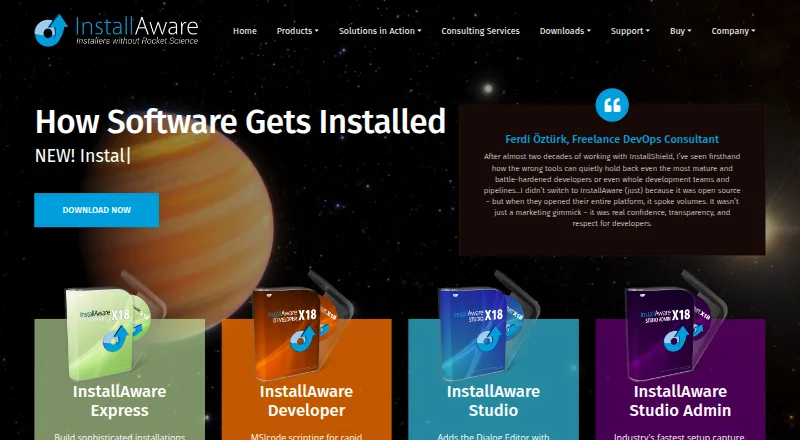
What InstallAware is
InstallAware 2026 is a setup builder for app and game developers working across Windows, macOS, and Linux. Listed output formats include MSI, EXE, MSIX, APPX, App-V, DEB, RPM, and PKG, with targets including Apple Intel, Apple Silicon, GTK2, Qt5, and Windows x86. Setups can be deployed over the web, and a minimum setup can work without an internet connection. The Developer edition builds MSIX packages and can bridge Win32, Win64, and .NET apps to the Windows Store. It also supports switching between Native Code and Windows Installer engines at runtime. InstallAware can build an App-V package from a setup project and includes a viewer for inspecting package contents. A free Visual Studio extension analyzes dependencies in a solution and creates and builds a setup from it. The freeware edition requires Visual Studio and is listed as free for commercial use. Free peer support forums are available, as is optional Gold support for priority technical support. A 30-day trial is listed.
Who it suits
It suits app and game developers preparing installers for Windows, macOS, or Linux. The Visual Studio freeware edition may suit developers who already meet its Visual Studio requirement.
What it does well
- Supports MSI, EXE, MSIX, and cross-platform package formats.
- Can create App-V packages and inspect their contents.
- Minimum setup can work without internet.
- Freeware edition is listed as free for commercial use.
What to know first
- The freeware edition requires Visual Studio.
- Download decompression requires a 64-bit operating system.
- Gold priority technical support is optional.
Limits
The free Visual Studio freeware edition requires Visual Studio. The listed single-file download requires a 64-bit operating system for decompression.
Plans
| Plan | Billed and limits | Price |
|---|---|---|
| InstallAware Free (Visual Studio freeware edition) | Requires Visual Studio · free for commercial use | Free |
As installaware.com lists them, read 29 Sept 2026. The maker's own page has the final word.
Getting started
- Open https://www.installaware.com/.
- Choose the free Visual Studio freeware edition or the 30-day trial.
- Install Visual Studio if using the freeware edition.
- Download the product; the single-file download requires a 64-bit operating system for decompression.
- Create a setup from a Visual Studio solution with the free extension, or use an InstallAware setup project.
InstallAware 2026 is a setup builder for developers shipping applications and games across Windows, macOS, and Linux. It is best suited to teams that need several installer formats, deployment modes, and Windows packaging options in one workflow. The free Visual Studio edition is a sensible entry point, while advanced Windows distribution work points toward the Developer edition.
Overview
InstallAware combines multi-platform development with a broad set of deliverables: MSI, EXE, MSIX, APPX, App-V, DEB, RPM, and PKG. That breadth helps a product team maintain releases for different operating systems without adopting separate packaging tools for every target. A Windows-only project may find the cross-platform scope unnecessary, however.
Setups can be deployed from the web, and the minimum setup can operate without an Internet connection. This gives administrators flexibility when some installations have restricted connectivity. InstallAware also supports command-line packaging, silent installation, auto-updates, delta updates, and CI/CD integration, so it can fit automated release pipelines rather than only interactive build processes.
Key features
The free Visual Studio extension examines solution dependencies and creates and builds an InstallAware setup from a Visual Studio solution. For commercial Windows software already developed in Visual Studio, that is a practical way to begin packaging without an additional licence fee. It is less suitable for teams that do not use Visual Studio, since the freeware edition requires it.
The Developer edition is where InstallAware becomes a more specialised Windows packaging tool. It creates MSIX packages and can bridge Win32, Win64, and .NET applications to the Windows Store. It can also switch between Native Code and Windows Installer engines at runtime, useful when one distribution process must accommodate different installation technologies.
InstallAware can build an App-V package from an InstallAware project and includes an App-V viewer for examining package contents. Code signing and Apple notarization are included among its standards-compliant capabilities, important for distributing signed Windows and macOS software. The target list covers Apple Intel, Apple Silicon, GTK2, Qt5, and Windows x86, giving teams concrete architecture and toolkit targets rather than only operating-system labels.
Pricing
InstallAware Free (Visual Studio freeware edition) — free. This edition is free for commercial use and targets Windows, macOS, and Linux, with outputs spanning MSI, EXE, MSIX, APPX, App-V, DEB, RPM, and PKG. It is the strongest fit for Visual Studio users who need a no-cost starting point and can accept the Visual Studio requirement.
InstallAware also offers a 30-day trial. The Developer edition has custom pricing; choose it when MSIX, Windows Store bridging, runtime engine switching, or App-V work justifies a paid package. Free peer-support forums are included, while optional Gold support adds priority technical support. The download's single-file decompression requires a 64-bit operating system.
Platforms
InstallAware supports development on Windows, macOS, and Linux. Its stated targets include Apple Intel, Apple Silicon, GTK2, Qt5, and Windows x86, with installer output for Windows, Linux, and macOS ecosystems. That makes it a credible choice for desktop vendors releasing the same product across several platforms.
Who it's for
Choose InstallAware if your release process needs multiple package formats, unattended or command-line deployment, update mechanisms, and CI/CD integration. Visual Studio teams get an especially accessible free route. The Developer edition is aimed at Windows publishers with Store, MSIX, or App-V requirements. Developers seeking a small, single-platform wrapper, or teams without Visual Studio that want the freeware edition, should look elsewhere.
Pros and cons
- Pro: One workflow covers Windows, macOS, and Linux outputs, reducing the need for separate packaging products.
- Pro: Command-line, silent-install, auto-update, delta-update, and CI/CD support suit repeatable release automation.
- Pro: The Visual Studio freeware edition is free for commercial use.
- Pro: Developer features address MSIX, Windows Store, App-V, signing, and notarization needs.
- Con: The freeware edition requires Visual Studio, excluding teams built around other development environments.
- Con: The most specialised Windows capabilities require the custom-priced Developer edition.
- Con: Cross-platform breadth can be unnecessary overhead for a Windows-only application.
Alternatives
For a wider comparison, see Software Packaging Tools.
Tauri Bundler is a free, open-source Rust library for wrapping Rust executables in OS-specific bundles, and it also targets Android and iOS; choose it when that Rust-based, broader mobile reach matters more than InstallAware's extensive installer formats.
Electron Forge is free for Linux, macOS, and Windows with no paid plans or usage limits stated; pick it for an Electron-oriented workflow without a paid tier.
makeself creates GPLv2-or-later self-extracting archives for Unix-compatible systems; choose it for straightforward archive-based distribution rather than multi-format desktop packaging.
nFPM is free across Linux, macOS, web, and Windows; it suits teams wanting a free packaging alternative without stated paid plans or usage limits.
electron-builder is a free Linux, macOS, and Windows option with no stated paid plans; choose it when an Electron packaging tool is the priority.
electron-packager is a free open-source Node.js library and CLI requiring Node.js 22.12.0 or newer; choose it for a minimal Node-based packaging route.
IzPack is Apache 2.0-licensed and free, with no paid plans listed; it is an alternative when that licensing model fits your installer project.
NSIS is completely free for any use, supports installers up to 2GB, and produces installers that run on Windows; choose it for free Windows installer creation rather than InstallAware's cross-platform scope.
Verdict
InstallAware is a strong choice for software teams that need one builder for several desktop platforms, package formats, automated deployment, and optional advanced Windows packaging. Start with the free Visual Studio edition if you already use Visual Studio; move to the custom-priced Developer edition for MSIX, Store, engine-switching, or App-V requirements. Look elsewhere if you need a lightweight single-platform tool or do not want a Visual Studio-dependent entry point.
Verdict
InstallAware covers multiple operating systems and installer formats, with additional packaging capabilities in the Developer edition. Note the Visual Studio requirement for the freeware edition and the separate optional Gold support.
Questions
Is InstallAware free?
Yes. The InstallAware Free Visual Studio freeware edition costs nothing and is listed as free for commercial use. It requires Visual Studio.
Does InstallAware offer a trial?
Yes. A 30-day trial is listed.
Which platforms does InstallAware support?
Windows, macOS, and Linux are listed as development platforms.
Which installer formats can it create?
Listed formats include MSI, EXE, MSIX, APPX, App-V, DEB, RPM, and PKG.
What does the Developer edition add?
It supports building MSIX packages, bridging Win32, Win64, and .NET apps to the Windows Store, and switching between Native Code and Windows Installer engines at runtime.
What support is available?
InstallAware offers free peer support forums and optional Gold support with priority technical support.
Facts from InstallAware's own pages
- App-V
- InstallAware can build an App-V package from an InstallAware setup project and includes an App-V viewer for inspecting package contents. · installaware.com, 29 Sept 2026
- Company
- InstallAware Software says it was founded in 2003 by InstallShield alumni and focuses on software installation tools. · installaware.com, 29 Sept 2026
- Deployment
- InstallAware supports web-deployed setups and says minimum setup can work without an Internet connection. · installaware.com, 29 Sept 2026
- Download requirement
- The freeware edition requires Visual Studio, and the product download page says its single-file download requires a 64-bit operating system for decompression. · installaware.com, 29 Sept 2026
- Founded
- 2003 · installaware.com, 28 Sept 2026
- Installer engines
- The Developer edition supports switching between Native Code and Windows Installer setup engines at runtime. · installaware.com, 29 Sept 2026
- Installer formats
- InstallAware describes support for package formats including DEB, RPM, and PKG. · installaware.com, 29 Sept 2026
- Product
- InstallAware 2026 is a multi-platform setup builder for app and game developers. · installaware.com, 29 Sept 2026
- Security and signing
- The multi-platform page lists code signing and Apple notarization among its standards-compliant capabilities. · installaware.com, 29 Sept 2026
- Support
- InstallAware offers free peer support forums and optional Gold support with priority technical support. · installaware.com, 29 Sept 2026
- Target systems
- The product page lists Windows, macOS, and Linux as development platforms and lists Apple Intel, Apple Silicon, GTK2, Qt5, and Windows x86 targets. · installaware.com, 29 Sept 2026
- Visual Studio
- The free Visual Studio extension analyzes solution dependencies and creates and builds an InstallAware setup from a Visual Studio solution. · installaware.com, 29 Sept 2026
- Windows packaging
- The Developer edition supports building MSIX packages and bridging Win32, Win64, and .NET apps to the Windows Store. · installaware.com, 29 Sept 2026
Where InstallAware stands on Freedom251
- Software Packaging Tools#9 of 29