Freedom251 › Software Packaging Tools
makeself
What makeself is
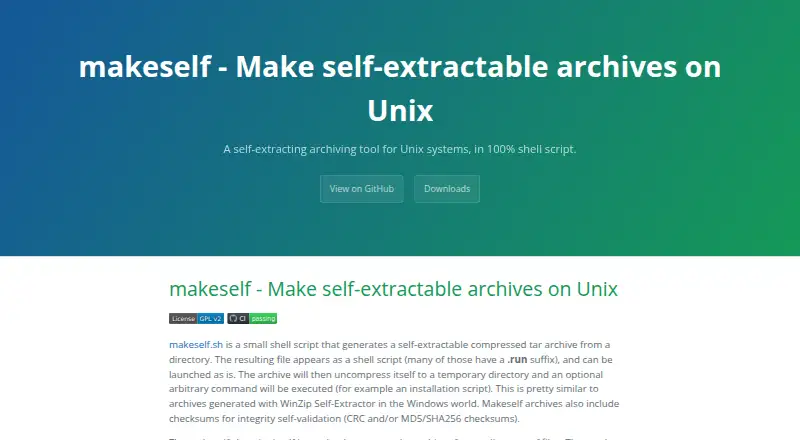
makeself is a shell script for packaging directories as self-extracting compressed TAR archives. Each archive combines the compressed files with a shell script stub that extracts them to a temporary directory and can run an optional command, such as an installation script. Options let archive users list files, check integrity, select an extraction target, request confirmation, or skip the embedded command. Integrity checks can use CRC or MD5, with optional SHA256. Compression choices include gzip, bzip2, bzip3, xz, lz4, and zstd, among others; extraction may require the corresponding compressor to be installed. Archive creation also offers GPG and OpenSSL encryption, which require those tools on the user's side. The project aims to avoid Bash-specific features and run with a compatible Bourne shell on Unix-compatible systems. The maker lists Linux, macOS, several Unix systems, BSD variants, and Windows through Cygwin or WSL among tested platforms. makeself is free under the GNU General Public License version 2 and above, though generated archives need not use that license. The project links its official distribution through GitHub.
Who it suits
It suits users packaging directories for shell-based distribution who can work with compatible Bourne shells. Windows users need Cygwin or WSL.
What it does well
- Creates self-extracting compressed TAR archives
- Supports several compression methods
- Archives can include CRC, MD5, or SHA256 checks
- Extraction options include integrity checks and target selection
- Free under GNU GPL version 2 and above
What to know first
- Additional compressors must be installed when required
- GPG or OpenSSL must be installed for encryption options
- Older archives before version 2.1.2 may have extraction problems on some GNU/Linux distributions
- Windows use is through Cygwin or WSL
Limits
The free Makeself plan is covered by GNU General Public License version 2 and above. Compression methods beyond the available default require their matching compressor to be installed for extraction; GPG or OpenSSL encryption likewise requires those tools to be installed by archive users.
Plans
| Plan | Billed and limits | Price |
|---|---|---|
| Makeself | GPL version 2 and above · self-extracting archives for Unix-compatible systems | Free |
As makeself.io lists them, read 9 Oct 2026. The maker's own page has the final word.
Getting started
- Visit the makeself website.
- Download the official distribution linked from the project page.
- Prepare a directory to package and choose a supported compression method.
- Install the corresponding compressor if using a method beyond the available default.
- Create a self-extracting archive and set any desired extraction controls or optional command.
Overview
Makeself turns a directory into a compressed TAR archive that runs as a shell script. It is best for developers and administrators distributing software or installation scripts across Unix-compatible systems. Its focused packaging model is a good fit for command-line delivery, but not for building native application bundles.
Key features
Each archive combines a TAR payload with a shell stub. On launch, the stub extracts files to a temporary directory, can run an optional command such as an installer, and removes temporary files afterward. That keeps a basic software handoff self-contained, while leaving recipients to run it in an environment with a compatible Bourne shell.
Recipients can list the archive's contents, check its integrity, choose where to extract, request confirmation, or skip the embedded command. CRC and MD5 checksums are supported, with SHA256 as an option. These controls help recipients inspect or validate a package and decide whether to run its command; they do not remove the need to trust the package itself.
Packagers can choose among gzip, bzip2, bzip3, xz, lz4, zstd, and other compressors. The range is useful when a project has a preferred compression method, but anyone extracting the archive needs the matching compressor for non-default methods. GPG and OpenSSL encryption are also supported, with the same practical caveat: archive users need the relevant tool installed.
Makeself avoids Bash-specific features and targets Unix-compatible systems with a Bourne shell. The maintainer identifies Linux, macOS, Solaris, HP-UX, SCO OpenUnix and OpenServer, AIX, IRIX, FreeBSD, OpenBSD, NetBSD, UnicOS/Cray, and Windows through Cygwin or WSL as tested. Older archives made before version 2.1.2 can encounter extraction problems on some GNU/Linux distributions due to obsolete head and tail syntax.
The project is licensed under GNU GPL version 2 or later, while archives made with it do not have to carry that license. A Maven plugin supports integration, with usage and bug reports handled through the plugin's project. The maintainer also invites patches and bug reports through GitHub and provides an email contact for suggestions.
Pricing
Makeself is free: the Makeself plan costs nothing under GPL version 2 and above. It provides self-extracting archives for Unix-compatible systems, with no paid tier or trial to weigh against it. The main cost is operational: recipients may need compatible shells, compression programs, or encryption tools installed, depending on how an archive was created.
Platforms
The target platforms include Linux, macOS, and Windows through Cygwin or WSL, as well as Solaris, HP-UX, AIX, FreeBSD, and OpenBSD. The broader tested list also includes SCO OpenUnix and OpenServer, IRIX, NetBSD, and UnicOS/Cray. Windows support depends on a Unix-like compatibility environment, so Makeself is not a native Windows installer format.
Who it's for
Makeself suits teams that need to deliver a compressed directory with a shell-based extraction or installation step, especially when users already work in Unix-like environments. Its command-line packaging and configurable extraction behavior suit scripts and utilities. Teams distributing desktop applications that need OS-specific bundles should choose a tool built for that job instead.
Pros and cons
- Pros: A free, focused format packages files and an optional command together, then cleans up temporary files after extraction.
- Pros: Recipients can inspect contents, validate checksums, choose an extraction target, request confirmation, or skip the embedded command.
- Pros: Multiple compression methods and optional GPG or OpenSSL encryption give packagers flexibility when the required tools are present.
- Cons: Extraction requires a compatible Bourne shell, and Windows users need Cygwin or WSL.
- Cons: Non-default compression and encryption depend on corresponding programs installed by archive users.
- Cons: Its shell-archive format does not provide the OS-specific app bundles offered by packaging tools aimed at desktop applications.
Alternatives
Choose Tauri Bundler when you need OS-specific app bundles for Rust executables across Android, iOS, Linux, macOS, or Windows; its public API stability is not strictly SemVer. Electron Forge, electron-builder, and electron-packager are free options for Linux, macOS, and Windows; electron-packager is an open-source Node.js library and CLI that requires Node.js 22.12.0 or higher.
nFPM is another free choice spanning Linux, macOS, web, and Windows. InstallAware has a free Visual Studio edition for commercial use and also offers a free trial. IzPack is free under Apache License 2.0 and supports self-hosted use. NSIS is free for any use, produces installers up to 2GB, and runs generated installers on Windows. Browse Software Packaging Tools for more options.
Verdict
Makeself is a strong, no-cost choice for developers and administrators who want to hand off a directory as a self-extracting shell archive with checks and an optional install command. Its flexibility is useful when recipients have compatible shells and tools; look elsewhere when distribution calls for native app bundles or Windows-native installers.
Verdict
makeself provides directory packaging with configurable extraction, integrity, compression, and optional encryption. Its command-line, shell-based approach requires compatible tools in the environments where archives are created or extracted.
Questions
Is makeself free?
Yes. The Makeself plan is free and is covered by GNU General Public License version 2 and above.
What does makeself create?
It creates self-extracting compressed TAR archives from directories. Listed output formats include self-extracting shell archives, compressed TAR, .run, and .sh.
Which systems are supported?
The maker lists Linux, macOS, Solaris, HP-UX, SCO OpenUnix and OpenServer, AIX, IRIX, FreeBSD, OpenBSD, NetBSD, UnicOS/Cray, and Windows through Cygwin or WSL among tested platforms.
Can an archive run an installation script?
Yes. An archive can execute an optional command, such as an installation script, after extracting its files.
What integrity checks are available?
Archives can include CRC or MD5 checksums, with optional SHA256 support.
Do the generated archives need to use the GPL?
No. makeself itself is covered by GNU General Public License version 2 and above, but generated archives do not have to use that license.
Facts from makeself's own pages
- Archive behavior
- An archive can extract to a temporary directory and run an optional command, such as an installation script. · makeself.io, 9 Oct 2026
- Archive controls
- Generated archives support options to list or check contents, choose an extraction target, request confirmation, or skip execution of the embedded script. · makeself.io, 8 Oct 2026
- Archive format
- Generated archives contain a compressed TAR archive with a shell script stub that extracts files, runs the embedded command, and removes temporary files when done. · makeself.io, 9 Oct 2026
- Compression
- The documented options include gzip, bzip2, bzip3, pbzip2, xz, lzo, lz4, zstd, pigz, and uncompressed TAR. · makeself.io, 9 Oct 2026
- Download
- The maker links to the official GitHub distribution and identifies version 2.7.1 as the latest official release on the page. · makeself.io, 9 Oct 2026
- Encryption
- The tool has options to encrypt archives with GPG or OpenSSL AES-256-CBC. · makeself.io, 9 Oct 2026
- Extraction
- Running an archive extracts it to a temporary directory and can execute an optional command, such as an installation script. · makeself.io, 8 Oct 2026
- Extraction controls
- Generated archives support options to list files, check integrity, choose an extraction target, prompt for confirmation, or skip running the embedded command. · makeself.io, 9 Oct 2026
- Integration
- The maker says Makeself is supported by a Maven plugin and directs users to that plugin project for usage and bug reports. · makeself.io, 9 Oct 2026
- Integrity
- Archives include checksums for integrity validation, with CRC, MD5, and optional SHA256 support. · makeself.io, 8 Oct 2026
- Integrity checks
- Archives can include CRC, MD5, or SHA256 checksums for integrity validation. · makeself.io, 9 Oct 2026
- License
- Makeself is covered by the GNU General Public License version 2 and above; the maker says generated archives do not have to use that license. · makeself.io, 9 Oct 2026
- Notable limitation
- The page notes that archives made before version 2.1.2 may have extraction problems on some GNU/Linux distributions because of obsolete head and tail syntax. · makeself.io, 8 Oct 2026
- Platforms
- The site lists Linux, macOS, several Unix variants, and Windows through Cygwin or WSL as tested platforms. · makeself.io, 8 Oct 2026
- Portability
- The maker says Makeself avoids Bash-specific features and is intended to run with compatible Bourne shells on Unix systems, when required compression programs are available. · makeself.io, 9 Oct 2026
- Purpose
- Makeself is a shell script that creates self-extracting compressed TAR archives from directories. · makeself.io, 9 Oct 2026
- Requirement
- Compression methods other than the available default require their corresponding compressor to be installed for archive extraction. · makeself.io, 9 Oct 2026
- Support
- The maintainer welcomes patches and bug reports through the GitHub project page and lists an email address for suggestions. · makeself.io, 9 Oct 2026
- Tested platforms
- The maker lists Linux, macOS, Solaris, HP-UX, SCO OpenUnix and OpenServer, AIX, IRIX, FreeBSD, OpenBSD, NetBSD, UnicOS/Cray, and Windows through Cygwin or WSL as tested platforms. · makeself.io, 9 Oct 2026
Where makeself stands on Freedom251
- Software Packaging Tools#13 of 29