Freedom251 › Software Packaging Tools
nFPM
What nFPM is
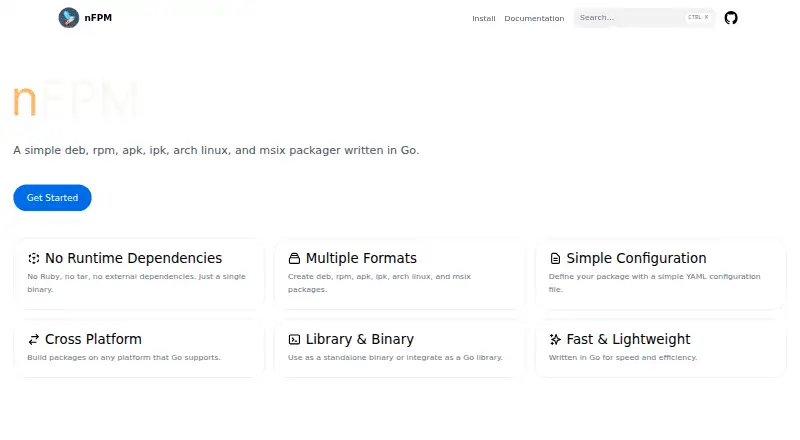
nFPM is a free Go tool for creating software packages in DEB, RPM, APK, IPK, Arch Linux, and MSIX formats. It works as a command-line tool or a Go library, and the project describes it as a single binary with no external runtime dependencies. A YAML configuration file defines package metadata, files, dependencies, scripts, and format-specific overrides. The project documents installation through package managers, prebuilt archives, Docker, Go install, or building from source; listed package manager options include Homebrew, Scoop, APT, Yum, Winget, and NPM. GoReleaser can use nFPM to generate and publish Linux packages and Windows MSIX packages. Its documented target platforms are Linux, macOS, and Windows. MSIX support is described as experimental, and symlinks are skipped in that format. The install guide says release artifacts are checksummed and the checksum is signed with cosign; Docker images are also signed. The project uses the MIT license and directs support questions to the GoReleaser community.
Who it suits
nFPM suits developers who need to build software packages from a Go command-line tool or library, particularly those seeking a packaging option without external runtime dependencies such as Ruby and tar.
What it does well
- Creates six listed package formats.
- Works as a CLI or Go library.
- YAML configuration covers metadata, files, and dependencies.
- Offers several documented installation routes.
- Free, with MIT licensing.
What to know first
- MSIX support is experimental.
- Symlinks are skipped for MSIX packages.
- Support questions go to the GoReleaser community.
Limits
The project lists nFPM at no cost; no usage limits are stated on the pages reviewed. MSIX support is experimental, and symlinks are skipped in MSIX packages.
Plans
| Plan | Billed and limits | Price |
|---|---|---|
| nFPM | No paid plans or usage limits stated on the pages reviewed | Free |
As nfpm.goreleaser.com lists them, read 8 Oct 2026. The maker's own page has the final word.
Getting started
- Open the nFPM website.
- Choose a documented installation route: package manager, prebuilt archive, Docker, Go install, or source build.
- If using a package manager, choose from Homebrew, Scoop, APT, Yum, Winget, or NPM.
- Define package metadata and contents in a YAML configuration file.
- Use nFPM from the command line or as a Go library.
nFPM is a Go-based package builder for developers shipping software to Linux distributions or Windows. It is best suited to command-line and Go build workflows; its broad format support is useful, but MSIX needs caution.
Overview
nFPM creates DEB, RPM, APK, IPK, Arch Linux, and MSIX packages from a YAML configuration. That makes it a focused option for developers who need distribution packages without introducing a graphical packaging workflow. The same configuration can cover metadata, files, dependencies, scripts, and format-specific overrides, so a project can accommodate target-specific differences while keeping common package details together.
It runs as a standalone binary without external runtime dependencies and can also be imported as a Go library. That is a practical advantage for build environments that should avoid dependencies such as Ruby and tar, and for projects that want packaging logic in Go code. The trade-off is a configuration-driven approach rather than a visual editor.
Key features
Multiple output formats
nFPM covers six package families, including several Linux formats and Windows MSIX. Shared configuration is useful when releases need more than one package type, while format-specific overrides help address differences among targets. MSIX is the exception to treat carefully: GoReleaser describes that support as experimental and says symlinks are skipped.
CLI, Go library, and release workflows
Use nFPM from the command line or call it as a Go library. GoReleaser can use it to generate and publish Linux packages and Windows MSIX packages, which gives teams already using that release tool a way to incorporate packaging into their workflow.
Installation and artifact checks
Installation options include package managers, prebuilt archives, Docker, Go install, and building from source. Documented package-manager choices include Homebrew, Scoop, APT, Yum, Winget, and NPM. Release artifacts are checksummed, and the checksum is signed with cosign; Docker images are also signed with cosign. These checks are useful for users who want verification steps when obtaining the tool or its container image.
Pricing
nFPM: free. The free plan has no paid tiers or stated usage limits, making it suitable for individuals and teams that want package creation without a subscription. The project is licensed under MIT. No seat count or renewal terms are stated.
Platforms
nFPM targets Linux, macOS, and Windows, and its package outputs include DEB, RPM, APK, IPK, Arch Linux, and MSIX. It also has web listed among its platforms, but the project is described as a command-line tool and Go library rather than a web-based packaging service.
Who it's for
Choose nFPM if you are a developer or release team that wants package creation in a build pipeline, needs several Linux package formats, or wants to invoke packaging from Go. Its lack of external runtime dependencies is especially relevant when you want to avoid installing Ruby and tar for packaging. It is less suitable for users who prefer a graphical installer-authoring workflow, or whose Windows release depends on MSIX behavior that cannot tolerate the documented experimental status or skipped symlinks.
Pros and cons
- Pro: One YAML configuration can define metadata, files, dependencies, scripts, and format-specific overrides, which helps manage releases for multiple package types.
- Pro: A standalone binary with no external runtime dependencies suits lean build environments.
- Pro: CLI and Go library use give teams more than one way to fit packaging into their workflow.
- Con: Configuration is the core workflow, so it is not a visual packaging tool.
- Con: MSIX support is experimental, and symlinks are skipped, limiting confidence for Windows packages that rely on them.
Alternatives
- Software Packaging Tools is the broader directory to consult when you want to compare packaging options beyond nFPM.
- Tauri Bundler is a free open-source Rust library for wrapping Rust executables in OS-specific app bundles; choose it when that Rust-oriented bundling model fits better, while noting its public API stability is not strictly SemVer.
- Electron Forge is a free alternative for teams packaging Electron applications across Linux, macOS, and Windows.
- makeself creates self-extracting archives for Unix-compatible systems under GPL version 2 and above; choose it when that archive format is the goal rather than distribution packages.
- electron-builder is a free alternative for packaging across Linux, macOS, and Windows.
- electron-packager is a free open-source Node.js library and CLI for Linux, macOS, and Windows; choose it if that ecosystem fits, provided Node.js 22.12.0 or higher is acceptable.
- InstallAware has a free Visual Studio edition for commercial use; choose it if Visual Studio is part of your setup.
- IzPack is a free Apache License 2.0 alternative for Linux, macOS, Windows, and self-hosted use.
- NSIS is free for any use, supports installers up to 2GB, and produces installers that run on Windows; consider it when Windows installers are the target.
Verdict
nFPM is a strong choice for developers who need multiple Linux package formats from a no-dependency binary, or want package creation available as Go code. Its free MIT-licensed offering and flexible integration options make it a practical build-workflow tool. Look elsewhere if you need a graphical authoring experience or dependable MSIX support without the experimental status and symlink limitation.
Verdict
nFPM offers package creation through a standalone binary or Go library, with configuration for multiple formats. Treat MSIX as experimental and account for its symlink limitation if that format matters.
Questions
How much does nFPM cost?
The listed plan is free.
Which package formats can nFPM create?
It creates DEB, RPM, APK, IPK, Arch Linux, and MSIX packages.
Can I use nFPM as a library?
Yes. It can be used as a Go library or as a command-line tool.
Which operating systems are listed?
The documented target platforms are Linux, macOS, and Windows.
How do I install nFPM?
Documented routes include package managers, prebuilt archives, Docker, Go install, and building from source.
What license does nFPM use?
The project identifies its license as MIT.
Facts from nFPM's own pages
- Artifact verification
- The install guide says release artifacts are checksummed and the checksum is signed with cosign; Docker images are also signed with cosign. · nfpm.goreleaser.com, 8 Oct 2026
- Configuration
- Packages are defined with a YAML configuration file. · nfpm.goreleaser.com, 8 Oct 2026
- Install options
- The project documents installation through package managers, prebuilt archives, Docker, Go install, or building from source. · nfpm.goreleaser.com, 8 Oct 2026
- Integrations
- GoReleaser can use nFPM to generate and publish Linux packages and Windows MSIX packages. · goreleaser.com, 8 Oct 2026
- Intended use
- The project presents nFPM as an alternative for users who want a simple binary or library without dependencies such as Ruby and tar. · github.com, 8 Oct 2026
- License
- The repository identifies its license as MIT. · github.com, 8 Oct 2026
- MSIX limitation
- The GoReleaser documentation describes MSIX support as experimental and says symlinks are skipped. · goreleaser.com, 8 Oct 2026
- Package contents
- Configuration can specify package metadata, files, dependencies, scripts, and format-specific overrides. · nfpm.goreleaser.com, 8 Oct 2026
- Purpose
- nFPM is a Go tool for creating deb, rpm, apk, ipk, Arch Linux, and MSIX packages. · nfpm.goreleaser.com, 8 Oct 2026
- Runtime
- The project describes nFPM as a single binary with no external runtime dependencies. · nfpm.goreleaser.com, 8 Oct 2026
- Security policy
- The GitHub repository links to a security policy. · github.com, 8 Oct 2026
- Support
- The repository directs users with questions or support needs to the GoReleaser community. · github.com, 8 Oct 2026
- Supported package managers
- Documented installation options include Homebrew, Scoop, APT, Yum, Winget, and NPM. · nfpm.goreleaser.com, 8 Oct 2026
- Ways to use
- nFPM can be used as a command-line tool or as a Go library. · nfpm.goreleaser.com, 8 Oct 2026
Where nFPM stands on Freedom251
- Software Packaging Tools#14 of 29