Freedom251 › Passport Photo Maker Software

idpic.app
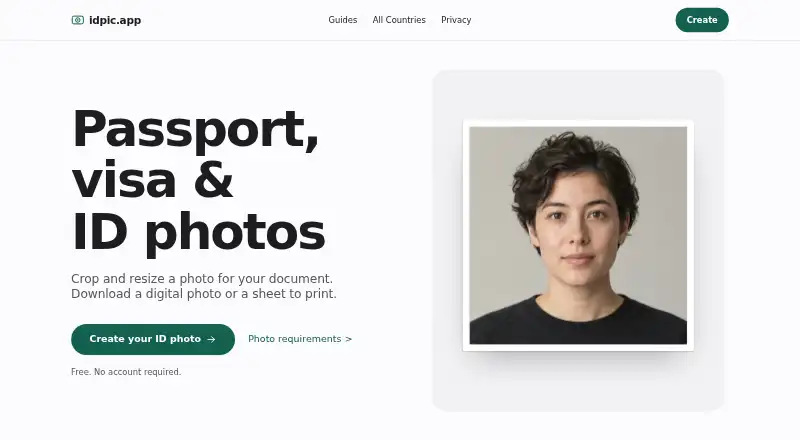
What idpic.app is
idpic.app is a free browser tool for preparing photos for passport, visa, and ID documents. It crops and resizes images, removes backgrounds, and checks size, position, and exposure. You can download a digital photo or create a print sheet. Its requirement listings cover 64 countries and 154 document formats. The free ICAO checker reviews biometric criteria including face framing, eye openness, expression, lighting, background, sharpness, and digital alterations. A separate Green Card checker checks 2×2 inch dimensions and biometric requirements, including photo age based on EXIF data. Image processing runs locally in the browser using WebAssembly and Web APIs. The privacy policy says photos, face data, and biometric data are not sent to or retained on the maker’s servers. The site loads external runtime and AI model files, which it says run in the browser without sending image data to third parties. Analytics activate only after consent. The service does not guarantee government acceptance, and some applications require a photographer or on-site capture.
Who it suits
It suits people preparing a personal passport, visa, or ID photo who want browser-based checks and a digital download or print sheet. It may not suit applications that require a photographer or on-site capture.
What it does well
- Free to use without an account or subscription.
- Lists requirements for 64 countries and 154 formats.
- Photo processing runs locally in the browser.
- Can create digital photos and print sheets.
What to know first
- Government authorities may not accept the output.
- Some applications require a photographer or on-site capture.
Plans
| Plan | Billed and limits | Price |
|---|---|---|
| Free | Free to use · no account or subscription required · no limits stated | Free |
As idpic.app lists them, read 2 Oct 2026. The maker's own page has the final word.
Getting started
- Open https://idpic.app/en-US in a web browser.
- Prepare a photo for a passport, visa, or ID document using the editor.
- Use the relevant photo checks and review any retake guidance.
- Download a digital photo or generate a print sheet.
Verdict
idpic.app brings photo preparation and biometric checks together in a free browser tool. Its acceptance disclaimer matters: some applications require an in-person photo, and the service does not guarantee approval.
Questions
How much does idpic.app cost?
The Free plan costs nothing. It is free to use without an account or subscription.
Is there a free trial?
No. The service has a Free plan and no free trial.
Which platforms does it support?
The listed platform is web; image processing runs in the browser.
What photo checks does it provide?
The free ICAO checker validates biometric photo criteria. A Green Card checker reviews 2×2-inch dimensions and biometric requirements, including photo age based on EXIF data.
Are photos sent to the maker’s servers?
The privacy policy says photos, face data, and biometric data are not transmitted to or retained on the maker’s servers. The site says its externally loaded runtime and AI models execute in the browser without sending image data to third parties.
Does it guarantee that an authority will accept my photo?
No. The service does not guarantee acceptance, and some applications require a photographer or on-site capture.
Facts from idpic.app's own pages
- Acceptance limitation
- The service does not guarantee that an output photo will be accepted by a government authority, and some applications require a photographer or on-site capture. · idpic.app, 2 Oct 2026
- Analytics
- PostHog analytics are hosted in the EU and activate only after consent; the policy says session replays capture clicks and scrolls, not photos, keystrokes, or personal information. · idpic.app, 2 Oct 2026
- Coverage
- The site lists photo requirements for 64 countries and 154 document formats. · idpic.app, 2 Oct 2026
- Device processing
- Image processing, including background removal, cropping, and brightness correction, runs locally in the browser using WebAssembly and Web APIs. · idpic.app, 2 Oct 2026
- Green Card checker
- The Green Card checker checks 2×2 inch dimensions and biometric requirements, including a photo age check based on EXIF data. · idpic.app, 2 Oct 2026
- ICAO checker
- The free ICAO checker validates biometric photo criteria such as face framing, eye openness, expression, lighting, background, sharpness, and digital alterations. · idpic.app, 2 Oct 2026
- Intended use
- The terms describe the service as for personal, lawful use and prohibit creating fraudulent documents or impersonating another person. · idpic.app, 2 Oct 2026
- Photo editing
- The editor can remove backgrounds, check size, position and exposure, generate a print sheet, and provide retake guidance. · idpic.app, 2 Oct 2026
- Privacy
- The privacy policy says photos, face data, and biometric data are not transmitted to the maker’s servers and are not retained there. · idpic.app, 2 Oct 2026
- Purpose
- The browser tool crops and resizes photos for passport, visa, and ID documents, with digital photo and print sheet downloads. · idpic.app, 2 Oct 2026
- Support
- The contact page says the team typically replies within 24 hours and provides separate general and privacy email addresses. · idpic.app, 2 Oct 2026
- Third-party services
- The site loads ONNX Runtime from jsDelivr and AI models for face detection and segmentation; it says they execute in the browser without sending image data to third parties. · idpic.app, 2 Oct 2026
Where idpic.app stands on Freedom251
- Passport Photo Maker Software#7 of 29