Freedom251 › Infographic Makers

Icongraph
What Icongraph is
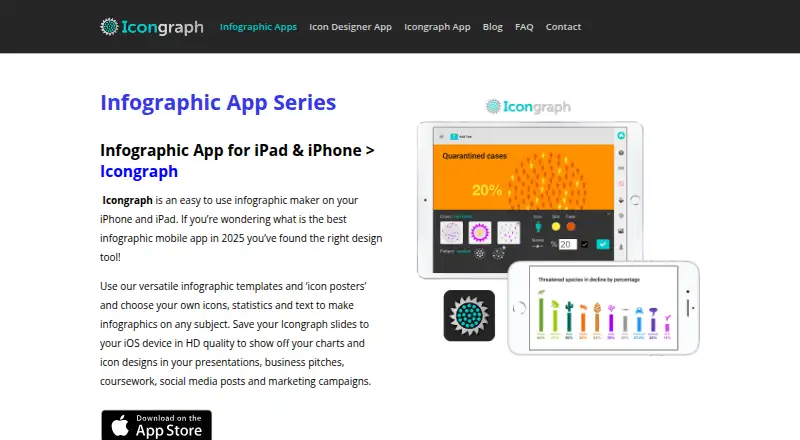
Icongraph is an iOS app for creating infographic charts and slides on iPhone and iPad. It gives non-designers a set of fixed templates, including statistics charts, infographics, maps, and icon posters. A searchable library with more than 2,000 icons adds visual elements to those layouts. The app exports finished designs as high-resolution PNG images to the device’s Photo Gallery, ready for presentations, websites, or social media. PNG files can also be imported into PowerPoint on a mobile device or tablet, or moved to a computer through iTunes, email, or Bluetooth.
Icongraph is free to download, with in-app purchases; infographic packs start at $4.99. Buying any Designs, Charts, or Map Template Pack removes the watermark logo. Designs may be used personally or commercially, but they cannot be resold or distributed. The current iOS app does not save charts or designs for later editing, and it cannot export animated charts as video or GIF files. Custom dimensions, PDF export, and SVG export are also unavailable. In-app purchases are billed through Apple iTunes, and Icongraph’s subscription was discontinued from version 1.1 onward.
Who it suits
Icongraph suits small business owners, marketers, charity workers, and other non-designers who need templated charts or infographic slides. It is for people who can work with PNG exports and do not need to return to a saved design for further editing.
What it does well
- Templates cover charts, infographics, maps, and icon posters.
- Searchable library includes more than 2,000 icons.
- Exports high-resolution PNGs to the iOS Photo Gallery.
- PNG files can be imported into PowerPoint on mobile or tablet.
- Created designs may be used personally or commercially.
What to know first
- Designs cannot be saved for later editing in the current iOS app.
- Animated charts cannot be exported as video or GIF.
- Custom dimensions, PDF export, and SVG export are unavailable.
- In-app purchases are billed by Apple iTunes.
Limits
The app is free to download, and infographic packs start at $4.99. The current iOS app cannot save work for later editing, export animated charts, or provide custom dimensions, PDF, or SVG output.
Plans
| Plan | Billed and limits | Price |
|---|---|---|
| Icongraph free download | Free to download · in-app purchases; infographic packs start at $4.99 | Free |
As icongraph.com lists them, read 7 Oct 2026. The maker's own page has the final word.
Getting started
- Visit the Icongraph website or download the free app on iOS.
- Choose a chart, infographic, map, or icon-poster template.
- Add visual elements from the searchable icon library.
- Export the finished design as a PNG to the device’s Photo Gallery.
- Import the PNG into PowerPoint or transfer it to a computer if needed.
- Purchase a Designs, Charts, or Map Template Pack to hide the watermark logo.
Verdict
Choose Icongraph if you want fixed templates and a large searchable icon library for producing PNG visuals on an iPhone or iPad. Look elsewhere if you need editable saved projects, animated exports, custom dimensions, PDF, or SVG output.
Questions
How much does Icongraph cost?
Icongraph is free to download with in-app purchases. Infographic packs start at $4.99.
Does Icongraph have a free plan?
Yes. The app is listed as free to download, with in-app purchases.
Which platforms does Icongraph support?
Icongraph is available on iOS for iPhone and iPad.
Can I edit a chart after saving it?
The current iOS app does not let users save charts or designs for later editing.
Can Icongraph export PDF, SVG, or animated charts?
It does not offer PDF or SVG export, and it cannot export animated charts as video or GIF files.
Can I use designs commercially?
Yes. Personal and commercial use is allowed, but reselling or distributing app-made designs and assets is prohibited.
Facts from Icongraph's own pages
- Android
- The FAQ states that an Android version is currently not planned. · icongraph.com, 7 Oct 2026
- Animation limit
- Icongraph cannot export animated charts as video or GIF files. · icongraph.com, 7 Oct 2026
- Audience
- The app is aimed at non-designers, including small business owners, marketers, and people in the charity sector. · icongraph.com, 7 Oct 2026
- Billing
- The terms say in-app purchases are purchased from and billed by Apple iTunes, and the Icongraph subscription was discontinued from version 1.1 onward. · icongraph.com, 7 Oct 2026
- Commercial use
- The terms allow personal and commercial use of designs created with the apps, but prohibit reselling or distributing app-made designs and assets. · icongraph.com, 7 Oct 2026
- Editing limit
- The FAQ says users cannot save charts and designs to edit them later in the current iOS app. · icongraph.com, 7 Oct 2026
- Export
- Icongraph exports high-resolution PNG images to the iOS device’s Photo Gallery for presentations, websites, and social media. · icongraph.com, 7 Oct 2026
- Icon library
- The app includes a searchable icon library of more than 2,000 icons. · icongraph.com, 7 Oct 2026
- Integrations
- Exported PNGs can be imported into PowerPoint on mobile or tablet; files can be transferred to a computer through iTunes, email, or Bluetooth. · icongraph.com, 7 Oct 2026
- Privacy
- The privacy policy says the apps do not directly collect or store customer data and do not sell or share user data. · icongraph.com, 7 Oct 2026
- Product
- Icongraph is a mobile app for making infographic charts and slides on iPhone and iPad. · icongraph.com, 7 Oct 2026
- Support
- The company says it aims to reply to contact requests within three working days. · icongraph.com, 7 Oct 2026
- Templates
- Icongraph offers fixed chart templates with statistics, along with infographic, map, and icon-poster templates. · icongraph.com, 7 Oct 2026
- Watermark
- Purchasing any Designs, Charts, or Map Template Pack automatically hides the watermark logo. · icongraph.com, 7 Oct 2026
Where Icongraph stands on Freedom251
- Infographic Makers#12 of 26