Freedom251 › File Shredder Software
iBeesoft File Shredder
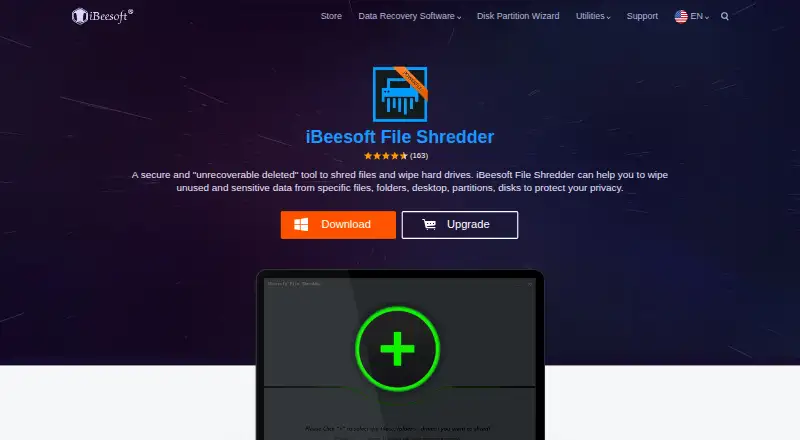
What iBeesoft File Shredder is
iBeesoft File Shredder is Windows software for permanently removing files and wiping data from storage. It can shred pictures, documents, videos, audio, archives, and emails, and wipe existing and historical data on HDDs and SSDs, selected partitions and volumes, external drives, and free space. The listed supported devices include USB drives, memory cards, digital cameras, external hard drives, and RAID. The maker says the software overwrites space during shredding with certified data-erasure algorithms. It lists Windows 10, 8, 7, Vista, XP, 2000, and Windows Server as supported systems, along with file systems including FAT 12/16/32, exFAT, NTFS, NTFS5, ext2, ext3, and HFS+. Minimum requirements are 100 MB of disk space, a 1 GHz 32-bit or 64-bit CPU, and 128 MB of RAM. The free plan is available. The File Shredder plan costs $9.90 a year, billed as a one-year subscription, for one PC or server. The maker advises backing up valuable data and checking selected folders carefully to avoid accidental loss.
Who it suits
This software may suit Windows users who need to permanently delete files or wipe data from drives and other listed storage devices. It is also relevant for users who want free-space wiping or file and folder shredding.
What it does well
- Shreds files and folders across several file types.
- Wipes HDDs, SSDs, partitions, volumes, and external drives.
- Free-space wiping is available.
- Supports Windows systems through Windows Server.
- Email response for free users is listed within 24 hours.
What to know first
- The listed plan costs $9.90 a year.
- The listed license covers one PC or server.
- An incorrect operation can cause data loss.
- Supported platforms are limited to Windows.
Limits
The paid File Shredder plan costs $9.90 a year and covers one PC or server. The maker warns that an incorrect operation can cause data loss.
Plans
| Plan | Billed and limits | Price |
|---|---|---|
| File Shredder | 1-year subscription · One License for 1 PC/Server · Windows 11/10/8/7/Vista/XP | $9.90 a year |
As ibeesoft.com lists them, read 8 Oct 2026. The maker's own page has the final word.
Getting started
- Visit https://www.ibeesoft.com/file-shredder/.
- Choose the free plan or the File Shredder plan.
- Install it on a supported Windows PC or server.
- Back up valuable data and check selected folders carefully before erasing.
Verdict
iBeesoft File Shredder covers both individual file deletion and broader drive wiping, with support for several Windows versions and storage types. Back up valuable data and check folders before erasing, since an incorrect selection can lead to data loss.
Questions
Is iBeesoft File Shredder free?
A free plan is available. The paid File Shredder plan costs $9.90 a year.
Which systems does it support?
The product lists Windows 10, 8, 7, Vista, XP, 2000, and Windows Server.
What can it erase?
It can shred files such as pictures, documents, videos, audio, archives, and emails, and wipe HDDs, SSDs, partitions, volumes, external drives, and free space.
What does the paid plan include?
The File Shredder plan is a one-year subscription for one PC or server.
What should I do before erasing files?
iBeesoft advises backing up valuable data and checking selected folders carefully to avoid data loss from an incorrect operation.
Facts from iBeesoft File Shredder's own pages
- Company
- iBeesoft says it was established in 2011 and has users in over 120 countries. · ibeesoft.com, 8 Oct 2026
- Drive wiping
- The product describes wiping existing and historical data on HDDs and SSDs, selected partitions and volumes, and external drives. · ibeesoft.com, 8 Oct 2026
- Erasure method
- The maker says the software uses certified data erasure algorithms and overwrites space during shredding. · ibeesoft.com, 8 Oct 2026
- File shredding
- The product can permanently shred and delete unnecessary files from a computer. · ibeesoft.com, 8 Oct 2026
- Founded
- 2011 · ibeesoft.com, 28 Sept 2026
- Privacy
- The company privacy policy says it collects information needed to complete purchases and deliver software, and says it will not sell, distribute, or rent purchase information to third parties. · ibeesoft.com, 8 Oct 2026
- Purpose
- iBeesoft File Shredder is described as software for shredding files and wiping hard drives to remove sensitive data. · ibeesoft.com, 8 Oct 2026
- Support
- iBeesoft says it provides technical support for all users and lists email support with a first response within 24 hours for free users. · ibeesoft.com, 8 Oct 2026
- Supported file systems
- The product page lists FAT 12/16/32, exFAT, NTFS, NTFS5, ext2, ext3, and HFS+. · ibeesoft.com, 8 Oct 2026
- Supported file types
- The product says it can shred pictures, documents, videos, audio, archives, and emails. · ibeesoft.com, 8 Oct 2026
- Supported storage
- The product lists HDDs, SSDs, USB and memory cards, digital cameras, external hard drives, and RAID among supported storage devices. · ibeesoft.com, 8 Oct 2026
- System requirements
- The listed minimum requirements include 100 MB disk space, a 1 GHz 32-bit or 64-bit CPU, and 128 MB RAM. · ibeesoft.com, 8 Oct 2026
- Use caution
- The maker advises backing up valuable data and checking selected folders carefully to avoid data loss from an incorrect operation. · ibeesoft.com, 8 Oct 2026
- Windows support
- The product page lists Windows 10/8/7/Vista/XP/2000 and Windows Server as supported systems. · ibeesoft.com, 8 Oct 2026
Where iBeesoft File Shredder stands on Freedom251
- File Shredder Software#12 of 27