Freedom251 › Photo Scanning Software
HP ZCentral Remote Boost
What HP ZCentral Remote Boost is
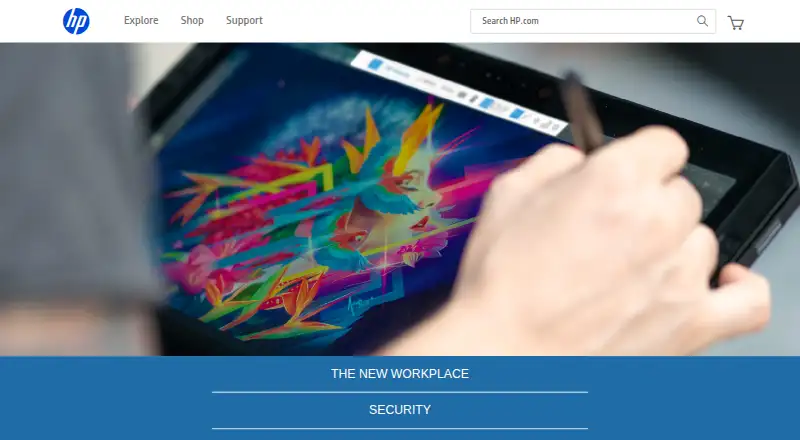
HP ZCentral Remote Boost is presented on HP’s current page as HP Z Remote Graphics Software (RGS). It provides remote access to workstation-class systems for graphics-intensive work where image quality and low latency matter. RGS supports physical, virtual, and cloud-based workstations, including desktop, mobile, and rack-mounted deployments. Windows, Linux, and macOS devices are supported, with file transfer, pen and tablet input, and shared-workflow collaboration. Users can host real-time review sessions from design applications with full-resolution screen sharing, including on HP and non-HP devices. HP says pixels are transmitted while data remains encrypted on the workstation. Licensing uses concurrent sessions, with one-year and three-year subscriptions available through resellers. A 30-day free trial is available by request. Connections require network access, and the remote experience varies with network conditions.
Who it suits
RGS is suited to engineering, CAD, 3D design, media, visualization, simulation, and production teams. It also fits organizations deploying physical, virtual, or cloud workstations.
What it does well
- Supports Windows, Linux, and macOS
- Works with physical, virtual, and cloud workstations
- Provides full-resolution review sessions
- Includes file transfer and tablet input
- Offers a 30-day trial by request
What to know first
- No free plan
- Pricing is available on request
- Requires network access
- Experience varies with network conditions
Limits
Connections depend on network access, with remote experience varying according to network conditions.
Plans
| Plan | Billed and limits | Price |
|---|---|---|
| HP RGS 1-year subscription | Concurrent-session licensing · Available through an HP reseller | On request |
| HP RGS 3-year subscription | Concurrent-session licensing · Available through an HP reseller | On request |
As enable.hp.com lists them, read 20 Sept 2026. The maker's own page has the final word.
Getting started
- Open HP’s ZCentral Remote Boost page
- Request the 30-day free trial
- Choose a one-year or three-year concurrent-session subscription
- Obtain the subscription through an HP reseller
- Deploy RGS on a physical, virtual, or cloud workstation
- Connect from a Windows, Linux, or macOS device with network access
Verdict
RGS targets remote workstation use where graphics quality and collaborative review are priorities. Concurrent-session licensing and network dependence should be assessed before deployment.
Questions
Is there a free trial?
HP offers a 30-day free trial by request. There is no free plan listed.
What platforms does RGS support?
RGS supports Windows, Linux, and macOS, and can be used with HP and non-HP devices.
How is RGS licensed?
It uses concurrent-session licensing. One-year and three-year subscriptions are available through HP resellers.
What workstations can it connect to?
RGS supports physical, virtual, and cloud-based workstation deployments, including desktop, mobile, and rack-mounted workstations.
Does it support collaboration and input devices?
The product lists full-resolution review sessions, shared-workflow collaboration, pen input, tablet input, and file transfer.
Who makes the product?
HP presents the product as HP Z Remote Graphics Software, the path forward for workstation-class HP Anyware and PCoIP customers.
Facts from HP ZCentral Remote Boost's own pages
- Collaboration
- Users can host real-time review sessions from design applications with full-resolution screen sharing. · hp.com, 9 Oct 2026
- Deployment
- RGS supports physical, virtual, and cloud-based workstation deployments, including desktop, mobile, and rack-mounted workstations. · hp.com, 9 Oct 2026
- File transfer
- Yes · hp.com, 20 Sept 2026
- Free plan
- No · hp.com, 20 Sept 2026
- Input and collaboration
- The current page lists pen and tablet input, shared-workflow collaboration, and use on HP and non-HP devices. · hp.com, 9 Oct 2026
- Intended users
- HP identifies engineering, CAD, 3D design, media, visualization, simulation, and production teams as suitable users. · hp.com, 9 Oct 2026
- Licensing
- RGS uses concurrent-session licensing, and HP offers 1-year and 3-year subscriptions through resellers. · hp.com, 9 Oct 2026
- Network requirement
- HP says RGS connections require network access and that remote experience varies with network conditions. · hp.com, 9 Oct 2026
- Platforms
- The current page lists Windows and Linux senders, with Windows, Linux, and macOS receivers. · hp.com, 9 Oct 2026
- Product status
- HP’s current product page presents HP Z Remote Graphics Software (RGS) as the path forward for workstation-class HP Anyware and PCoIP customers. · hp.com, 9 Oct 2026
- Purpose
- RGS provides remote access to workstation-class systems for graphics-intensive work that needs high image quality and low latency. · hp.com, 9 Oct 2026
- Security
- HP says RGS transmits pixels while data stays encrypted on the workstation. · hp.com, 9 Oct 2026
- Support
- HP links to an RGS support forum from the product page. · hp.com, 9 Oct 2026
- Supported platforms
- Windows,Linux,macOS · hp.com, 20 Sept 2026
- Trial
- HP’s current page offers a 30-day free trial by request. · hp.com, 9 Oct 2026
Where HP ZCentral Remote Boost stands on Freedom251
- Photo Scanning Software#19 of 29
- Remote desktop software#107 of 135