Freedom251 › Photo Scanning Software
Filmomat SmartConvert
What Filmomat SmartConvert is
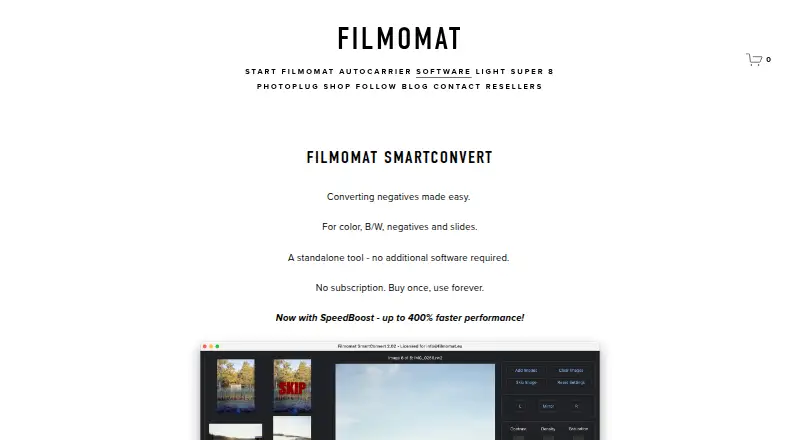
Filmomat SmartConvert is a standalone macOS and Windows tool that converts color or monochrome negatives and slides into positive images, with a workflow aimed at DSLR-scanned film. It accepts common RAW formats and TIFF files, but JPG input is not supported. AutoCrop detects the film frame, applies cropping and tilt correction, and allows manual adjustment; a light-source calibration image can correct vignetting. Color controls include automatic white balance, CMY adjustments, and gray-area selection. A hot folder can import saved camera frames, including files supplied by tethering software. Exports are TIFF or JPG: TIFF files are full 16-bit, while JPG files include an AdobeRGB profile. The maker says processing usually takes 1–3 seconds per image and advertises SpeedBoost as up to 400% faster. The demo watermarks previews and exports. Essential updates and bug fixes are free, while major feature expansions may be paid plugins. The Full License V3.40 costs €199, paid once for one user on up to four personal devices.
Who it suits
SmartConvert suits photographers converting DSLR-scanned color or monochrome film on macOS or Windows. It is useful for workflows needing frame correction, color controls, hot-folder imports, and TIFF or JPG export.
What it does well
- Standalone tool
- Auto-crop and deskew correction
- Flat-field vignetting correction
- RAW and TIFF input
- 16-bit TIFF export
What to know first
- JPG input is not supported
- Demo adds watermarks
- Full license costs €199, paid once
- Major feature expansions may be paid plugins
Plans
| Plan | Billed and limits | Price |
|---|---|---|
| SmartConvert Full License V3.40 | €199,00 EUR, single-user license · Windows 8 or macOS 11+ · up to 4 personal devices · license sharing prohibited | €199, paid once |
As filmomat.eu lists them, read 7 Oct 2026. The maker's own page has the final word.
Verdict
SmartConvert provides a focused negative-to-positive workflow with cropping, calibration, color adjustment, tethered imports, and high-bit-depth TIFF output. Buyers should account for the unsupported JPG input and the demo watermark before choosing a license.
Facts from Filmomat SmartConvert's own pages
- AutoCrop
- AutoCrop detects the film frame and applies a crop and tilt, with manual crop adjustment also available. · filmomat.eu, 7 Oct 2026
- Demo limitation
- The demo displays a watermark on both the preview and exported image. · filmomat.eu, 7 Oct 2026
- Export
- The software exports TIFF or JPG, with TIFFs at full 16-bit and JPGs with an embedded AdobeRGB profile. · filmomat.eu, 7 Oct 2026
- Flat-field correction
- A calibration image of the light source can be used to correct vignetting in scanned images. · filmomat.eu, 7 Oct 2026
- Headquarters
- Munich, Germany · filmomat.eu, 28 Sept 2026
- Image formats
- It supports common RAW file types and TIFF input, but the quick-start guide says JPG input is not supported. · filmomat.eu, 7 Oct 2026
- Intended workflow
- The maker presents SmartConvert for converting DSLR-scanned negatives and describes its workflow as inspired by industrial film scanners such as the Fuji Frontier. · filmomat.eu, 7 Oct 2026
- Performance
- The product page says processing usually takes 1–3 seconds per image and advertises SpeedBoost as up to 400% faster. · filmomat.eu, 7 Oct 2026
- Privacy
- Filmomat's privacy policy describes personal-data processing for its website, shop, requests, and contracts; it does not specify SmartConvert's image-processing data practices. · filmomat.eu, 7 Oct 2026
- Purpose
- SmartConvert converts color and monochrome negatives and slides into positive images. · filmomat.eu, 7 Oct 2026
- Standalone
- The product page describes SmartConvert as a standalone tool that requires no additional software. · filmomat.eu, 7 Oct 2026
- Support
- The maker lists [email protected] as its contact email. · filmomat.eu, 7 Oct 2026
- Tethering workflow
- A hot folder automatically imports saved images and can be used with tethering software that captures camera frames to that folder. · filmomat.eu, 7 Oct 2026
- Updates
- Essential updates and bug fixes are included at no charge, while major feature expansions may be offered as paid plugins. · filmomat.eu, 7 Oct 2026
- White balance
- Users can apply automatic white balance, adjust color with CMY controls, or click a gray area in the image. · filmomat.eu, 7 Oct 2026
Where Filmomat SmartConvert stands on Freedom251
- Photo Scanning Software#20 of 29