Hecate
What Hecate is
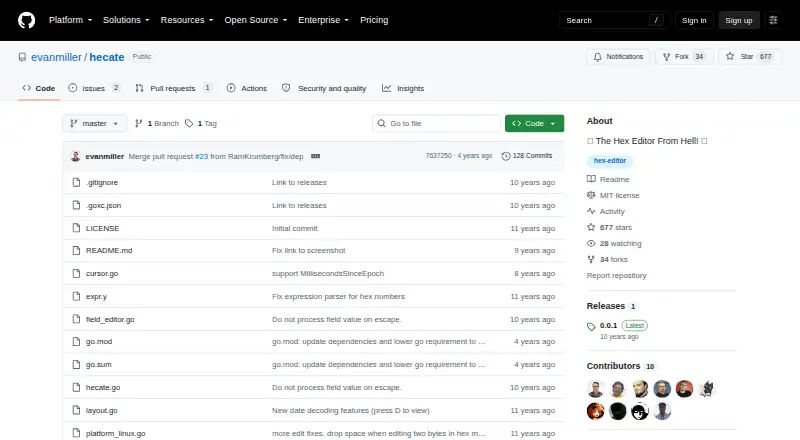
Hecate is a free terminal hex editor for inspecting and changing file data. It displays interpreted values beneath each byte's hexadecimal representation, with views for text, bit patterns, integers and floating-point values. Vim-like controls move the cursor, and edits can be written back to disk. The README lists tabbed browsing, large-file support, full-file searching and expressions for specifying file offsets. It also describes byte interpretation as useful for reverse-engineering work. Hecate can toggle endianness and signedness, decode dates and use a configurable date epoch. Downloads are linked for Linux, Mac OS X and Windows, and the README gives a Go command for compiling the program from source. The repository identifies the license as MIT, and the Free plan is listed as free. The releases page labels version 0.0.1 as the latest release. The README provides usage instructions and a help-screen command, but does not state a support service. The MIT license says the software comes without warranty.
Who it suits
Hecate suits people who want to inspect or edit bytes in a terminal, including for reverse-engineering work. Its multiple value interpretations may help readers who need to view the same data in different formats.
What it does well
- Free plan costs nothing.
- Interprets bytes as text, integers and other forms.
- Supports large files and full-file searching.
- Edits can be written directly to disk.
- Downloads are linked for Linux, Mac OS X and Windows.
What to know first
- Latest release is labeled version 0.0.1.
- MIT license provides the software without warranty.
- No support service is stated.
Plans
| Plan | Billed and limits | Price |
|---|---|---|
| Free | MIT-licensed software · no plan limits stated | Free |
As github.com lists them, read 8 Oct 2026. The maker's own page has the final word.
Getting started
- Visit the Hecate GitHub repository.
- Choose the download for Linux, Mac OS X, or Windows.
- Alternatively, use the README's Go command to compile Hecate from source.
- Consult the README usage instructions or run its help screen command.
Hecate is a terminal tool for inspecting and editing file bytes, best suited to people investigating unfamiliar data or doing reverse-engineering work. Its strongest case is the ability to read bytes through several interpretations without leaving the editor; it is less suitable if you want a graphical interface.
Overview
Hecate places interpreted values beneath their hexadecimal bytes, making it possible to compare how the same data appears as text, bit patterns, integers, or floating-point values. Date decoding and controls for endianness and signedness extend that view when a field’s representation is unclear. This makes Hecate useful for probing data structures, though its terminal-first approach assumes comfort with a command-oriented workspace.
It supports in-place edits and writing changes to disk. Tabs, large-file support, full-file search, and expressions for file offsets give users several ways to move through data. Vim-like cursor controls will feel natural to users familiar with that style, but are not a substitute for a graphical editor for those who prefer one.
Key features
- Multiple value modes: Read bytes as text, bit patterns, integers, or floating-point values, with date decoding as another interpretive tool. The breadth is useful when a single view does not explain a field.
- Representation controls: Toggle endianness and signedness and configure the date epoch. These options help distinguish how bytes are encoded rather than treating a displayed value as definitive.
- Editing and navigation: Edit data in place, write it to disk, browse with tabs, and search across a file. Large-file support and offset expressions are practical for working through sizable or unfamiliar files.
- Terminal operation: Vim-like cursor movement favors users who already work comfortably in terminal tools; it may be a barrier for users seeking mouse-driven visual navigation.
Pricing
Hecate is free under the MIT license, with no plan limits stated. There is no free trial because the software is free. The MIT license provides the software “AS IS” without warranty, so users should account for that when relying on it for important file changes.
The README provides usage instructions and a help-screen command, but no support service is stated. Users can download builds for Linux, Mac OS X, and Windows, or compile from source with go get -u github.com/evanmiller/hecate. The latest release is version 0.0.1, released on May 20, which makes Hecate a cautious pick for anyone who prioritizes a more mature release history.
Platforms
Hecate supports Linux, macOS, and Windows. Its terminal interface is consistent with its command-oriented workflow across those platforms.
Who it's for
Hecate is a strong fit for technically comfortable users who need to inspect or alter bytes and want to compare text, numeric, bit-level, and date interpretations in one place. Reverse-engineering work is a particularly apt use. It is a weaker fit for people who need a graphical editor, formal support, or a release history beyond version 0.0.1.
Pros and cons
Pros
- Several interpretations in one view: Text, bit patterns, integers, floating-point values, and date decoding help make ambiguous bytes easier to investigate.
- Useful navigation for large or unfamiliar files: Tabs, full-file search, large-file support, and offset expressions give users multiple ways to locate data.
- Free and cross-platform: The MIT-licensed software runs on Linux, macOS, and Windows.
Cons
- Terminal-only interface: Users who want a graphical workspace should choose another editor.
- Early latest release: Version 0.0.1 is the latest release, which may not suit users looking for a longer release history.
- No stated support service or warranty: Users have README usage instructions and a help command, but should not expect a stated support service or warranty.
Alternatives
Compare hex editors if you want to survey the category before choosing a tool.
- HexEd.it is a free alternative spanning Android, iOS, Linux, macOS, web, and Windows; choose it if browser or mobile availability matters.
- Bedrock Viz is a free Linux, macOS, web, and Windows option focused on Minecraft Bedrock Edition worlds, so it is the more relevant choice for that use.
- BinEd is a free, open-source editor available on Android, Linux, macOS, web, and Windows; choose it if Android or web access is important.
- dhex is a free Linux and macOS alternative for users who want another option on those desktop platforms.
- ImHex is a free, open-source hex editor for Linux, macOS, and Windows; consider it if you want a cross-platform open-source alternative.
- REHex is a free GPL-2.0 option with Windows, macOS, and Linux packages; choose it if that licensing and package combination suits your needs.
- wxHexEditor is a free hex and disk editor for Linux, macOS, and Windows; consider it if disk editing is part of your requirements.
- wxMEdit supports text, column, and hex editing on Linux, macOS, and Windows, with hex mode for files up to 32GB; choose it if you need those editing modes and that stated file-size ceiling.
Verdict
Choose Hecate if you need a free terminal hex editor for reverse-engineering or byte-level investigation, especially when multiple interpretations, search, and large-file support matter. Its main advantage is the range of ways it can display data in one workflow; look elsewhere if you need a graphical interface, stated support, or a more established latest release.
Verdict
Hecate combines byte editing with several ways to interpret data, plus search and tabbed browsing. Its latest listed release is 0.0.1, and the license provides no warranty.
Questions
Is Hecate free?
Yes. Its listed plan is free.
Which platforms does Hecate support?
It supports Linux, macOS, and Windows.
Is Hecate open source?
The repository identifies its license as MIT.
What kinds of values can it display?
It can interpret bytes as text, bit patterns, integers, and floating-point values. It also supports date decoding.
Can I edit data with Hecate?
Yes. Users can edit data in place and write changes to disk.
What is the latest release?
The Releases page labels version 0.0.1 as the latest release.
Facts from Hecate's own pages
- Browsing and search
- Hecate supports tabbed browsing, large files, and full-file searching. · github.com, 8 Oct 2026
- Build method
- The README gives `go get -u github.com/evanmiller/hecate` as the command to compile from source. · github.com, 8 Oct 2026
- Byte display
- It displays interpreted values directly beneath the hex representation of bytes. · github.com, 4 Oct 2026
- Data interpretation
- It supports toggling endianness and signedness, plus date decoding and a configurable date epoch. · github.com, 8 Oct 2026
- Data modes
- The editor can interpret bytes as text, bit patterns, integers, and floating-point values. · github.com, 4 Oct 2026
- Download platforms
- The project README links a latest release for Linux, Mac OS X, and Windows. · github.com, 8 Oct 2026
- Editing
- Users can edit data in place and write the changes to disk. · github.com, 8 Oct 2026
- Intended users
- The README describes the editor as useful for reverse-engineering needs. · github.com, 8 Oct 2026
- Latest release
- The releases page labels version 0.0.1 as the latest release. · github.com, 4 Oct 2026
- License
- The repository uses the MIT License, which permits use, modification, distribution, and sale subject to its stated conditions. · github.com, 8 Oct 2026
- Navigation
- The editor supports Vim-like cursor controls and expressions for specifying file offsets. · github.com, 8 Oct 2026
- Other features
- The README lists tabbed browsing, large-file support, full-file searching, and expressions for specifying file offsets. · github.com, 4 Oct 2026
- Product
- Hecate describes itself as a terminal hex editor. · github.com, 4 Oct 2026
- Release
- The GitHub Releases page lists version 0.0.1 as the latest release and shows it was released on May 20. · github.com, 8 Oct 2026
- Source code
- The README gives a Go command for compiling Hecate from source. · github.com, 4 Oct 2026
- Support
- The repository README provides usage instructions and a help screen command, but does not state a support service. · github.com, 8 Oct 2026
- Use case
- The README describes interpreting bytes as useful for reverse-engineering work. · github.com, 4 Oct 2026
- Value modes
- It can interpret bytes as text, bit patterns, integers, and floating-point values. · github.com, 8 Oct 2026
- Warranty
- The MIT license states that the software is provided “AS IS” without warranty. · github.com, 8 Oct 2026
- What it does
- Hecate is a terminal hex editor that displays interpreted byte values directly beneath their hexadecimal representation. · github.com, 8 Oct 2026
Where Hecate stands on Freedom251
- Hex Editors#7 of 32