Freedom251 › AI Video Stabilization Software
Gyroflow
What Gyroflow is
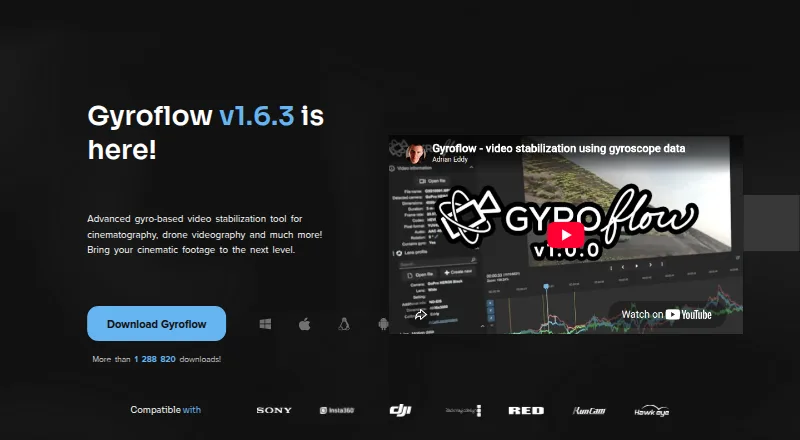
Gyroflow is a free, open-source tool for post-processing video stabilization with logged motion data. Its controls include lens calibration, rolling-shutter correction, horizon leveling, and adjustable stabilization algorithms. Supported footage includes 10-bit video, ProRes, DNxHR, 32-bit OpenEXR, Blackmagic RAW, and image sequences. Listed camera and motion-data sources include GoPro, DJI, Insta360, Sony, Runcam, Hawkeye, Betaflight, ArduPilot, WitMotion, and Gyroflow’s .gcsv format. It provides real-time full-resolution previews, GPU processing and rendering, plus a render queue, presets, lens profiles, keyframes, speed ramping, and a command-line interface. Desktop builds are available for Windows, macOS, and Linux, with Android and iOS apps. Download options include plugins for DaVinci Resolve/OpenFX and Adobe Premiere/After Effects, as well as a Final Cut Pro toolbox. Listed minimums include Windows 10 64-bit version 1809 or later, macOS 10.14 or later, or supported Linux distributions or glibc 2.28 or later.
Who it suits
Gyroflow suits video creators who want to stabilize footage using logged motion data and need controls such as horizon leveling or rolling-shutter correction. It is available on desktop and mobile platforms.
What it does well
- Free and open-source.
- Supports multiple professional video formats.
- Includes horizon leveling and rolling-shutter correction.
- Offers real-time full-resolution preview and GPU rendering.
- Desktop and mobile versions are available.
What to know first
- Windows minimum is version 10 64-bit 1809 or later.
- macOS minimum is version 10.14 or later.
- General support and troubleshooting are directed to Discord or GitHub issues.
Plans
| Plan | Billed and limits | Price |
|---|---|---|
| Gyroflow | Free · Core stabilization software · desktop and mobile apps · editor plugins | Free |
As gyroflow.org lists them, read 21 Oct 2026. The maker's own page has the final word.
Getting started
- Visit https://gyroflow.org/.
- Choose a desktop build for Windows, macOS, or Linux, or an app for Android or iOS.
- Check the listed minimum system requirements before installing a desktop build.
- Use a supported camera or motion-data source with your footage.
- For supported editors, choose an available plugin or the Final Cut Pro toolbox link.
Overview
Gyroflow is a post-production video stabilizer for footage paired with logged motion data. It suits camera and drone users who want to correct movement while retaining control over how stabilization is applied; its local processing and free, open-source model make it a focused option without a software charge.
Unlike a general-purpose video editor, Gyroflow’s role is to stabilize and shape footage for an editing workflow. It offers real-time full-resolution preview and GPU processing and rendering, while its usefulness depends on having footage and motion data it supports.
Key features
Gyroflow combines technical correction controls with tools for repeatable work. Lens calibration, rolling-shutter correction, horizon leveling, and adjustable stabilization algorithms give users several ways to address motion and distortion rather than relying on a single preset. That flexibility is valuable for varied footage, though it also makes this a more specialized workflow than a basic editor’s one-click effect.
Supported footage includes 10-bit video, ProRes, DNxHR, 32-bit OpenEXR, Blackmagic RAW, and image sequences. Listed camera and gyro sources include GoPro, DJI, Insta360, Sony, Runcam, Hawkeye, Betaflight, ArduPilot, WitMotion, and Gyroflow’s .gcsv format. This breadth is useful for mixed camera setups, but the motion-data requirement remains central to the tool’s approach.
A render queue and batch processing help manage multiple clips; presets and lens profiles can reduce repeated setup. Keyframes and speed ramping add control over adjustments. The command-line interface may also suit users building a more automated workflow. Plugins are offered for DaVinci Resolve/OpenFX and Adobe Premiere/After Effects, with a Final Cut Pro toolbox, so Gyroflow can fit alongside established editors rather than replace them.
Pricing
Gyroflow costs free. Its free plan is also open-source, and no free trial is offered because the software is free. There are no paid tiers or seat and quota distinctions to weigh; users can support development through donations.
Platforms
Gyroflow supports Windows, macOS, Linux, Android, and iOS. Desktop builds are offered for Windows, macOS, and Linux, with apps for Android and iOS. Desktop minimums are Windows 10 64-bit version 1809 or later, macOS 10.14 or later, and supported Linux distributions or glibc 2.28 or later.
Who it's for
Gyroflow is a strong fit for people working with cameras or systems that provide compatible motion data, especially those who need controls such as horizon leveling or rolling-shutter correction and want batch or editor-integrated workflows. It is less suitable for someone seeking a general editing suite or a stabilization workflow that does not rely on logged motion data.
Pros and cons
- Pros: Broad correction controls. Lens calibration, horizon leveling, rolling-shutter correction, and adjustable algorithms give users meaningful control over the stabilization result.
- Pros: Practical workflow support. Local processing, GPU rendering, full-resolution preview, batch processing, a render queue, presets, and editor integrations support work from individual clips to larger queues.
- Pros: No-cost, open-source software. There is no paid plan to unlock the listed stabilization workflow.
- Cons: Motion-data-dependent approach. Gyroflow is intended for post-processing with logged motion data, so it is not a universal substitute for stabilization that works without such data.
- Cons: Specialized rather than all-purpose. Its features center on stabilization and related adjustments, not a complete video-editing suite.
Alternatives
For a broader directory of options, see AI Video Stabilization Software.
Cutout.Pro is an alternative with a freemium model and a subscription at $5 a month for 80 credits/month. CapCut is a freemium option available on mobile, desktop, and web. Wink AI Video Generator is another freemium option across mobile, desktop, and web. Wondershare Filmora offers a free tier with watermarked exports and a free trial. DaVinci Resolve offers a free plan and a 295.00 USD one-time Studio version. Kapwing is a web-oriented freemium option whose free plan caps exports at four minutes and 720p. PhotoDirector has a free tier with limited features. Emulsio is a freemium option for iOS and macOS, with a free app that adds a watermark to exports.
Verdict
Choose Gyroflow if you have compatible logged motion data and want a focused, configurable stabilizer that works locally without a software cost. Look elsewhere if you need a general-purpose editor or do not want a workflow built around motion data.
Verdict
Gyroflow offers a broad set of stabilization controls, footage support, and editing integrations at no cost. Check the listed system requirements for the platform you plan to use.
Questions
How much does Gyroflow cost?
The Gyroflow plan is free.
Is Gyroflow open source?
Yes. Gyroflow is open-source software.
Which platforms does Gyroflow support?
It offers builds or apps for Windows, macOS, Linux, Android, and iOS.
What footage can it process?
Listed formats include 10-bit video, ProRes, DNxHR, 32-bit OpenEXR, Blackmagic RAW, and image sequences.
Does Gyroflow integrate with video editors?
The download page offers plugins for DaVinci Resolve/OpenFX and Adobe Premiere/After Effects, and links to a Final Cut Pro toolbox.
Where can users get support?
Gyroflow directs users to Discord for general support, discussion, and feedback, and to Discord or GitHub issues for troubleshooting.
Facts from Gyroflow's own pages
- Camera and gyro sources
- Listed sources include GoPro, DJI, Insta360, Sony, Runcam, Hawkeye, Betaflight, ArduPilot, WitMotion, and Gyroflow’s .gcsv format. · gyroflow.xyz, 28 Sept 2026
- Camera compatibility
- Supported sources include GoPro, Sony, Insta360, DJI, Blackmagic, RED, Runcam, Betaflight and ArduPilot data. · gyroflow.org, 21 Oct 2026
- Command line
- The product site lists a command-line interface for scripted or repeatable processing. · gyroflow.org, 21 Oct 2026
- Developer architecture
- The project uses Rust for the core and QML for the user interface; its core library is separated from Qt and FFmpeg. · github.com, 21 Oct 2026
- Development
- The project page says Gyroflow is open-source and invites users to support development through donations. · docs.gyroflow.xyz, 28 Sept 2026
- Documentation
- The documentation describes Gyroflow as free and open-source and covers examples, features, supported cameras and basic usage. · docs.gyroflow.xyz, 21 Oct 2026
- Editor integrations
- Official plugins are provided for DaVinci Resolve/OpenFX and Adobe Premiere/After Effects, while Final Cut Pro support is supplied through Gyroflow Toolbox. · github.com, 21 Oct 2026
- Google Play data safety
- Google Play states that no data is shared with third parties and no data is collected. · play.google.com, 21 Oct 2026
- GPU rendering
- GPU processing and rendering are used for accelerated exports, with multi-threaded calculations. · github.com, 21 Oct 2026
- Installation
- Desktop downloads include Windows ZIP, macOS DMG, Linux tar.gz and AppImage packages; Android and iOS installs use their respective stores. · gyroflow.org, 21 Oct 2026
- Lens profiles
- Gyroflow ships official lens profiles and automatically updates its lens-profile database. · github.com, 21 Oct 2026
- Licence
- The repository is GPL-3.0 licensed with an App Store exception; the binary also links to closed-source mdk-sdk under its own licence. · github.com, 21 Oct 2026
- Limit: Android encoding
- A Google Play reviewer reported GPU encoding hanging at 0% on a Pixel 10 Pro XL after an update. · play.google.com, 21 Oct 2026
- Limit: Android state loss
- A Google Play reviewer said switching away from the app caused it to restart and lose the loaded project. · play.google.com, 21 Oct 2026
- Limit: camera coverage
- An independent Gyroflow guide notes that Garmin cameras lack listed lens profiles and Garmin FIT gyro-data import. · oscarliang.com, 21 Oct 2026
- Limit: interface learning curve
- An independent review describes the mobile interface as dense and says fine parameter adjustment is awkward on touch screens. · rankeno.com, 21 Oct 2026
- Limit: iOS crashes
- An App Store reviewer reported abrupt crashes during auto-sync after months of successful use. · apps.apple.com, 21 Oct 2026
- Limit: motion-data dependency
- An independent review explains that stabilization depends on usable logged motion data and is unsuitable for footage without it. · rankeno.com, 21 Oct 2026
- macOS and Linux requirements
- The download page lists macOS 10.14 or later and Linux packages for Debian 10+, Ubuntu 18.10+, CentOS 8.2+ and openSUSE 15.3+, with glibc 2.28+ for other distributions. · gyroflow.org, 21 Oct 2026
- Maker
- The Google Play listing identifies the developer as Adrian Ross. · play.google.com, 21 Oct 2026
- Maker location
- Google Play lists the developer address in Czeladź, Poland. · play.google.com, 21 Oct 2026
- Mobile requirements
- The project README lists Android 6+ and iOS 14+ as minimum mobile versions. · github.com, 21 Oct 2026
- Praise: mobile usefulness
- An App Store reviewer said the app worked well on iPhone and iPad and removed the need to carry a laptop. · apps.apple.com, 21 Oct 2026
- Praise: stabilization quality
- Another App Store reviewer reported that its stabilization effects were better than iMovie for their videos. · apps.apple.com, 21 Oct 2026
Where Gyroflow stands on Freedom251
- AI Video Stabilization Software#1 of 33