Freedom251 › Clipboard Manager Software
GPaste
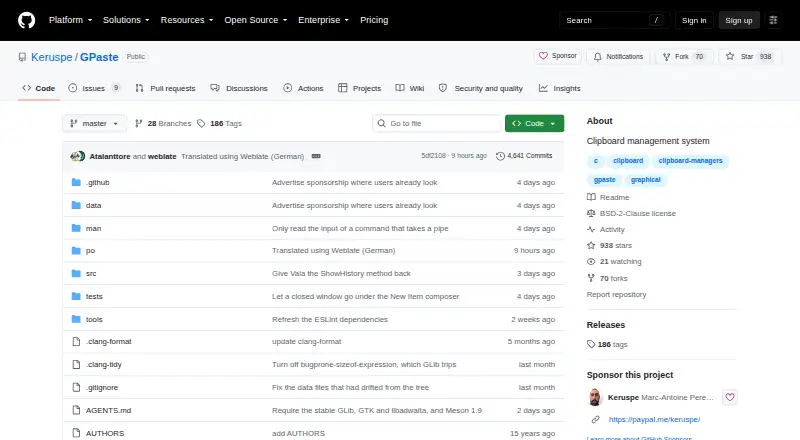
What GPaste is
GPaste is a free clipboard manager for GNOME on Linux, with a daemon, GTK 4 interface, GNOME Shell extension, and command-line client. It keeps history between sessions and supports separate named histories that users can switch between, back up, or delete. Stored content can include plain text, rich text, HTML, images, URIs, and colours; duplicate images are identified by checksum. Users can search, merge, and edit items in the graphical interface, Shell extension, or CLI. Storage options include an XML file, separate SQLite databases for histories, or no storage, and users can migrate between backends. Optional libsodium-backed encryption protects history at rest, with an option to keep the passphrase in the keyring. Items marked as passwords are hidden from history, and clipboard access can expire after a timeout. Global shortcuts use the XDG portal on Wayland and X11, and can be disabled. The current GTK advertises the password marker on X11 but cannot provide its value, so other clipboard managers may not recognize GPaste passwords there. GPaste 51.0 is the first stable release in the 51 series and targets GNOME 51.
Who it suits
GPaste suits Linux users in the GNOME environment who want persistent, searchable clipboard histories and multiple storage choices. It also provides a command-line client and GNOME Shell controls.
What it does well
- Keeps multiple named clipboard histories between sessions
- Stores text, images, URIs, and colours
- Optional encryption protects history at rest
- Shortcuts work on Wayland and X11
What to know first
- On X11, other clipboard managers may not recognize password items
- Designed for GNOME on Linux
Plans
| Plan | Billed and limits | Price |
|---|---|---|
| GPaste | No paid plans or usage limits stated | Free |
As github.com lists them, read 9 Oct 2026. The maker's own page has the final word.
Getting started
- Open the GPaste GitHub page
- Follow installation instructions for your Linux distribution or build from source
- Run the GPaste daemon
- Enable the GTK interface, GNOME Shell extension, or command-line client
- Choose a storage backend and configure shortcuts or encryption
Verdict
GPaste offers clipboard history with several interfaces, storage backends, and optional encryption. Note the stated X11 limitation if you rely on password markers across clipboard managers.
Questions
What does GPaste cost?
GPaste is free, with a listed price of $0. No paid plans or usage limits are stated.
Which systems does GPaste support?
GPaste supports Linux with GNOME. Installation guidance covers Fedora, Arch Linux, Debian, Ubuntu, openSUSE, other distributions, and source builds.
What clipboard content can it store?
It stores plain text, rich text, HTML, images, URIs, and colours. Images are deduplicated by checksum.
Can GPaste encrypt clipboard history?
Yes. Optional libsodium-backed encryption protects history at rest, and the passphrase can optionally remain in the keyring.
Does GPaste have a command-line interface?
Yes. It includes a command-line client in addition to its GTK 4 interface and GNOME Shell extension.
How does GPaste handle passwords?
Users can mark clipboard items as passwords so their contents are hidden from history, with clipboard access expiring after a timeout. On X11, the current GTK password marker cannot provide its value to other clipboard managers.
Facts from GPaste's own pages
- Clipboard history
- It keeps persistent history across sessions and supports multiple named histories that users can switch between, back up and delete independently. · github.com, 9 Oct 2026
- Compatibility limits
- The current GTK advertises the password marker on X11 but cannot serve its value, so other clipboard managers may not recognize GPaste passwords there. · github.com, 9 Oct 2026
- Distribution
- Installation instructions cover Fedora, Arch Linux, Debian and Ubuntu, openSUSE, other distributions and building from source. · github.com, 9 Oct 2026
- Encryption
- Optional libsodium-backed encryption protects history at rest, and the passphrase can optionally be kept in the keyring. · github.com, 9 Oct 2026
- GNOME integration
- The GNOME Shell extension can switch, create, empty, back up and delete histories from its menu. · imagination-land.org, 9 Oct 2026
- Keyboard shortcuts
- Global shortcuts use the XDG portal to work on Wayland and X11, and a preference can disable them all. · github.com, 9 Oct 2026
- Password handling
- Users can mark clipboard items as passwords so their contents are hidden from the history and clipboard access can expire after a timeout. · github.com, 9 Oct 2026
- Purpose
- GPaste is a clipboard management system for GNOME with a daemon, a GTK 4 interface, a GNOME Shell extension and a command-line client. · github.com, 9 Oct 2026
- Release target
- GPaste 51.0 is the first stable GPaste 51 release and targets GNOME 51. · imagination-land.org, 9 Oct 2026
- Search and editing
- Users can search, merge and edit clipboard items from the graphical interface, GNOME Shell extension or CLI. · github.com, 9 Oct 2026
- Storage
- Storage options are an XML file, per-history SQLite databases, or no storage, and users can migrate between backends. · github.com, 9 Oct 2026
- Support and contributions
- The maintainer welcomes bug reports and patches, accepts translations through Weblate, and offers GitHub Sponsors and PayPal as ways to support development. · github.com, 9 Oct 2026
- Supported content
- It stores plain text, rich text, HTML, images, URIs and colours; images are deduplicated by checksum. · github.com, 9 Oct 2026
Where GPaste stands on Freedom251
- Clipboard Manager Software#23 of 39
- Clipboard Managers#26 of 40